

How to Build an LMS Quickly Using Low-code
17 min
read
Build a custom LMS quickly using low-code and avoid slow, expensive development while keeping full control over features.

The global LMS market is expected to cross $51.9 billion by 2028, driven by remote work, online education, and digital training needs.
Companies now train employees, partners, and customers through learning platforms instead of classrooms. Startups use LMS products to validate new education ideas fast. The problem is speed.
Traditional LMS development can take 6–12 months and large budgets. That is why many teams now use low-code to build, launch, and test an LMS quickly without heavy engineering.
What It Really Takes to Build an LMS Fast with Low-code
Building an LMS fast with low-code is about delivering a usable learning system quickly, without cutting corners that create problems later. The goal is to launch something real, test it with users, and improve it based on how people actually learn and engage.
- What low-code means for LMS development
Low-code LMS development uses visual workflows, reusable components, and structured data to build learning platforms faster, while still supporting custom logic, roles, and content flows. - How low-code LMS builds differ from traditional LMS development
Traditional LMS projects take months and require heavy engineering, while low-code enables faster builds, easier changes, and smoother iteration without large technical teams. - Why speed matters for LMS MVPs and internal training
Launching early helps teams validate course structure, learner engagement, and outcomes quickly, similar to early testing approaches covered in this no-code mobile app development guide.
Building fast with low-code is not about rushing. It is about learning sooner, reducing waste, and scaling only what proves valuable.
When Low-code Is the Right Choice for Building an LMS
Low-code works best when you need a learning system fast, clear, and easy to evolve. It is ideal when validation, adoption, and speed matter more than building every feature from scratch on day one.
- Scenarios where speed matters more than deep customization
Low-code is a strong fit when timelines are tight, requirements are still forming, and teams need quick delivery cycles similar to rapid product launches. - Internal training, academies, coaching platforms, and MVP LMS products
Teams use low-code to launch employee training, partner academies, coaching programs, and LMS MVPs that can be tested, refined, and expanded based on real usage. - When low-code is not the right fit for an LMS
Highly specialized LMS platforms with complex certifications, proprietary engines, or heavy real-time requirements may need deeper custom development beyond low-code limits.
Low-code is about choosing speed with intent. When the goal is learning fast and scaling what works, it is often the right starting point.
Read more | Low-code Retail Management System Development Guide
Define the LMS Goal Before You Build Anything
An LMS fails more often because of unclear goals than bad technology. Before you design screens or choose features, you need clarity on who the system is for and what success looks like.
- Identifying the target audience
Your LMS should be designed differently for employees, customers, students, or partners, because each group has different motivations, usage patterns, and learning expectations. - Defining the primary learning outcome
Decide whether the goal is skill development, compliance training, onboarding, certification, or knowledge sharing, so every feature supports a clear learning result. - Deciding whether the LMS is internal, external, or commercial
Internal systems focus on efficiency, external LMS platforms focus on engagement, and commercial products focus on monetization, similar to how teams plan scope in broader business app development decisions explained in this business mobile app development guide.
Clear goals reduce rework later. When the purpose is defined early, the LMS stays focused, usable, and aligned with real learning needs.
Read more | Best Low-code Development Agencies
Decide the LMS Type You Are Building
Not all LMS platforms serve the same purpose. The structure, features, and success metrics change based on who the learners are and how the system is used. Deciding the LMS type early keeps the build focused and avoids unnecessary complexity.
- Internal training LMS
Internal LMS platforms support employee onboarding, role training, and skill development, focusing on simplicity, progress tracking, and easy updates rather than advanced monetization features. - Customer or partner education LMS
These LMS systems help customers or partners learn products, processes, or best practices, prioritizing engagement, structured content, and clear progress visibility. - Paid course or cohort-based LMS
Commercial LMS platforms focus on payments, access control, cohort management, and completion tracking, ensuring learners receive structured value while the business manages revenue smoothly. - Certification or compliance-focused LMS
Compliance-driven LMS platforms require strict tracking, assessments, audit logs, and completion proof, similar to learning systems used in regulated environments such as insurance and finance, where structured validation is critical, as seen in regulated training platforms.
Choosing the right LMS type sets the foundation for everything else. It ensures features, data models, and workflows align with real learning and business requirements from day one.
Read more | Validate Startup Ideas with Low-code MVPs
Core Features Required for a Fast LMS MVP
A fast LMS MVP should focus only on features that prove learning value and user engagement. The goal is to launch quickly, validate usage, and avoid building complex functionality too early.
- User authentication and role management
The LMS should support secure logins with clear roles such as learners, instructors, and admins, ensuring each user sees only relevant content and actions. - Course and lesson structure
Courses need a simple hierarchy of modules and lessons so learners can move step by step without confusion or unnecessary navigation complexity. - Content delivery (video, text, files)
The system must deliver videos, written lessons, and downloadable files smoothly, allowing teams to test learning formats without heavy media infrastructure. - Progress tracking and completion status
Basic progress indicators help learners understand where they are, while admins see who completed courses and where drop-offs occur. - Basic reporting and admin visibility
Simple dashboards show enrollments, completions, and engagement, aligning with how teams validate early products during a mobile app MVP build described in this mobile app MVP development guide.
These core features are enough to validate an LMS idea. Once usage patterns are clear, the system can expand without rebuilding what already works.
Read more | Low-code MVP Development for Startups
Features You Should Delay to Build Faster
Speed comes from restraint. A fast LMS launch depends on delaying features that add complexity without helping you validate learning outcomes or real user demand.
- Advanced analytics and custom reports
Custom dashboards and detailed reporting slow early builds and are rarely used at launch, often leading to the same issues seen in common mobile app development challenges. - Complex certification logic
Multi-level certifications, renewals, and edge cases introduce heavy logic early, increasing risk and slowing validation before real learning usage is proven. - Gamification and social learning features
Leaderboards, badges, comments, and social feeds expand scope quickly but do not help validate whether learners complete or benefit from core content. - Deep integrations that slow down launch
Large integrations with HR systems, CRMs, or external tools delay delivery and should wait until the LMS shows real adoption and engagement.
Delaying these features protects speed and focus. You validate learning value first, avoid unnecessary complexity, and scale only what learners actually use.
Read more | MVP Cost in 2026: Low-code vs Custom Development
Choosing the Right Low-code Platform for LMS Development
The low-code platform you choose determines how far your LMS can grow. It affects permissions, content delivery, automation, and how easily you can adapt the system as learning needs evolve.
- Platform support for user roles and permissions
The platform must handle learners, instructors, admins, and managers with clear permission rules, ensuring each role accesses only relevant content and actions. - Content handling and media hosting flexibility
Strong LMS platforms support video, documents, and mixed content formats without performance issues, allowing teams to experiment with learning formats early. - Workflow automation capabilities
Automation for enrollments, progress updates, reminders, and approvals reduces manual work and keeps learning flows consistent across courses and users. - Scalability limits and customization options
The platform should scale with users and courses while allowing custom logic, which is why many teams compare options across low-code app builders before committing.
Choosing the right platform avoids early constraints. It gives your LMS room to evolve without forcing a rebuild when learning programs expand.
Read more | How to Evaluate Low-code Agencies?
Designing the LMS User Experience for Speed
Speed in LMS development comes from simplicity. A clear, focused user experience helps learners start quickly and allows teams to launch without spending weeks refining visual details.
- Simple learner dashboards
Learner dashboards should show active courses, progress, and next steps clearly, so users understand what to do without training or extra guidance. - Clear course navigation
Straightforward navigation helps learners move through lessons in order, reducing confusion and drop-offs while keeping the learning flow easy to follow. - Minimal admin interface for course creation
Admins need fast tools to create courses, upload content, and manage users without complex settings or design-heavy interfaces. - Avoiding over-design that slows development
Over-designed screens increase build time and revisions, which is why many fast LMS builds follow UX principles used in native mobile interfaces where clarity matters more than visual complexity.
A fast LMS UX prioritizes clarity over polish. When the interface stays simple, teams launch sooner and improve design later based on real usage.
Read more | Low-code business process automation
Data Model Basics for a Low-code LMS
A clean data model keeps an LMS fast, reliable, and easy to evolve. When users, content, and progress are structured correctly, teams can add features later without breaking learning flows.
- Users, roles, and permissions
The LMS should separate users from roles, allowing learners, instructors, and admins to share accounts while permissions control access to content and actions. - Courses, modules, and lessons
Courses are structured into modules and lessons so content stays organized, reusable, and easy to rearrange as learning programs expand. - Progress, completion, and timestamps
Progress records store lesson activity, completion status, and timestamps, giving teams clear visibility into learner engagement and drop-off points. - Assessments and basic scoring logic
Assessment data should store attempts, scores, and pass status using simple, scalable data relationships, similar to how core entities are modeled in mobile app development.
A strong data model prevents rework later. It keeps the LMS flexible as users, courses, and learning paths grow over time.
Read more | Web Apps vs Native Apps | Key Differences Explained
Step-by-Step Process to Build an LMS Quickly Using Low-code
Building an LMS fast is about sequencing the work correctly. When structure comes before screens and logic, teams avoid rework and reach usable learning flows much sooner.
- Setting up the data structure first
Define users, roles, courses, lessons, progress, and assessments upfront so every screen and workflow connects to stable data instead of temporary assumptions. - Building core learner and admin screens
Create learner dashboards and admin panels early to validate navigation, permissions, and content access, ensuring both learners and operators can use the system easily. - Adding workflows for enrollment and progress
Automate enrollments, lesson access, and progress updates using platform logic, which is often easier to implement when building learning products with Bubble. - Testing end-to-end learning flows
Run real learning scenarios from signup to course completion, checking permissions, progress tracking, assessments, and content delivery across different user roles. - Preparing the LMS for early users
Clean test data, finalize access rules, and onboard a small group of users to collect feedback before scaling usage or adding advanced LMS features.
This approach helps you launch faster with less risk.
And if you do not want to build everything yourself, you can also partner with a product team like LOW/CODE Agency to design and build a custom LMS that fits your learning goals from day one.
Read more | Top 6 Automation Agencies
Using Templates, Pre-built Components, and Automations
Templates and pre-built components can help teams move fast in the early stages of LMS development. The key is knowing where they help and where custom logic becomes necessary.
- Leveraging LMS-like templates to save time
Templates provide ready-made structures for courses, users, and dashboards, helping teams launch basic LMS functionality quickly, especially for internal tools or pilots. - Reusing common workflows instead of rebuilding logic
Reusable workflows for enrollments, access control, and progress tracking reduce development time and keep logic consistent across courses and user roles. - Automating notifications, enrollments, and access
Automation handles routine actions like course access, reminders, and status updates, which works well in lightweight LMS setups built with tools such as Glide. - Limitations of templates in real LMS products
Templates often break when learning flows become complex, branding needs grow, or business rules change, forcing teams to work around constraints instead of evolving the system. - Why custom LMS builds deliver long-term value
Custom LMS platforms are designed around your learning goals, data models, and workflows, making them easier to scale, adapt, and monetize over time.
Templates help you move fast at the start. Custom LMS development ensures the system keeps working as learning needs, users, and business models grow.
Integrations That Matter for a Fast LMS Launch
A fast LMS launch depends on choosing only the integrations that support core learning flows. The goal is to connect what is essential without slowing delivery or adding early complexity.
- Authentication and user management
User authentication should be simple and reliable, supporting email, SSO, or invite-based access so learners can onboard quickly without friction or manual account handling. - Video hosting and content storage
External video hosting and file storage keep the LMS lightweight, improve performance, and avoid building media infrastructure that slows development and increases maintenance. Using a white label OTT platform can further streamline deployment by providing ready-made infrastructure and branding flexibility. - Payments (only if monetization is required)
If the LMS is commercial, payment integration should focus on basic access control and purchase flow, leaving advanced billing logic for later stages. - Email and notification tools
Email and notification integrations handle enrollments, reminders, and progress updates automatically, and can later support smarter triggers similar to those used in AI-powered mobile apps.
Choosing the right integrations keeps the LMS lean and fast. You launch sooner, validate learning demand, and avoid spending time maintaining tools that are not yet needed.
Testing and Validating the LMS Before Public Launch
Testing is what turns a fast LMS build into a reliable product. Before opening access widely, you need confidence that learning flows, permissions, and data behave as expected.
- Testing learner flows from signup to completion
Test the full learner journey, from account creation to course completion, ensuring content access, progress tracking, and completion states work correctly across different roles. - Validating admin workflows for course management
Admins should be able to create courses, update content, manage users, and review progress without confusion or broken logic that slows daily operations. - Catching logic and access control issues early
Early testing helps uncover permission gaps, data leaks, or workflow errors, which is critical for trust and aligns with practices used when building secure low-code apps.
Validating the LMS early reduces launch risk. You fix issues while the system is small, instead of reacting to problems after learners are already active.
Launching the LMS Fast Without Over-Engineering
A fast LMS launch succeeds when you treat release as a learning phase, not a finish line. The goal is to observe real behavior before locking in features or complexity.
- Soft launch with a small user group
Release the LMS to a controlled group of learners who reflect real usage, allowing you to validate onboarding, content flow, and progress tracking without public pressure. - Collecting early feedback instead of adding features
Focus on learner confusion, drop-offs, and completion issues rather than feature requests, so improvements are driven by actual learning friction, not assumptions. - Iterating based on real usage data
Use completion rates, time spent, and engagement signals to guide changes, similar to how teams refine products after they publish a low-code app and observe live usage.
This approach keeps momentum high and scope controlled. You improve the LMS based on evidence, not guesswork, and avoid overbuilding before value is proven.
Measuring Speed and Success After Launch
Launching fast is only useful if you measure what happens next. Clear metrics help you understand whether the LMS delivers learning value and whether it is ready to scale.
- Time to first course completion
Track how quickly learners complete their first course, as this reflects onboarding clarity, content accessibility, and early learning momentum. - User engagement and drop-off points
Analyze where learners pause, abandon lessons, or disengage, so unclear content, navigation issues, or pacing problems can be fixed early. - Admin effort required to manage courses
Measure the time admins spend creating content, managing users, and updating courses, since rising effort often signals workflow inefficiencies. - Signals that indicate readiness to scale
Consistent completion rates, stable performance, and low admin effort indicate readiness to scale and help justify future low-code development costs.
These metrics keep scaling decisions grounded. You expand the LMS only when speed, engagement, and operational effort remain balanced after real-world use.
Common Mistakes That Slow Down LMS Development
Most LMS projects slow down not because of tools, but because of early decisions that add complexity before learning value is proven. Avoiding these mistakes keeps builds fast and focused.
- Over-planning before validation
Spending weeks on specs, edge cases, and future scenarios delays real learning, especially when user behavior and course structure are still untested. - Building enterprise features too early
Advanced permissions, deep reporting, and heavy integrations slow early progress and mirror problems seen when teams rush into enterprise-grade builds without demand. - Choosing platforms before defining workflows
Selecting a platform before mapping learning flows often forces teams to adapt processes to tools instead of building around real learner needs. - Treating the LMS as a final product instead of a learning tool
An LMS should evolve based on usage, not ship as a “complete” system on day one, a mindset often missed in early enterprise-focused development.
Avoiding these mistakes protects speed and clarity. You validate learning outcomes first and invest deeper only when real usage supports it.
How LOW/CODE Agency Helps Teams Build LMS Products Faster
Building an LMS quickly requires more than speed. We focus on reducing uncertainty early, so you do not waste time building the wrong learning system.
- Strategy-first approach before building
At LOW/CODE Agency, we start by pressure-testing your LMS idea, audience, and learning outcomes, helping you decide what is worth building before any screens or workflows are created. - Defining the smallest usable LMS
We identify the minimum version learners can complete end to end, so you validate engagement, completion, and value without delaying launch for non-essential features. - Choosing the right low-code stack for speed
We select low-code tools based on learning flows, scale expectations, and future flexibility, using the same decision framework teams follow when evaluating how to hire mobile app developers. - Iterating post-launch instead of delaying release
We help you launch early, observe real learner behavior, and iterate based on evidence, an approach commonly used by leading app development agencies.
We do not act as a delivery vendor.
At LOW/CODE Agency, we work as your product team, helping you launch an LMS that validates learning value early and evolves with confidence instead of guesswork.
Conclusion
Building an LMS quickly with low-code is about learning faster, not cutting corners. When you focus on clear goals, the right scope, and real usage data, you avoid long builds that miss the mark. A well-built LMS helps you validate learning outcomes early and scale only what proves valuable.
At LOW/CODE Agency, we have built 450+ low-code products as a product team, not a dev shop. If you want to launch a custom LMS that moves fast without long-term tradeoffs, let’s discuss your LMS idea and the right next steps.

Related Articles
- How to Publish a Low-code Mobile App on the App Store
- How to Build Secure Mobile Apps With Low-code (2026 Guide)
- 9 Best Generative AI Development Companies (2026 Picks)
- Low-code Retail Management System Development Guide
- Best 9 Low-code Development Agencies (Top Rated)
- Best 9 Backend Development Agencies (Top Rated)
Last updated on
September 28, 2026
.

Jesus is a visionary entrepreneur and tech expert. After nearly a decade working in web development, he founded LOW/CODE Agency to help businesses optimize their operations through custom software solutions.


FAQs
How fast can I build an LMS using low-code?
Is low-code suitable for a commercial or paid LMS?
Can a low-code LMS scale to thousands of users?
What are the biggest risks when building an LMS too fast?
Should I build an LMS myself or work with a product team?
How do I know if my LMS is ready to scale?
Related Articles

No-code/Low-code
When to Use No-code (And When You Should Avoid It)
When should you use no-code? Learn where it works best, where it fails, and how to decide if no-code is the right choice for your app in 2026.

No-code/Low-code
15 Successful Apps Built With No-code (2026 Examples)
Explore 15 successful no-code apps with real examples. See how founders build MVPs, SaaS, and business apps faster using no-code platforms.

No-code/Low-code
Low-code Mobile App Monetization Strategies for Founders
Learn proven low-code mobile app monetization strategies for founders. Covers pricing models, in-app purchases, subscriptions, ads, and scaling revenue.
No-code/Low-code
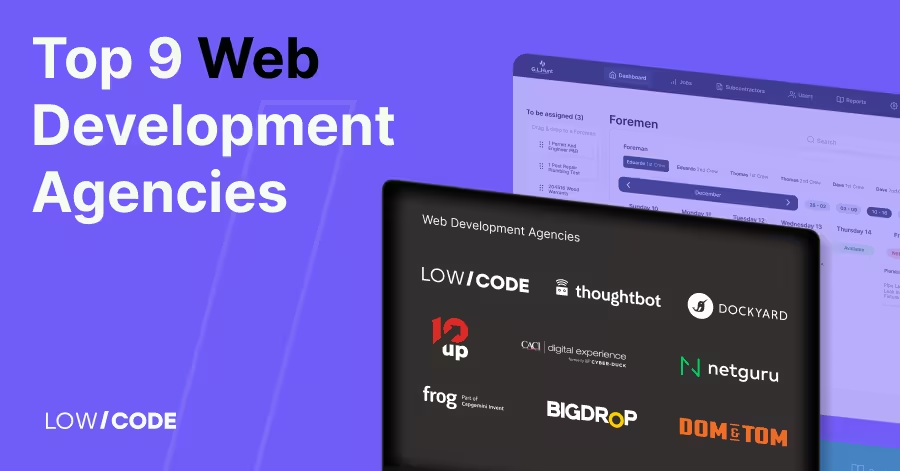
Top Web Development Agencies
Find the top web development agencies in 2026. Compare leading firms by expertise, pricing, and client results to choose the right partner for your website.
.avif)
![What Is Low-code Technology? [Meaning and How It Works]](https://cdn.prod.website-files.com/61cbe22a00483909d327afc6/69deac765170e55c4b3e12ba_69b2c8bf9cd93ec79dc1155a_what-is-low-code-technology.avif)
Why customers trust us for no-code development


