


Custom Web Portal Development

Custom web portal development for teams that have outgrown email threads, spreadsheets, and off-the-shelf tools. We build secure portals where your clients, partners, and employees sign in, see what belongs to them, and get it done without chasing your team. Each portal connects to the systems you already run, and AI assistance goes in where it removes real work.

  • 450+ products shipped
  • Since 2019
  • 40+ team members
OpenAI Select PartnerClaude Partner Network

Trusted by hundreds of businesses

QCells
Whitecoat Planning
American Express
Coca-Cola
Sotheby's International Realty
Zapier
Margaritaville
Somewhere
Dataiku
medtronic
Herzig
Altriarch
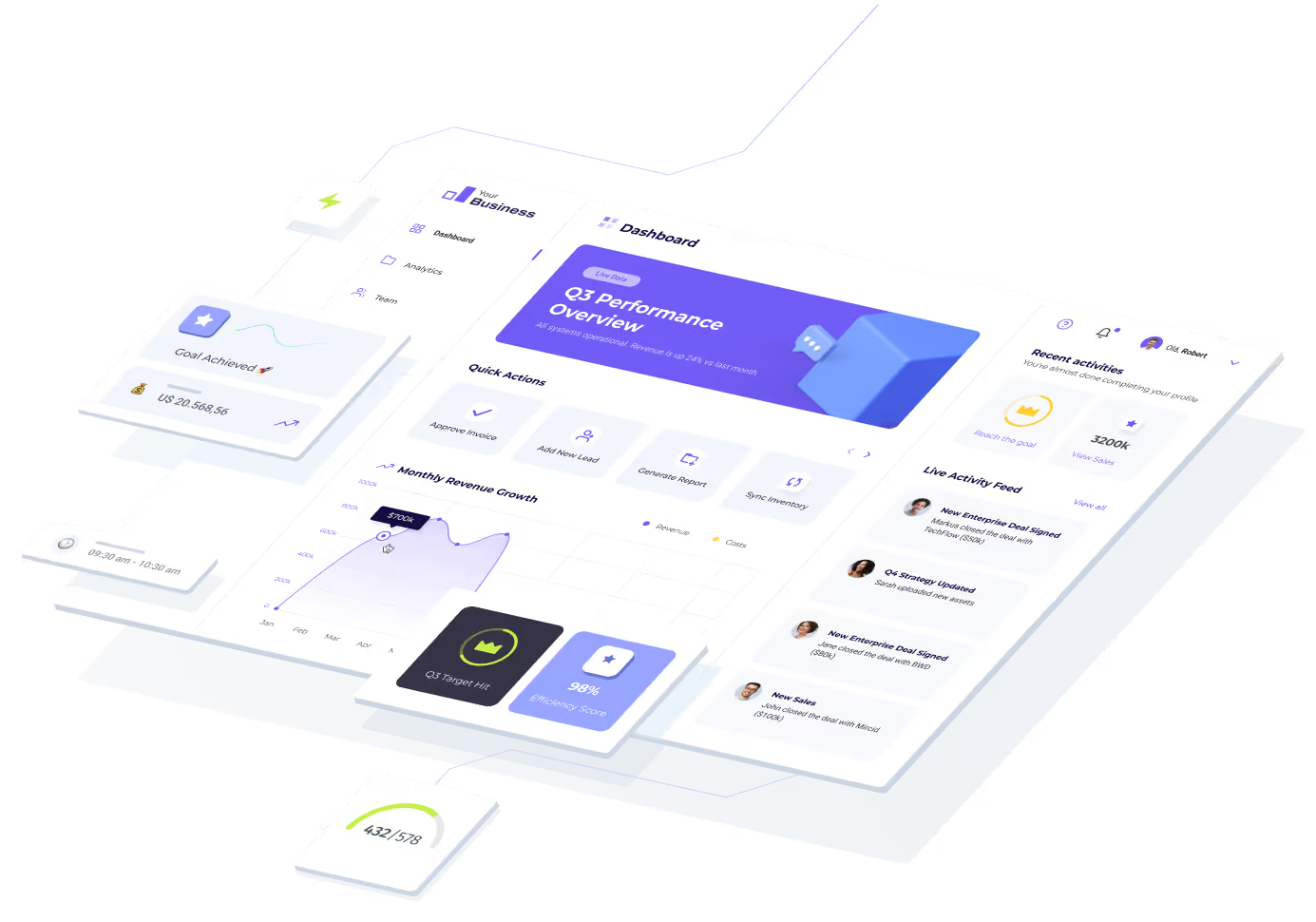
Custom app mockup

What Is Custom Web Portal Development?

Custom web portal development gives a defined group of users a secure place to sign in and work with their own information. A website talks to everyone. A portal knows who is logged in, shows them their data, and lets them act on it: approve, upload, order, book, or pay.

Custom means the portal follows how your operation actually runs, instead of forcing your process into someone else's fields. It connects to your ERP, CRM, identity, and payment systems, so records stay current and nobody re-keys data between screens. Secure authentication and role-based access make sure each audience sees only its own content and actions.

A custom portal fixes this by giving each group its own front door to the same connected data.

Signs You've Outgrown Email, Spreadsheets, and Generic ToolsMost teams don't start out wanting a portal. They come to us when the workarounds start costing more than the work. These are the patterns we hear most on discovery calls:

  • Clients can't see what you have. Work, assets, or services exist, but clients only find out when someone remembers to mention them. Selling more becomes a cold call to a customer who already pays you.
  • Requests arrive everywhere. Email, text, and DMs carry requests in. Proposals go out as PDFs, and feedback comes back through whatever channel the client prefers.
  • Someone clicks through admin screens every morning. Invites, status updates, and copy-paste between systems are done by hand, and people still get missed.
  • Enterprise clients expect more. Large accounts want their own login, an admin view, and reports they can pull without asking you for a spreadsheet.
  • The current tool sets the ceiling. The SaaS product or early build you started on limits what you can offer, and your users compare it to better software.
  • The wrong people see sensitive data. Field staff see financial details, or clients' records sit side by side, because the tool can't separate roles cleanly.

Custom Web Portals We've Built

These custom web portals replaced email threads, spreadsheets, and manual approvals in fleet operations, engineering, and financial services.

Rising Ground Fleet Portal

Nonprofit – Fleet Operations

Rising Ground Fleet Portal
Challenge
611 drivers and 174 vehicles generated licenses, inspections, incidents, tickets, tolls, and fuel records across email and spreadsheets, which created heavy manual effort and limited visibility.
What we built
A Glide portal with driver compliance alerts, structured incident and ticket reporting, inspection flows, live dashboards, and integrations with Samsara and internal systems. Bulk imports, Big Tables, and a Supabase reporting layer supported growth.
Result
  • 75% less manual work
  • 1,500 hours recovered each year
  • $35,000–40,000 returned to operations
View case study
Herzig

Engineering

Herzig Engineering Client Portal
Challenge
Project communication and document sharing were scattered across email and drives, and teams lacked clear, real-time visibility into status and next steps.
What we built
A client portal for project communication and collaboration that surfaces accounts, projects, and locations with activity timelines and approvals, integrated with the firm’s core CRM and document storage.
Result
  • 25% increase in collaboration efficiency and 30% improvement in project visibility and tracking accuracy
View case study
12five Capital

Banking & Financial Services

12five Capital Client Portal
Challenge
Manual calculations, document handling, and multi-step approvals slowed funding and limited capacity to serve clients.
What we built
A client portal with workflow automation for requests, reviews, and updates. The system automates calculations, manages documents, notifies stakeholders, and provides clear status tracking across the process.
Result
  • 70% faster approvals
  • 50% boost in team productivity
  • 35% more clients supported
  • 90% fewer documentation errors
View case study

Our Web Portal Development Services

Our custom web portal development services cover the full build, from the first requirements session to support after launch. Most clients start with one audience and one problem. The services below are how that first release grows into a platform.

Web Portal Consulting & Architecture

We map your users, their roles, and the journeys each one needs before anyone designs a screen. Discovery reviews your current systems and where the data lives, then turns it into an architecture and a roadmap with a clear first release. Permissions get settled at this stage, because they're the most expensive thing to change later.

Custom Web Portal Design & Development

We design and build the portal end to end: interface, backend, user management, and the workflows behind each screen. Our UX team maps every flow, with notes on each screen, before development starts. The build then follows decisions already made instead of assumptions, and people can use the portal without a training session.

Web Portal Integration

We connect the portal to your ERP, CRM, payment, identity, and document systems so data is entered once and appears wherever it's needed. On the Rising Ground fleet portal, Samsara vehicle data and internal records feed the same dashboards, part of what cut manual work by 75%.

Web Portal Modernization & Migration

We modernize legacy portals and rebuild ones that have outgrown the off-the-shelf tool or early build they started on. Data migrates with your users, integrations are updated, and security is hardened. We plan the cutover so day-to-day work carries on while the new portal is built.

AI Integration & Workflow Automation

We add AI to new or existing portals where it takes a defined task off someone's plate. That can be an assistant that answers account questions, document processing on uploads, RAG-based knowledge search across approved content, or agents built through AI agent development that handle repetitive steps. Every AI feature uses the same permissions as the rest of the portal, so it never shows a user something they couldn't already see.

Web Portal Maintenance & Support

We keep the portal stable after launch with monitoring, security patches, and releases planned around user feedback. Portals rarely stay the same size. Once users rely on one, they ask for the next feature, and the support plan is where those requests get prioritized.

Types of Custom Web Portals We Build

Custom web portal development usually starts with one audience. These are the portal types we build most often, and two of them often share one backend, such as a client portal and the internal admin view behind it.

  • Customer & Client Portals

    Clients sign in to see their orders, requests, invoices, and documents without emailing your team to ask. A CRM-connected portal shows each account its own history, and an AI assistant can answer approved account and product questions. Herzig Engineering's client portal moved project communication out of email and shared drives and improved project visibility by 30%. Service firms also use client portals to surface work clients don't know exists, from archived assets to add-on services.

  • B2B & Partner Portals

    Distributors, resellers, and partners check personalized pricing, live inventory, and order status in one place instead of calling for it. They submit purchase orders and review invoices themselves, which takes a steady stream of email off sales and operations. Some teams let partners submit briefs directly and get a drafted proposal back for review, instead of trading emails and PDFs.

  • Employee & Enterprise Portals

    Employees handle HR requests, onboarding, approvals, and company knowledge in one portal instead of five tools. Role-based permissions route each request to the right approver, and AI-powered search across policies answers the questions HR would otherwise field one by one. The same approach powers enterprise admin views, where managers pull attendance, usage, and assessment reports for their own people.

  • Vendor & Supplier Portals

    Vendors complete onboarding, upload compliance documents, submit invoices, and track payment status without chasing accounts payable. Buyers share purchase orders and confirmations in the same place, so both sides work from one status. Automated extraction reads the key invoice fields, so AP reviews instead of retyping.

  • Membership & Community Portals

    Members manage profiles, renewals, and event registration, and get gated resources and discussions that match their tier. Events land in their calendar when they sign up, instead of someone on your team sending invites by hand. Associations run dues and communications from the same system, and AI matching can suggest who each member should meet as the community grows.

  • Industry-Specific Portals

    We tailor portals to sector workflows: patient access to visit summaries, claims tools for insurance clients, owner and tenant portals for property management, and logistics dashboards for carriers and shippers. Tenants submit maintenance requests and track updates, while owners see portfolio insights and documents in one view.

Web Portal Integration With Your Existing Systems

Web portal integration is what turns a portal from a nice interface into the place work actually happens. We connect it to the systems your teams already use, so information is entered once and every user sees the current record. Without integration, a portal is one more screen to update by hand.

System

What it connects

ERP

Orders, inventory, invoices, and fulfillment status kept in sync

CRM

Account details, sales activity, and support history behind every client view

Payment systems

Online payments, billing, refunds, and subscriptions that reconcile cleanly

HR software

Employee profiles, onboarding steps, and leave requests in one place

Identity providers

Single sign-on and secure authentication through your existing directory

Document management

Secure file access, uploads, approvals, and retention rules

Analytics tools

Reporting and dashboards on activity and performance

Third-party APIs

Scheduling, messaging, logistics, and mapping

AI models and services

Assistants, document extraction, intelligent search, and natural language interfaces

AI features connect the same way. An assistant in a customer portal can pull account details from an authorized system or answer from approved support documentation, using the permissions already in place. If a user can't see a record in the portal, the assistant can't see it either.

Essential Features of a Custom Web Portal

Every custom web portal starts from the same core features. What changes from project to project is the workflows built on top of them.

  • Secure Authentication

    Users sign in with strong credentials and MFA through a central identity service. Admins control sessions and password policies from one place, and users get one login across connected systems.

  • Role-Based Access Control

    Each audience sees only the data and actions that match its role. It's what lets a technician log a repair without seeing the invoice total, or a client open their project without seeing anyone else's.

  • Personalized Dashboards

    Each user lands on the metrics, documents, and tasks that matter to them. People start work faster because they're not hunting for it.

  • Self-Service Workflows

    Requests, bookings, approvals, and orders move through built-in steps with status tracking and clear ownership. 12five Capital's portal automated approval routing and made approvals 70% faster.

  • Document Management

    Teams upload, share, and retrieve files with permission controls and version history. Approval and retention rules apply automatically, and files stop living in email attachments.

  • Notifications and Communication

    Email, in-app alerts, and calendar invites go out when something changes, not when someone remembers to send them. Messages tied to a project stay on that record instead of spreading across inboxes and DMs.

  • Reporting and Analytics

    Operational dashboards and exportable reports show activity, trends, and throughput. Leaders and enterprise clients pull the numbers themselves, including figures that are hard to track in spreadsheets, such as request turnaround time.

  • Mobile-Responsive Interfaces

    Interfaces adapt to desktop, tablet, and mobile. Field teams log data on site, managers approve on the go, and customers finish tasks from their phones.

AI Integrations for Smarter Web Portals

AI earns its place in a portal when it removes a step someone does by hand every day. Each capability below connects to your systems and approved knowledge sources, and follows the permissions already in place.

We scope AI features during discovery, against your data and permissions, before anything is built. Delivery draws on our AI agent development, RAG-based knowledge search, generative AI development, and business process automation work.

AI-powered assistants

Assistants answer common questions, pull order status or policy details, and walk users through forms. Routine tickets stop reaching your support team.

Intelligent document processing

Fields are extracted from invoices, contracts, and forms, checked against your ERP or CRM, and sent to the right review workflow. Your team checks the result instead of typing it.

AI-powered knowledge search using RAG

Users ask questions in plain language and get answers grounded in your approved documents and policies, not the open internet.

AI agents and workflow automation

Agents classify incoming requests, gather context from connected apps, update records, and trigger the next step. A typical setup: a client submits a request in the portal, an agent drafts the plan, and your team reviews and approves it.

Natural language analytics

Non-technical users ask questions about authorized datasets and get summaries or draft charts back.

Our Web Portal Development Process

Our web portal development process starts with understanding who will use the portal, what they need to do, and which systems it needs to connect to. We don't start building until those requirements are clear.

The discovery phase gives you a defined scope, a delivery timeline, and a fixed-price proposal before development begins. From there, we design the portal, build in two-week sprints, and test each release with your team. You see working software throughout the project, not just at launch.

Book a Discovery Call
  1. 1

    Step 1Discovery & Planning

    2–3 weeks

    We start by talking to the people who will use and manage the portal. We map their roles, daily workflows, and business rules, including who can see, edit, and approve information.

    We also review the systems the portal needs to connect to and identify where automation or AI could remove manual work.

    Before discovery ends, we agree on what belongs in the first release and what can wait. You get a product requirements document, user flows, and a fixed-price, fixed-timeline proposal. Those documents are yours to keep, whether you build with LOW/CODE or another team.

  2. 2

    Step 2UX/UI Design & Solution Architecture

    2–4 weeks

    Our designers turn the approved user flows into wireframes, then detailed screens showing how each part of the portal will work.

    You review the designs in weekly calls, so your team can catch confusing workflows or missing features before development starts.

    At the same time, our tech lead designs the system architecture, including how data moves between the portal and your existing tools. We also define authentication, user permissions, and security requirements.

    You get approved screen designs and a technical architecture that our developers can build against.

  3. 3

    Step 3Development & System Integration

    Two-week sprints, typically 6–10 weeks for an MVP

    Our developers build the portal in two-week sprints, starting with the features your users need most.

    That includes the frontend, backend, authentication, and role-based access. We also build the workflows and connect the portal to your existing systems, whether that's an ERP, CRM, payment provider, or another business application.

    Every sprint ends with working functionality your team can review. You can follow progress task by task in our client portal, including anything we need from you, such as system access or API keys.

  4. 4

    Step 4Quality Assurance, Testing & Validation

    Runs alongside development, with final release testing before deployment

    Testing happens throughout development, not just before launch. Our QA team checks functionality, integrations, user permissions, and performance during every sprint.

    Your team also tests the portal with real workflows and data to confirm it works the way your business needs it to.

    Where the portal includes AI features, we test response quality, data access, and safeguards against the agreed requirements. Issues are documented and fixed before the affected functionality is approved for release.

    You get a tested portal, with your team involved in validating the features before launch.

  5. 5

    Step 5Deployment & Handover

    Scheduled after final validation, based on the agreed rollout plan

    Once testing is complete and your team signs off, we prepare the portal for launch.

    Depending on the project, we may release the portal to a smaller group first or roll it out to everyone at once. We configure the production environment, verify integrations, and check that permissions and critical workflows work with live data.

    We also hand over the documentation and access your team needs to manage the portal. You own the software and its code, without being tied to LOW/CODE for future development.

  6. 6

    Step 6Ongoing Support & Optimization

    Ongoing support, scoped separately. New development follows an agreed release schedule

    Launching the portal is the start of using it, not the end of improving it.

    After launch, we can move to a maintenance plan covering monitoring, bug fixes, and security updates. We also track how people use the portal and where they run into problems.

    Feedback from your users becomes the backlog for future releases. When you're ready to add features or expand the portal, we scale the development team back up, build the next release in sprints, and return to maintenance afterward.

Technologies We Use for Web Portal Development

Our web portal development stack is chosen around your integrations, security requirements, and expected scale. Custom builds run on React and Next.js, with server-side functions and managed services on the backend. When speed to value matters, Webflow or Bubble can accelerate delivery if they fit your long-term plans, so low-code is used selectively rather than as the default. AI technologies are added when the portal needs intelligent functionality.

Frontend

  • React
  • Next.js
  • WWebflow
  • BBubble

Backend

  • NNext.js API routes
  • Sserverless functions on Vercel and AWS

Databases

  • SSupabase Postgres

Cloud infrastructure

  • Vercel
  • AAWS

APIs and integrations

  • RREST and GraphQL APIs
  • Stripe
  • CCRM and third-party APIs

Authentication

  • SSupabase Auth
  • Ssingle sign-on via identity provider

Testing and deployment

  • VVercel preview environments
  • CCI and automated testing
  • Pperformance and QA checks

AI models and orchestration

  • OpenAI
  • Pprompt and workflow orchestration for assistants and automation

AI knowledge retrieval and RAG

  • VVector store
  • Eembeddings
  • Aand retrieval pipelines for knowledge search

Secure and Scalable Web Portal Development

Secure web portal development starts in discovery, not after launch. Portals hold client records, financial data, and documents, so security is designed into the architecture from the first sprint.

Control

How it works

Authentication and permissions

Secure login with MFA and role-based access, so each user sees only the data and actions meant for them.

Data protection

Encryption in transit and at rest, plus access controls on sensitive information.

Secure integrations

Authenticated, scoped APIs protect data exchanged with ERP, CRM, payments, and other connected systems.

Monitoring and auditability

Centralized logging and audit trails show user and system activity, with alerts for key events.

Performance and scalability

Architecture sized for current usage with room for more data, users, and features, backed by capacity planning and performance tuning.

Maintenance and updates

Regular security patching, vulnerability remediation, and operational support.

AI security and governance

AI access follows existing user permissions, sensitive data is protected before anything reaches an external AI service, outputs are evaluated, and a person reviews sensitive or consequential actions.

For regulated industries such as healthcare and finance, we scope compliance requirements during discovery and build them into the plan. Technical and AI governance details are reviewed and approved with your team before development starts.

How Much Does Custom Web Portal Development Cost?

Custom web portal development typically costs between $20,000 and $250,000+, depending on how many user roles, workflows, and integrations the portal needs. A portal for one audience with one core workflow costs less than an enterprise portal with granular permissions, extensive integrations, and AI features. We provide a tailored estimate once discovery has defined your requirements and scope.

Basic Portal or MVP

$20K–$45K

10–16 weeks

A secure portal for one user group, with a primary workflow and a limited number of integrations. Suitable when you need to move one audience off email and spreadsheets and prove the portal works.

  • Discovery and user flows
  • Secure login and role-based access
  • One primary self-service workflow
  • Dashboards for one user group
  • Integration with one or two core systems

Complex Enterprise Portal

$120K–$250K+

24–36 weeks, delivered in phases

Many roles, granular permissions, extensive integrations, and higher security requirements, often with AI features and data migration from a legacy portal.

  • Comprehensive discovery
  • Granular permissions and single sign-on
  • Extensive integrations and data migration
  • Admin and enterprise reporting views
  • AI assistants, knowledge search, or document processing

A detailed estimate follows discovery, once requirements, integrations, and AI use cases are pinned down. We'd rather scope a smaller first release that works than an oversized MVP that uses up the budget before launch.

How Can a Custom Portal Deliver ROI?

  • Admin work drops when users complete tasks themselves. Rising Ground recovered 1,500 hours a year after moving fleet records into its portal.
  • Support requests fall when clients can check status without asking.
  • Approvals move faster with defined steps, roles, and reminders.
  • Leaders and clients pull reports themselves instead of waiting for a spreadsheet.
  • Duplicate entry disappears once connected systems share a single source of truth.
  • Existing assets and services are easier to sell when clients can browse them in their own portal.
  • Document intake needs less manual keying with AI-assisted extraction.
  • Users find answers faster with AI-powered knowledge search across approved content.

Custom Web Portals for Different Industries

Custom web portals share the same foundation across industries, but each sector brings its own daily problem to solve.

  • Manufacturing

    Supplier portals for orders and invoices, production dashboards, and inventory access for plants and distributors. AI-assisted search across technical documentation speeds up troubleshooting.

  • Finance & Insurance

    Client portals for statements and secure document exchange, plus policy and claims workflows. 12five Capital's client portal cut documentation errors by 90%.

  • Logistics & Transport

    Fleet management portals, shipment tracking, and partner portals where carriers and shippers share status, documents, and messages. Rising Ground manages compliance for 611 drivers and 174 vehicles in one portal.

  • Real Estate & Property

    Tenant portals for payments and maintenance requests, owner dashboards with portfolio documents, and broker platforms with gated listings and shareable buyer links.

  • Legal

    Client portals for matter updates, document sharing, and billing. AI-powered search across authorized case files supports research and responses.

  • Nonprofit

    Donor portals with giving history and receipts, volunteer management, and program administration with role-based access.

  • Healthcare

    Patient self-service for appointments and documents, plus administrative workflows for referrals and authorizations, with compliance requirements scoped in discovery.

  • Education

    Student portals for courses, grades, and resources, plus parent access for communication, forms, and payments.

  • Hospitality & Travel

    Guest portals for bookings and itineraries, and partner access for rates, availability, and content updates.

  • Marketing & Sales

    Client portals where brands review deliverables, browse archived assets, and request new work, and campaign portals that keep creator and vendor communication on one record.

Frequently Asked Questions About Custom Web Portal Development

What is custom web portal development?

Custom web portal development is building a secure, sign-in workspace for a specific group of users, such as clients, partners, employees, or members. Each user sees a role-based dashboard, completes tasks on their own, and accesses their documents. The portal connects to systems like your ERP, CRM, identity provider, and payments, so what users see is always current.

What is the difference between a website and a web portal?

A website presents the same information to everyone. A web portal knows who is signed in and shows each user their own data, forms, approvals, and transactions. Portals integrate with your business systems, so an action taken in the portal updates the records your team works from.

What types of web portals can you develop?

We build customer and client portals, B2B and partner portals, employee and enterprise portals, vendor and supplier portals, and membership and community portals. Industry specific builds include patient, property, logistics, and financial portals. Each one is designed around its user roles, its workflows, and the systems it has to connect to.

How much does custom web portal development cost?

Cost depends mostly on the number of user roles, workflows, and integrations, plus data migration, security and compliance needs, and expected scale. As a guide, a portal MVP starts at about $20K, multi-workflow portals with integrations run $50K to $120K, and complex enterprise portals start at $120K. You receive an itemized estimate after discovery.

How long does it take to develop a custom web portal?

A portal MVP is typically delivered in about 10–16 weeks, and complex integrated portals take longer. Integrations, design depth, and data preparation are the biggest variables. After discovery you get a project plan with stage durations and milestones, and you can follow progress task by task in our client portal.

Can a web portal integrate with our existing ERP or CRM?

Yes. Most portals connect to at least one core system: ERP for orders, inventory, and invoices, and CRM for accounts, opportunities, and support history. They also connect to identity providers for single sign-on, payments, document management, analytics, and third-party APIs, so data stays in sync and workflows trigger across systems.

Can you modernize an existing web portal?

Yes. We assess the current portal, then refine the UX, update the architecture, strengthen security and performance, and migrate the data. That includes portals that have outgrown the off-the-shelf tool or early build they started on. We plan the cutover so users keep working while the new version is built.

How do you ensure web portal security?

Security is designed in from discovery: MFA, role-based permissions, encryption, secure APIs, and careful data handling. We add logging and audit trails, monitor performance and errors, and apply updates and vulnerability fixes after launch. Regular testing and reviews keep those protections working as the portal grows.

Can you integrate AI into a custom web portal?

Yes, when the use case, data, and integrations support it. Common applications include customer or employee assistants, intelligent document processing, AI-powered knowledge search using RAG, and AI agents that classify, route, and start workflows. We decide what's worth building during discovery, based on where AI removes the most manual work.

Do you provide maintenance and support after launch?

Yes. Support plans cover monitoring, updates, security patches, bug fixes, and new features. Response times, release cadence, and change management are agreed during contracting. Most portals keep growing after launch, so the plan also gives you a steady route for the features users ask for next.

Let's Build a Custom Web Portal for Your Business

Let's build a custom web portal that gives your clients, partners, or team one place to get things done, connected to the systems you already run. Bring the messy version of your process: the email threads, the spreadsheets, and the tool everyone complains about. We'll map what the first release should fix and what can wait.

Discuss Your Portal Project
OpenAI Select PartnerClaude Partner Network