


Custom CRM Development Services

Your customer history is split across spreadsheets, inboxes, and a CRM your team updates when someone reminds them. Our custom CRM development services bring customer data, sales workflows, and operations into one system, built around how your business actually sells and serves customers. It connects to the tools you already use, and AI takes over the data entry nobody wants to do.

  • 450+ products shipped
  • Since 2019
  • 40+ team members
OpenAI Select PartnerClaude Partner Network

Trusted by hundreds of businesses

QCells
Whitecoat Planning
American Express
Coca-Cola
Sotheby's International Realty
Zapier
Margaritaville
Somewhere
Dataiku
medtronic
Herzig
Altriarch
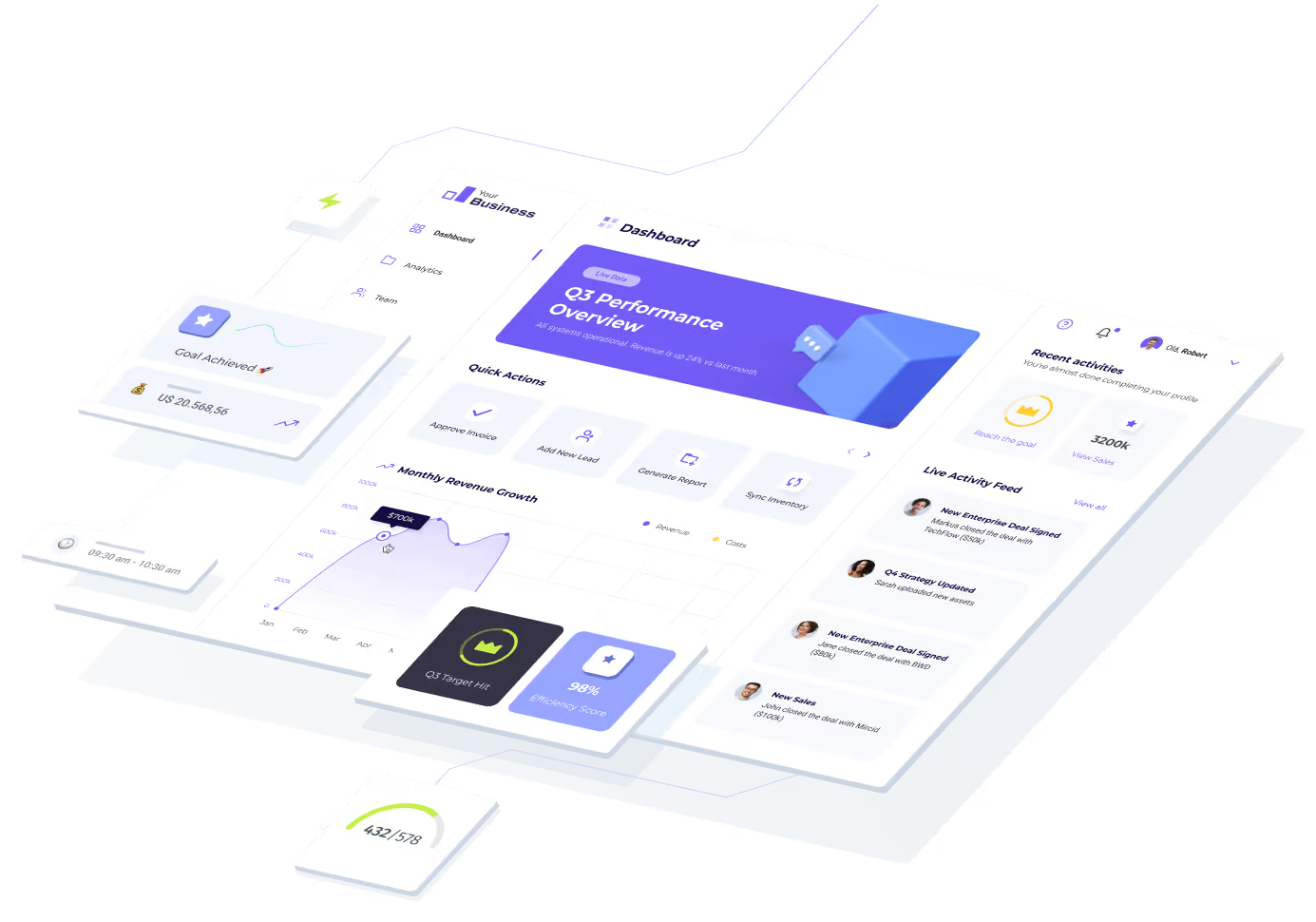
Custom app mockup

Custom CRM Projects We've Delivered

These custom CRM projects started the way most do: sales and client data spread across spreadsheets and tools that didn't talk to each other. One of them is our own.

Human Resources Mexico

HR Services & EOR

Human Resources Mexico
Challenge
After 16 years in business, Human Resources Mexico still managed client relationships through spreadsheets, Adobe Sign, and manual processes.
What we built
A custom platform that brings proposals, contracts, e-signatures, and employee records together. Agreements generate automatically, signatures are tracked, and AI-powered document search helps the team manage each client from first contact to ongoing service.
Result
  • Built in 8 weeks
  • 87 proposals and client agreements processed in the first 9 months, with complete audit trails
View case study
AI Employees

AI Agency

LOW/CODE AI Employees
Challenge
Our own customer conversations, sales opportunities, and follow-ups were scattered across different tools, the same problem many growing businesses have.
What we built
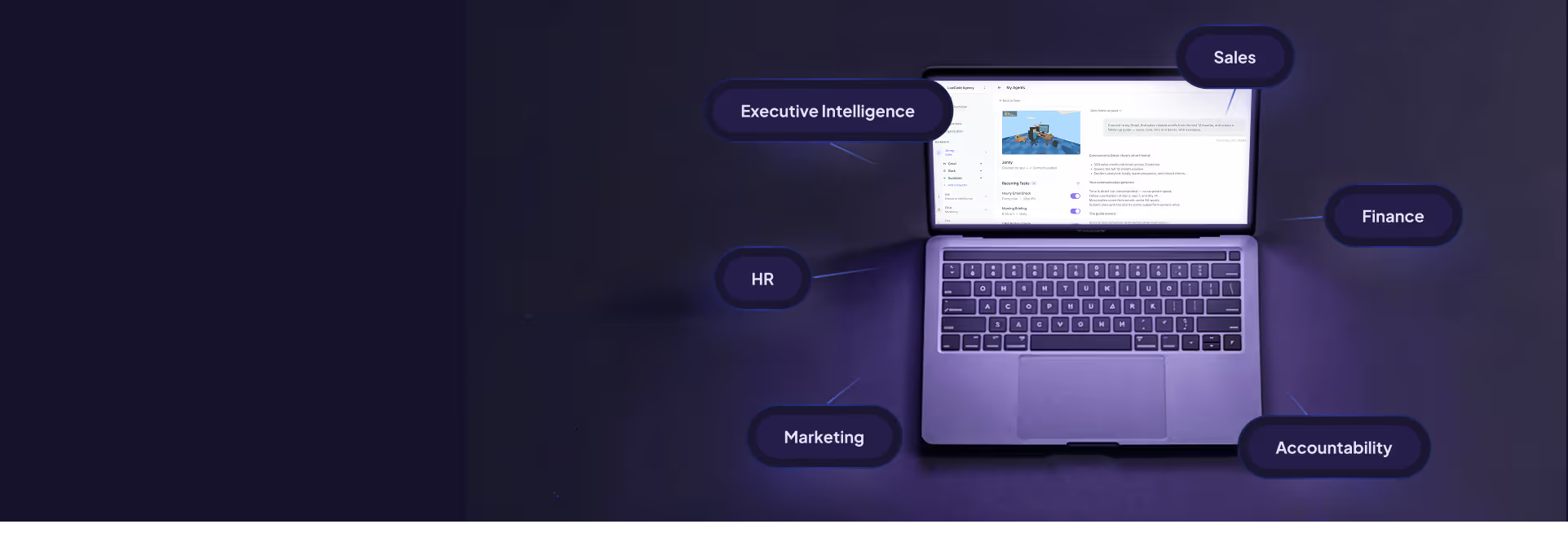
AI agents that connect our CRM with Gmail, Slack, Drive, and call recordings. They flag stalled deals, draft follow-ups, capture meeting commitments, and send a daily briefing, so nothing important falls through the cracks.
Result
  • 90% of follow-ups automated
  • 20 CEO hours saved monthly
  • 3x output
View case study
introCRM

Administration & Office Support

IntroCRM
Challenge
IntroCRM's sales team entered leads into spreadsheets by hand and tracked follow-ups the same way.
What we built
A custom CRM, built in two weeks, with bulk lead uploads, automated lead prioritization, centralized contact records, and engagement tracking. Reps now spend their time on prospects instead of on data entry.
Result
  • 60% increase in team productivity
  • 45% increase in lead conversion
  • 75% faster first contact with new leads
View case study

Our Custom CRM Development Services

Our custom CRM development services cover the whole build, from the first sales process map to support after launch. Some clients need a complete CRM. Others need one integration that finally works, or a migration off a CRM they've stopped trusting.

Custom CRM Software Development

Off-the-shelf CRMs are built for an average sales team, and nobody has one of those. We build custom CRM software around your sales process, your customer relationships, and the operational work that follows a closed deal. That covers lead management, sales pipelines, account management, and customer support, with no screens your team will never open.

CRM Integration & API Development

If a rep has to check the ERP to see whether a customer paid, the CRM isn't connected yet. We connect your CRM with ERPs, accounting software, marketing platforms, customer support tools, and other business applications through custom APIs and integrations. Data moves between them on its own, so each record gets entered once and every team sees the same version.

CRM Workflow Automation

Deals stall when nobody is sure whose turn it is. We automate lead routing, task assignments, follow-ups, approvals, and customer communications, so work moves without anyone pushing it. Where it pays off, AI summarizes interactions, pulls out customer details, and suggests the next action, and a person approves anything that matters.

CRM Data Migration

Moving to a new CRM shouldn't mean losing years of customer history. We migrate customer records, contacts, deals, and activity histories from legacy CRMs, spreadsheets, and databases into your new system. Records are cleaned, deduplicated, mapped field by field, and validated against the source, so the first week on the new CRM isn't spent fixing the old data.

Mobile & Cloud-Based CRM Development

Most of a sales rep's day happens away from a desk. We develop secure, cloud-based CRM applications with mobile-friendly interfaces for sales reps, field teams, and managers. They update records, manage tasks, and check opportunities from the parking lot instead of after they get back to the office.

CRM Analytics & Reporting Development

Someone on your team probably rebuilds the pipeline report in Excel every Monday. We build custom dashboards and reporting tools that track sales performance, pipeline health, customer activity, and operational KPIs. They update in real time and connect to the BI tools you already use, so a stalled deal shows up this week, not at the end of the quarter.

CRM Modernization & Re-engineering

An old CRM still holds something valuable: years of customer history. We modernize legacy CRM systems by speeding them up, redesigning outdated interfaces, restructuring the database, and adding the integrations they never had. The work happens in phases, so sales keeps selling while the system changes underneath it.

CRM Maintenance & Optimization

Launch is when your team starts finding out what it actually needs from the CRM. We handle ongoing maintenance, performance optimization, bug fixes, and feature enhancements, so the CRM keeps up as you add workflows, integrations, and users.

Custom CRM Solutions We Build

Custom CRM solutions are rarely just a contact list. Most of the ones we build run a specific job, like quoting, customer support, or field operations, with the customer record at the center.

  • CRM for Sales & Opportunity Management

    We build sales CRMs that keep leads, accounts, deals, and follow-ups in one place. Reps open it and see what to do next. Managers see pipeline health, stalled deals, and the revenue forecast without asking for an update, and when a deal closes, the handoff to the next team happens automatically.

  • CRM for Quoting & Order Management

    A quote built on last quarter's price list costs you margin. We connect your CRM to your ERP, inventory, and accounting systems, so reps quote from current pricing and product data. Discounts go to the right approver, accepted quotes become orders, and invoices and order statuses sync back, so sales and finance read the same numbers.

  • CRM for Marketing & Lead Operations

    Leads arrive from every marketing channel, and every channel claims credit for the pipeline. We build CRMs that capture those leads, organize customer information, and automate lead scoring, nurturing, and routing. Marketing and sales can follow each lead from first touch to deal, so you know which channels bring in opportunities worth having.

  • CRM for Customer Service

    Customers shouldn't have to explain their problem twice. We develop customer service CRMs that bring tickets, conversations, and customer histories together across email, phone, chat, and other channels. Tickets route automatically, SLA tracking shows what's at risk, and escalation workflows reach a senior person before the customer has to ask.

  • CRM for Field Service & Operations

    In a lot of field teams, the office learns a job is finished when the technician calls in. We build field service CRMs for appointment scheduling, dispatch, job tracking, and mobile updates. Technicians see job details, record the work completed, and update the status on-site, and coordinators manage follow-ups from the same record instead of a spreadsheet.

  • CRM for Reporting & Analytics

    When leadership asks how the quarter is going, the answer should take one click. We develop reporting-focused CRM solutions that bring sales, service, and operational data together in customizable dashboards. Pipeline performance, revenue forecasts, customer retention, and service KPIs sit on role-based views, so each team sees its own numbers.

Have a CRM Project in Mind?

Tell us where customer information gets lost today. We'll tell you whether that needs a new CRM, a better integration, or nothing custom at all.

Book a Discovery Call

Custom CRM Features & Functionalities

Custom CRM features should come from your workflows, not from a pricing tier. Start with the ones your team needs now and add the rest as the business grows.

  • Marketing & Lead Management

    Capture, organize, and nurture leads throughout the customer journey.

    • Contact and account management
    • Lead capture, scoring, and qualification
    • Customer segmentation
    • Campaign tracking and attribution
    • Automated lead nurturing and follow-ups
  • Sales & Opportunity Management

    Everything a rep needs between the first call and the signed contract.

    • Custom sales pipelines and deal tracking
    • Sales forecasting
    • Quotes and proposal generation
    • Pricing approvals and discount management
    • Tasks, reminders, and follow-up automation
  • Customer Service Management

    Every customer request and support conversation, in one place.

    • Support ticketing and case management
    • Customer interaction histories
    • Automated ticket routing and escalation
    • SLA tracking and alerts
    • Customer self-service portals
  • Analytics & Reporting

    The numbers leadership asks for, without the spreadsheet.

    • Custom CRM dashboards
    • KPI and performance tracking
    • Sales pipeline and conversion analytics
    • Revenue forecasting
    • Custom reports and data exports
  • Document & Workflow Management

    Less admin, and fewer approvals stuck in someone's inbox.

    • Centralized document management
    • Automated approval workflows
    • Task assignment and tracking
    • Document generation and e-signatures
    • Automated notifications and reminders
  • Communication & Collaboration

    Keep customer conversations and internal teams connected.

    • Email and calendar integrations
    • Centralized communication histories
    • Internal notes and team collaboration
    • Automated customer notifications
    • Shared activity timelines

AI-Powered Features for Custom CRM Software

AI-powered features earn their place in custom CRM software when they remove work a person does every day, like logging calls and updating records. We integrate AI into new and existing CRM systems, with controls on what it can read and a person approving what it changes.

AI CRM Data Entry & Activity Logging

Reps put off data entry, which is why most CRMs are out of date. AI captures information from emails, forms, and conversations, logs activities, updates contact details, and drafts follow-ups. Anything sensitive or uncertain waits for a person to confirm it.

AI Lead Scoring & Customer Data Analysis

Not every lead deserves the same phone call. AI analyzes customer behavior, engagement history, and business data to score leads, spot buying signals, and flag high-priority accounts. Reps start the day with a short list instead of the whole pipeline.

AI-Powered Personalization & Recommendations

AI looks at customer preferences, purchase history, and past interactions, then recommends products and flags upselling and cross-selling opportunities. Outreach gets personalized from the same data. Your team decides what to send, and AI makes sure it isn't the same email for everyone.

AI Chatbots & Customer Support Assistants

"Where's my order?" is a question your software can answer at 2 a.m. AI chatbots respond to common questions, retrieve information from your knowledge base, and handle routine requests. When a customer does need a person, the conversation moves to your team with its context and is logged in your CRM.

AI Customer Sentiment Analysis

Unhappy customers rarely say so before they leave. AI analyzes support tickets, emails, and call transcripts for sentiment, recurring complaints, and emerging issues. Your team sees which accounts are cooling off and calls them before the renewal comes up.

AI Sales & Marketing Automation

AI drafts follow-up emails, suggests next steps, supports campaign execution, and recommends outreach based on customer activity. Messages stay personal because they're built from each customer's history. Inside LOW/CODE, AI agents now handle 90% of follow-ups and save our CEO 20 hours a month.

Integrate Your Custom CRM With Your Existing Business Systems

A custom CRM that doesn't integrate with your existing business systems is one more place to type things. We build secure integrations that keep customer information, transactions, and workflows in sync across your business, so each record is entered once.

Integration Category

Data & Workflows Connected

ERP Systems

Sync customer accounts, product catalogs, pricing, inventory, quotes, and orders.

E-commerce & POS Platforms

Connect customer profiles, purchase histories, transactions, and order statuses.

Customer Portals

Sync customer accounts, support requests, service histories, and self-service activities.

Accounting & Billing Software

Connect invoices, payments, billing records, and outstanding balances.

Marketing & Social Media Platforms

Capture leads, sync audience segments, track campaigns, and connect customer interactions.

Analytics & BI Tools

Bring CRM data into reporting dashboards for sales, customer behavior, and business performance.

HR & Workforce Management Systems

Sync team assignments, employee information, and relevant operational workflows.

Existing CRM Platforms

Migrate customer data, connect legacy systems, and synchronize records across CRM platforms.

Benefits of Custom CRM Software for Your Business

The biggest benefit of custom CRM software isn't more features. It's losing the workarounds your team built around the old system. Here's what changes when your CRM is built around your business instead of the other way around.

  • One Source of Truth for Every Team

    Sales, service, and operations stop keeping their own versions of the customer. A custom CRM brings customer records, interactions, and activities into one place, so everyone reads the same up-to-date record.

  • More Effective Sales & Marketing

    Lead scoring, customer segmentation, and automated follow-ups point reps at high-value prospects and give marketing better targets. IntroCRM saw a 45% increase in lead conversion after moving its leads out of spreadsheets.

  • Faster, More Personalized Customer Service

    When an agent sees interaction histories, open requests, and previous purchases on one screen, the first reply can actually solve the problem. Automated routing and escalations send each request to the right person.

  • Smoother Order & Billing Management

    Connect your CRM to your ERP and accounting systems, and quote-to-payment stops being a relay race between departments. Order processing runs automatically, invoices are tracked, and sales, operations, and finance all see the same order status, so a mismatch gets caught early.

  • Complete Visibility Across Customer Touchpoints

    Email, phone, chat, web forms, and other channels all land on the same customer timeline. Whoever picks up the conversation next knows where it left off, without switching between multiple tools.

  • Better Reporting & Decision-Making

    Custom dashboards show sales performance, revenue forecasts, customer retention, and service quality from live data, not last month's export. Leaders spot bottlenecks and trends while they're still small.

  • Less Manual Work, More Time for Customers

    Data entry, activity logging, follow-ups, and routine approvals can run on their own. The hours go back to selling, solving problems, and building customer relationships.

  • A CRM That Grows With Your Business

    With custom software, you decide which capabilities to build, how your systems connect, and when to expand, and you never pay for seats or features you don't use. When your process changes, you change the software, not the process.

Custom CRM Solutions for Different Industries

Custom CRM solutions look different in a brokerage than in a factory or a clinic. We build industry-specific CRMs around the workflows, customer relationships, and operational requirements your sector runs on.

Manufacturing

In manufacturing, a quote is only as good as the stock and pricing data behind it. We build manufacturing CRMs that integrate with ERP and inventory systems, connecting sales, distributors, and production teams. They manage customer accounts, generate accurate quotes, track orders, and coordinate after-sales support from real-time product and pricing data.

Finance & Insurance

We develop financial services CRMs for client onboarding, document collection, approval workflows, and policy or account management. Applications and renewals stay on schedule, and no critical detail depends on someone's memory. Role-based access and controls are designed around your regulatory requirements.

Logistics & Transport

Most calls to a logistics team ask the same thing: where's the shipment? We build logistics CRMs that integrate with transportation and warehouse management systems, so shipment tracking and status updates reach customers automatically. Customer inquiries and issue resolution sit on the same record, shared across teams.

Real Estate & Property

Buyers, tenants, investors, and property owners each need something different from the same team. We develop real estate CRMs that track inquiries, match prospects with properties, schedule viewings, and manage deals from first contact to closing. For property management teams, we can also integrate lease tracking, maintenance requests, and tenant communications.

Nonprofit

Donors, volunteers, and community partners all expect you to remember them. We develop nonprofit CRMs that centralize donor records, track contributions, manage fundraising campaigns, and automate outreach. Engagement, volunteer coordination, and fundraising reports come from one system instead of several.

Healthcare

Referrals, intake, and follow-ups often pass through several teams before a patient is seen. We develop healthcare CRM solutions that help teams manage patient relationships, coordinate appointments, track interactions, and automate follow-ups across your organization. Access controls and data privacy requirements are designed in from the start.

Education

Admissions teams field inquiries, applications, and parents who want an update today. We build education CRMs for schools and educational institutions that centralize inquiries, applications, student and parent communications, and enrollment workflows. Automated reminders and status tracking keep each applicant moving without a manual chase.

Hospitality & Travel

Returning guests notice when you remember them. We build hospitality CRMs that integrate with reservation systems, property management platforms, and booking tools, so guest profiles and preferences follow the guest. Pre-arrival and post-stay communications go out automatically, and loyalty programs run on the same data.

Why Choose LOW/CODE Agency as Your Custom CRM Software Development Company?

Choosing a custom CRM software development company comes down to two questions: will they understand how you sell, and will the software still be easy to change in three years? Here's how LOW/CODE Agency answers both.

450+ Software Products Delivered

We've shipped more than 450 software products since 2019, including CRMs for sales teams, an HR services firm, and our own business. That volume means we've usually seen your roadblock before, and we know which features matter in week one and which can wait.

We Understand Complex Business Workflows

A CRM touches more than sales. Before we design anything, we map how your teams operate, where handoffs break down, and how information moves between departments. That includes the multi-step approvals and complex account relationships a standard CRM can't model.

Custom Development, Not Platform Limitations

We don't start from a CRM platform and squeeze your process into it. You control the features, workflows, integrations, and future development, whether you need a complete CRM or a system for one part of your operations. No vendor's roadmap decides it for you.

Built to Work With Your Existing Systems

Integrations get planned in discovery, not bolted on at the end. We decide early which system owns which data, then connect your CRM with ERP systems, accounting platforms, internal databases, and other business applications. That's cheaper to get right on paper than in production.

Full Ownership & Transparency

Your CRM lives in accounts you control, with access to your code repositories, infrastructure, and project documentation. You see development progress, technical decisions, and testing in regular updates and walkthroughs. Ownership and handover terms are written into your development agreement, so you're free to maintain or extend the CRM with any team, including your own.

A Long-Term Development Partner

The first version is never the last one. Once users settle in, they ask for the features nobody thought of in discovery. We stay on to maintain, optimize, and extend your CRM, from new integrations and AI capabilities to performance work and new features.

Is LOW/CODE Agency the Right Fit for Your CRM Project?

Not every business needs a custom CRM. If your requirements are straightforward, HubSpot or Pipedrive will get you there faster and for less, and we'll say so. Here's when custom development makes more sense.

Custom CRM Development Is a Better Fit If You...

  • Have complex workflows that standard CRMs can't support without significant workarounds
  • Need extensive integrations with proprietary or legacy systems
  • Want complete control over your software, data architecture, and development roadmap
  • Need custom AI capabilities or automation built around proprietary processes
  • Are investing in a long-term solution designed to evolve with your business

An Off-the-Shelf CRM May Be Better If You...

  • Need basic contact, lead, and pipeline management
  • Rely mainly on common integrations already supported by existing platforms
  • Are comfortable with a vendor's features, pricing, and limitations
  • Can meet your needs with built-in AI features and standard automation
  • Need a ready-to-use solution with minimal upfront development

Hear our Success Stories

Low-code as a way to empower your business

"The LowCode team, has been fantastic. We are pushing towards an aggressive deadline and LowCode team has been fantastic to work with. We hope to continue the relationship and expand on our app in the future."

30%

month-over-month increase in active users

Byron Hughey

Byron Hughey, TTR Sotheby's International Realty

Low-code as a way to empower your business

“If you want to get your app done in a very efficient way with a great team, you’ll have a great experience working with LowCode Agency.”

2x

Years of collaboration

Camilo Parra

CEO

Camilo Parra, CEO of HelloWellness

Low-code as a way to empower your business

"You took my idea and ran with it. Your process, your communication, your structure: it made all the difference."

40%

Reduced project timeline with agile iteration

Gray Anderson

CEO

Gray Anderson, CEO of Draft Castle

Low-code as a way to empower your business

"They partnered me to turn an idea into a live AI-powered app, used and loved by real users."

70%

More focused study time for Bar candidates

Robb Miller

Founder

Robb Miller, Founder of BarEssay

Custom CRM vs. Off-the-Shelf CRM Software

Should you build a custom CRM or use an existing platform like Salesforce, HubSpot, or Zoho? Off-the-shelf CRMs get you started faster with ready-made features. Custom development makes sense when your workflows, integrations, budget, or long-term goals don't fit what those platforms do well.

Factor
Custom CRM
Off-the-Shelf CRM
Workflow flexibility
Custom CRMBuilt around your business processes
Off-the-Shelf CRMConfigured within platform capabilities
Customization
Custom CRMTailored features and functionality
Off-the-Shelf CRMBuilt-in tools, extensions, and APIs
Initial investment
Custom CRMGenerally higher upfront costs
Off-the-Shelf CRMTypically lower upfront costs, with recurring fees
Implementation time
Custom CRMRequires design, development, and testing
Off-the-Shelf CRMGenerally faster to implement
Integrations
Custom CRMCustom integrations with accessible systems
Off-the-Shelf CRMNative integrations, connectors, and APIs
Ownership & control
Custom CRMControl over code and infrastructure, subject to agreement
Off-the-Shelf CRMVendor-owned platform
Maintenance
Custom CRMManaged by your team or development partner
Off-the-Shelf CRMCore platform maintained by vendor
Long-term flexibility
Custom CRMDevelopment roadmap under your control
Off-the-Shelf CRMDependent on vendor capabilities and roadmap

When Should You Choose Custom CRM Development?

According to Salesforce's 2026 State of Sales Report, sales professionals spend 60% of their workweek on non-selling activities. If your CRM adds to that workload instead of cutting it, the setup is the problem.

Custom development isn't always the answer. If Salesforce, HubSpot, or Zoho can meet your needs through standard features and configuration, they may be the more practical choice. We'll compare both with you, and if configuration solves it, that's what we'll recommend.

Custom development may be the better choice when:

  • Your workflows don't fit standard CRM features. Complex approvals, account structures, or operational processes require extensive workarounds.
  • Your customer data is fragmented. Sales, finance, and operations rely on disconnected systems and inconsistent records. In Validity's 2025 CRM Data Management Report, 37% of surveyed CRM users reported revenue losses caused by poor data quality.
  • Your CRM needs to support core operations. Quoting, pricing approvals, order management, or field operations require specialized functionality.
  • You need complex integrations. Your CRM must exchange information with proprietary software, legacy databases, or specialized business systems.
  • Manual work is slowing your team down. Employees spend hours updating records, transferring information, and completing repetitive administrative tasks.
  • You want to integrate advanced AI capabilities. Salesforce's 2026 research found that 51% of sales leaders using AI say disconnected systems are slowing down their AI initiatives.
  • You need greater control over your software. Your business requires flexibility to introduce new features and evolve without depending on a vendor's roadmap.

Our Custom CRM Development Process

Every custom CRM development project follows the same six steps, from first conversation to launch. Your team stays involved at each stage, and you see working software long before go-live.

Book a Discovery Call
  1. 1

    Step 1Discovery & Requirements Analysis

    2 to 3 weeks

    We meet the people who sell, serve, and support customers, including field and office staff who work outside your current CRM. We map how deals and requests actually move, and how many hours go into retyping, chasing, and updating records. On one engagement, this step found 500 hours a year of manual data entry at a small tax firm. You get documented requirements, clear priorities, and a written build-vs-buy recommendation. Sometimes that recommendation is to stay on HubSpot or Pipedrive.

  2. 2

    Step 2Project Scoping & Architecture

    Included in the discovery weeks

    Next, we decide which system owns which data. Your ERP might keep products, pricing, and invoices while the CRM owns contacts, opportunities, and quotes. Roles, permissions, and integrations are settled here, before anyone builds screens. You get an architecture outline, an integration map, a milestone plan, and a fixed quote for the build.

  3. 3

    Step 3UI/UX Design

    2 to 4 weeks

    A CRM nobody updates is just an expensive spreadsheet. We design screens around the tasks your team does dozens of times a day: logging a call, moving a deal, building a quote. For a chemicals distributor, we closed the CRM design in two working sessions with their sales leads before development began. You get clickable prototypes and final designs your team has already reviewed.

  4. 4

    Step 4CRM Development & Integration

    Two-week sprints, 1 to 4 months depending on integrations

    We build your CRM in two-week sprints, with a demo at the end of each one. Integrations run alongside the core build, from Gmail and calendar sync to quotes that flow into SAP Business One. AI goes in where it removes manual work, such as filing emails to the right record or flagging deals that have gone quiet. Every task is documented, with video walkthroughs recorded by the developer and by QA.

  5. 5

    Step 5Testing & Quality Assurance

    Runs alongside development

    QA runs on every task, not only at the end. Before launch, we test each role’s workflows, check that permissions hide what they should, and confirm integrations keep both systems in sync. Migrated records are reconciled against the source, so your team starts on data it trusts.

  6. 6

    Step 6Deployment, Training & Ongoing Support

    Scheduled after final validation, based on the agreed rollout plan

    We plan cutover so your team moves over without a gap in sales activity. Training is role-based and covers the work each person does every day, because adoption decides whether the project pays off. After launch, a monthly support plan covers fixes, changes, and new features. Your process will keep changing, and the CRM has to change with it.

How We Use AI-Assisted Development to Build Custom CRM Software

AI-assisted development lets us build custom CRM software faster, because repetitive coding, testing, and documentation take less time. Our engineers remain responsible for architecture, code quality, security, and everything that goes into production.

  • Faster Development With AI-Assisted Coding

    AI coding tools handle the repetitive parts: generating boilerplate code, building API integrations, creating data models, and refactoring existing components. Our developers spend that time on the business logic that makes your CRM yours.

  • More Efficient Testing & Documentation

    AI drafts test cases, flags potential issues, and keeps technical documentation current throughout development. Our engineers review and validate the results, and automated testing catches problems before deployment. Whoever opens the code next finds it documented.

  • Human Expertise Behind Every Decision

    AI assists our developers, but it doesn't replace engineering judgment. Our team makes the decisions about architecture, technology, security, and system design. Every AI-generated contribution goes through human review, testing, and validation before it becomes part of your CRM.

  • Clean, Maintainable Code Built to Last

    Speed doesn't help if the code is a mess a year later. We follow modular architecture, code reviews, automated testing, and continuous integration on every project. AI speeds up implementation and documentation, and our developers keep your CRM reliable, scalable, and easy to extend as your business grows.

    See also: AI-Assisted Development Services

Technologies We Use for Custom CRM Development

The technologies we use for custom CRM development depend on what the CRM connects to and how much data it holds. These are the tools we use most, and we explain the tradeoffs before anything is chosen.

Frontend & Backend Development

Fast, responsive CRM screens on top of backend services that handle complex workflows, user management, and integrations.

  • Next.js
  • Supabase
  • FFirebase

Databases

Databases designed for data integrity and performance, with room for years of customer history.

  • PPostgreSQL (Supabase)
  • FFirebase

AI Models & Platforms

We pick the model for each task, whether that's automation, customer insights, or conversation, based on performance, privacy, and cost.

  • OpenAI
  • AAnthropic
  • DDeepSeek
  • GGrok
  • QQwen

Automation & Integration

APIs, integration platforms, and custom automation connect your CRM to the business applications you already use.

  • Make
  • Zapier
  • n8n
  • RREST APIs
  • GGraphQL

Infrastructure, Hosting & Monitoring

Cloud infrastructure with the performance, security, and monitoring a system of record needs.

  • Vercel
  • AAWS
  • GGoogle Cloud Platform
  • SSentry

Data Analytics & Business Intelligence

Analytics, reporting, and BI tools for teams that want to go deeper than the dashboard.

  • PPostHog
  • GGoogle Analytics 4
  • MMixpanel
  • AAmplitude
  • PPower BI
  • TTableau
  • LLooker Studio
  • BBigQuery
  • SSnowflake

How We Approach CRM Security, Quality & Software Ownership

CRM security, quality, and software ownership get settled before development starts, because your CRM holds customer information, business records, and operational data. Access controls, testing, and ownership terms are part of the plan from the start.

CRM Data Security & Access Controls

Each user should see the customer and business information their role needs, and nothing more. We implement role-based permissions, encryption, secure authentication, and access controls to enforce that. Where required, we support single sign-on (SSO), multi-factor authentication (MFA), and audit logging, with safeguards built around your industry's regulatory requirements.

Code Quality & Testing

Every change is code-reviewed, and automated testing and quality assurance run throughout development. Before release, we test individual features, integrations, and complete user workflows, so problems show up in testing instead of on launch day.

Data Integrity & System Reliability

Your CRM is only as useful as the data behind it. Validation rules, data consistency checks, and error handling keep customer records accurate across connected systems. Backup strategies, monitoring, and recovery procedures are planned around your requirements, so an outage or a bad import doesn't cost you customer history.

Intellectual Property & Software Ownership

We develop in accounts you control and give you access to source code, configurations, and technical documentation. Intellectual property rights, third-party licenses, and handover arrangements are defined in your development agreement. You can maintain, extend, or transfer your CRM without depending on us.

Documentation & Long-Term Maintainability

Clear architecture, modular code, documented APIs, and consistent development practices keep your CRM easy to maintain and expand. At handover, you get technical documentation written for whoever works on the system next, whether that's your team or a future development partner.

Responsible AI Implementation

AI in your CRM only gets access to the data its task needs. AI-generated outputs are validated, and sensitive actions wait for a person to approve them. We also plan for model performance, data privacy, and a fallback for when the AI can't give a reliable answer.

How Much Does Custom CRM Development Cost?

Custom CRM development typically costs between $20,000 and $250,000+, depending on the complexity of your requirements. A focused CRM with essential features will cost less than an enterprise solution with advanced automation, AI capabilities, and multiple integrations. Discovery turns that range into an itemized quote for your scope.

Simple Custom CRM

$20K–$50K

8–14 weeks

Core CRM functionality with basic integrations. Suitable when your process needs customization and the data model is straightforward.

  • Sales process discovery
  • Core CRM functionality
  • Basic integrations (email, calendar)
  • Data migration
  • Training

Enterprise CRM Platform

$100K–$250K+

18–32 weeks

Comprehensive CRM with advanced features, extensive integrations, and complex data migration from legacy systems.

  • Comprehensive discovery
  • Advanced features
  • Extensive integrations
  • Complex data migration
  • Role-based training program

What Affects Custom CRM Development Costs?

The cost of your CRM depends on what you're building and how it needs to work. Key factors include:

  • Features & complexity: Custom workflows, sales pipelines, dashboards, and specialized functionality.
  • Integrations: Connections with ERP, accounting, marketing, and other business systems.
  • Data migration: The volume, quality, and complexity of existing customer data.
  • AI & automation: Intelligent agents, predictive analytics, and automated workflows.
  • Security & user management: Role-based permissions, authentication, and compliance requirements.
  • Infrastructure & support: Hosting, monitoring, maintenance, and future enhancements.

How Do We Estimate Your CRM Development Project?

Discovery comes first: your workflows, requirements, and existing systems. From there, we define the project scope, recommend a technical approach, and estimate cost and timeline. Bigger projects can be split into phases, so the features your team needs most launch first.

What Are the Ongoing CRM Maintenance Costs?

After launch, you pay for hosting, monitoring, security updates, integrations, and maintenance. How much depends on your infrastructure, how complex the system is, and how much support you want. We put those numbers in front of you during discovery, so the budget covers year two as well as launch.

Frequently Asked Questions About Custom CRM Development

What is custom CRM software development?

Custom CRM development is the process of building customer relationship management software around your business's specific needs. Unlike off-the-shelf platforms, a custom CRM is designed for your workflows, data, integrations, and user roles, giving you greater control over how the system works and evolves.

What does a custom CRM development company do?

A custom CRM development company handles everything from planning and design to development, integrations, testing, and deployment. At LOW/CODE Agency, that also includes data migration, AI integration, and maintenance after launch.

How much does it cost to build custom CRM software?

Custom CRM development typically ranges from $20,000 to $250,000+, depending on the project's complexity. Costs vary based on features, integrations, data migration, AI capabilities, and security requirements. Discovery turns that into an itemized quote, with the option to build in phases.

How long does custom CRM development take?

A straightforward custom CRM typically takes 8–14 weeks, while more complex projects may require 12–20 weeks or longer. Large enterprise CRM systems with extensive integrations and specialized functionality can take 18–32 weeks or more. Discovery sets the real timeline, and phased delivery puts the first features in your team's hands sooner.

Is custom CRM better than Salesforce, HubSpot, or Zoho?

Not necessarily. Salesforce, HubSpot, and Zoho are excellent options for businesses with standard CRM requirements. Custom development makes more sense when you need specialized workflows, complex integrations, or greater control over your software. If your requirements are standard, start there.

Can you improve our existing CRM instead of building a new one?

Yes. You don't always need to start from scratch. We can modernize your existing CRM, develop custom features, connect disconnected systems, automate workflows, or introduce AI capabilities. We'll assess your current setup and recommend whether improving it or building something new makes more sense.

Is custom CRM software difficult to maintain?

A custom CRM requires ongoing maintenance, but good architecture and documentation make it easier to manage. We build with maintainability in mind and offer ongoing support for updates, performance improvements, and new features. You can also take over maintenance internally with the source code and documentation provided at handover.

Can custom CRM software integrate with our existing systems?

Yes. We build CRM integrations with ERP systems, accounting software, e-commerce platforms, marketing tools, customer portals, and other business applications. Whether your systems use standard APIs or require custom integrations, we design reliable connections that keep information flowing between your teams.

Can you migrate data from our existing CRM?

Yes. We help migrate customer records, contacts, deals, activity histories, and other business data from existing CRMs, spreadsheets, and databases. Our process includes data cleaning, field mapping, deduplication, and testing to minimize data loss and disruption during the transition.

Can our field teams use the CRM on mobile devices?

Yes. We develop mobile-friendly CRM interfaces that let field teams access customer information, update job statuses, upload photos, and manage tasks while on the move. Permissions can be tailored to each role, so employees only access the information relevant to their work.

Can AI automatically update our CRM?

Yes. AI agents can help capture information from emails, forms, and conversations, update customer records, log activities, and draft follow-ups. Validation rules and human review cover anything sensitive or uncertain, so data entry drops and your team still approves what matters.

What other AI capabilities can you integrate into a custom CRM?

We can integrate AI-powered lead scoring, customer recommendations, sentiment analysis, chatbots, intelligent search, and sales automation. The right features depend on your workflows and available data. Explore our AI Agent Development and Chatbot Development services to learn more.

Who owns the CRM software after development?

Ownership terms are defined in your development agreement. We build in accounts you control and provide access to your source code, infrastructure, and technical documentation. You can maintain it, extend it, or hand it to another development team, subject to any agreed licensing terms.

How do you make sure our CRM project stays on track?

We start by understanding your requirements and defining a clear scope, priorities, and delivery milestones. You'll see working software throughout development, with regular progress updates and opportunities to provide feedback. That way, issues surface early, scope changes get managed, and development stays on track.

How secure is custom CRM software?

Security is built around your business requirements and the sensitivity of your data. Depending on your needs, we implement role-based access, encryption, secure authentication, audit logs, and other safeguards. We also conduct code reviews and testing to identify potential vulnerabilities before launch.

Ready to Build a CRM Around Your Business?

Let's scope a CRM built around how your team sells, connected to the systems you already use. On the first call, we'll look at where customer information gets lost today and what's worth fixing first. If a standard CRM would do the job, you'll hear that too.

Book a Discovery Call View Case Studies
OpenAI Select PartnerClaude Partner Network