Custom ERP Software Development Services

Custom ERP software development for companies running on spreadsheets, email chains, or an ERP that only fits 70% or 80% of how they work. We build one system around the way your business already runs, so finance, sales, inventory, and operations work from the same record. Start with a new ERP, extend the tools you want to keep, or replace a legacy system without stopping work. AI handles the tasks that eat hours, like reading supplier invoices.

  • 450+ products shipped
  • Since 2019
  • 40+ team members
OpenAI Select PartnerClaude Partner Network

Trusted by hundreds of businesses

QCells
Whitecoat Planning
American Express
Coca-Cola
Sotheby's International Realty
Zapier
Margaritaville
Somewhere
Dataiku
medtronic
Herzig
Altriarch
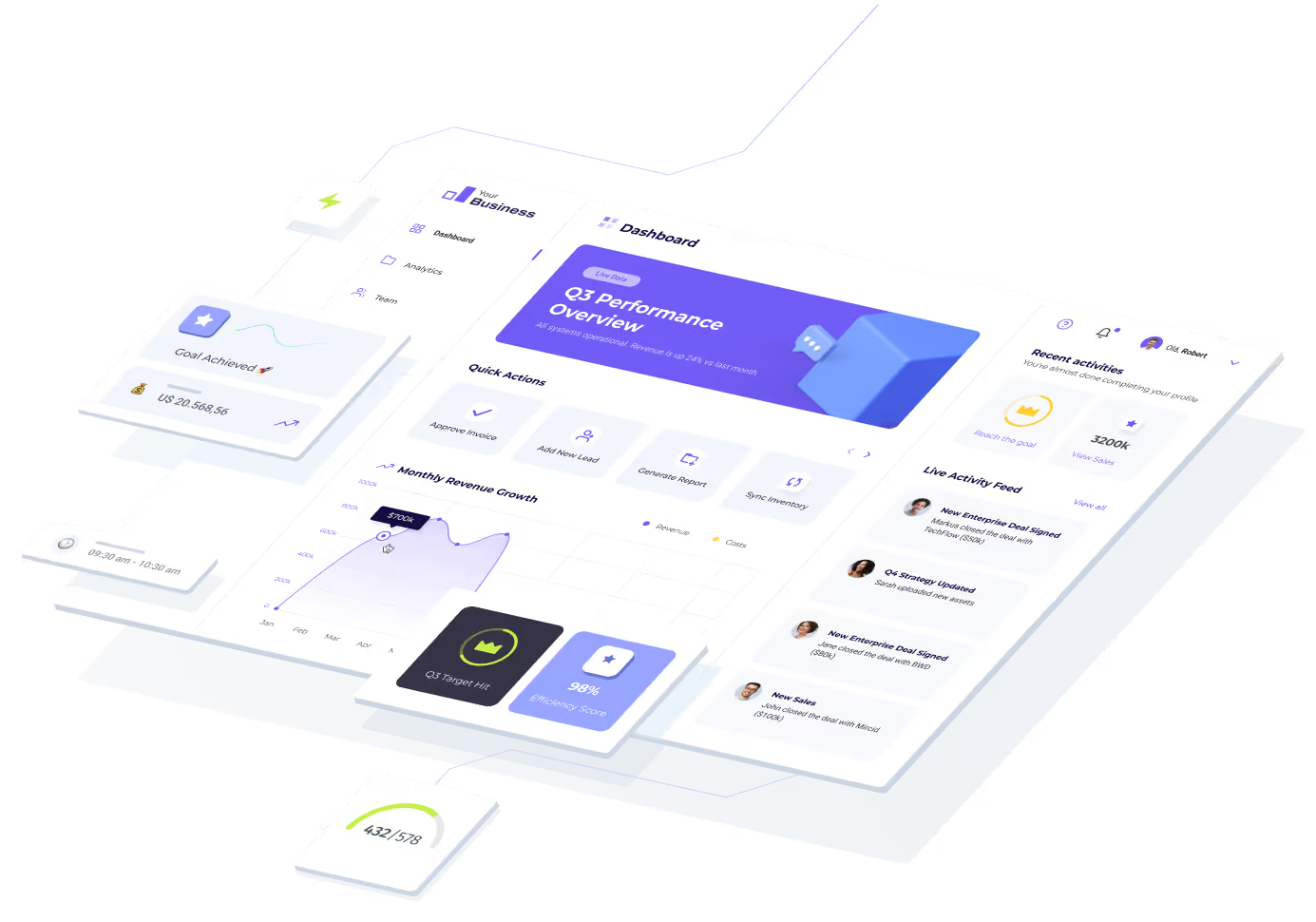
Custom app mockup

ERP Software Built Around Your Business Operations

Custom ERP software usually comes up when the current setup stops keeping pace with the business. Orders get typed into two systems. Purchase orders go out by email, and the email is the only record that anything happened. One developer understands the old ERP, and every small change comes back as a five-figure quote.

A custom ERP gives every department one record to work from. A quote becomes a sales order, the order reserves stock, and the invoice posts to accounting without anyone entering it twice. You keep the software that already works, like your CRM or QuickBooks, and we build the modules that fill the gaps.

Choose custom when the packaged ERPs you have demoed cover most of your process but force you to bend the rest. That remaining 20 or 30% is usually the part that makes your operation different.

ERP Software We've Built to Improve Operations

Each of these projects is one piece of what a custom ERP does, from inventory to client contracts to approvals. Together they replaced spreadsheets, email chains, and manual entry with connected business software.

Human Resources Mexico

HR Services & EOR

Human Resources Mexico
Challenge
After 16 years in business, HRM’s processes, legal documents, and client data lived mostly in the founder’s head and across spreadsheets and Adobe Sign. Work stalled whenever a leader wasn’t available to interpret it.
What we built
The first module of a five-module operations platform: prospect intake, proposals with multiple employee groups, CSA and Exhibit A generation, electronic signature, and offer letters, all on one data model of companies and contacts. An AI document assistant built on Claude answers staff questions about any uploaded document.
Result
  • Live in 8 weeks for 20 internal users
  • With 57 proposals and 30 CSAs processed in the first nine months and module two already in refinement
View case study
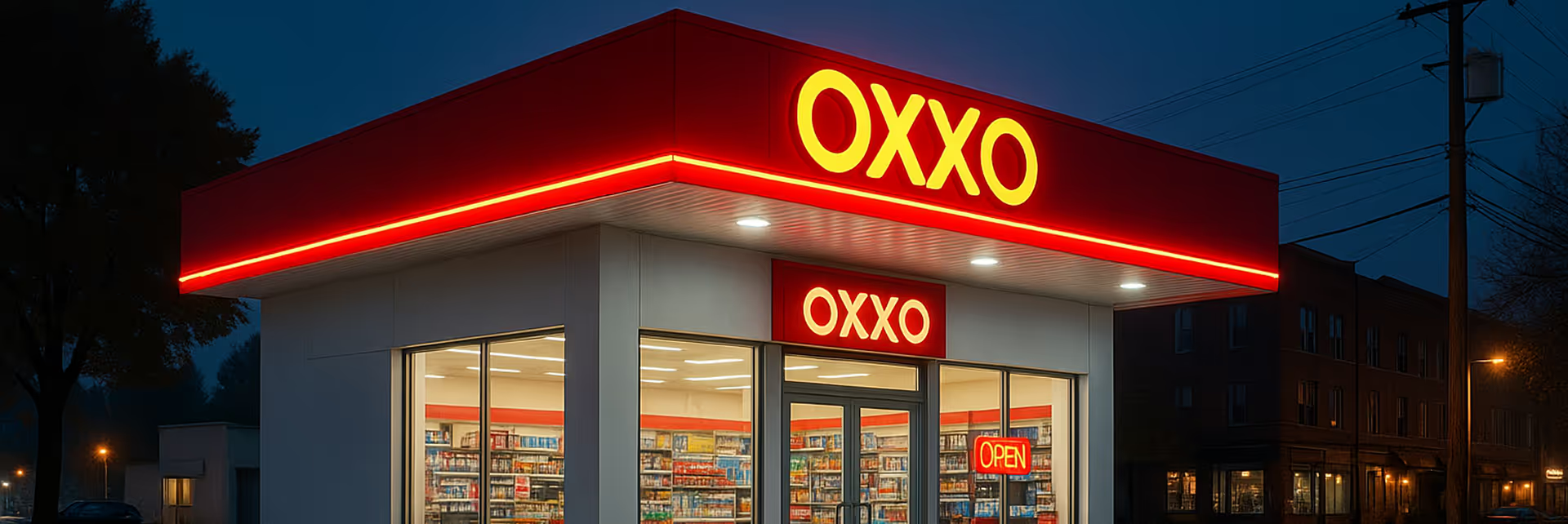
OXXO

Retail & Real Estate

OXXO (Coca-Cola FEMSA)
Challenge
Property valuations for about 1,000 new stores a year ran through email, phone calls, and shared folders. The real estate team had no central view of hundreds of valuations in progress, and every valuator sent reports in a different format.
What we built
A valuation platform with project tracking, role-based access for admins, valuators, and requesters, a central document repository, KPI dashboards, and automated notifications. Thousands of records were migrated from a legacy SQL database, and every valuation now produces a standardized PDF.
Result
  • More than 15,000 property valuations managed and valuation processing time cut by 40%
  • Delivered in 6 weeks
View case study
Stylecraft

Retail

Stylecraft
Challenge
About $500,000 in samples a year moved between six showrooms, two warehouses, client sites, and architect studios with no record of where they were. Staff phoned colleagues to find items while clients waited.
What we built
A live inventory system where every sample has an ID, a location, and a named holder. It includes search by material, color, and size, approval workflows for showroom pieces, loan reminders, a signed movement history, and dashboards for value, aging, and utilization by location.
Result
  • 45% less time spent locating samples
  • 70% more projects handled at once
  • Zero lost samples
  • Delivered in 6 weeks
View case study

Our Custom ERP Development Services

Custom ERP Consulting and Architecture

Most custom ERP projects go wrong before anyone writes code, because the requirements live in people’s heads. We start with a discovery phase, our version of signed-off building plans.

A product engineer, designer, and tech lead sit with your team, map how work actually moves, and hand you a PRD, wireframes, a data model, and a fixed quote for the build. The documentation is yours, so you could take it to any developer.

Custom ERP Software Development

We build custom ERP software around your roles, your approvals, and the exceptions your team handles every day. Work ships in two-week releases, so people test real screens for order entry, purchasing, scheduling, and reporting long before launch.

For a custom framing manufacturer in New York, we built one system that runs estimates, warehouse inventory, and every order moving across the factory floor.

ERP Module Development

Not every company needs a full ERP on day one. We build focused ERP modules for areas like inventory, procurement, finance, HR, sales, or projects. Each one comes with its own approvals, permissions, and reports, and runs on the same data as the next module you add.

Human Resources Mexico started with client engagement, went live in 8 weeks, and moved straight into module two of a five-module operations platform.

ERP Integration Services

If your team types the same order into two systems, you have an integration problem. We connect your ERP to your CRM, your accounting package, your online store, and the other tools you already pay for.

When an order is confirmed, stock, fulfillment, and billing update on their own. For Rising Ground, a portal connected to Samsara and their internal systems cut manual work by 75%.

ERP Modernization and Migration

We modernize legacy ERP systems, which rarely fail outright. They keep working while every change gets slower and more expensive. We document what the old code actually does, rebuild the critical parts on a modern stack, and test the data migration before cutover. We replace it one module at a time, so nobody stops shipping orders for a three-day upgrade.

AI-Powered ERP Development

We add AI to ERP software where it saves measurable time, and leave it out where it doesn’t. Assistants answer questions about your own data, document processing reads POs and invoices, and agents prepare routine records for a person to approve. At Human Resources Mexico, staff upload a contract or offer letter and ask questions about it in plain language, through an assistant built on Claude.

ERP Dashboards and Analytics

We create role-based ERP dashboards for the people who rarely open the ERP itself, because owners live in the reports. Dashboards pull ERP and outside data together, so leaders spot exceptions and get alerts before a problem shows up at month end. Anyone can filter down to one product, site, or vendor and export what they need.

ERP Maintenance and Optimization

We maintain and extend your ERP after launch, because your business keeps changing. A new manager wants a new report, a supplier changes its file format, a second warehouse opens. The monthly plan covers a clear backlog, regular releases, and integration updates, scaling up during active development and back down when things are quiet.

Custom ERP Solutions for Different Business Needs

  • Fully Custom ERP Systems

    We design fully custom ERP systems when your process is what sets you apart. The modules follow how your teams already work, from the first order to the finished product. This path fits companies whose compliance rules or production steps don’t map to a packaged ERP.

  • Modular ERP Solutions

    We deliver modular ERP solutions in stages, starting with the area that hurts most, often inventory and purchasing. Sales, finance, logistics, or manufacturing come next, each sharing the same data model and permissions. Rising Ground’s fleet and asset issuance apps share one employee dataset, so a departure shows up in both and laptops get returned. Your team learns one module at a time instead of the whole system at once.

  • ERP Extensions & Connected Systems

    Some systems are worth keeping. We build ERP extensions and connected apps around them, so a team that likes its CRM keeps it and the new modules plug in behind it. Typical work is product and customer sync, handing orders to fulfillment, and posting invoices to finance.

  • Legacy ERP Modernization

    We modernize legacy ERP built on tools like Microsoft Access, Visual Basic 6, or on-premises Oracle, where one person holds most of the knowledge. Some systems need a few modules rebuilt. Others need clean data and a move to the cloud before anything else. We rebuilt order management for a US ballot printer that ran on a legacy Oracle install on one physical machine.

Integrate Your ERP With Your Existing Business Systems

Custom ERP integration means your ERP talks to the software you already use, so nobody copies data between screens. We connect through REST APIs and webhooks for events, message queues for volume, and scheduled syncs for batch transfers. Each integration has clear data ownership, mapping rules, and reconciliation, so records stay consistent across departments. That covers API integrations, data synchronization, automated workflows, and legacy connections.

Older platforms often have no usable API. There we work through database connectors, flat file exchanges, or middleware, and every sync is logged and retried so a failure gets noticed. Once a sales order is confirmed, inventory adjusts, fulfillment gets the job, and billing data reaches accounting. When goods are received against a purchase order, stock goes up and the vendor bill lands in accounting for approval.

Some integrations are the reason a company can’t upgrade anything. If your accounting package is a decade old because updating it would break the link to your ERP, that bridge gets rebuilt first.

Category

Example platforms

ERP platforms

SAP, Oracle NetSuite, Microsoft Dynamics 365, Odoo

CRM

Salesforce, HubSpot

Accounting

QuickBooks, Xero

Ecommerce

Shopify, WooCommerce

HR & Payroll

HRIS, attendance, and payroll platforms

Operations

Warehouse, logistics, inventory systems

Analytics

BI tools, databases, and reporting platforms

Custom ERP Modules Built Around Your Operations

Custom ERP modules are chosen from your process, not from a feature list. Pick the ones that fit your operation, and discovery confirms the final set.

  • 01

    Finance & Accounting Management

    Create invoices and credit notes, record payments, and route expense approvals. Close periods with your chart of accounts and tax rules, and produce profit and loss, balance sheet, cash, job cost, and WIP reports. Sales and purchasing post automatically, so the ledger stays current and auditable. If you'd rather keep QuickBooks or Xero for the books, we connect to it instead.

  • 02

    Inventory Management

    Track stock in real time across warehouses and locations. Record receipts, issues, transfers, and cycle counts, and set reorder points with alerts. Lot and serial tracking lets you trace a bad batch back to the supplier and forward to every customer who received it. Stock reserves automatically for sales orders and work orders.

  • 03

    Procurement & Vendor Management

    Capture purchase requests, route approvals, and send purchase orders from the system instead of someone’s inbox. Keep supplier records, catalogs, and price lists in one place. Receive goods and reconcile with a three-way match across PO, receipt, and invoice. Track promised dates, lead times, and vendor performance over time.

  • 04

    Sales & Order Management

    Create quotes from your live price list and convert them to sales orders with pricing, discounts, and taxes applied. Check availability, reserve inventory, and track fulfillment, shipments, and returns. Customer records and communication history stay attached to every order and invoice, or sync from the CRM you already use.

  • 05

    Supply Chain & Logistics

    Plan shipments, assign carriers, and generate labels and documents. Coordinate supplier deliveries and inbound schedules, and track expected arrival times. Delays trigger alerts and tasks instead of surprise phone calls. Freight costs flow into landed cost and margin analysis, and carrier invoices get checked against your agreed rates.

  • 06

    Manufacturing & Production

    Create work orders from demand and define bills of materials and routing. Allocate materials, record labor and machine time, log quality checks, and track work in progress. Material requirements planning shows which ingredients or components will run short weeks before they do. Finished goods land in inventory with scrap and rework recorded.

  • 07

    HR & Workforce Management

    Keep employee profiles, roles, and documents in one place, with onboarding steps and training. Track attendance and time off, build schedules, and assign shifts. Approved hours export to your payroll platform, and permissions protect sensitive records.

  • 08

    Project & Resource Management

    Create projects with tasks, budgets, and timelines, and assign people and equipment. Capture time and expenses against tasks, and track percent complete and cost against budget. Project managers update change orders and costs directly instead of emailing the office. Bill by milestone, time and materials, fixed fee, or progress billing.

  • 09

    Asset & Field Operations

    Register equipment with location, warranty, and service history. Schedule preventive maintenance and inspections, then issue work orders to technicians who capture notes, photos, and parts used on site. Asset records and inventory update when the job closes.

  • 10

    Document Management

    Store contracts, SOPs, drawings, and forms in one repository with folders, metadata, and version control. Set permissions, retention, and review cycles. Route documents for approval and link them to orders, vendors, customers, or projects, with a complete audit trail.

  • 11

    Analytics & Business Intelligence

    Build role-based KPI dashboards and scheduled reports. Filter by product, location, customer, project, or vendor, and drill from a summary down to the transaction behind it. Set alerts for thresholds and exceptions, and combine ERP records with outside data for deeper analysis.

  • 12

    Administration & Governance

    Define user roles, permissions, approval rules, and workflow steps. Manage audit logs, data retention, reference data, and localization settings. Issue and rotate API keys and service accounts with proper access controls.

Make Your ERP More Intelligent With AI

AI in a custom ERP should take hours off real tasks, not add a chatbot nobody opens. We add it where it pays back, and engineers review and test every output before release.

Intelligent Document Processing

Customer POs and supplier invoices arrive as PDFs, and someone types them in line by line. Document processing reads vendor, dates, line items, taxes, and totals, matches them to POs or receipts, and flags mismatches. A person reviews a ready draft with the source document attached instead of keying the whole thing.

AI Assistants for Employees

Staff ask the ERP for what they need in plain language instead of learning where every menu lives. “Show open POs over 10,000 by site” returns a filtered list, and “Start a return for order 123” creates a draft RMA and routes it for approval. At Woox, an assistant built with FastAPI, LlamaIndex, and Railway answers questions from 781 product sheets in seconds instead of 15 to 30 minutes.

AI Agents & Workflow Automation

Agents handle the repetitive steps and leave the decisions to people. An agent watches stock and lead times, prepares a purchase request with vendor pricing and dates, and sends it to an approver. Once approved, it becomes a PO and receiving gets notified.

Predictive Analytics & Forecasting

Forecasting uses your sales history, seasonality, and lead times to plan demand and resources. You get suggested purchase quantities by location, recommended safety stock, and a production schedule that shows capacity limits before you hit them.

Anomaly Detection

Anomaly detection catches what a busy team misses. An invoice priced above contract terms, a spike in write-offs on one SKU, or repeated adjustments at one warehouse opens a review task linked to the records involved.

AI-Powered Business Reporting

Narrative reporting explains why a KPI moved, not just that it moved. A weekly operations brief covers late shipments, margin variance by product group, and staffing gaps, with links to the orders, suppliers, and schedules behind each one.

Why Choose LOW/CODE Agency for Custom ERP Development?

Business-First Development

Discovery puts your custom ERP requirements on paper: workflows, roles, the exceptions your team handles from memory, and the outcomes you'll measure. Technology choices come after that, so the system matches how your teams work. You leave discovery with a PRD, a phased roadmap, and a fixed quote.

Custom Software & AI Expertise

We've shipped more than 450 products since 2019, including full ERP systems, and we're an OpenAI Select Partner and Claude Partner Network member. Our engineers pair custom application work with AI that does real tasks: document processing, assistants on your business data, forecasting, and anomaly alerts.

End-to-End Development Partnership

One accountable team covers product planning, UX, engineering, QA, deployment, and everything after launch. You see progress in regular demos and release notes, and every request, access step, and open question is tracked in a shared project portal. Most of our business clients stay with us for years, because the software keeps growing with the company.

Software Built to Evolve

You own the code and the data, hosted in accounts you control. Modular architecture works like a building with the plumbing already run to the next floor, so new modules, automations, and analytics don’t mean tearing out what’s there. Documentation and naming conventions are written so another developer could pick the system up, whether that’s your hire or ours.

Custom ERP Solutions for Different Industries

Custom ERP needs change by industry, so we configure modules and integrations around how your sector actually runs. Pick the industries that match your operation.

Manufacturing & Distribution

Manufacturers and distributors need production, materials, and supplier schedules in one place, with stock that is right at every location.

A planner releases a work order, the system reserves materials and schedules machines, and finished goods land in inventory as operators log progress. Bills of materials, routing, and quality checks live on the same record. For food and contract manufacturers, that also means lot traceability and yield on every run.

Logistics & Field Operations

Rising Ground runs 611 drivers and 174 vehicles from one system and gets 1,500 hours a year back. That's the goal for any fleet or field team: dispatch, vehicle tracking, maintenance, and proof of delivery in one view. A service call becomes a work order, the technician logs parts and time on site, and an invoice draft waits for review.

Construction & Real Estate

Construction and real estate firms often run bids in a CRM, financials in an aging ERP, and project handoffs by email. GL Hunt had the same mix of spreadsheets and ServiceTitan, and late or missing documentation dropped 80% once it all moved into one scheduling app. We bring budgets, subcontractors, change orders, and progress billing together under document control. When a change order is approved, the budget updates, subcontractors get the revision, and the next draw request includes it.

Healthcare Operations

Healthcare operations need procurement, staffing, and document control under strict access rules. Supply levels are tracked by department, with vendor contracts and equipment upkeep on full audit trails. When a supply request is approved, the purchase order goes out, receiving logs lot numbers and expirations, and each step is recorded for compliance review.

Professional Services

Professional services firms bill on time and scope, so projects and financials need to live together. A signed proposal becomes a project with roles and rates. Timesheets and expenses feed billing by milestone or time and materials, and a dashboard shows utilization and margin by client.

Retail & Commerce

Retailers selling in stores, online, and B2B often run each channel on a different system. We connect them, so an online order reserves stock, the warehouse gets a pick list, and the sale posts to accounting with the right taxes. Pricing, promotions, and returns are managed in one place. Stylecraft took the same approach to samples: $500,000 of stock a year across six showrooms and two warehouses, and zero samples lost.

Our Custom ERP Software Development Process

Our custom ERP software development process is built so the business keeps running while the new system goes in. The first two steps happen during discovery, so you have a fixed quote before development starts. After that, every module ships in two-week sprints.

Book a Discovery Call
  1. 1

    Step 1Discovery & Workflow Mapping

    2 to 3 weeks

    Every custom ERP project starts here. We meet the people who do the work and map every workflow and handoff, including the exceptions nobody writes down. You get a PRD, workflow diagrams, wireframes, a prioritized requirement list, and a fixed quote for the build. Discovery is a fixed-fee engagement.

  2. 2

    Step 2System Architecture & Planning

    Included in the discovery weeks

    We define modules, integrations, data models, environments, and security, and plan for scale from the start. You get a solution architecture, an integration map, a data dictionary, a milestone plan, and an initial backlog with acceptance criteria.

  3. 3

    Step 3UX/UI Design & Prototyping

    2 to 4 weeks

    Workflows become wireframes and screens, which we test with the people who will use them. A reusable design system speeds up the build. You get clickable prototypes, final UI assets, and specs updated with user feedback.

  4. 4

    Step 4Iterative ERP Development

    Two-week sprints, 2 to 4 months per module

    We build in two-week sprints covering backend logic, interfaces, workflows, and automation jobs, with code review and QA on every task. You see working releases in staging and give feedback at each milestone, so surprises show up early instead of at launch.

  5. 5

    Step 5Integrations, Data Migration & QA

    Runs alongside development

    We connect APIs and existing systems, clean and map your data, and run test migrations until counts and key fields reconcile. For OXXO, that meant moving thousands of records out of a legacy SQL database before launch. QA checks every task for functionality, performance, and security. You get migrated datasets, reconciliation reports, and integration runbooks with monitoring in place.

  6. 6

    Step 6Deployment & User Training

    We plan cutover so teams move over in stages without stopping operations. User acceptance testing and role-based training happen before go-live. You get a go-live checklist, training materials by role, an admin handbook, and a stabilization support window.

  7. 7

    Step 7Maintenance & Continuous Improvement

    Ongoing

    After launch, we monitor system health, fix issues, and plan what comes next using adoption and KPI data. You get a maintenance plan, SLA terms, a prioritized backlog, and a release calendar.

Technologies Behind Our Custom ERP Solutions

Custom ERP technology choices start from how your teams work and how data moves between your systems. We pick stacks for dependable transactions, clear data models, and room to grow. Integration points, expected data growth, and protection requirements shape the architecture.

Operational and analytical workloads run separately, so heavy reports never slow down order entry. Releases move through development, staging, and production with logs, metrics, and alerts, and versioned APIs with schema control keep changes safe. Low-code tools like Glide or Bubble can speed up admin panels and dashboards, while custom services handle core logic, scale, and governance.

  • Frontend Development

    Responsive web apps with accessible interfaces, reusable components, and robust forms. Typical stacks include React and Next.js for web, plus Flutter or React Native for mobile when field teams need it.

  • Backend Development

    Service-oriented backends handle domain rules, authentication and authorization, workflow engines, background jobs, and event handling. Common choices include Node.js, Python, .NET, and Java-based services.

  • Databases

    Relational databases such as PostgreSQL and Supabase for transactional integrity and audit trails, plus analytical stores or a warehouse for reporting. Caching and search keep reads fast.

  • Cloud Infrastructure

    AWS, Azure, Google Cloud, or Vercel, with containerized or serverless services where they fit. Separate environments, infrastructure as code, and full observability with logs, metrics, and alerts.

  • APIs and Integrations

    REST and GraphQL endpoints, webhooks, and event streams for real-time needs, plus ETL for batch sync. OAuth 2.0 and OpenID Connect for identity. Idempotency, retries, and schema versioning keep integrations safe.

  • AI and Automation

    Document extraction, assistants on business data, forecasting, and anomaly alerts, with model orchestration, vector retrieval, and guardrails. MCP servers let tools like Claude query your ERP data securely.

Custom ERP Software Built for Complex Business Operations

Custom ERP software for complex operations has to hold up across departments, entities, and growing data volumes. These requirements shape our data models, workflows, and integration choices.

Multiple Departments in One System

Sales, finance, and the warehouse share one set of reference data for customers, products, and vendors. Each team still gets role-specific views and KPI tracking, and handoffs between departments stop living in email.

Multi-Location and Multi-Entity Operations

Each entity and site keeps its own settings for taxes, currencies, and calendars, with its data partitioned. Leadership still gets one consolidated report across all of them.

Large or Growing Data Volumes

Capacity planning, archival and retention rules, read replicas, and queues keep the system fast as records pile up. Reports run from a separate warehouse, so month-end analytics never slow down order entry.

Complex Approval Workflows

A workflow engine runs approvals the way your business rules describe them, with configurable steps, parallel paths, delegations, and escalations. When an approver is out, the request moves to their delegate instead of waiting in a queue.

Role-Based Operational Processes

A buyer, a warehouse lead, and a controller each get the screens and actions their job needs. Routing and validation follow role and context, so a request can only be approved by someone allowed to approve it.

Integration With Enterprise Infrastructure

An integration layer connects the ERP to your enterprise systems through REST, events, and ETL. Mapping and reconciliation rules catch records that drift out of sync before anyone reports on them.

Scalable, Maintainable Architecture

Modular services and versioned APIs let us change one part of the system without breaking the rest. Automated testing, deployments, and observability show when something goes wrong, and where.

Data Consistency and Operational Reliability

Clear transaction boundaries mean an order either posts completely or not at all. Idempotent events with retries, monitoring, and reconciliation jobs keep records accurate.

Security and Data Protection in Custom ERP Development

Security in custom ERP development starts in discovery, not after launch. We map your data, roles, and integration points, then set the controls: SSO and MFA, encryption, logging, backups, and recovery. Every release passes automated tests, code review, and security scans before it ships. The platform we built for OXXO passed Coca-Cola FEMSA’s security review.

Control

How it works

Role-based access control

Roles and permissions are enforced the same way in the interface, the APIs, and background jobs.

Authentication and SSO

Users sign in through your enterprise identity provider with SSO and MFA, under your session and password policies.

Data encryption

Data is encrypted in transit with TLS and at rest with managed keys, and keys are rotated.

Audit trails and activity logs

Every access and change is recorded, with agreed retention and review procedures.

Secure APIs

Every call needs authentication and the right scope. Inputs are validated, schemas are versioned, and rate limits and secrets management are in place.

Data backups and recovery planning

Backups and snapshots run on a schedule, point-in-time recovery is enabled, and restores are tested before anyone needs one.

Testing and vulnerability management

Unit, integration, and security tests run automatically, alongside static and dynamic scans and dependency tracking.

Access to sensitive business records

Least privilege is the default. Data is masked outside production, and elevated access is logged and approved.

How Much Does Custom ERP Development Cost?

Custom ERP development typically costs between $30,000 and $200,000, depending on the modules in scope, the systems you connect, and how much data has to move. Most owners come to us without a frame of reference, so these are the ranges we see. Discovery turns the range into a fixed quote, and the price holds unless the scope changes.

ERP Module or Operational MVP

$30K–$60K

2–4 months

A focused build for one or two workflows, such as inventory and purchasing, or order capture and invoicing. A few modules, limited integrations, and targeted migration keep the cost down.

  • Workflow discovery for one or two processes
  • One or two core modules
  • Limited integrations
  • Targeted data migration
  • Role setup and light rollout support

Enterprise ERP Development and Modernization

$140K–$200K

10–16 months

Complex software with many modules, legacy and enterprise integrations, and phased rollout across teams and locations. Stronger security, governance, and diverse roles add to the scope.

  • Comprehensive discovery
  • Many modules, including legacy modernization
  • Legacy and enterprise system integrations
  • Staged data migration with validation
  • Phased rollout with security and governance controls

Custom ERP vs. Off-the-Shelf ERP: Which Is Right for Your Business?

Choosing between custom ERP, off-the-shelf ERP, and a hybrid approach comes down to how your business operates and what it costs to support those operations over time.

Off-the-shelf ERP works well when your processes are fairly standard. Custom ERP makes sense when existing platforms can't handle the workflows your business depends on. A hybrid approach lets you keep the systems that work and build only what's missing.

The cost of getting that decision wrong can be significant. According to Panorama Consulting Group's 2026 ERP Report, 30% of surveyed enterprise software projects exceeded their budgets, and the median project took 9 months. The survey covered 170 organizations, mostly larger businesses, so these figures provide context rather than a timeline for every ERP project.

Criteria
Custom ERP
Off-the-shelf ERP
Hybrid approach
Customization
Custom ERPFull control over workflows, data models, and approvals
Off-the-shelf ERPConfiguration and extensions within vendor constraints
Hybrid approachCustom modules built around existing platforms
Initial investment
Custom ERPHigher upfront development investment
Off-the-shelf ERPLicensing, implementation, and configuration costs
Hybrid approachExisting software costs plus targeted development
Implementation time
Custom ERPPhased delivery, with priority modules released first
Off-the-shelf ERPOften faster for standard processes; complex deployments can take months
Hybrid approachExisting systems stay in place while new modules are added
Ongoing costs
Custom ERPHosting, maintenance, and improvements; no per-seat licensing for the custom-built system
Off-the-shelf ERPRecurring licenses, support, and potential add-on fees
Hybrid approachExisting subscriptions plus custom software maintenance
Maintenance responsibilities
Custom ERPYour team and development partner maintain the software
Off-the-shelf ERPVendor maintains the core platform; your team manages configurations and extensions
Hybrid approachResponsibilities split between vendors and your development partner
Integration flexibility
Custom ERPBuilt around your existing systems and data flows
Off-the-shelf ERPDepends on vendor APIs and supported integrations
Hybrid approachConnects existing platforms through custom integrations
Scalability
Custom ERPArchitecture designed around expected workloads and growth
Off-the-shelf ERPEstablished infrastructure, with costs potentially increasing by user or module
Hybrid approachExtend specific capabilities without replacing the entire system
Ownership and control
Custom ERPYou own the custom code and control its development
Off-the-shelf ERPVendor controls the underlying platform and product roadmap
Hybrid approachYou own custom components but depend on existing vendors
Best fit scenarios
Custom ERPSpecialized operations and workflows standard ERP can't support
Off-the-shelf ERPStandard finance, inventory, and operational processes
Hybrid approachBusinesses with working systems that need additional capabilities

What does the cost difference look like?

Take Microsoft Dynamics 365 Business Central Essentials. At its published US list price of $80 per user per month, a company with 50 fully licensed users would pay $48,000 per year, or $240,000 over 5 years in licenses alone. That's before implementation, integrations, additional services, or future price changes.

A custom ERP requires more upfront development, but the custom-built system doesn't come with per-seat licensing. You still pay for hosting, maintenance, and future improvements.

Neither option is automatically cheaper. Compare the 3–5-year total cost of ownership, including implementation, licenses, integrations, support, and the hours your team spends working around software limitations.

If a standard ERP handles your core operations, there's little reason to rebuild those features. If your team still needs spreadsheets and manual workarounds to keep the business running, custom development or a hybrid approach may be the better investment.

Frequently Asked Questions About Custom ERP Development

What is custom ERP software development?

Custom ERP software development is the design and build of enterprise resource planning software around your workflows, data, roles, and integrations. Instead of bending your process to fit a vendor’s system, the system follows your process. The result is one connected platform for daily work, with room to grow as operations change.

How much does it cost to develop a custom ERP system?

Most custom ERP projects we scope fall between $30,000 and $200,000, depending on modules, integrations, migration effort, and security needs. A focused first module often lands between $30,000 and $60,000. Discovery turns that range into a fixed quote with scope, milestones, and a timeline.

How long does custom ERP development take?

A focused module or MVP usually takes two to four months, and a multi-module ERP five to ten. We deliver in phases, so your team uses early modules while later ones are built. The detailed schedule is confirmed at the end of discovery.

What modules can be included in a custom ERP?

Common modules include finance and accounting, inventory, procurement, sales and orders, supply chain and logistics, manufacturing, HR and workforce, projects, assets and field service, documents, analytics, and administration. The final set comes from your workflows and roles, not a template.

Can we start with one ERP module and expand later?

Yes, and it's usually the safer route. Start with the module that costs you the most hours, prove the value, then add the next one on the same data, permissions, and approval rules. Your team learns the system in stages instead of all at once.

What is the difference between custom ERP and off-the-shelf ERP?

Off-the-shelf ERP fits standard processes and comes with a vendor ecosystem. Custom ERP follows your workflows and data models exactly, and you own it. A hybrid keeps the systems you like and adds the missing pieces through targeted modules and an integration layer.

Can you integrate an ERP with our existing software?

Yes. We connect your ERP to CRM, accounting, ecommerce, HR, operations, and analytics tools through APIs, webhooks, message queues, and scheduled syncs. For legacy tools with no usable API, we use database connectors or flat file exchanges. Mapping and reconciliation rules keep records consistent, so data gets entered once.

Can you modernize our current ERP without replacing it?

Yes. Custom systems can be improved, extended, or rebuilt in parts. For commercial platforms like SAP, Oracle NetSuite, or Microsoft Dynamics 365, we build extensions and integrations, and design a replacement only when the platform blocks your goals.

How do you handle data migration from legacy systems?

We document the old system first, often from the code itself when no documentation exists. Then we map source to target schemas, set cleansing rules, and run test migrations with reconciliation reports on counts and key fields. Cutover follows a plan with final loads, validation, and a fallback, and teams can move over in stages.

Can AI agents and automation be integrated into ERP software?

Yes. We add document processing, assistants on business data, workflow agents for routine tasks, forecasting, anomaly detection, and narrative reporting where they save measurable time. Agents prepare work for people to approve, and engineers review and test AI outputs before release to production.

How do you ensure ERP security and data protection?

Security is built in from discovery through development. Controls include role-based access, SSO and MFA, encryption in transit and at rest, audit logs, secure APIs, tested backups and recovery plans, and ongoing vulnerability management. Access to sensitive records follows least privilege.

Can a custom ERP support multiple departments and locations?

Yes. We design shared and per-entity data models, department-level processes, and location settings for currencies, taxes, and calendars. Permissions and approval rules follow roles and regions, and consolidated reporting gives one view across entities.

Who owns the ERP software and data after development?

You do. Your organization owns its data and, for custom builds, the delivered code and assets, hosted in accounts you control. We confirm intellectual property, licensing, and access terms in the proposal, so responsibilities are clear before work begins.

Do you provide maintenance and support after deployment?

Yes. Most business clients stay on a maintenance plan after launch, covering monitoring, fixes, and new features. Plans flex with your needs, more during active development and less when things are quiet. You get a prioritized backlog and a regular release cadence.

Let's Build an ERP That Works for Your Business

Let’s plan the custom ERP your operations need. On the first call, we'll walk through how an order moves from quote to invoice today, and where it gets typed twice. Discovery then turns that into a fixed quote and a roadmap you own: what to build, what to keep, and what to connect.

Book a Discovery Call
OpenAI Select PartnerClaude Partner Network