Case Study
AI Employees
90%
of automated follow up
20
CEO hours recovered monthly
3x
output

Jesus Vargas
,
Founder & CEO, LowCode Agency


We Deployed 17 AI Employees Inside Our Own Company Before Selling a Single One
Most agencies talk about AI transformation. We decided to go through it first.
Before LowCode Agency brought AI Employees to clients, Jesus Vargas, our Founder and CEO, deployed them across his own organization. Not as a demo or as a proof of concept for a pitch deck. He made a real operational decision to make this implementation live at the agency. The decision came from a simple reality: managing a growing global agency through inboxes, spreadsheets, and manual coordination wasn’t scaling.
It took months of focused work and we built them using the same process we run for every client. Seventeen agents later, the way LowCode Agency operates has fundamentally changed.
The Coordination Tax Nobody Was Measuring
Running a 40+ employee global agency means managing a constant flow of moving parts: client calls, proposals, deliverables, follow-ups, team commitments, and the administrative overhead that quietly consumes hours every week without anyone calling it a problem.
Jesus had too many things to track and not enough leverage to track them. Not because the team wasn’t capable but because the information that needed to stay on top of everything was scattered across Gmail, Slack, Google Drive and call recordings. No single tool held the full picture. No single person had time to pull it together and put everyone in context to start the day correctly.
The cost of that gap wasn’t visible in any dashboard. It showed up as missed follow-ups, commitments made on calls that never translated into action, and a CEO starting every morning by manually reconstructing context before he could do any real work. That was the problem nobody had named yet.

How We Made LowCode Agency AI-ready
Our journey to AI-readiness began as it does with our clients. We went through the same refinement process we’ve perfected over 400+ projects, led by our Product Engineering team.
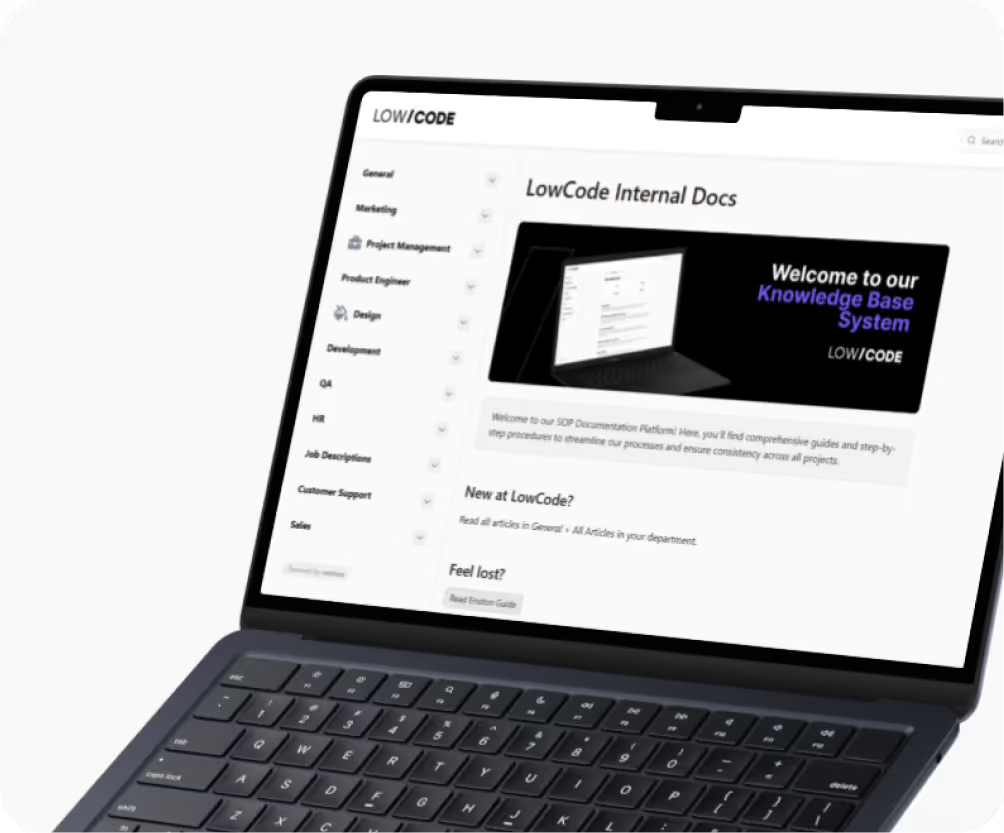
We worked as a team and started running our refinement process, mapping every workflow and documenting every process. The output was dozens of structured documents covering the full organization chart, team roles, SOPs, client communication protocols, delivery standards, and internal escalation rules. We extracted the LowCode Agency DNA and translated it into a queryable format an AI agent could actually execute.
Guided by Jesus’s vision, the team had always run a documentation-heavy operation. The LowCode Agency’s foundation was there. Our team simply leveraged the insights from hundreds of previous builds to transform that knowledge into a blueprint, allowing our agents to understand the business from day one.
We Built 17 Custom AI Agents in Two Months
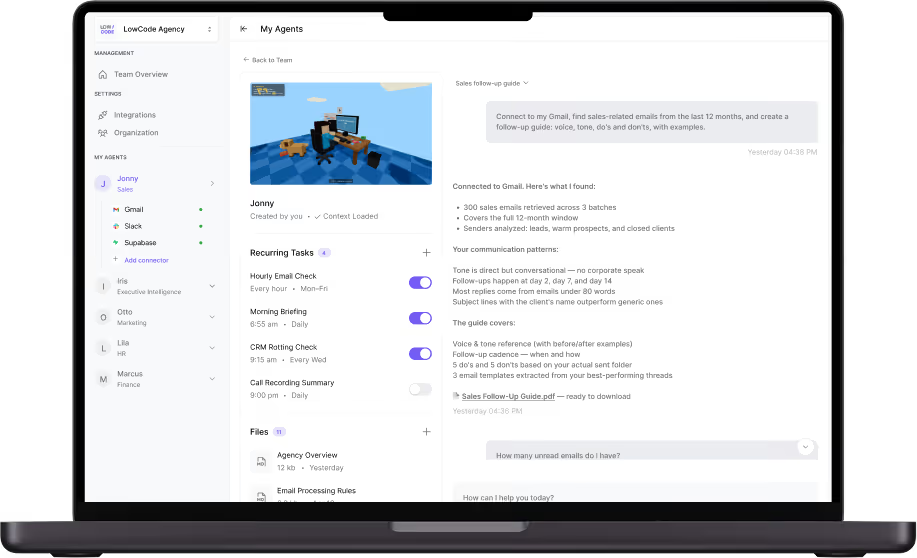
With the knowledge gathered, structured and in place, the build began. Two months later, LowCode Agency runs on 17 AI Employees deployed across different layers of the operation. Each one is configured for a specific role, connected to the relevant tools, and trained on real LCA processes.
Some handle reactive tasks, answering when asked. Others are proactive: they run on schedule, flag issues, and surface information before anyone thinks to ask for it.
The 17 agents cover six operational areas:
Executive intelligence
Three agents run before Jesus opens his laptop each morning delivering a precise morning routine to start the day with a full overview of it.
- 6:00 am ~ Daily meeting to-do summary landing on Telegram giving him the task picture for the day before the first call.
- 6:05 am ~ Email scanned for review, identifying what needs a response, and writing the draft replies.
- 6:55 am ~ Morning briefing delivers a full calendar summary with context for every scheduled meeting, agenda, attendees, and relevant background as a single Telegram message.
What used to be an hour of manual orientation is now a five-minute read before the first coffee.
Accountability and follow-through
This is where the stack gets more complex. Two Accountability agents run daily at key moments throughout the day.
7:00 am and 5:00 pm ~ Project Manager Briefing Agent
- Generates reports on client commitments across the entire team
- Cross-references what was promised against what was delivered, flagging anything that hasn’t moved
- Pushes unread Slack messages from clients directly to project managers, so nothing sits ignored inside a channel
9:00 pm ~ Call Recording Agent
- Processes the day’s recorded calls and generates full transcripts
- Extracts action items and logs commitments made by team members
- Feeds that data into the next morning’s accountability report, so it already knows what was said before the day begins
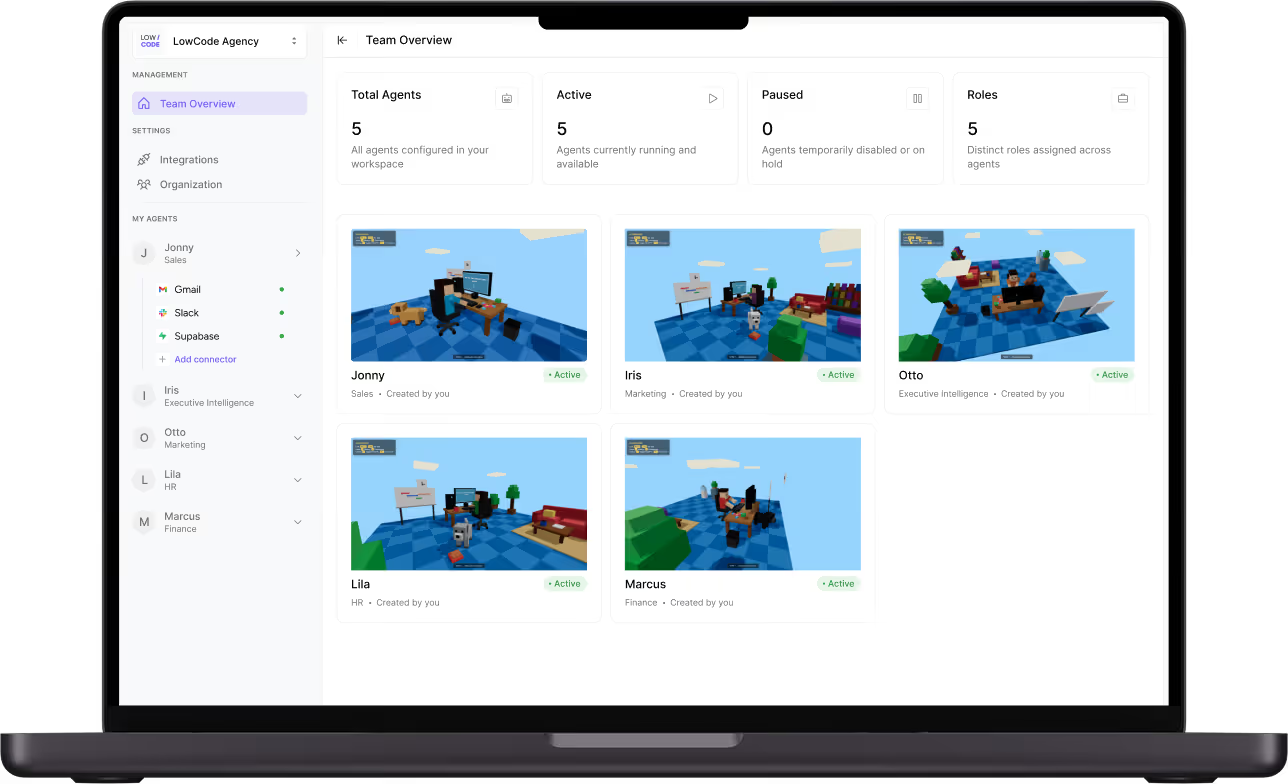
Finance and business health
7:00 am ~ Invoicing Agent (every Monday)
- Pulls the overdue invoices report directly from the invoicing system
- Delivers it via Slack to the Accounting team automatically
9:15 am ~ CRM Rotting Check Agent (every Wednesday)
- Flags deals that haven’t had recent activity
- Generates draft follow-up emails ready to send, so no prospect goes cold simply because follow-up slipped
Marketing and content intelligence
Four agents keep the marketing operation running without manual reporting.
7:00 am ~ Newsletter Agent (running Monday and Thursday)
- Curates content ahead of each send
- Reviews pending day tasks before the newsletter goes out
8:00 am ~ Newsletter Performance Agent (every Tuesday)
- Pulls delivery and engagement data from Brevo
- Delivers the performance report directly via email
8:00 am ~ AI Visibility Dashboard Agent (every Tuesday back to back with the previous)
- Posts the Weekly AI Visibility Dashboard Report to Slack automatically
10:05 am ~ PostHog Analytics Agent
- Pulls a summary of traffic, conversions, and product usage from PostHog
- Delivers it to Telegram before the team’s first marketing standup
HR and people operations
9:00 am ~ Onyx HR Onboarding Scheduler Agent
- Manages the onboarding pipeline for new hires
- Flags anything that’s blocked or overdue
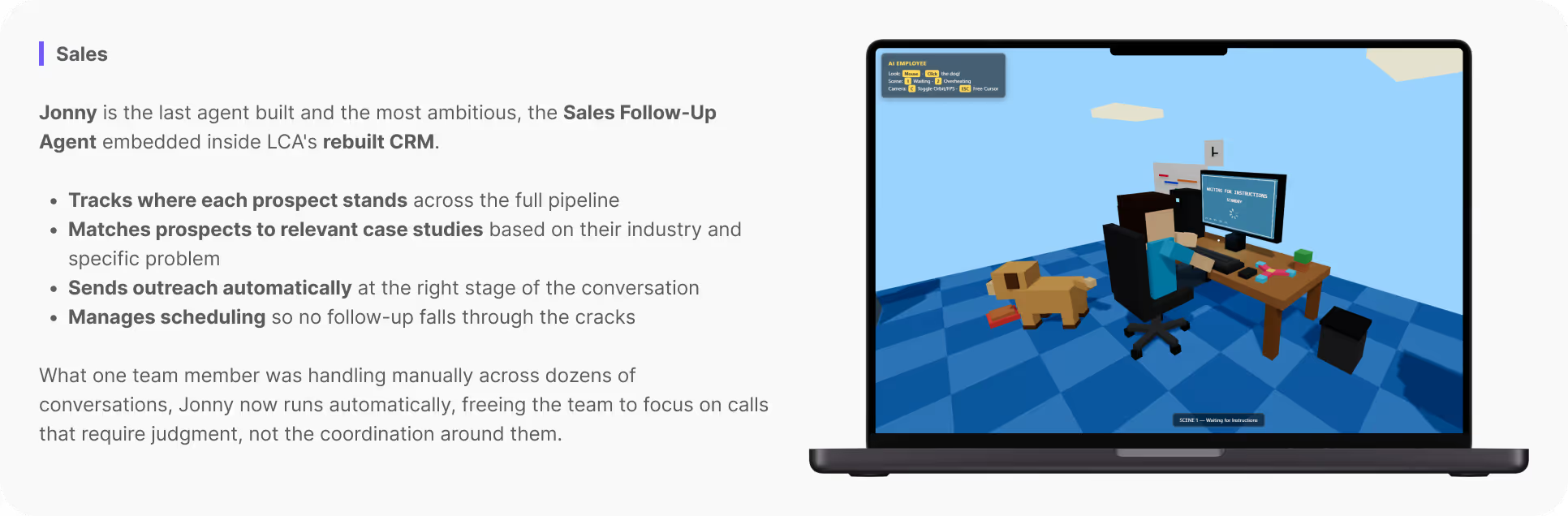
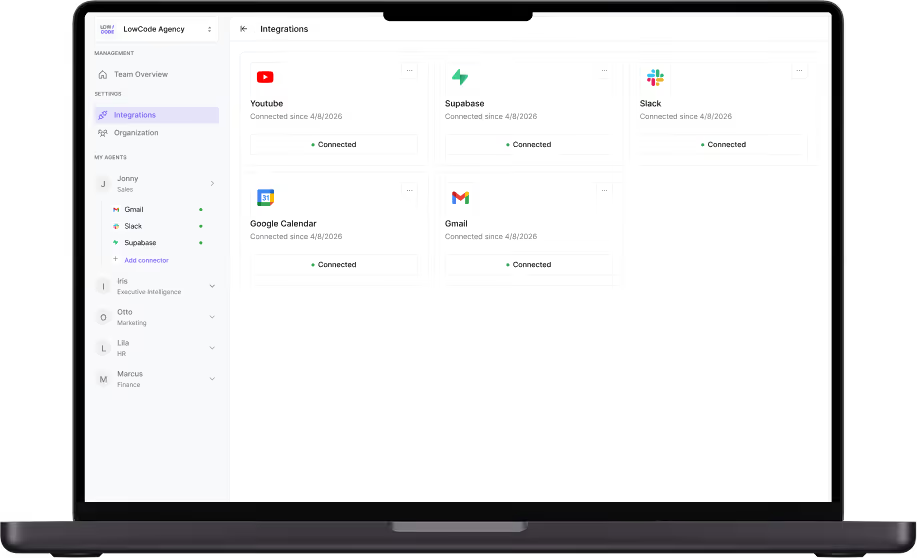
An AI Employee’s real value depends entirely on what it can actually reach and act on. Across all 17 agents we deployed, we built direct integrations into the specific platforms LowCode Agency’s team was already working in, not new tools they’d have to adopt, but the ones already embedded in their daily routines:
- Brevo manages newsletter distribution and tracks delivery performance at a campaign level
- PostHog feeds product analytics directly into agent decision-making
- Glide powers CRM workflows and day-to-day sales operations
- Calendly connects agents to scheduling flows without manual handoffs
- LinkedIn enables automated outreach triggered by defined conditions
- Typefully handles social media publishing as part of the content pipeline
- VAPI steps in wherever voice interaction is required
What sets these apart from out-of-the-box connections is the configuration depth behind each one. For every integration, we defined exactly which data the agent reads, what conditions trigger an action, and where the resulting output goes. That precision is what keeps the agents embedded in real workflows instead of becoming yet another platform the team has to manually monitor.
It’s also the same standard we apply to every client build.
Why We Built AI-Employees for LowCode Agency
The answer is straightforward, we wanted to test them and measure the impact to create a roadmap for a successful implementation inside an organisation.
We went through every part of the process before starting the building, from discovery to weeks of intensive configuration and calibration. Our internal implementation served as a master blueprint to a successful AI Employee deployment. This journey allowed us to identify exactly which high-impact problems they solve and the precise savings they yield. We didn’t just test the tech; we validated the outcomes, ensuring that we can now provide clients with a predictable path to efficiency and documented ROI.
We also learned things you can’t learn any other way. Which agents break under pressure. Where the knowledge base has gaps. What happens when a team member doesn’t follow the escalation rules the agent was trained on. What working actually looks like versus what looks like it’s working.
That experience is embedded in how we build for clients now. Every decision we make in a client deployment, how we structure the knowledge base, how we write task playbooks, where we set escalation thresholds, comes from having run this on ourselves first.
When a founder asks us what it’s actually like to operate with AI Employees inside a real organization, we don’t have to speculate. We’ve been through all of it. We have seventeen of them running right now.

Is Your Company Ready for AI Employees?
The most common objection we hear is: We’ve tried AI tools before and they didn’t work. They didn’t work because a generic tool doesn’t know your business, isn’t connected to your systems, and has no memory of what happened on last Tuesday’s client call. AI Employees are configured around your specific workflows, trained on your actual documents and processes, and connected to the tools your team already uses every day.
The question worth asking isn’t whether AI can handle parts of your operation. It’s which parts of your operation are costing the most time, and whether you have the right process to build something that actually works.
If you want to become AI-ready and see what this looks like inside your own operation, let’s talk and discover where you are standing.
Are you ready to transform your ideas into reality?
We're here to make it happen!
With our expertise and the power of low-code solutions, we can simplify your processes and help your business thrive.
Free discovery callDiscover your savings with automation
Is your team doing repetitive tasks? Stop wasting money, and get a custom solution that not only saves you time, but also reducesmistakes and makes your team more productive!