

Glide App Examples: 16 Real Business Apps (2026)
20 min
read
Explore 16 real Glide app examples used by businesses in 2026. See how teams build internal tools, CRMs, automation, and data-driven apps.


Glide is a no-code platform that turns spreadsheets and databases into functional applications.
According to Glide’s own product updates, teams have built tens of thousands of apps used across operations, sales, logistics, healthcare, education, and services. These apps often replace shared spreadsheets, email-based workflows, and disconnected tools.
In this guide, we break down real-world Glide app examples by category. You’ll see how businesses use Glide to centralize data, reduce manual work, and ship operational software faster.
What Can You Build With Glide?
- Internal business tools
Internal business tools replace spreadsheets and fragmented systems with structured apps. Teams use them to manage workflows, track tasks, and centralize operational data, creating a single source of truth that supports daily work and reduces manual coordination. - CRM and sales tracking apps
CRM and sales tracking apps organize leads, deals, and customer interactions in one place. They give sales teams visibility into pipelines and follow-ups, helping them manage relationships more clearly without relying on disconnected tools or manual updates. - Inventory and asset management apps
Inventory and asset management apps help teams track stock levels, equipment, and assets in real time. They improve visibility, reduce errors, and support better planning by keeping inventory data accurate and accessible across the organization. - Employee portals and internal dashboards
Employee portals centralize internal resources, schedules, and key metrics. They give team members controlled access to information, reduce internal friction, and replace scattered documents with a clear, shared internal workspace. - Customer portals and client dashboards
Customer portals and client dashboards give customers access to relevant data, progress updates, and shared information. They improve transparency and communication while reducing back-and-forth emails and manual reporting handled by internal teams. - Marketplaces and listing apps
Marketplaces and listing apps allow users to browse, filter, and submit listings such as products, services, or properties. They work well for curated directories and early-stage marketplaces with clear structure and manageable complexity. - Service directories and local business apps
Service directories and local business apps help users discover professionals or businesses by category or location. They are commonly used by communities or networks that need a simple, searchable directory without complex infrastructure. - Healthcare and wellness apps
Healthcare and wellness apps support tracking, logging, and care coordination. They focus on structured data and usability, helping teams manage sensitive information in a controlled way without the overhead of full clinical systems. - Appointment booking and scheduling apps
Appointment booking and scheduling apps centralize requests, availability, and confirmations. They reduce manual coordination, keep schedules updated, and connect bookings with internal processes and notifications. - Pet care and recovery guide apps
Pet care and recovery guide apps provide structured instructions, recovery plans, and progress updates. They help clinics, shelters, or trainers share consistent guidance and improve communication with pet owners. - Community and nonprofit apps
Community and nonprofit apps support member communication, event coordination, and resource sharing. They help organizations stay organized, increase participation, and manage operations without relying on scattered tools. - Membership and group management apps
Membership and group management apps handle member profiles, access levels, and shared content. They give organizations a simple way to manage groups and communities while keeping information structured and easy to maintain. - Personal productivity apps
Personal productivity apps support task tracking, routines, and personal organization. They turn structured data into simple tools that help individuals or small teams manage daily activities more consistently. - Habit, expense, and goal tracking apps
Habit, expense, and goal tracking apps help users monitor progress over time. They focus on clarity and ease of use, making them suitable for personal tracking or lightweight programs that don’t require complex analytics. - Event, club, and fitness apps
Event, club, and fitness apps manage schedules, attendance, and member updates. They help organizers coordinate participation and communication through a single system instead of manual sign-ups or fragmented messaging.
Real-World Glide Apps Examples (By Category)
1. Stylecraft (Inventory and asset management apps)
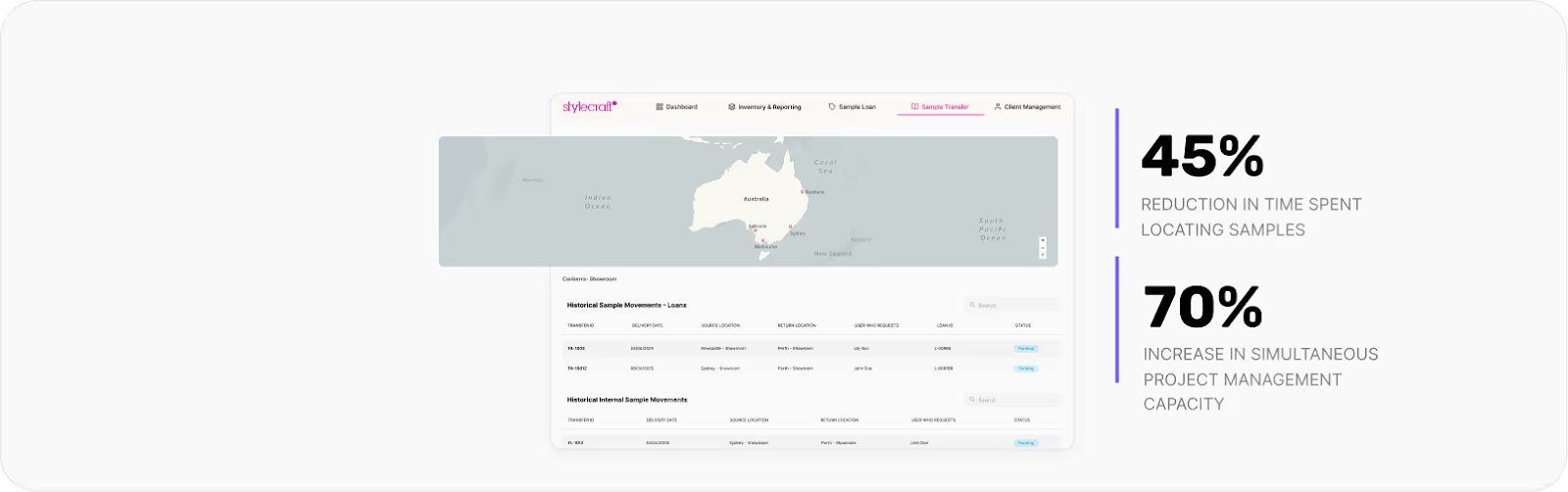
What the app does
A real-time inventory and sample tracking app built for a retail brand managing high-value furniture samples across multiple showrooms. Teams can instantly see what’s available, where each item is, and who currently has it.
The operational problem
Stylecraft’s samples moved between showrooms, warehouses, and client sites, but tracking lived in messages, spreadsheets, and manual checks. This created invisible inventory, wasted hours, and frequent confusion about where items actually were.
The outcome after launch
Within six weeks, time spent locating samples dropped by 45%, and the team increased simultaneous project capacity by 70%. A $500K+ annual sample investment became a clearly tracked operational asset with real accountability.
2. OXXO (Internal business tools)
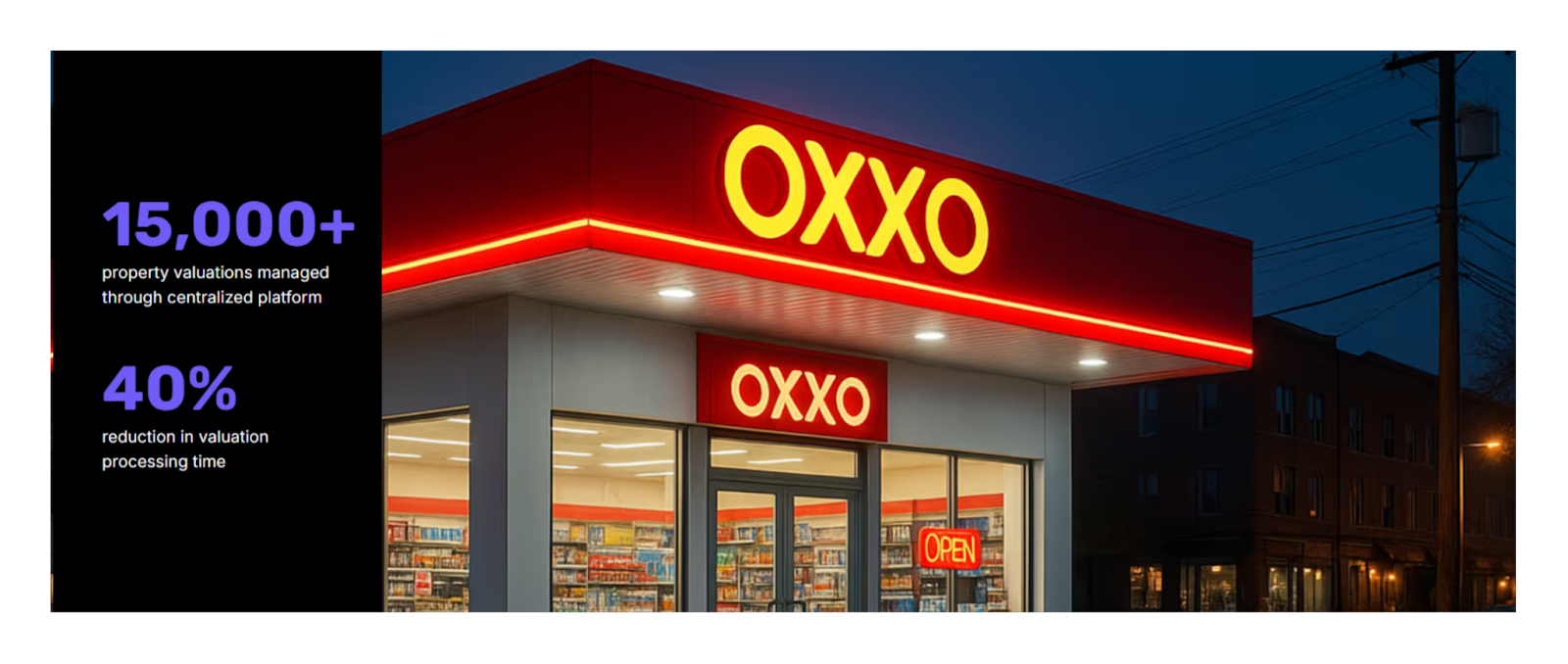
What the app does
A centralized valuation management platform built for a high-volume real estate expansion workflow. It was designed to manage requests, coordinate external valuators, and keep every project, document, and status update in one operational system.
The operational problem
OXXO’s property valuation process was a bottleneck. Progress updates, documents, and communication were scattered across inboxes and spreadsheets, making it hard to prioritize urgent projects or spot delays early, especially at the scale required for thousands of evaluations.
The outcome after launch
The platform centralized 15,000+ property valuations and reduced valuation processing time by 40%. Real-time dashboards improved visibility across stakeholders, helping the team move faster while keeping documentation consistent and decision-making more reliable.
3. TTR Sotheby’s International Realty (Private listing & internal business apps)
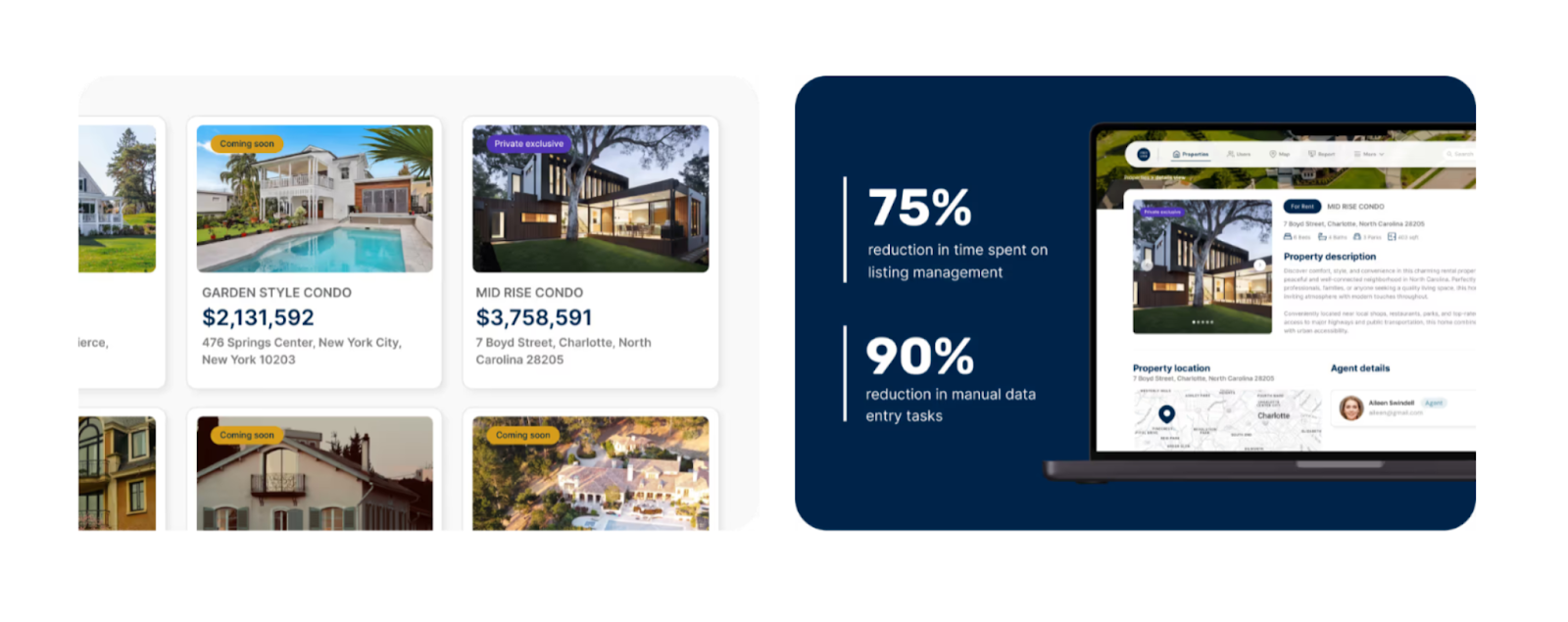
What the app does
A private listings app built for a luxury real estate brokerage to manage off-market properties with speed, security, and brand consistency. The app gives agents a centralized space to access, submit, and collaborate on exclusive listings.
The operational problem
The brokerage relied on a very basic internal app that couldn’t scale with their operations. Manual data entry, weak permissions, and limited collaboration created friction for agents handling high-value, confidential listings under tight timelines.
The outcome after launch
In just four weeks, the new app increased active usage by 30% month over month across 200+ agents. Improved workflows, role-based access, and automation streamlined listing approvals while preserving the premium experience expected in luxury real estate.
4. Margaritaville (Internal operations & process standardization apps)
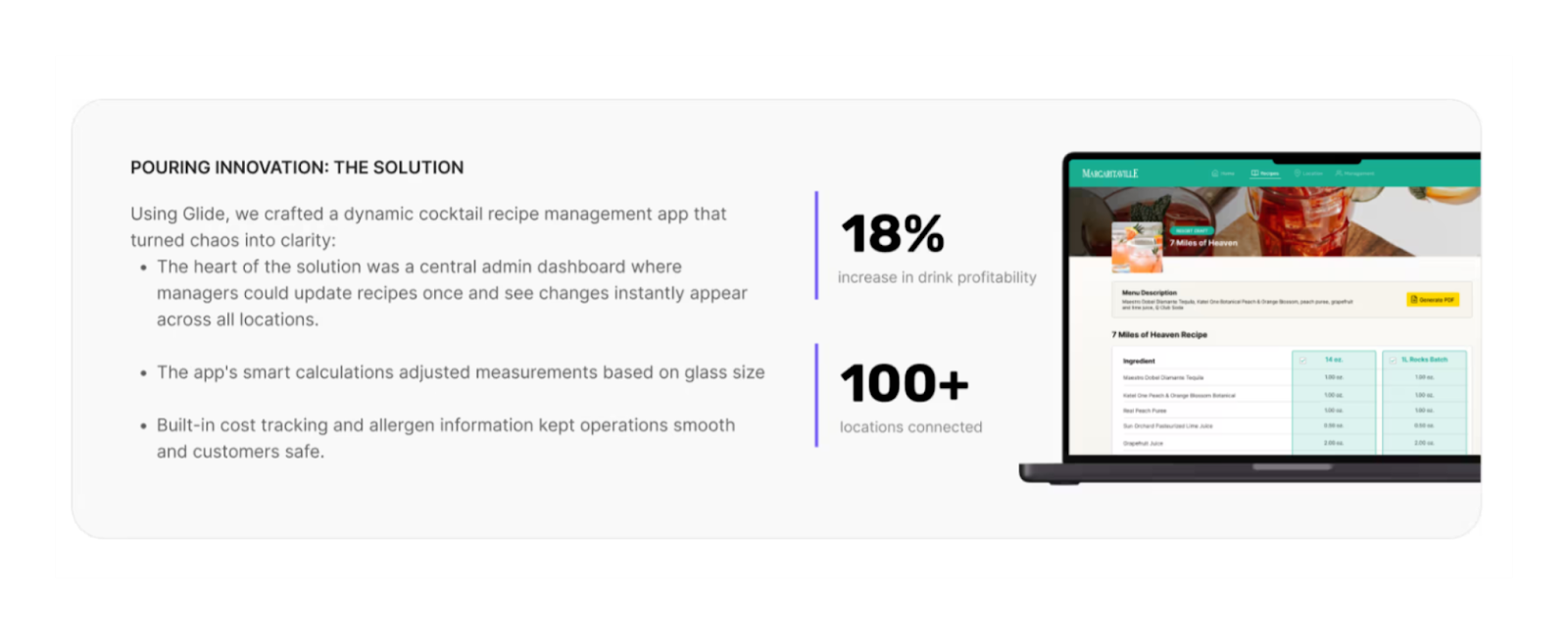
What the app does
An internal operations app designed to standardize drink recipes across 100+ hospitality locations. The app provides bartenders and managers with instant access to accurate recipes, portion calculations, and real-time updates.
The operational problem
Recipes lived in spreadsheets and printed documents, making consistency nearly impossible. Different glass sizes, outdated instructions, and slow updates led to waste, uneven quality, and profit loss across locations.
The outcome after launch
After launch, Margaritaville increased profitability per drink by 18% and reduced recipe update times by 83%. Seasonal changes now roll out instantly, ensuring consistency, cost control, and brand experience at scale.
5. BuildGenius (AI-powered internal business tools)
What the app does
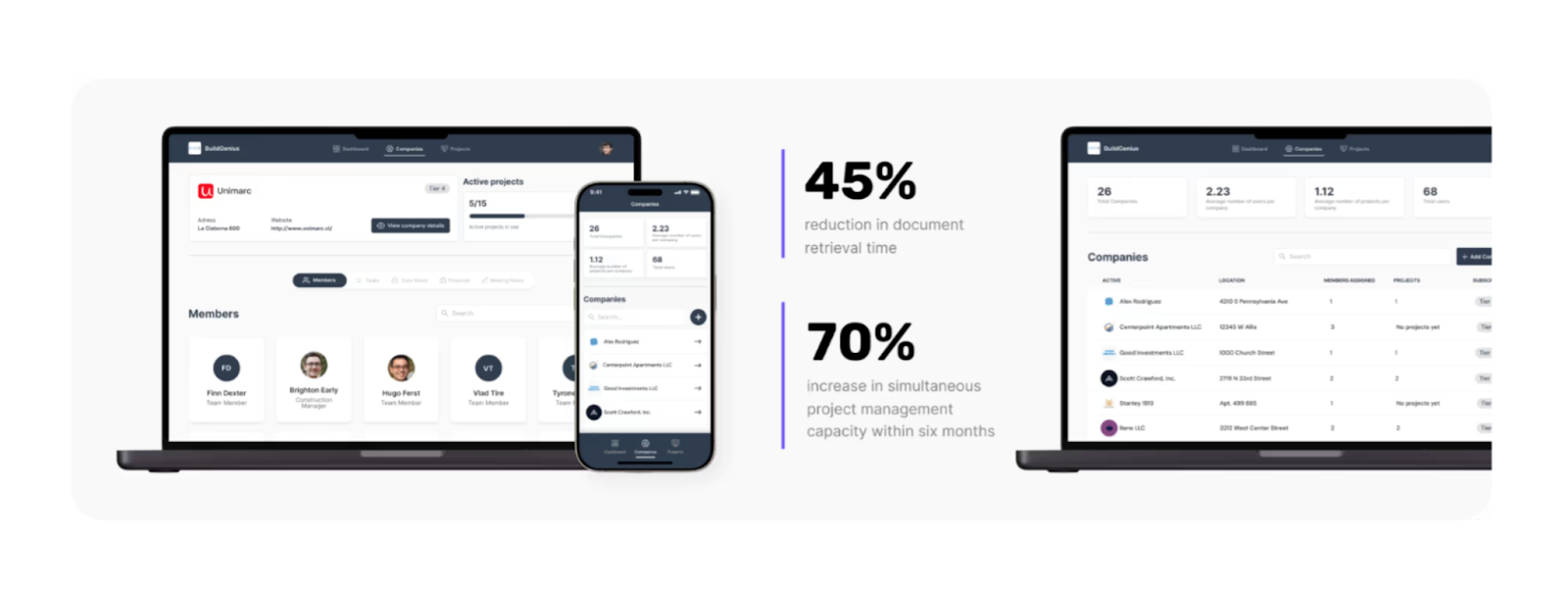
An AI-enhanced internal operations app built for real estate development teams to manage projects, documents, and financial data in one centralized system. The app combines project management with conversational AI to make complex information instantly accessible.
The operational problem
Before the app, critical project data lived across emails, folders, and meeting notes. Teams spent hours searching for documents, tracking costs manually, and answering repetitive questions, slowing down decision-making as the company scaled.
The outcome after launch
Within six months, the platform reduced document retrieval time by 45% and increased project capacity by 70%. AI-powered search and insights turned static data into an operational advantage, allowing teams to manage more projects without adding overhead.
6. Known.dev (Customer-facing tracking & portal apps)

What the app does
A shipment tracking and customer portal built to give logistics customers real-time visibility into their orders. The app connects directly to existing databases and presents complex shipment data through a clean, self-serve interface.
The operational problem
Customers relied on support teams for basic tracking updates, generating constant inquiries and frustration. Shipment data existed, but there was no intuitive way for customers to access it on their own.
The outcome after launch
After launch, customer satisfaction increased by 30% and support inquiries dropped by 40%. The portal eliminated information bottlenecks, reduced manual work, and positioned the company as a customer-first logistics partner.
7. Zapier (Internal Business Tools)

What the app does
A Glide-based salary calculator built to bring transparency and consistency to compensation decisions across a fully remote workforce. The app allows employees to instantly calculate salary ranges based on role, level, and location, without relying on HR intermediaries.
The operational problem
Before the app, Zapier’s HR team handled constant salary-related questions manually. Compensation data lived in internal documents, calculations were inconsistent, and employees lacked visibility into growth paths, creating friction in a company built on transparency.
The outcome after launch
After launch, employee satisfaction increased by 35% and transparency improved by 40%. HR reclaimed hours each week, while employees gained immediate clarity around compensation, reinforcing trust and fairness at scale.
8. IntroCRM (CRM & Sales Tracking Apps)
What the app does
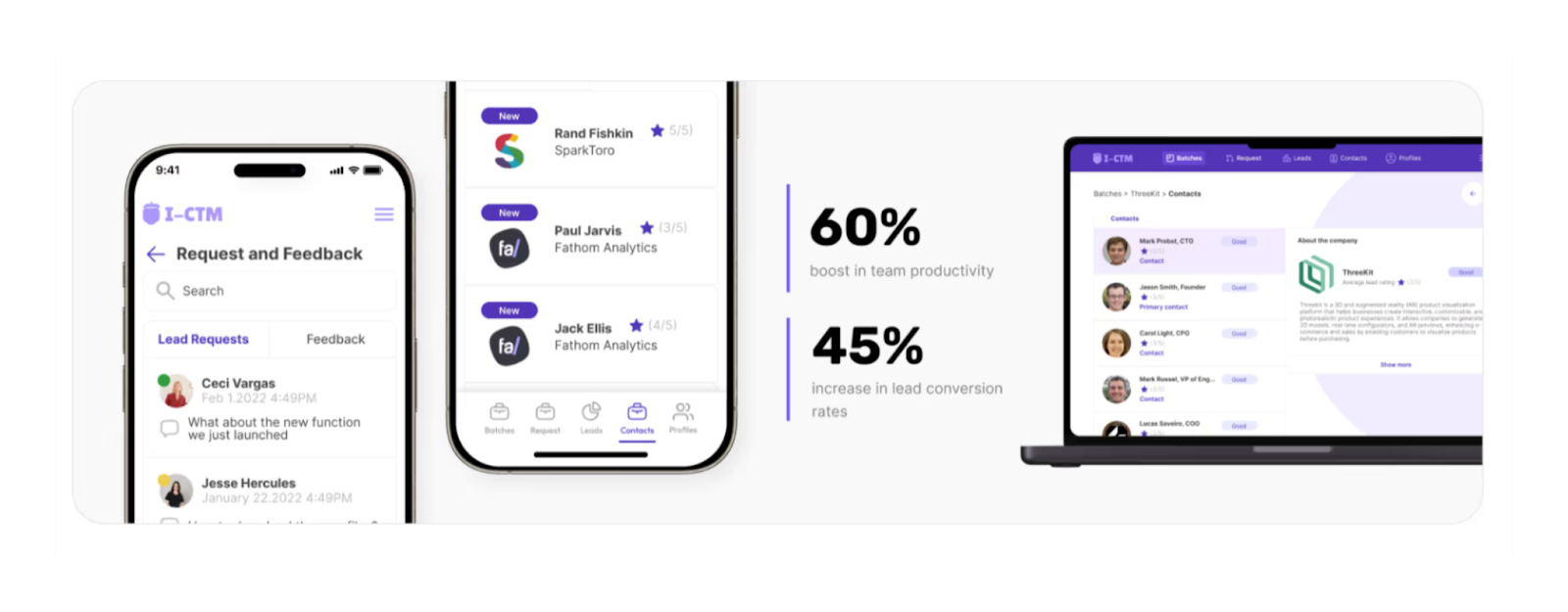
A custom CRM built for sales teams that needed speed, visibility, and scale without the complexity of traditional enterprise tools. The app centralizes leads, contact data, and follow-up workflows into a single, intuitive system.
The operational problem
Before the app, the team relied on spreadsheets and manual data entry. Leads were logged inconsistently, follow-ups were missed, and sales reps spent more time managing data than talking to prospects.
The outcome after launch
With the new CRM, team productivity increased by 60% and lead conversion rates improved by 45%. Faster lead ingestion and clearer prioritization allowed the team to focus on revenue-driving activities instead of admin work.
9. Sheltering Arms (Internal Business Tools)
What the app does
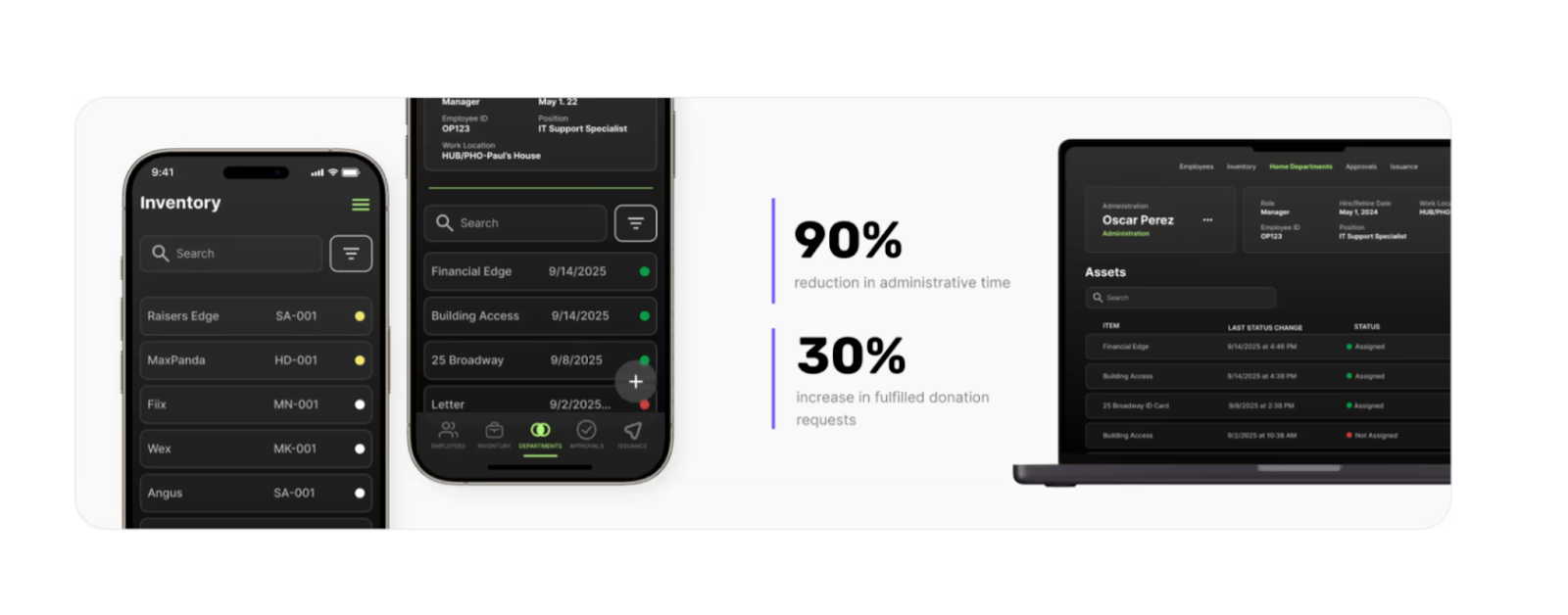
A donation management app built to streamline how a nonprofit tracks furniture donations, approvals, deliveries, and requests. The platform connects staff, donors, volunteers, and recipients through a single operational flow.
The operational problem
Previously, the organization managed everything through spreadsheets, emails, and phone calls. Administrative work consumed valuable time, inventory visibility was limited, and coordinating donations slowed down their ability to serve families in need.
The outcome after launch
After implementation, administrative time dropped by 90% and fulfilled donation requests increased by 30%. The app reduced friction across the entire process, allowing the team to focus more on impact and less on coordination.
10. Zapier Workflow Hub (Internal Business Tools)
What the app does
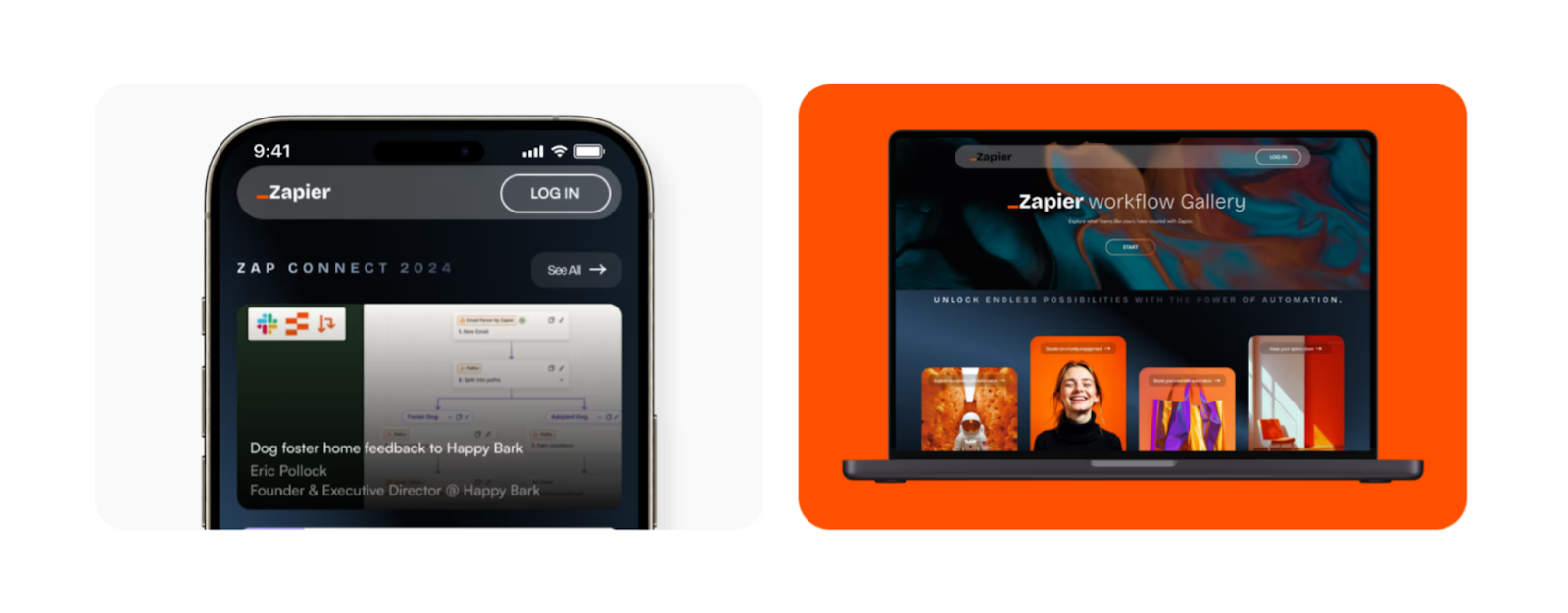
An internal knowledge platform built for Zapier users to discover, submit, and share real-world automation workflows. The app centralizes user-generated workflows, event resources, and curated content into a single, searchable platform.
The operational problem
Before the app, workflows were scattered across blog posts, forum threads, and documentation. Users struggled to find proven automations for specific use cases, and Zapier lacked a structured way to capture and scale community knowledge beyond one-off events.
The outcome after launch
After launch, workflow submissions increased by 80% and 40% of ZapConnect attendees became active contributors. The platform transformed fragmented content into a living marketplace that continues to grow through community participation.
11. Herzig (Internal Business Tools)
What the app does
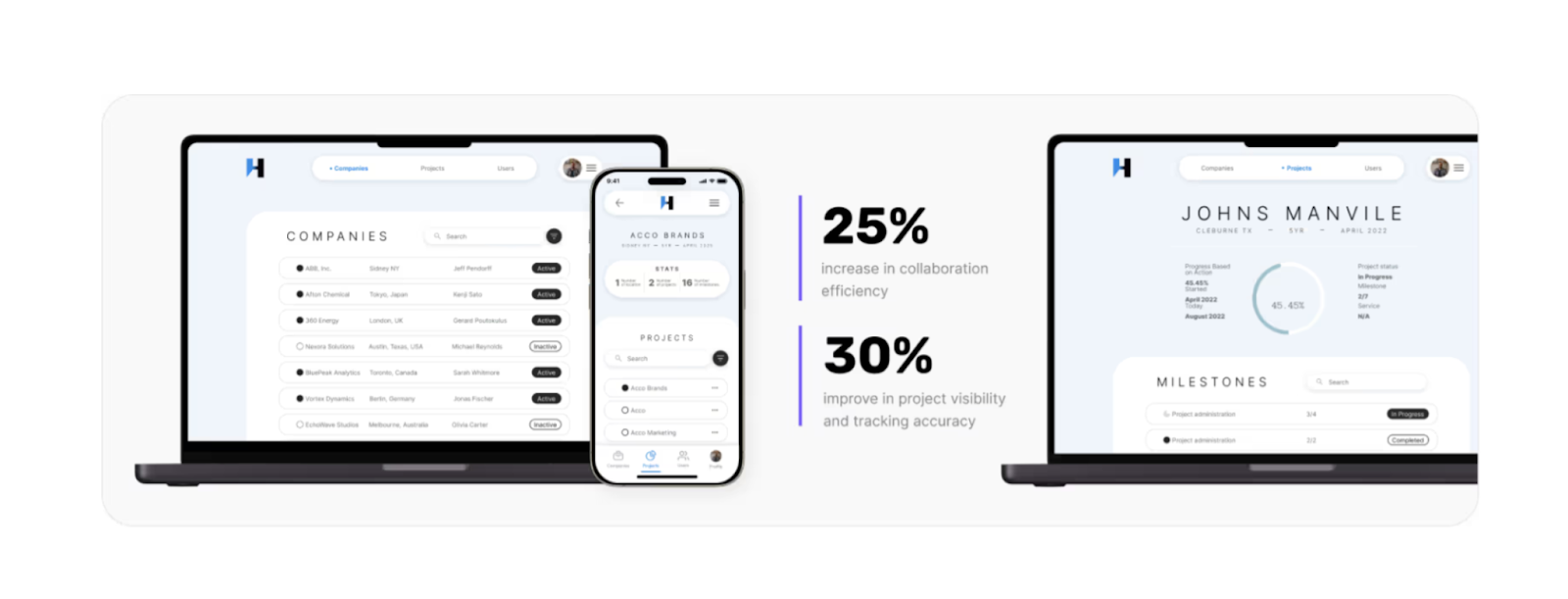
A custom internal operations tool built to simplify project management and collaboration for an engineering firm running complex safety and compliance projects. The app sits on top of existing systems and translates dense data into a clear, usable interface.
The operational problem
Before the app, teams struggled with Salesforce’s complexity. Project information was hard to access, collaboration was fragmented, and managers lacked real-time visibility into progress, creating delays and unnecessary overhead.
The outcome after launch
After launch, collaboration efficiency increased by 25% and project visibility improved by 30%. The tool reduced administrative friction and gave teams a shared, real-time view of work without forcing them to change their underlying data infrastructure.
12. 12Five Capital (Business Automation Tools)
What the app does
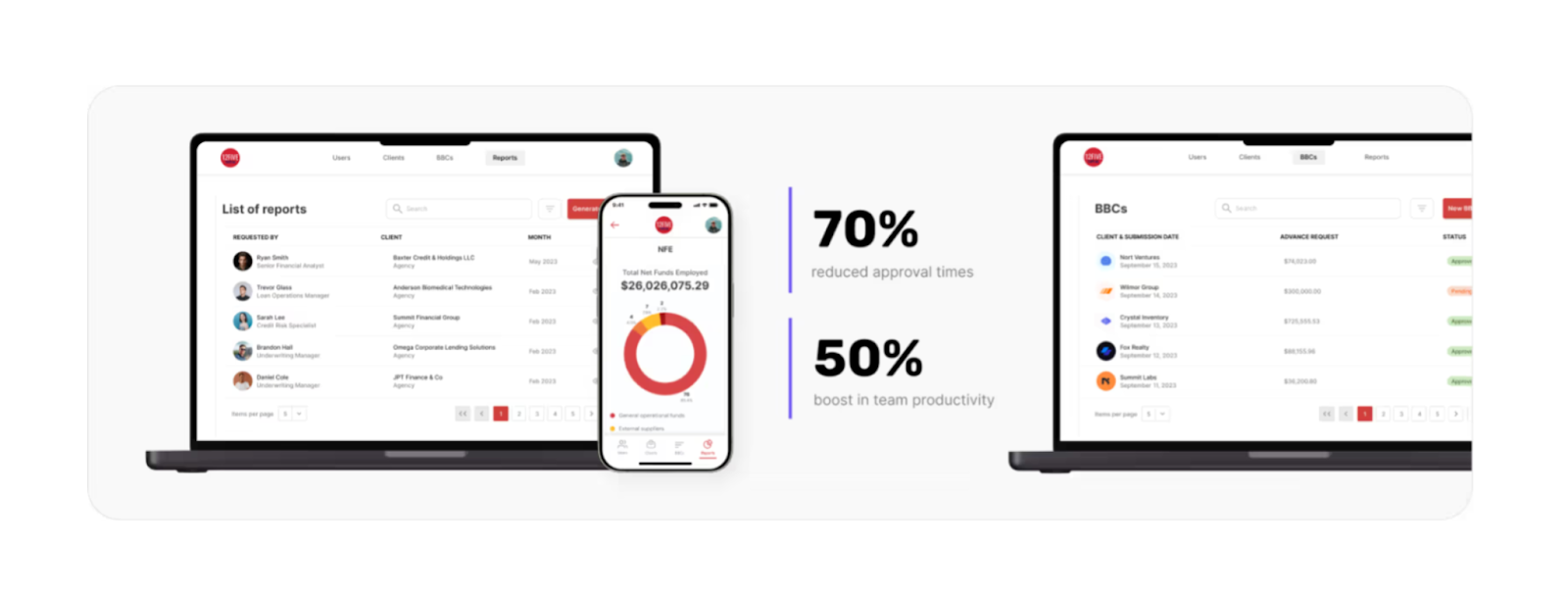
An internal finance operations app designed to automate approvals, calculations, and document handling for a financial services firm. The platform centralizes workflows that were previously manual, reducing delays in client funding.
The operational problem
Prior to the app, teams relied on paperwork, spreadsheets, and multi-step approvals. Manual calculations and document checks slowed down decisions and limited how many clients the team could support at once.
The outcome after launch
With automated workflows in place, approval times dropped by 70% and team productivity increased by 50%. The app replaced error-prone manual processes with a structured system that scaled alongside the business.
13. Simini (Internal Business Tools)
What the app does
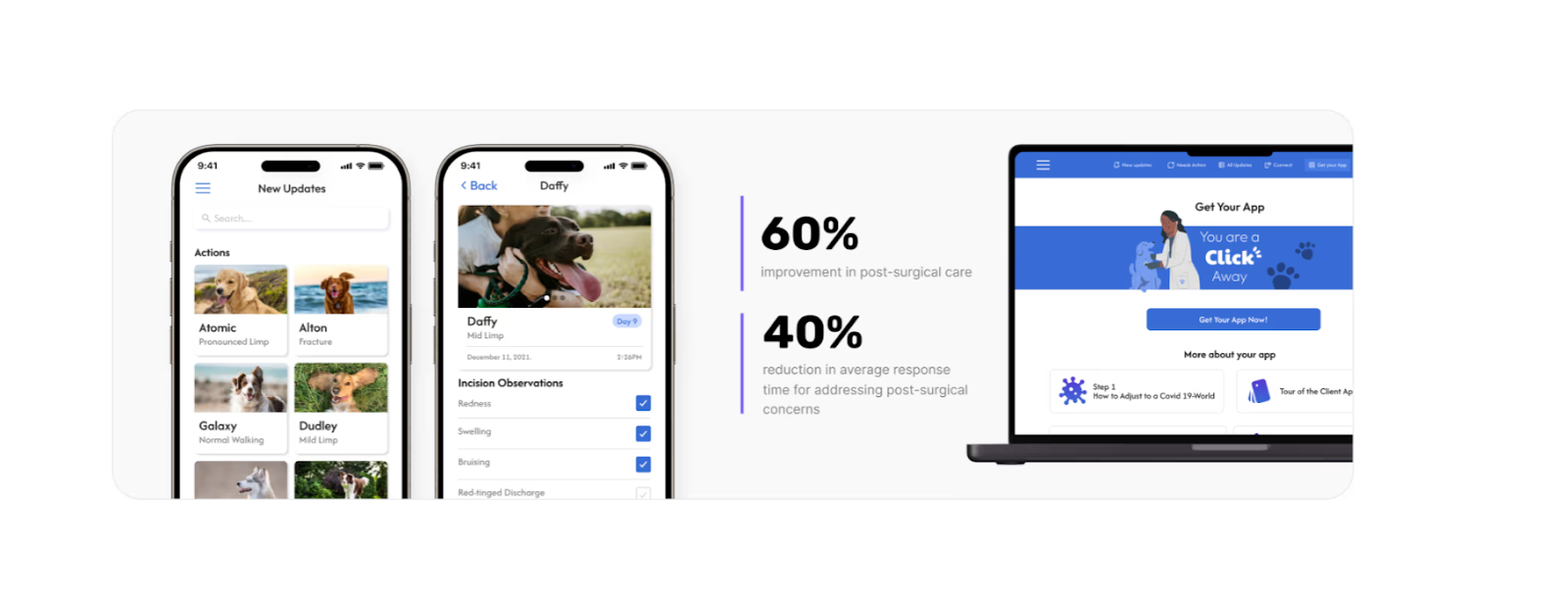
A post-surgical care coordination app built to centralize communication between veterinary surgeons, referring vets, and pet owners. The app creates a single source of truth for recovery updates, follow-ups, and alerts.
The operational problem
Before the app, recovery information was scattered across calls, messages, and emails. Delays in updates increased stress for pet owners and made it harder for medical teams to detect complications early.
The outcome after launch
After launch, post-surgical care quality improved by 60% and response times dropped by 40%. The app enabled faster interventions, clearer collaboration, and a calmer recovery experience for both teams and pet owners.
14. RentFund (MVP Apps)
What the app does
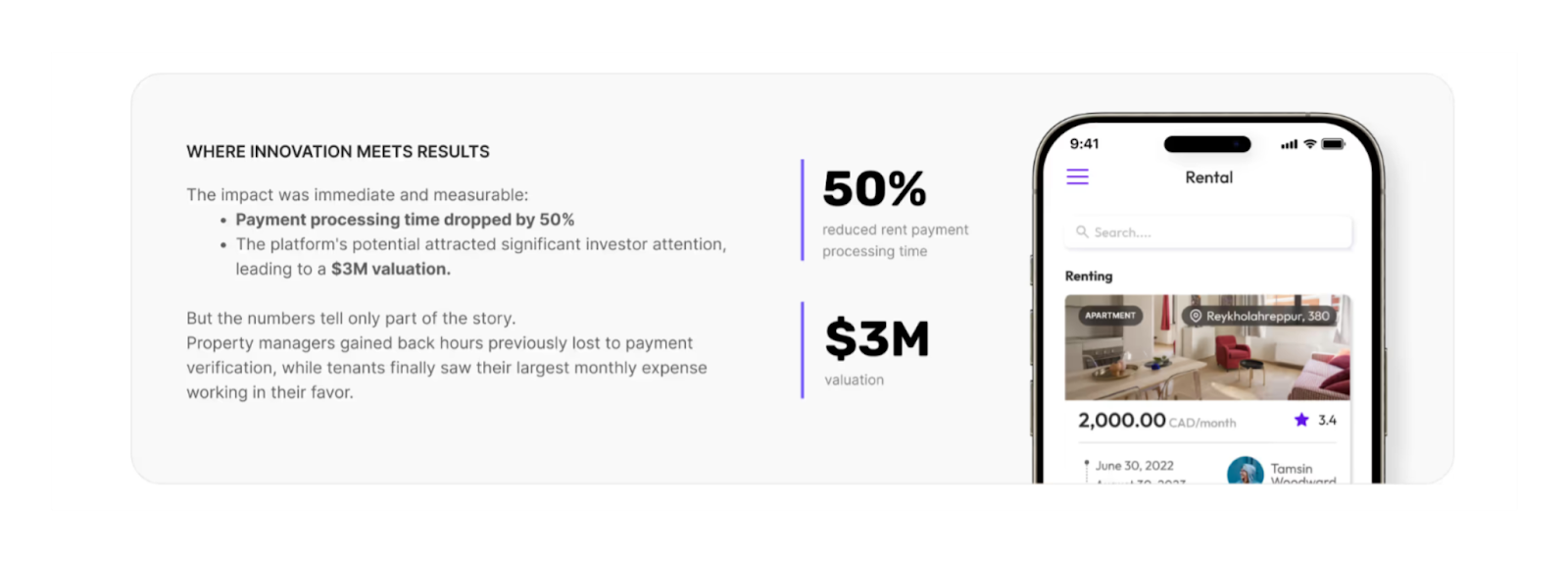
An MVP built to modernize rent payments by automating verification and rewarding tenants with cash back. The product connects tenants, property managers, and payment data into a single, scalable platform.
The operational problem
Before RentFund, rent verification was manual and time-consuming. Property managers spent hours checking bank statements, while tenants received no benefits for consistent, on-time payments.
The outcome after launch
The MVP reduced rent payment processing time by 50% and helped the company reach a $3M valuation. Fast iteration and automation validated product–market fit and positioned RentFund for growth without heavy upfront investment.
15. StraightUp Collective (Internal Business Tools)
What the app does
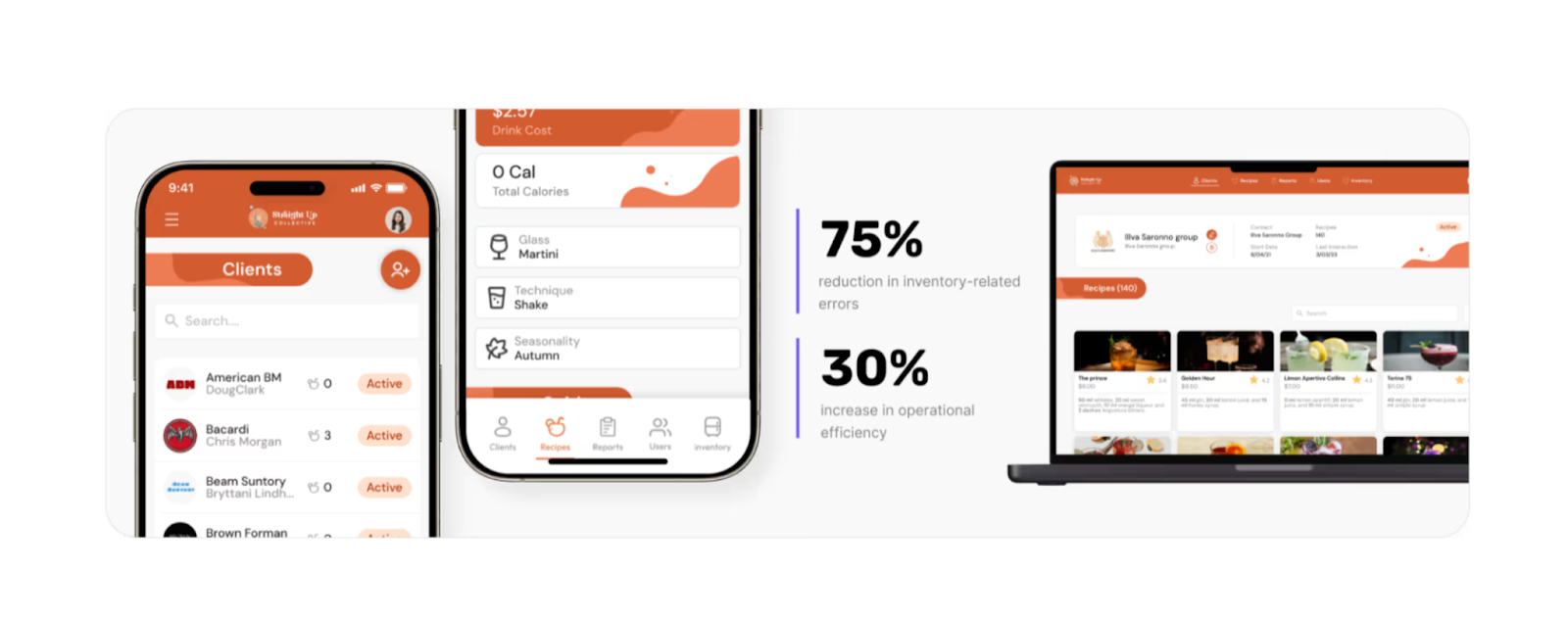
An internal operations app built for a fast-growing food and beverage brand to centralize production, orders, and day-to-day workflows. The app replaced fragmented tools with a single system the team could actually use on the floor.
The operational problem
Before the app, operational data lived across spreadsheets, messages, and ad-hoc processes. This created blind spots in inventory, slowed coordination between teams, and made it harder to scale without adding friction.
The outcome after launch
After implementation, the team gained real-time visibility into operations and reduced manual coordination across locations. The app became the backbone for running daily ops with clarity instead of guesswork.
16. Language Keeper (MVP Apps)
What the app does
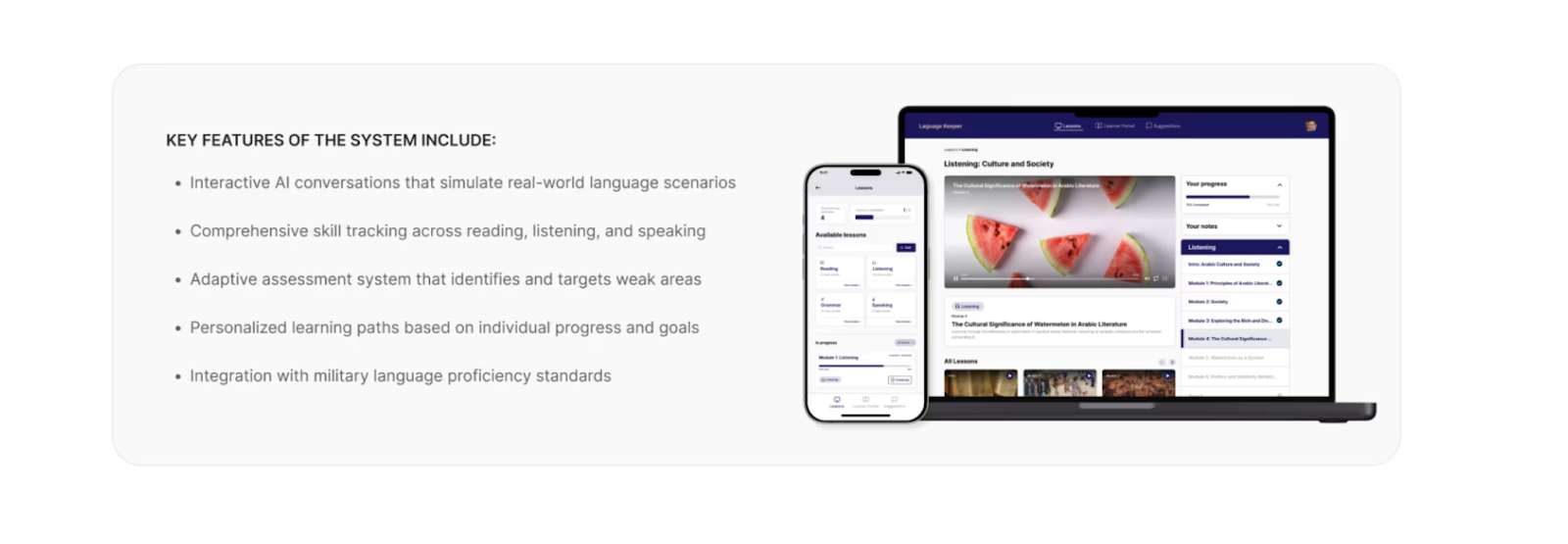
An MVP built to help military professionals maintain language proficiency between formal training programs. The app delivers structured practice, progress tracking, and AI-assisted feedback through a mobile-first experience.
The operational problem
Before Language Keeper, language skills deteriorated quickly after intensive training. Existing solutions lacked consistency, personalization, and visibility into skill decay, putting operational readiness at risk.
The outcome after launch
The MVP led to a 70% increase in completed lessons and a 90% user approval rating. Rapid iteration validated demand and proved that continuous, accessible training could solve a critical gap in military education.
Features Commonly Used in These Glide App Examples
- User authentication and roles
Secure access with role-based permissions to ensure each user only sees and edits what’s relevant to them, from internal teams and admins to external partners or customers. - Data syncing and real-time updates
Live data synchronization across devices so changes are reflected instantly, reducing errors, eliminating version conflicts, and enabling faster decision-making. - Forms and structured workflows
Custom forms connected to approval flows, validations, and automated actions that replace manual processes like emails, spreadsheets, and paperwork. - Dashboards and reports
Centralized dashboards that surface key metrics, statuses, and performance indicators, giving teams real-time visibility into operations and outcomes. - Payments and subscriptions
Integrated payment flows and subscription logic for apps that manage billing, rewards, access tiers, or recurring usage models. - Offline and mobile-friendly support
Mobile-first experiences that work reliably on the go, with offline access for field teams and automatic syncing once connectivity is restored. - Integrations with external systems
Connections to tools like CRMs, databases, payment providers, and automation platforms to extend Glide apps into existing tech stacks. - Automation and notifications
Automated triggers, reminders, and alerts that keep workflows moving without manual follow-ups, reducing delays and operational friction.
Tools and Integrations Used in Glide App Examples
- Zapier and automation tools
Used to connect Glide apps with third-party services, automate repetitive tasks, trigger workflows, and keep data flowing across systems without manual intervention. - AI and data processing integrations
AI services used for document analysis, natural language search, summarization, and intelligent data retrieval, turning static information into actionable insights. - Messaging and notification tools
Email, in-app notifications, and messaging integrations that keep users informed about status changes, approvals, reminders, and time-sensitive actions. - External databases and APIs
Connections to external databases and APIs to sync large datasets, integrate legacy systems, and ensure Glide apps operate as part of a broader tech ecosystem. - Payment and billing platforms
Integrations that support transactions, subscriptions, rewards, and financial workflows within Glide apps where monetization or billing logic is required. - Authentication and identity providers
SSO and authentication tools used to manage secure access, user verification, and role-based permissions across internal and external users. - File storage and document management tools
Cloud storage integrations to upload, organize, and retrieve documents, images, and reports directly inside Glide apps. - Analytics and reporting tools
Tracking and analytics integrations that provide visibility into usage, performance, and behavior, supporting better product and operational decisions.
Business Impact of Real Glide Apps
- Time saved through automation
Manual tasks like data entry, approvals, follow-ups, and reporting are replaced with automated workflows, freeing teams to focus on higher-value work instead of operations. - Cost reduction vs traditional development
Glide apps eliminate long development cycles and heavy engineering costs, delivering production-ready solutions without the overhead of custom-built software. - Faster launch and iteration
Apps can be launched in weeks, not months, and updated continuously based on real usage. This allows teams to validate ideas, adjust workflows, and improve outcomes quickly - Scalability for teams and businesses
Glide apps scale alongside growing teams and data volumes, supporting new users, roles, and workflows without rebuilding systems from scratch.
Glide Apps vs Other No-code Tools
Where Glide Apps Work Best
Glide works best for data-driven products where speed, structure, and usability are more important than heavy customization or complex backend logic.
- Internal business tools
Ideal for replacing spreadsheets and manual workflows with structured apps that teams can use daily without friction. - Operational dashboards and reporting apps
Well suited for apps that centralize data, surface key metrics, and provide real-time visibility into business operations. - Tracking and workflow-based apps
Commonly used for inventory tracking, approvals, task management, and process automation with clearly defined flows. - Portals and internal platforms
Works well for internal portals, client-facing dashboards, and role-based access apps built on structured data. - MVPs that need to launch and iterate fast
A strong choice for validating ideas quickly, testing workflows, and evolving products based on real usage without long development cycles.
When Glide Is Not the Right Fit (And What to Use Instead)
Glide is not ideal for highly custom front-end experiences, complex consumer-facing products, or apps that require deep backend logic, advanced state management, or heavy customization.
In those cases, other no-code platforms may be a better fit:
- Bubble
Better for complex products, custom logic, and scalable SaaS platforms that require fine-grained control over workflows and data relationships. - FlutterFlow
A strong choice for high-performance mobile apps with custom UI, native features, and long-term scalability requirements. - Webflow
Best suited for marketing websites, content-driven experiences, and front-end-heavy projects rather than data-centric applications.
Choosing the right platform isn’t about features, it’s about aligning the tool with the business problem, product complexity, and growth expectations from day one.
DIY vs Build with Experts
Limitations of Building Glide Apps Yourself
Building Glide apps on your own works well for simple tools or early experiments. The problems usually start when the app becomes part of daily operations and more people rely on it. Without upfront structure, DIY Glide apps often grow in ways that are hard to control or fix later.
- Weak data foundations
Most DIY Glide apps start directly from spreadsheets without a proper data model. As features grow, relationships break, logic becomes unclear, and extending the app safely becomes difficult. - Workflow complexity increases quietly
Simple actions turn into layered workflows over time. Without clear structure, small updates cause unexpected issues, making changes risky and slowing down everyday operations. - Permission and access issues
As more users join, roles overlap and permissions become messy. Teams either over-restrict access or expose sensitive data, reducing trust in the system. - Hard to maintain and scale
When no one fully understands how the app works, fixes become manual and reactive. This leads to slower decisions, hesitation to improve the app, and limits on growth.
DIY Glide apps fail not because Glide is limited, but because operational apps need structure, clarity, and long-term thinking from the start.
Building Glide Apps with a Product-Focused Agency
Building with experts shifts the focus from “getting something working” to designing a system that supports real business operations. Instead of adapting the business to the tool, the app is designed around workflows, roles, and long-term usage from the start.
At LOW/CODE Agency, Glide apps are built with a product mindset. We define workflows first, design scalable data models, implement clear role logic, and integrate only what adds real operational value. The result is an app that works today and keeps working as the business evolves.
If this app plays a meaningful role in your operations, it’s worth building it properly. Let’s talk.
Conclusion
Glide apps show that you can build serious, data-driven business tools without long development cycles or large engineering teams. Teams use Glide for internal operations, CRMs, MVPs, automation, and portals that support real, day-to-day work.
Real Glide app examples matter because they show what actually works in production. Seeing how other teams solved real operational problems helps you understand what scales, what breaks, and what to plan for before committing time and resources.
When a Glide app becomes critical to your operations, structure and product thinking start to matter more than speed alone. That’s where a strategic product team like LOW/CODE Agency helps turn a quick build into a reliable system.


Related Articles
- FlutterFlow vs Adalo | 10 Factors Compared (2026)
- Glide Review: Our Honest Opinion After Building 330+ Apps
- Bubble vs Adalo | 11 Factors to Decide the Best One
- FlutterFlow vs Glide | 10 Factors Compared (2026)
- 15 Successful Apps Built With No-code (2026 Examples)
- 5 Real FlutterFlow App Examples (Live Product Use Cases)
Our FlutterFlow development team builds polished iOS and Android apps without a traditional dev cycle.
Last updated on
September 24, 2026
.

Jesus is a visionary entrepreneur and tech expert. After nearly a decade working in web development, he founded LOW/CODE Agency to help businesses optimize their operations through custom software solutions.


FAQs
What are the best Glide app examples for businesses?
Can Glide be used to build marketplaces?
Are Glide apps suitable for large teams?
Can Glide apps handle payments and automation?
How complex can a Glide app be?
Can Glide apps be used for public-facing apps?
Related Articles

Glide
13 Best Glide Alternatives (Compared for Real Use Cases)
Explore 13 best Glide alternatives compared for real use cases. See features, pricing, scalability, and when to choose each no-code platform in 2026.

Comparison
Glide
Bubble
Bubble vs Glide | 10 Factors to Decide the Best One
Compare Bubble vs Glide across 10 key factors, including use cases, backend needs, scalability, pricing, limitations, and which platform fits your app goals.
.avif)
Comparison
Glide
Glide vs Adalo | 10 Factors Compared (2026)
Adalo vs Glide: Choosing the right platform for your no-code app. Why Glide might surprise you!

Comparison
Glide
FlutterFlow
FlutterFlow vs Glide | 10 Factors Compared (2026)
Compare FlutterFlow vs Glide across 10 key factors including flexibility, database control, scalability, pricing, and app performance to choose the right builder in 2026.
Why customers trust us for no-code development


