

Migrate Website from Framer to Webflow (without SEO loss)
17 min
read
Migrate your website from Framer to Webflow without SEO loss. Preserve rankings, structure, and performance with a safe migration process.

Why Teams Decide to Move from Framer to Webflow
Most teams do not start on Framer planning to migrate. The move usually happens when the website grows beyond design-led needs and starts supporting marketing, content, and long-term growth. At that point, platform limits become operational problems.
Understanding these signals early helps teams migrate before damage is done.
- Framer starts to feel limiting as sites grow
Framer works well for visual design and small sites, but teams often struggle once content scales, multiple pages are added, or structured updates become frequent. - Webflow supports content-heavy and marketing-led sites better
Webflow offers stronger CMS modeling, reusable templates, and structured content relationships. This makes it easier to manage blogs, landing pages, and SEO-driven content at scale. - SEO control becomes harder in Framer
As organic traffic becomes important, teams notice gaps in URL structure, internal linking control, and long-term SEO flexibility compared to Webflow. - Collaboration breaks down with multiple editors
Framer is not built for large teams managing content regularly. Webflow’s editor roles, permissions, and workflows handle this more safely. - Growth exposes ownership and maintainability issues
When marketing teams need to ship fast without rebuilding layouts each time, Webflow’s component and CMS approach reduces friction. - No API Support in Framer
Framer lacks proper API support for CMS or other integrations, while Webflow offers clearer API support for CMS and other integrations or automations. - Migration becomes a strategic move, not a redesign
Teams often switch platforms to regain control, not to change how the site looks.
This is why many growing teams work with Webflow development agencies when planning a Framer to Webflow migration. The decision is usually about scale, structure, and long-term ownership, not design preference alone.
Is Migrating from Framer to Webflow the Right Choice for You?
Not every team needs to migrate from Framer to Webflow.
The right move depends on how your website is used today and what you expect from it over the next 12 to 24 months. Migration should solve real problems, not create new ones.
This section helps you pressure-test the decision before committing.
- Migration makes sense when the site supports growth
If your website drives SEO, content publishing, lead generation, or frequent marketing updates, moving from Framer to Webflow usually improves structure, scalability, and long-term control. - Webflow is a better fit for content-heavy workflows
Teams managing blogs, resource hubs, or multiple landing pages benefit from Webflow CMS, reusable templates, and cleaner content governance. - Staying on Framer is fine for design-first sites
If your site is small, visually focused, and rarely updated, Framer may still be the right tool. Migration adds unnecessary cost without clear upside. - Avoid migrating too early
Early-stage products often change direction. Migrating before goals, content strategy, or traffic sources are clear can lead to wasted effort and rebuilds. - Do not migrate just because others did
Platform trends are not strategy. Migration should reduce friction, not follow hype. - Be honest about internal capability
If your team can already manage Framer confidently and does not need CMS scale or SEO depth, the switch may not add value yet.
For many teams, clarity comes from knowing when not to act. Resources like when you don’t need a Webflow agency help founders avoid premature platform decisions and migrate only when leverage is real.
Read more | Carrd vs Webflow
What Changes When You Move from Framer to Webflow
Migrating from Framer to Webflow is not just a platform switch. It changes how your team designs, publishes, optimizes, and scales the website over time. Knowing these differences upfront helps avoid frustration after the move.
Most changes improve control, but they also require clearer structure.
- Design workflows become more system-driven
Framer feels design-first and flexible. Webflow shifts teams toward components, classes, and reusable patterns, which reduces inconsistency as the site grows. - CMS structure replaces page-by-page building
Webflow introduces structured collections, templates, and relationships. Content is managed centrally, making it easier to scale blogs, landing pages, and resources without duplicating layouts. - Content updates become safer for teams
Editors can update text and images without touching layout logic. This lowers the risk of accidental breakage when marketing teams publish frequently. - SEO control improves across the site
URL structure, metadata, internal linking, and indexing rules are easier to manage at scale. This matters once organic traffic becomes a growth channel. - Performance planning becomes intentional
Webflow encourages cleaner structure and fewer hacks, which helps maintain consistent performance as content volume increases. - Scalability shifts from manual to structural
Growth relies less on redesigns and more on extending existing systems.
Teams that care about long-term visibility often review SEO impact early with a Webflow SEO agency mindset. The biggest change after moving from Framer to Webflow is not how the site looks, but how well it holds up as usage increases.
Read more | Webflow vs WordPress
How to Plan a Framer to Webflow Migration Without Regret
Most regret during a Framer to Webflow migration comes from starting too fast. Good planning does not slow the project. It prevents SEO loss, rework, and unclear ownership after launch.
This section breaks planning into three practical parts.
Pre-migration checklist
Before rebuilding anything in Webflow, you need a clear inventory of what already exists. Missing items here usually cause problems later.
- List every live URL, page type, blog post, and resource
This helps protect indexed pages, backlinks, and traffic that should not be lost during migration. - Document current SEO performance
Identify top-ranking pages, key keywords, and pages driving traffic so they receive extra care during rebuild and redirect setup. - Note integrations, forms, and tracking
Analytics, forms, CRM tools, and scripts often get missed and break silently after launch.
Questions to answer before starting
Clear answers reduce scope creep and bad decisions mid-migration.
- What must stay exactly the same and what can change
Decide early whether design, URLs, or content structure can be adjusted. - How important is SEO and organic traffic
High SEO dependency requires stricter redirect planning and content preservation. - Who will maintain the site after migration
CMS structure and editor roles should match the team that will manage Webflow day to day.
How to reduce risk and surprises
Most migration issues are avoidable with the right sequencing.
- Lock CMS structure before rebuilding pages
Changing collections mid-project is one of the biggest causes of delays. - Plan redirects and metadata before launch
Redirects and SEO settings should be ready on day one, not added later. - Choose help based on risk, not comfort
The more traffic and content involved, the more structured support matters.
Teams that want deeper clarity before committing often use guides like how to choose a Webflow development agency to match the right approach to their situation.
Good planning turns migration into a one-time move instead of a long recovery phase.
Read more | Webflow vs Wix
How Framer to Webflow Migration Actually Works
A successful Framer to Webflow migration is not a copy and paste job. It is a structured rebuild that protects design, content, and SEO while setting the site up for long-term growth. Teams that rush this process usually pay for it later.
Here is how a clean migration typically works.
- Auditing the existing Framer site
The process starts by reviewing pages, layouts, content types, SEO settings, and performance. This audit identifies what must be preserved, what can be improved, and where Framer limits are already causing issues. - Planning the new Webflow structure and CMS
Before rebuilding anything, collections, templates, and relationships are designed. This step defines how content will scale and how future pages will be created without redesigning every time. - Rebuilding pages and reusable components
Pages are recreated in Webflow using clean classes and reusable components. The goal is to match the existing design while improving consistency and maintainability. - Recreating interactions and animations
Key animations and interactions are rebuilt using Webflow’s native tools. Some effects may be simplified to improve performance and reduce future breakage. - Setting up SEO, redirects, and integrations
URLs, metadata, redirects, analytics, and third-party tools are configured to protect traffic and tracking. This step prevents ranking loss after launch. - Testing before and after launch
Content, links, forms, performance, and mobile behavior are tested thoroughly to catch issues before users do.
Teams often underestimate how much planning happens before visible work begins. That is why many businesses rely on a Webflow migration agency when moving from Framer to Webflow. The real value is not the rebuild itself, but avoiding SEO loss, content chaos, and rework later.
Read more | Webflow vs Webstudio
SEO Risks During Framer to Webflow Migration (And How to Avoid Them)
SEO is where most Framer to Webflow migrations quietly fail. Traffic rarely drops because of Webflow itself. It drops because SEO details are missed during rebuilds, redirects, or launch timing.
Knowing these risks early helps protect rankings and momentum.
- URL changes without proper redirect planning
Even small URL changes can break rankings. Every existing Framer URL must map to a Webflow equivalent using tested 301 redirects. - Lost metadata during page rebuilds
Page titles, meta descriptions, open graph data, and canonical tags often disappear if they are not documented and recreated intentionally. - Heading and content structure changes
Reordering headings or trimming content during migration can confuse search engines and weaken existing keyword relevance. - Internal linking gaps after launch
Navigation and contextual links often change during rebuilds. Missing links reduce crawl efficiency and dilute authority across important pages. - Launch timing that interrupts indexing
Publishing too early or without staging checks can expose broken pages to search engines, causing temporary or permanent ranking drops. - Assuming tools replace SEO process
Platform choice does not guarantee SEO safety. Migration success depends on process, not whether the site is built in Framer or Webflow.
This is where agency experience matters. Teams that understand the differences between Webflow agencies and traditional web agencies tend to plan SEO migrations more carefully, reducing risk instead of reacting after traffic drops.
Read more | Webflow vs Typedream
How Long a Framer to Webflow Migration Usually Takes
A Framer to Webflow migration rarely runs late because of design work. Delays usually come from content volume, CMS decisions, SEO protection, and how many people are involved in approvals. Timelines become clearer when you understand what actually drives the work.
Here is a more realistic breakdown.
- Small marketing sites usually take 1 to 2 weeks
Sites with under 10 pages, limited content, no CMS collections, and low SEO dependency move fast when design stays unchanged and decisions are made quickly. - CMS-heavy or SaaS websites typically take 3 to 6 weeks
Blogs, resources, and SaaS sites require CMS modeling, template creation, redirects, SEO checks, and multiple review cycles, which naturally extend timelines. - Large or multi-page websites often take 6 to 10 weeks
Content libraries, multilingual pages, integrations, and many redirects require careful planning, QA, and staged launches to avoid traffic or data loss. - Content cleanup adds hidden time
Inconsistent headings, outdated pages, duplicated content, or missing metadata slow migrations because issues must be fixed before rebuilding safely. - SEO protection extends timelines but prevents loss
URL mapping, redirect testing, metadata recreation, and post-launch monitoring add days or weeks but protect existing rankings and traffic. - Stakeholder approvals are a major variable
More reviewers, legal checks, or brand sign-offs increase wait time more than technical work itself. - Scope changes are the biggest cause of delays
Redesigns, new pages, or CMS changes introduced mid-migration can easily double the original timeline.
A Framer to Webflow migration feels slow only when expectations are unclear. When content, SEO, and scope are locked early, timelines stay predictable and rework is avoided later.
Read more | Webflow vs Squarespace
Migrating for Different Business Types
A Framer to Webflow migration does not look the same for every business. The right approach depends on how the website is used, how often it changes, and how much risk the business can tolerate during the move.
Here is how migration priorities differ by business type.
- Marketing and brand websites
For marketing-led sites, the main goal is usually better content control and SEO readiness. Migration focuses on clean CMS setup, fast page creation, and protecting existing traffic without changing the visual identity too much. - SaaS and product-led companies
SaaS teams migrate from Framer to Webflow when the site becomes part of growth. Landing pages, blogs, feature pages, and experiments need structure and speed. This is where working with teams experienced in SaaS Webflow developmenthelps avoid rebuilds as marketing scales. - Larger teams and structured organizations
Bigger teams care about permissions, approvals, documentation, and predictable delivery. Migration here is less about design and more about governance, SEO risk management, and long-term maintainability. In these cases, enterprise Webflow developmentexperience becomes important.
The platform move stays the same, but the reason for migrating changes everything. When migration aligns with how the business operates, Webflow becomes a growth system instead of just a new tool.
Read more | Webflow vs Shopify
Should You Migrate Yourself or Hire Help?
A Framer to Webflow migration looks simple until real content, SEO, and structure are involved. The choice between doing it yourself or hiring help is less about skill and more about risk, time, and long-term ownership.
This decision often shapes how painful or smooth the next year feels.
- DIY migrations work only for very small sites
If the site has a few pages, no CMS, and no meaningful SEO traffic, a self-migration can work. Once content or rankings matter, mistakes become expensive. - Most DIY issues appear after launch
Broken links, missing redirects, weak CMS structure, and SEO drops usually show up weeks later, when fixes are slower and harder to trace. - Freelancers reduce cost but shift risk to you
Freelancers can rebuild pages well, but planning, SEO protection, and testing often stay your responsibility. This model needs strong internal oversight. - Agencies absorb structure and accountability
Agencies handle audits, CMS planning, redirects, QA, and launch sequencing. That reduces long-term risk, especially when traffic and content matter. This comparison of delivery models helps frame that trade-off: agency vs freelancer vs in-house setups. - Long-term ownership should guide the decision
The real cost is not migration day. It is how easy the site is to maintain, extend, and optimize six months later. - Hybrid models often work best
Some teams keep strategy and migration planning external while execution stays internal. Others add focused help by bringing in Webflow developers for specific phases.
If the website plays a real role in growth, hiring help is usually cheaper than recovering from mistakes later. DIY only works when the downside of getting it wrong is truly low.
Read more | Webflow vs Elementor
Boutique vs Enterprise Agencies for Framer to Webflow Migration
Not all agencies handle a Framer to Webflow migration the same way. The difference between boutique and enterprise agencies shows up quickly once content, SEO risk, and timelines are involved.
Choosing the wrong model often creates friction during migration, not after.
- Boutique agencies prioritize speed and hands-on execution
Boutique teams move faster, adapt quickly, and involve senior talent directly. This works well when migration scope is clear and decisions need to happen without delay. - Enterprise agencies focus on process and risk control
Enterprise agencies bring documentation, QA layers, and structured reviews. This matters when migrations involve many stakeholders, compliance needs, or high SEO exposure. - Migration complexity determines the better fit
Smaller sites with moderate content usually benefit from boutique speed. Large sites with thousands of URLs often need enterprise-level safeguards. - SEO risk shifts the balance
When traffic loss would materially impact the business, agencies with stronger governance and validation processes reduce downside during migration. - Founders often overpay or under-prepare
Early teams hire enterprise agencies too soon. Larger teams hire boutique agencies and struggle with scale and coordination mid-migration.
A deeper breakdown in this boutique vs enterprise Webflow agency comparison helps map agency type to migration risk. The best choice matches the complexity of the move, not the size of the agency.
Read more | Webflow vs Duda
Cost Expectations for Framer to Webflow Migration
Framer to Webflow migration pricing often surprises founders because it looks like a rebuild but behaves more like risk management. You are not paying to recreate pages. You are paying to protect traffic, content, and future flexibility while changing platforms.
Here is what usually shapes the cost.
- Migration pricing is driven by risk, not design
The more traffic, content, and SEO value a site has, the more time is spent on audits, redirects, validation, and testing to avoid losses. - CMS structure and content volume increase effort
Blogs, resources, and dynamic pages require CMS planning, content mapping, and cleanup, which adds meaningful time compared to static page rebuilds. - Redirects and SEO protection add real cost
Mapping URLs, preserving metadata, and testing redirects can take days or weeks, especially for sites with hundreds of indexed pages. - Migrations cost more than fresh builds for a reason
Fresh builds start clean. Migrations must carry existing performance, rankings, and data forward, which increases planning and QA effort. - Typical budget ranges founders see
Small sites usually fall between $3,000 and $7,000. CMS-heavy or SaaS sites often range from $8,000 to $18,000. Large or high-risk migrations can reach $20,000 to $35,000+. - Under-budgeting leads to silent failures later
Skipping planning to save money often results in traffic drops, broken structure, and costly fixes after launch.
For realistic benchmarks and what is usually included, this Webflow agency pricing guide helps set expectations. With migrations, paying more upfront is usually cheaper than recovering what was lost later.
Read more | Webflow vs Drupal
How LOW/CODE Agency Handles Migration to Webflow
A Framer to Webflow migration goes smoothly when it is treated as a product decision, not a rebuild task.
That is the approach we take at LOW/CODE Agency. The goal is to protect what already works while setting the site up for calm growth after launch.
This section helps you understand when that approach helps and when it does not.
- When a product-team approach makes sense
If your site drives SEO, content, leads, or frequent updates, migration needs planning, structure, and accountability. We focus on CMS design, redirect safety, performance, and long-term ownership, not just visual parity. - How we reduce migration risk upfront
We start with audits, URL mapping, CMS planning, and SEO checks before rebuilding anything. This prevents traffic drops, broken content, and rushed fixes after launch. - Why structure matters more than speed
Moving fast without planning usually creates hidden debt. We prioritize clean classes, reusable components, and editor-safe workflows so teams can work independently after migration. - When a smaller or DIY approach is better
If the site is small, rarely updated, and has no meaningful SEO traffic, a full agency process may be unnecessary. Simple sites can migrate without heavy structure. - Setting expectations before migrating
Migration is about stability, not instant improvement. Rankings may fluctuate briefly, content may need cleanup, and some interactions may be simplified to protect performance. - Clarity over commitment
We say no when the leverage is not real. The right outcome is not always hiring an agency. It is choosing the least risky path for your stage.
LOW/CODE Agency is a strong fit when migration failure would be costly. When the downside is low, lighter options often make more sense.
Ready to Migrate from Framer to Webflow Without Risk?
If you are considering a Framer to Webflow migration, the most important step is clarity before action. Knowing what to preserve, what to improve, and what to leave behind saves time, budget, and stress later.
A short discussion can help you validate whether migration is the right move now, how much structure you actually need, and which risks to plan for upfront.


Related Articles
- Best 9 LATAM Software Development Companies (Top Rated)
- Best 10 PWA Development Companies in 2026 (Curated List)
- Best 9 Native App Development Companies (Top Rated)
- How Much Does a Webflow Agency Cost? (2026 Guide)
- How to Hire Webflow Developers (Dedicated or Freelance)
- Webflow Agency Vs Traditional Web Agencies (2026)
Partner with our no-code development experts to build your next digital product.
Last updated on
September 24, 2026
.

Jesus is a visionary entrepreneur and tech expert. After nearly a decade working in web development, he founded LOW/CODE Agency to help businesses optimize their operations through custom software solutions.


FAQs
Can I migrate a Framer website to Webflow without losing SEO?
How much does it cost to migrate from Framer to Webflow?
How long does a Framer to Webflow migration take?
Do I need a Webflow agency for migration?
What are the biggest mistakes during Framer to Webflow migration?
Should I migrate a Framer site to Webflow or WordPress?
Related Articles
Webflow
Canonical Tags During a Website Redesign
How to handle canonical tags correctly during a website redesign to avoid duplicate content, indexing issues, and ranking drops.
Comparison
Webflow
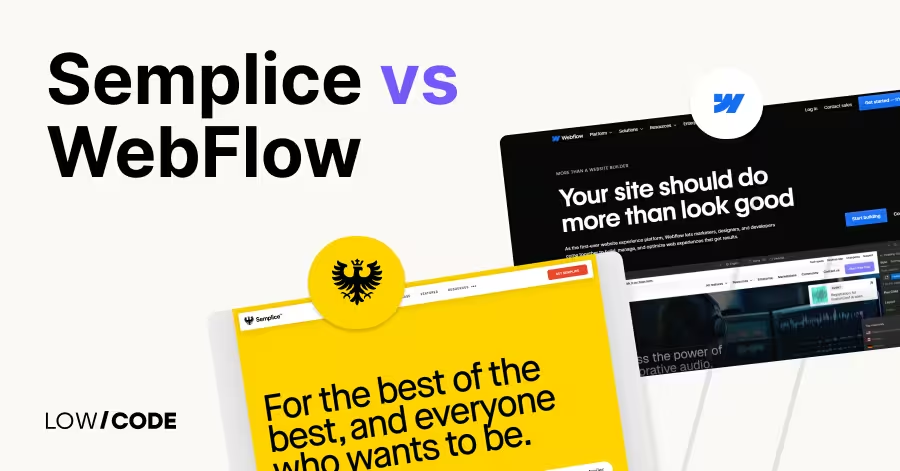
Webflow vs Semplice | 14 Factors to Decide the Best One
Compare Webflow vs Semplice for portfolio design, CMS, hosting, and creative freedom. Find the best platform for your style and workflow
Webflow
Webflow Accessibility: WCAG Compliance for Your Site
How to build WCAG-compliant Webflow sites — what Webflow handles automatically and what your team must configure manually.

Webflow
Branding and Website Redesign: How They Connect
How branding and website redesign work together — when to rebrand first, how to align visual identity, and what order decisions should follow.


Why customers trust us for no-code development


