

When to Switch from Zapier to a Custom Automation
Learn when it's best to move from Zapier to a custom solution for better automation control and scalability.


Knowing when to migrate from Zapier to a custom solution is the kind of decision that most businesses make too late. Zapier is the right tool until it is not, and most businesses that overstay their welcome discover that fact through a crisis rather than a planned decision.
This guide helps you identify the signals that Zapier has reached its limits for your use case, evaluate the alternatives clearly, and plan a migration that protects live workflows during the transition.
Key Takeaways
- Migration is a business decision, not a technical one: The trigger is cost-benefit ratio, not capability alone.
- Five signals indicate outgrowth: Task volume, cost-per-automation, complexity ceiling, reliability problems, and compliance requirements each point toward migration.
- Alternatives range widely: From lower-cost platforms like Make and n8n to fully custom API integrations: theright choice depends on your specific constraints.
- Migration has real costs: Plan for discovery, rebuild, testing, and parallel running periods before any workflow is decommissioned.
- Most businesses migrate too late: By the time the cost of Zapier is painful, months of avoidable spend have already passed.


What Are the Signs You Have Outgrown Zapier?
The outgrowth signals are specific and measurable. If you are experiencing more than two of these simultaneously, a migration assessment is overdue.
- Task volume hitting plan ceiling: Consistently reaching the monthly task limit despite plan upgrades indicates that automation volume has grown beyond what Zapier's pricing model can accommodate sustainably.
- Logic complexity blocking progress: Workflows requiring more than five conditional branches, nested logic, or iterative processing cannot be built in Zapier: theyrequire architectural workarounds that create fragility.
- Zapier cost exceeding break-even: When your monthly Zapier spend exceeds what a custom integration or alternative platform would cost including hosting and maintenance, the economics have already turned against you.
- Compliance and security blockers: Security teams, legal requirements, or industry regulation that Zapier's architecture cannot satisfy are non-negotiable migration triggers.
- Maintenance burden becoming unmanageable: When your team spends more time maintaining the automation stack than the automations save, the stack has grown too complex for Zapier's governance model.
What Zapier Limitations Drive Most Migrations?
Understanding which specific limitations are forcing the migration helps you choose the right destination platform and ensures the migration solves the actual problem rather than a different one.
- Task volume pricing: Zapier's task-based pricing scales non-linearly. At fifty thousand tasks per month, the cost is $449. This makes alternatives economically attractive at scale.
- Error handling limitations: Complex production workflows require retry logic, dead letter queues, and structured audit logging that Zapier's native error handling does not provide.
- Code execution constraints: Custom logic requiring code runs through Zapier's Code step but is constrained in execution time, memory, and external network access compared to a fully hosted custom integration.
- Data privacy requirements: Businesses with on-premise data requirements or strict data residency obligations cannot route sensitive data through Zapier's cloud servers.
- Execution speed: Zapier's queue-based execution and polling model introduces delays that time-sensitive automation chains cannot absorb.
What Are the Main Alternatives to Zapier?
Each alternative serves a different combination of technical requirements and organizational constraints. Match the alternative to your specific limitations rather than choosing by name recognition.
For detailed comparison before committing to any platform, compare Zapier with Make for the most common step-up scenario, see how Zapier compares to n8n for the self-hosted option, and review Zapier against Power Automate if your organization is deeply embedded in Microsoft tools.
- Make (formerly Integromat): Visual workflow builder with more sophisticated logic, cheaper per-operation pricing at volume, and iterator and aggregator modules for processing arrays.
- n8n: Open-source, self-hosted automation platform with unlimited workflows, JavaScript and Python code nodes, and no per-task pricing, for data-sensitive businesses with technical teams.
- Power Automate: Microsoft's native automation platform: deep integration with Teams, SharePoint, Dynamics, and Azure, often included in existing Microsoft 365 licenses.
- Custom API integration: Bespoke code built by developers for full control over performance, data handling, logic, and maintenance: thehighest upfront cost but maximum long-term flexibility.
What Does Migration Cost vs. Continued Zapier Investment?
Building an honest financial comparison before committing to a migration prevents the most common mistake: treating migration as obviously correct without accounting for its real costs.
Start with a clear view of your current automation costs to weigh your automation investment accurately against migration alternatives.
- Current annual Zapier cost: Platform subscription plus any developer maintenance costs plus your team's time spent managing the stack. This is the baseline cost you are comparing against.
- Migration cost components: Discovery and scope, workflow rebuild on the new platform, parallel running period, testing and QA, and internal training: allof these are one-time migration costs that must be recovered.
- Projected annual cost on target platform: Post-migration subscription cost or hosting cost plus ongoing developer maintenance. This is what migration actually costs per year after the transition.
- Break-even timeline: Divide the one-time migration cost by the annual saving over Zapier. If the break-even is under two years, migration is typically worth pursuing. If it is over four years, optimizing the current Zapier setup may deliver better value.
How Do You Evaluate Whether a Migration Is Worth It?
Cost alone is not sufficient. A five-factor evaluation framework produces a more complete picture of whether migration makes strategic sense for your specific situation.
- Cost: Is the alternative platform genuinely cheaper over a three-year horizon once migration costs are included?
- Capability: Does the alternative platform resolve the specific limitations that triggered the migration conversation, or does it just shift the constraints?
- Reliability: Does the target platform offer the uptime, error handling, and monitoring capabilities your workflows require?
- Compliance: Does the alternative satisfy the security, data residency, or regulatory requirements that Zapier cannot meet?
- Team skill: Does your team have the capability to build, manage, and maintain the target platform, or does migration create a new dependency on external developers?
How Do You Plan a Migration Without Disrupting Live Workflows?
Migration planning is where most migrations succeed or fail. A poorly planned migration cuts off live workflows mid-run and creates business disruption that erodes confidence in the new platform before it has had a chance to prove itself.
Apply the same discipline to migration launches that you use for any go-live: protect live workflows during migration using a structured launch approach throughout the transition.
- Full inventory before migration begins: Catalog every existing Zap by purpose, criticality, trigger, and dependencies. This is the foundation for sequencing the migration correctly.
- Migrate lowest-risk workflows first: Simple, non-customer-facing Zaps that can tolerate a brief interruption are the right starting point for validating the new platform before migrating anything business-critical.
- Parallel running period: Run the old Zap and the new workflow simultaneously on test data before cutting over. Confirm the new platform produces identical outputs before decommissioning the Zapier version.
- Documented rollback plan: For every workflow migrated, document the rollback procedure: howto reactivate the Zapier version if the new platform fails within the first seventy-two hours.
What Should You Keep on Zapier Even After Migration?
Full migration is not always the right outcome. Many businesses benefit from a hybrid architecture where Zapier continues running the workflows it handles well while more complex or high-volume workflows move to a different platform.
- Simple, stable Zaps: Two-step automations connecting popular apps with no complex logic may be cheaper and simpler to maintain on Zapier than to migrate.
- Zapier-native app workflows: If a workflow uses a Zapier-specific integration that has no equivalent on the target platform, migration may require custom API work that erases the cost benefit.
- Legacy workflows: Critical processes that have been stable for years and do not justify the migration risk may be better left on Zapier in maintenance mode.
- Hybrid platform economics: Running Zapier for simple workflows at the base plan tier alongside a more capable platform for complex ones often delivers better total economics than full migration.
Migration From Zapier Is a Business Maturity Decision
Migrating from Zapier is not a failure. It is the right evolution for a business that has grown beyond what any single no-code platform was designed to support. The businesses that make this decision proactively, before the cost and complexity become genuinely painful: spend significantly less on the migration than those who wait.
Run the five-factor evaluation against your current Zapier stack and score your migration readiness before making any commitments.
LOW/CODE Agency Manages Zapier Migrations Without Business Disruption
Migration projects that are planned well protect live workflows. Migrations that are not planned well create the exact operational disruption they were meant to resolve.
At LOW/CODE Agency, we build AI-powered products for SMBs — custom web apps, mobile apps, chatbots, RAG systems, and AI agents, delivered with the depth and standards of a specialist software team. We assess migration readiness, design parallel-run strategies, and rebuild workflows on the right target platform without disrupting the business operations that depend on them.
- Migration assessment: We evaluate whether migration makes economic and technical sense for your specific workflows before any rebuild begins.
- Platform selection: We recommend the right migration target based on your logic complexity, volume, compliance requirements, and team capabilities.
- Phased migration planning: We sequence the migration to move lowest-risk workflows first and build team confidence before migrating business-critical automations.
- Parallel running management: We run old and new workflows simultaneously during validation periods so you can compare outputs before committing to cutover.
- Full rebuild on target platform: We rebuild every Zap on the target platform with full testing and documentation: nota direct translation, but an optimized rebuild.
- Hybrid architecture design: Where a full migration is not warranted, we design hybrid architectures that use Zapier where it still makes sense and the new platform where it does not.
- Post-migration support: We monitor the new platform after cutover and respond to issues quickly during the stabilisation period.
We have built 450+ products for clients including Coca-Cola, American Express, and Zapier.
Related Articles
- Why Your Business Needs Zapier Automation Today
- When to Use Custom Development for Zapier Automation
- When Zapier Falls Short for Business Automation
- What to Expect in a Zapier Development Project
- Top Business Tasks Zapier Can Automate for You
- What Is Zapier and How It Works for Your Business
Our no-code development team helps businesses automate processes and ship tools faster.
Our automation development team builds custom workflows that save hours every week.
Last updated on
October 16, 2026
.

Jesus is a visionary entrepreneur and tech expert. After nearly a decade working in web development, he founded LOW/CODE Agency to help businesses optimize their operations through custom software solutions.

FAQs
What are the signs that Zapier is no longer sufficient?
How does a custom solution improve automation compared to Zapier?
Is migrating from Zapier to a custom tool cost-effective?
What risks are involved in moving away from Zapier?
Can small businesses benefit from custom automation over Zapier?
How to plan a smooth transition from Zapier to a custom automation?
Related Articles

Business Automation
Zapier Automation for HR and Onboarding Process
Streamline HR and onboarding with Zapier automation. Save time and reduce errors in employee management and task coordination.
Business Automation
Automate Your Content Calendar Easily Today
Stop managing your content calendar manually. Learn how automation saves time and improves scheduling accuracy.
Comparison
Business Automation
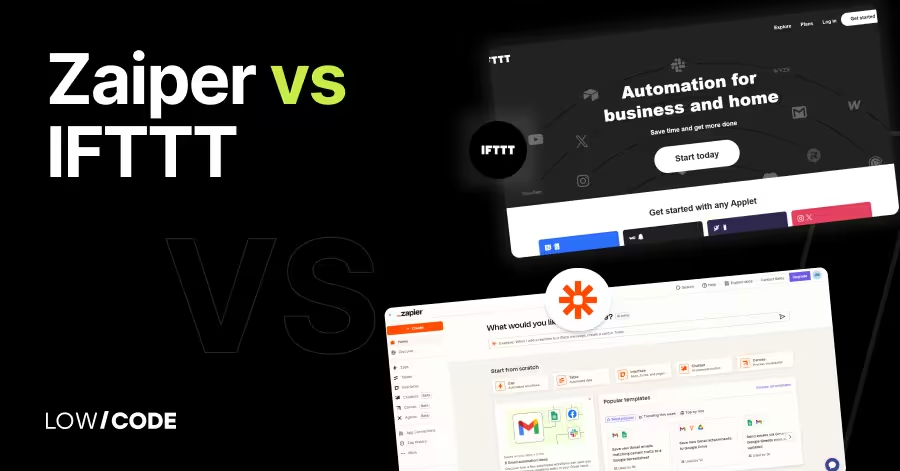
Zapier vs IFTTT | 13 Factors to Decide the Best One
Compare Zapier vs IFTTT across 13 key factors to find the best automation tool for your personal tasks or business workflows
Business Automation
Automate New Employee Onboarding Without HRIS
Learn how to streamline new employee onboarding efficiently without using an HRIS system. Discover practical automation tips and tools.


Why customers trust us for no-code development


