

Webflow Launch Checklist for Your Business
The complete Webflow pre-launch checklist — SEO, forms, redirects, analytics, performance, and accessibility before you go live.

A Webflow launch checklist is what separates teams that go live confidently from teams that discover problems while their site is already down. Launch day feels straightforward until something breaks that was on the pre-launch checklist nobody worked through.
This checklist covers three windows: pre-launch preparation, launch day execution, and the 48-hour post-launch monitoring period. Each requires separate attention and a different mindset.
For expert Webflow development services, LOW/CODE Agency delivers fast, conversion-focused builds for businesses ready to move off template platforms.
Key Takeaways
- Launch has three windows: Pre-launch preparation, launch day execution, and the first 48-hour post-launch monitoring period all require separate attention.
- DNS and domain setup is the most common delay: Domain configuration mistakes are the most frequent cause of launch day problems and they are entirely preventable.
- SEO configuration must be complete before publishing: Indexing issues, missing redirects, and noindex settings left from staging cause lasting search visibility damage.
- Analytics and tracking must be verified, not assumed: Confirming that GTM, GA4, and conversion events fire correctly is a pre-launch step, not a post-launch audit.
- Post-launch monitoring is a 48-hour job: The first two days after launch require active monitoring, not a passive wait-and-see approach.


What must be complete before you set a launch date?
A launch date should not be set until specific conditions are met. Setting a date before the pre-conditions are clear creates pressure to launch with known problems.
Stakeholder sign-off, QA completion, redirect preparation, and integration testing are all prerequisites for scheduling a launch date, not tasks to complete in the days before it.
- Stakeholder sign-off: All content, design, and functional requirements must be formally approved by decision-making stakeholders before a launch date is agreed.
- QA completion: All four testing layers (functional, visual, performance, accessibility) must be signed off before launch scheduling begins.
- DNS and domain preparation: Domain transfer status, DNS records, and propagation timing must be confirmed before the launch window is set.
- Redirect mapping complete: Every old URL must have a tested 301 redirect to its destination on the new site before any content goes live.
- Third-party tools tested: CRM connections, analytics tracking, and email integrations must be verified end-to-end on the staging environment.
Setting a launch date before these conditions are met creates a countdown to a known problem rather than a path to a smooth launch.
What QA must be complete before launch day?
QA is a hard dependency for launch. No outstanding QA issues should exist when a launch date is scheduled, and you must complete your QA process formally before any date commitment is made.
QA sign-off means all issues are either resolved or explicitly deferred with a post-launch schedule, not silently left outstanding.
- Functional testing sign-off: All forms, CTAs, navigation links, and interactive elements must be tested and confirmed working across browsers and devices.
- Cross-device visual QA: The site must be reviewed at standard desktop, tablet, and mobile breakpoints with visual issues documented and resolved.
- Performance benchmarks achieved: Core Web Vitals scores must meet agreed targets; performance issues at launch do not improve by waiting.
- QA issue log cleared: Every identified issue must be resolved, formally deferred with a schedule, or accepted as a known limitation before launch proceeds.
- Accessibility review completed: Color contrast, keyboard navigation, and screen reader compatibility must be confirmed at the standard committed to in the project scope.
QA is not a checkbox. It is a formal sign-off process with documented evidence that each testing layer has been completed.
What final design checks should you run before publishing?
Design review at launch catches the embarrassing problems that slip through when everyone is focused on functional and technical issues.
Run final design quality checks across every page before the site goes live, not just the homepage.
- Placeholder text removed: Check every page and CMS template for Lorem Ipsum, dummy copy, or temporary text that was not replaced during content entry.
- Contact details current: Verify all email addresses, phone numbers, physical addresses, and form submission destinations are accurate.
- Brand assets displaying correctly: Confirm logos, favicons, and brand imagery display correctly across devices and at appropriate resolutions.
- Legal pages linked: Privacy policy, terms of service, and cookie policy must be linked from the footer and any data collection forms.
- Email addresses functional: Test that all mailto links and form submission email addresses are active and reaching the correct inbox.
Design checks are quick to run and embarrassing to skip. Do them the day before launch, not on launch day itself.
What SEO steps must be complete before you go live?
SEO errors made at launch can persist in search engine indexes for months. Getting this right before publishing is significantly cheaper than recovering from it after.
Follow your SEO checklist as a pre-launch gate; no site should go live without confirming these items are complete.
- Remove staging noindex: The most common SEO error at launch is forgetting to remove the noindex meta tag applied during staging. Check every page.
- Meta title and description audit: Review title and description fields on all key pages; missing or duplicate meta content damages search performance from day one.
- 301 redirects live and tested: Every old URL that has changed must have a tested redirect; verify that redirect chains do not exist.
- Sitemap submitted to Search Console: Submit the Webflow-generated sitemap to Google Search Console as a launch day priority, not a post-launch afterthought.
- Schema markup verified: Confirm that any structured data added to the site is valid and rendering correctly before indexing begins.
SEO errors at launch are rarely visible immediately but are consistently painful to recover from. Treat the SEO checklist as a hard gate, not a best-efforts list.
What do you need to do on launch day itself?
Launch day is an execution process, not a planning process. Every decision should already have been made; launch day is about following the sequence correctly.
Allocate a full working day for launch activities and ensure the right people are available throughout.
- DNS configuration: Update your domain's DNS records to point to Webflow's infrastructure at the agreed time; note that propagation takes one to 24 hours.
- Publish from staging to custom domain: Complete the Webflow publish action to your custom domain only after DNS records have been updated.
- Immediate post-publish verification: Check every key page on the live domain within minutes of publishing to confirm content, images, and styling are rendering correctly.
- Form and CTA testing on the live domain: Complete a full functional test on the live domain, not just the staging environment, before announcing the launch.
- Team availability: Ensure developers and agency contacts are reachable throughout the launch window, not in meetings or offline.
Launch day is not the time to discover problems. It is the time to execute the checklist that preparation created.
What extra steps do enterprise Webflow launches require?
Larger organizations have additional governance, communication, and technical requirements that standard launch checklists do not cover. Follow enterprise Webflow launch steps including IT security sign-off and phased rollout planning as additional gates before the launch date is set.
Enterprise launches require more lead time, more stakeholders, and more formal sign-off processes than smaller projects.
- Internal communications plan: Define who needs to know about the launch, when they will be notified, and through which channels before the day itself.
- IT and security sign-off: Enterprise organizations with security review processes must complete those reviews formally before the DNS cutover is scheduled.
- Phased or staged rollout: Large sites or high-traffic launches may benefit from a phased rollout, directing a percentage of traffic to the new site before full cutover.
- Load testing for high-traffic sites: Sites expecting significant traffic spikes at launch should be load tested on the new infrastructure before going live.
- Governance documentation: Enterprise launches typically require documented sign-off from legal, security, and executive stakeholders before the launch can proceed.
Enterprise launches move slower because the risk of something going wrong is higher. The additional governance steps are investment protection, not bureaucracy.
How do you monitor the site in the 48 hours after launch?
The 48 hours after launch are the highest-risk window for discovering issues that passed through all pre-launch checks but surface in the live environment.
Active monitoring during this period catches problems before they affect significant numbers of visitors or cause measurable business damage.
- Search Console crawl and index errors: Check the Coverage report in Google Search Console 24 hours after launch for crawl errors or unexpected indexing behavior.
- Analytics data flow verification: Confirm that GA4 is recording sessions, events, and conversions correctly on the live domain; data gaps discovered early are fixable.
- 404 error monitoring: Watch for 404 errors appearing in Search Console and your analytics that indicate redirect mismatches you did not catch in pre-launch testing.
- Form submission verification: Confirm that form submissions are reaching their intended destinations (CRM, email, spreadsheet) and that no submission data is being lost.
- Critical issue response protocol: Have a clear process for escalating and resolving any critical issues discovered in the monitoring window before they affect more users.
48-hour monitoring is not optional and it is not passive. Schedule the reviews, assign the responsibility, and have a resolution path ready before you go live.
How do you communicate the launch to your team and stakeholders?
Launch communication is often the last thing teams think about and the first thing leadership notices was not handled well.
Building internal launch buy-in before go-live ensures leadership understands the investment being made and is ready to support and amplify the launch internally.
- Internal announcement timing: Notify internal teams before external announcement so employees are not caught off-guard by public communications.
- Stakeholder notification: Define who needs to be informed and at what level of detail; leadership needs business outcomes, operational teams need technical changes.
- Customer communication: Decide whether to notify existing customers about the new site, and if so, through email or social, and with what key message.
- External announcement channels: Plan social media, email, and PR announcement timing and content as a separate workstream from the technical launch process.
- Connecting launch to business goals: Frame all launch communications around the business outcomes the new site is designed to deliver, not around the design refresh or technical achievement.
Launch communication is a business event, not just a technical handover. Plan it as carefully as the DNS cutover.
Conclusion
A Webflow launch is only smooth when the checklist has been systematically worked through in advance. Teams that treat launch day as an execution event rather than a preparation deadline consistently experience fewer issues, better analytics from day one, and a more positive stakeholder experience.
Share this checklist with your agency and internal team at least two weeks before your planned launch date. Two weeks is enough time to resolve most issues discovered during the pre-launch checks without creating deadline pressure.
A Webflow launch checklist is only useful if the items on it were built into the site from the start
Analytics not firing, accessibility issues in the navigation, missing Open Graph tags, form submissions routing to the wrong inbox, and robots.txt blocking the wrong paths are all items that appear on pre-launch checklists and require days of fixes when they were not planned for upfront. The checklist reveals the build quality.
LOW/CODE Agency is the leading web development partner for SMBs and mid-market businesses. Our Webflow development team runs a structured pre-launch review on every project before handing over the site, covering technical SEO, performance, analytics, accessibility, and integration verification.
For teams that want ongoing search support after the launch box is ticked, our SEO services team provides post-launch technical monitoring and content-driven ranking support built around your Webflow setup.
After 450+ projects for clients including Medtronic, American Express, and Coca-Cola, we know what a clean launch actually requires. Book a call before your go-live date.
Last updated on
September 25, 2026
.

Daniel is a Web Developer at LowCode Agency who has been building websites in Webflow since 2022. With a background in graphic design, he turns the design team's concepts into fast, responsive sites built to scale.


FAQs
What are the key steps before launching a Webflow site?
How can I optimize my Webflow site for SEO before launch?
What common mistakes should I avoid when launching a Webflow site?
How do I ensure my Webflow site is mobile-friendly before launch?
When should I connect a custom domain to my Webflow project?
What post-launch tasks should I prioritize for my Webflow business site?
Related Articles
Webflow
Drupal Website Redesign: What to Expect
What a Drupal website redesign involves — migration options, costs, timelines, and when switching to Webflow makes more business sense.
Webflow
Comparison
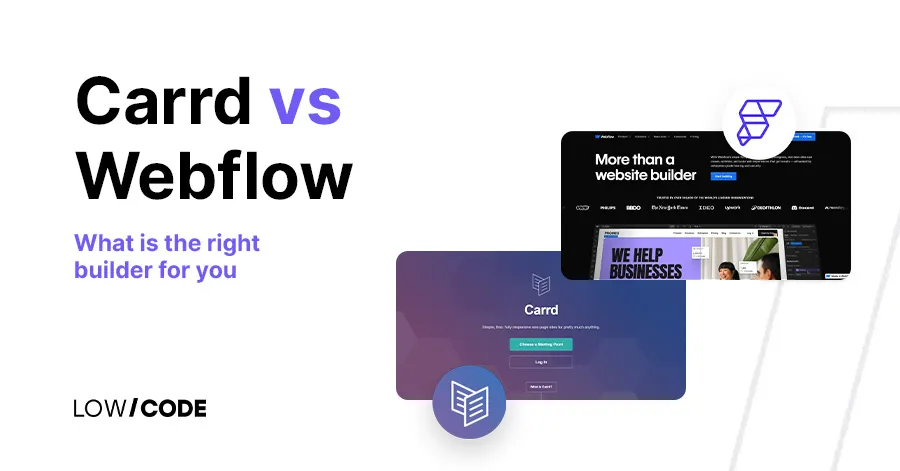
Carrd or Webflow: What is the right builder for you
Carrd or Webflow? Find out which no-code website builder meets your requirements, and start creating like a pro with a platform that aligns with your creative and business goals.
Webflow
What Does A Website Redesign Include
Confused about what you actually get from a website redesign? This breakdown covers every deliverable by phase so you know exactly what to expect.

Webflow
Comparison
Webflow vs Wix | 12 Factors to Decide the Best One
Compare Webflow vs Wix across 12 key factors to find the best website builder for your needs. Design, ease of use, pricing, SEO, and more—explained simply


Why customers trust us for no-code development


