

How to Auto-Generate Process Documentation with AI
15 min
read
Learn how to use AI tools to automatically create accurate process documentation efficiently and reduce manual effort.

AI process documentation automation challenges a persistent assumption: that only the person doing the work can document it. The myth holds that process knowledge is too tacit, too contextual, and too nuanced to be written by anyone other than the subject matter expert.
AI does not need to have done the work. It needs structured input about the work: a transcript of someone explaining their process, meeting notes from recurring syncs, or a structured SME interview. Given that input, it produces a first-draft process document that the expert reviews and approves in minutes, not hours.
Key Takeaways
- AI generates structure, not knowledge: The model produces consistent document format and extracts implicit steps from raw input; the knowledge still comes from the people who do the work.
- Input quality determines documentation quality: A 10-minute recorded walkthrough from the process owner produces better documentation than any vague written description of the process.
- Process documents must have a defined schema: Consistent headers across all documents enable the AI to produce comparable output rather than generating free-form narrative.
- Documentation is not a one-time task: AI generation enables update cycles; when a process changes, the update workflow runs again rather than requiring a manual rewrite.
- Human review is the quality gate, not the writing step: With AI generation, the SME's role shifts from author to reviewer, which is faster and more sustainable at scale.
- Generated docs feed the knowledge base automatically: When documentation generation and knowledge base indexing are connected, every new process document becomes immediately searchable.


What Does AI Generate When It Documents a Process, and What Does It Need as Input?
AI-generated process documentation produces titled sections, numbered steps, decision point callouts, named role responsibilities, exception handling notes, and version metadata. The quality of that output depends entirely on what you feed into the generation step.
The three input types that produce the best documentation are a recorded verbal walkthrough from the process owner (15 to 20 minutes, transcribed), aggregated meeting notes from a recurring process review meeting, and a structured SME interview conducted via a standardised form or chatbot. Verbal walkthroughs consistently outperform written descriptions because spoken explanation of a process tends to be more sequential and complete.
- Decision point callouts require explicit input: The AI formats IF/THEN decision logic from the transcript, but only when the process owner mentions the condition in their walkthrough.
- Tacit knowledge does not appear automatically: The "we always check this even though it's not written anywhere" steps will not appear in the output unless the SME mentions them during intake.
- Edge cases need active prompting during intake: Process owners rarely mention exception handling spontaneously; the intake form should explicitly ask for common exceptions and failure modes.
- Every process document needs the same schema: Purpose, Scope, Roles and Responsibilities, Prerequisites, Step-by-Step Procedure, Decision Points, Common Exceptions, and Related Processes.
This is an AI business process automation application where AI serves as the document author, not the process authority. That distinction is what keeps the workflow sustainable and the documentation accurate.
What Does the AI Require to Produce Accurate Process Documentation?
The business process automation guide covers the broader principles of process design that inform what good documentation needs to capture at the field and step level.
For reliable output, you need more than raw input. The workflow requires metadata and structural constraints.
- Transcribed audio outperforms raw written notes: Spoken explanation follows the process sequence more naturally, capturing transitions and decisions that written summaries omit.
- Metadata must be collected at intake: Process name, process owner, department, frequency, systems involved, and intended audience all affect how the AI calibrates document depth and tone.
- The schema must appear in the prompt as a constraint: Listing all section headers in the system prompt ensures consistent structure across every document the pipeline generates.
- Insufficient input produces generic hallucination: Without enough detail, the AI generates plausible-sounding but inaccurate steps that reviewers must identify and remove before publication.
- Depth must match complexity: A five-step linear process needs a one-page document; a multi-role process with decision branches requires a multi-section document with explicitly calibrated detail.
Without collecting proper metadata at the intake step, you will generate documentation that looks complete but cannot be published without significant manual correction.
How to Build an AI Process Documentation Generator — Step by Step
The build below uses n8n as the workflow layer with GPT-4o or Claude 3.5 Sonnet for generation. The process documentation generator blueprint provides the complete n8n workflow structure to use alongside these steps.
Step 1: Collect Process Input Through a Structured Intake Channel
Build a structured intake form that captures both metadata and the full process description in one submission.
- Typeform or Tally captures all required metadata: Collect process name, owner, department, systems used, and frequency as structured fields before the description field.
- The description prompt must be specific: Use "Describe every step of this process as if explaining it to a new team member, including any decisions or exceptions you handle."
- File upload collects supporting materials: Accept screenshots, existing SOPs, and checklists as attachments to supplement the written or verbal description.
- Webhook delivery routes submissions directly to n8n: Send form output to n8n as a webhook payload so the pipeline triggers immediately on submission without manual intervention.
- Loom intake supports verbal walkthroughs: For teams that prefer speaking over writing, use a Loom recording intake step and transcribe the video with OpenAI Whisper.
All intake paths must produce a single clean text block before the generation step runs.
Step 2: Transcribe and Clean the Input
All input must be cleaned and merged into a single text block before generation runs.
- Audio and video inputs call the Whisper API: Send the audio file to the OpenAI Whisper API endpoint to produce a timestamped transcript before any further processing.
- A light cleaning prompt removes filler words: Use "Remove filler words and clean up this transcript for readability while preserving all content and meaning" as the post-processing prompt.
- Text submissions need formatting normalisation: Standardise line breaks, remove duplicate whitespace, and merge uploaded supporting documents into the main text block.
- Store the cleaned output as a workflow variable: Keep the merged, cleaned text available across all downstream nodes without re-fetching or re-processing the source files.
The cleaned input variable feeds directly into the generation prompt in the next step.
Step 3: Generate the First-Draft Process Document Using AI
Build a structured system prompt that constrains format and prevents hallucination before generation runs.
- The system prompt must list every section header: Include Purpose, Scope, Roles and Responsibilities, Prerequisites, Step-by-Step Procedure, Decision Points, Common Exceptions, and Related Processes as required output sections.
- Numbered steps and role attribution are required output rules: Instruct the model to number every step in the Procedure section and identify the responsible role where mentioned.
- Decision point format must be specified explicitly: Require "IF [condition] THEN [action]" format for every decision point so reviewers can verify logic without interpretation.
- The placeholder prevents hallucination on missing sections: "If a section cannot be filled from available information, mark it '[NEEDS SME INPUT]'" is the most important hallucination prevention mechanism in the prompt.
Send the cleaned input as the user message to GPT-4o or Claude 3.5 Sonnet and request Markdown output.
Step 4: Create the Draft Document in Notion or Google Docs
Parse the Markdown output and create the draft document in the team's primary documentation system.
- Notion pages use the API to create structured blocks: Map each Markdown section to the appropriate Notion block type and set page properties: process name, owner, department, and status "Draft - Awaiting Review".
- Google Docs is the alternative for Drive-based teams: Use the Google Docs API to create a structured document in the shared Process Library folder with the same section structure.
- A review disclaimer must appear at the top of every draft: Add "This document was AI-generated from SME input. Please review and confirm accuracy before setting status to Approved."
- Share directly with the process owner on creation: Do not wait for the review routing step; share the document immediately so the owner can begin reviewing while the Slack notification is sent.
Document creation must complete before the SME review notification is triggered.
Step 5: Route for SME Review and Collect Feedback
Send a Slack DM to the process owner with the draft link and two explicit response options.
- The Slack notification includes the document title and link: Give the reviewer everything they need in the notification so they can open and review without navigating to find the document.
- Two response buttons handle approval and edit requests: "Approve" triggers a status update to Approved and publishes the page; "Request Edit" opens a Typeform with section-level feedback fields.
- A 48-hour reminder fires if no response is received: Set the reminder in the workflow so review cycles do not stall without manual follow-up from the documentation team.
- Partial revision preserves approved sections: When feedback arrives, instruct the AI to revise specific sections only, feeding the feedback alongside the original document without full regeneration.
Partial revision on minor edits keeps reviewed sections intact while incorporating the new corrections.
Step 6: Test and Validate Before Going Live
Run three test processes representing different complexity levels before enabling production ingestion.
- Simple linear process tests baseline output: Use a process such as expense submission with no decision branches to confirm steps, roles, and formatting appear correctly in the draft.
- Multi-role process tests decision point handling: Use onboarding a new client to verify IF/THEN decision callouts appear correctly for all conditional steps across multiple responsible roles.
- Exception-heavy process tests placeholder accuracy: Use order fulfilment with backorder handling to confirm the
[NEEDS SME INPUT]placeholder appears where the intake input was incomplete. - Five evaluation criteria apply to every test draft: All input steps captured, decision points correctly identified, roles accurately assigned, no hallucinated steps, and placeholder appearing for missing sections.
- Fewer than three major edits per document is the benchmark: Have two process owners complete the SME review step and count required edits to measure prompt calibration before going live.
Do not enable production ingestion until all three test types pass the five evaluation criteria.
How Do You Connect Documentation Generation to Meeting Notes?
The AI meeting notes workflow is the upstream data source for this connection. When meeting summaries are structured consistently, they become reliable documentation update triggers for existing process documents.
The pattern works because recurring operational meetings produce summaries that contain process changes. When those summaries feed the documentation generator, process docs update in near-real time without a manual update cycle.
- Keyword matching triggers documentation updates: When a meeting summary contains terms that match process names in a Notion database, n8n automatically triggers a documentation update prompt for the relevant document.
- Update prompts differ from creation prompts: The update prompt receives the existing document alongside the meeting summary and produces a diff output listing what changed, what was added, and what was removed.
- Full regeneration is not needed for most updates: Replacing only the changed sections preserves reviewed and approved content while incorporating the new information from the meeting summary.
- Update frequency should be systematic: Process documents should regenerate on a monthly cycle, or immediately when a meeting summary explicitly flags a process change.
The meeting notes summarizer blueprint shows how to structure meeting output consistently so it becomes a reliable downstream documentation update trigger.
How Do You Connect Generated Documentation to Knowledge Base Automation?
The problem with documentation in a shared folder is not that documents do not exist. It is that they are not discoverable. Teams revert to asking colleagues rather than searching because search does not return useful results from unindexed folders.
When approved process documents are automatically embedded into a searchable knowledge base, the documentation is actually used. The connection requires one additional workflow step after approval.
- Approval triggers automatic indexing: When a Notion page status changes to "Approved", an n8n workflow extracts the document content, chunks it into sections, and generates embeddings using the OpenAI Embeddings API.
- Embeddings store in a vector database: Pinecone, Qdrant, and Supabase pgvector are the standard options for storing and querying document embeddings in this architecture.
- Team members query via Slack or Notion AI: A Slack bot or Notion AI query interface allows anyone to ask "how do we handle X?" and receive an answer drawn directly from approved documentation.
- Revised documents replace old embeddings: When a document is revised and re-approved, the previous embeddings are deleted and replaced so the knowledge base never serves outdated information.
The knowledge base builder blueprint handles the embedding generation and vector storage step that makes approved documentation instantly searchable by your team.
What Must Human Review Catch Before Documentation Goes Live?
AI-generated documentation has specific, predictable failure modes. Reviewers who know what to look for catch them quickly. Reviewers who skim for formatting miss them entirely.
The most serious risk is hallucinated steps: the AI occasionally generates a plausible-sounding step that was not present in the input. This is not detectable from the document alone. It requires the reviewer to check every step against their actual practice.
- Hallucinated steps must be verified against practice: Reviewers cannot simply skim for format; they must confirm every step reflects what actually happens, not what sounds reasonable.
- Missing edge cases require active thinking: The
[NEEDS SME INPUT]placeholder catches incomplete sections, but reviewers must also consider what exceptions were never mentioned during intake. - Role attribution errors must be made precise: "The team" or "the manager" in a verbal walkthrough may refer to a specific person with a specific title; reviewers must make every role reference precise before publishing.
- Regulated processes need compliance language review: AI-generated documents use clear, neutral language, but HR, finance, and legal processes may require specific phrasing or disclaimers the model will not include without instruction.
- Version control must be automated: Approving a document should trigger automatic version numbering and archiving of the prior version; this must be configured in the workflow, not managed manually by reviewers.
AI automation workflow examples from operations teams confirm this pattern: the review step is where quality is confirmed, not where it is created. That shift is what makes AI documentation generation sustainable.
Conclusion
AI process documentation automation shifts the bottleneck from writing to reviewing, and reviewing takes minutes rather than hours. The result is a documentation library that reflects how work actually gets done, updates when processes change, and is searchable when teams need answers.
Start with one high-value undocumented process. Run a verbal walkthrough through the intake step and evaluate the draft quality before building the full pipeline. A single well-documented process through the system will tell you more about prompt calibration than any amount of planning.
Build an AI Documentation System That Keeps Your Process Library Current
Most operations teams have more undocumented processes than documented ones. The gap is not from lack of intent but from lack of a system that makes documentation fast enough to compete with other priorities.
We build AI products for SMBs. At LOW/CODE Agency, our work spans custom web applications, mobile apps, AI chatbots, retrieval-augmented generation systems, and autonomous AI agents — the full scope of what an expert software agency delivers. Our AI documentation automation development practice builds generation and knowledge base pipelines that integrate with Notion, Google Docs, and your existing team tools, calibrated to your process volume and review workflows.
- Intake form and transcription setup: We build the structured intake channel and Whisper API transcription path that produces the input quality your documentation generator requires.
- Prompt engineering and schema design: We define the document schema and build generation prompts that produce consistent structure across every process type in your library.
- Notion and Google Docs integration: We connect the generation output to your existing documentation system with correct status fields, sharing logic, and version archiving.
- SME review workflow configuration: We build the Slack-based approval routing with reminder logic and section-level feedback collection so review cycles stay under 48 hours.
- Meeting notes connection: We link your meeting notes automation to the documentation generator so process changes captured in meetings trigger document updates automatically.
- Knowledge base embedding pipeline: We configure the OpenAI Embeddings API connection, vector database storage, and Slack or Notion query interface for team-wide search.
- Accuracy testing and prompt refinement: We run your real processes through the pipeline and refine the generation prompt until the SME edit rate meets your quality benchmark.
Related Articles
- Automate Social Media Content with AI Tools
- Automate Sales Follow-Ups with AI Without Sounding Generic
- Auto-Generate Release Notes from Commit History Using AI
- Using AI to Analyze Error Logs and Find Root Causes
- Using AI to Analyze Employee Sentiment from Surveys
- How to Automate Instant Payment Received Notifications
Our no-code development team helps businesses automate processes and ship tools faster.
Our automation development team builds custom workflows that save hours every week.
Last updated on
September 24, 2026
.

Jesus is a visionary entrepreneur and tech expert. After nearly a decade working in web development, he founded LOW/CODE Agency to help businesses optimize their operations through custom software solutions.

FAQs
What are the benefits of using AI for process documentation?
Which AI tools are best for auto-generating process documentation?
How does AI capture process steps for documentation?
Can AI-generated documentation be customized for specific business needs?
What are common challenges when using AI for process documentation?
Is AI-generated process documentation secure and compliant?
Related Articles
Business Automation
How to Build an AI Chatbot for Customer Onboarding
Learn step-by-step how to create an AI chatbot that improves customer onboarding efficiently and effectively.
Business Automation
When to Use Custom Development for Zapier Automation
Learn when Zapier automations require custom development and how to handle complex workflows effectively.
Comparison
Business Automation
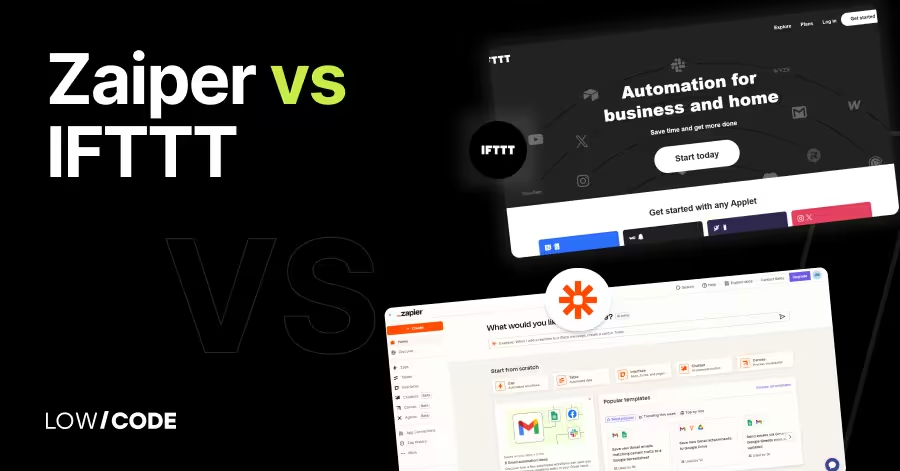
Zapier vs IFTTT | 13 Factors to Decide the Best One
Compare Zapier vs IFTTT across 13 key factors to find the best automation tool for your personal tasks or business workflows

Business Automation
How to Use AI for Deal Intelligence Briefs Before Calls
Learn how to leverage AI to create deal intelligence briefs quickly and effectively before sales calls.

Why customers trust us for no-code development


