

How to Build an E-Discovery Platform App with Bubble
11 min
read
Build an e-discovery platform with Bubble without coding. Organize legal documents, tag evidence & manage review step-by-step using no-code tools.


E-discovery is costly and slow when managed through generic document tools. Bubble enables a purpose-built platform with structured document review, legal hold enforcement, and production set workflows.
This guide covers the data architecture, core features, automation workflows, integrations, and realistic cost to build a functional e-discovery platform using Bubble.
Key Takeaways
- - Bubble supports e-discovery workflows including legal hold, document collection, review queuing, tagging, and production set generation.
- Core data types include Matter, Document, Custodian, Review Queue Item, Tag, and Production Set.
- OCR and full-text search integrations extend Bubble's native search for document review at scale.
- Role-based access controls separate reviewer, attorney, and admin permissions at the database level.
- A functional e-discovery MVP costs $20,000 to $45,000 and takes 10 to 16 weeks to build.


What Is an E-Discovery Platform App — and Why Build It with Bubble?
An e-discovery platform manages the electronic identification, collection, preservation, review, and production of digital documents for legal proceedings. It enforces legal hold rules and tracks review status per document.
E-discovery is a defined legal process with specific compliance requirements. Generic document tools create gaps that expose organizations to sanctions or missed evidence obligations.
- Legal hold management: Suspends deletion of documents belonging to specific custodians when litigation is anticipated or active.
- Document collection: Aggregates files from multiple sources into a centralized, auditable repository per matter.
- Review and coding: Attorneys review documents and apply responsiveness, privilege, and relevance codes to each file.
- Production sets: Compiled and formatted document sets delivered to opposing counsel with sequential Bates numbering.
- Chain of custody logging: Every action on every document is logged to demonstrate evidentiary integrity throughout the process.
Understanding Bubble's pros and cons helps evaluate where it fits within an e-discovery build versus where a third-party processing service is the better choice.
What Features Should an E-Discovery Platform App Include?
An e-discovery platform needs legal hold workflows, document upload and ingestion, review queue management, privilege and responsiveness tagging, production set generation, and full audit logging per document.
Feature scope determines whether the platform can support real litigation. These capabilities separate a real e-discovery tool from a document repository with a legal label on it.
- Legal hold notices: Generate and send legal hold notifications to custodians; track acknowledgment status and auto-escalate on non-response after a defined period.
- Document ingestion: Bulk upload or API-based pull from email, cloud storage, or connected data sources into the matter repository.
- Review queue: Assign documents to reviewers by matter, batch size, or document type with real-time progress tracking.
- Tagging and coding panel: Reviewers apply responsive, non-responsive, privileged, or issue-specific tags to each document during the review phase.
- Production set builder: Select reviewed documents, apply Bates numbering (sequential document IDs), redact privileged content, and export in the required format.
- Audit log: Every document action including view, tag application, export, and hold assignment is recorded with user, timestamp, and prior state.
Each feature requires specific data types and workflow logic. The review queue alone involves at least three linked data types in Bubble's database.
How Do You Structure the Database for an E-Discovery Platform App in Bubble?
Core data types are Matter, Document, Custodian, Review Queue Item, Tag, Production Set, Legal Hold, and Audit Log. Every document action must link back to a matter and a user record.
E-discovery data models are more complex than typical apps because every record carries chain-of-custody requirements. Bubble's scalability must be considered when designing for large document volumes and concurrent reviewers.
- Matter type: Fields include matter name, case number, status, assigned attorneys (list of Users), and litigation hold flag (boolean).
- Document type: Fields include matter (linked), file URL, custodian (linked), ingestion timestamp, SHA-256 hash value, review status, and privilege flag.
- Custodian type: Fields include name, organization, email, hold status (boolean), acknowledgment timestamp, and linked matters (list).
- Review Queue Item type: Fields include document (linked), assigned reviewer (User), status (unreviewed, in review, complete), assigned date, and completion timestamp.
- Tag type: Fields include document (linked), tag category (responsive, privilege, issue), tag value, applied by (User), and application timestamp.
- Production Set type: Fields include matter (linked), documents (list), Bates start number, creation date, created by (User), and export status.
Store file hash values at ingestion time to verify document integrity. This is a defensibility requirement in litigation and must be wired into the ingestion workflow automatically.
How Do You Build the Core Workflows for an E-Discovery Platform App in Bubble?
Key workflows include legal hold issuance and acknowledgment tracking, document ingestion with hash capture, reviewer batch assignment, privilege-tag routing, production set compilation, and export generation.
Bubble's backend workflows handle the automation layer. E-discovery requires triggered and scheduled workflows that maintain a defensible record of every automated action taken on every document.
- Legal hold issuance: When a hold is triggered on a matter, create Legal Hold records for all listed custodians, send email via SendGrid API connector, and start acknowledgment countdown tracked on each Custodian record.
- Document ingestion workflow: On file upload, capture ingestion timestamp, generate and store hash value via API, link document to custodian and matter, and add a Review Queue Item with status unreviewed.
- Reviewer assignment: Scheduled API workflow batches unreviewed Review Queue Items and assigns them to reviewers based on a workload capacity field on each User record, distributing evenly.
- Tag application and privilege routing: When a reviewer applies a privilege tag, a backend workflow immediately restricts document visibility to Attorney role only and creates an Audit Log entry.
- Production set compilation: When an attorney initiates production, workflow searches documents tagged responsive and not privileged, assigns sequential Bates numbers starting from the defined start value, and sets export status to pending.
- Export generation: API connector calls PDF Conjurer for each document in the production set, compiles download links, and updates the Production Set record with export complete status.
Every workflow step must create an Audit Log entry. Any gap in the audit trail creates defensibility risk for the legal team relying on this platform in actual litigation.
What Security and Data Requirements Apply to an E-Discovery Platform App?
E-discovery platforms require role-segregated privacy rules, privilege-based document restrictions, immutable audit logs, and encrypted file storage. Access must be enforced at the data layer, not at the UI layer.
E-discovery data includes opposing counsel documents, privileged communications, and trade secrets. Bubble's security configuration must be applied at the data type level for each distinct user role.
- Role-based privacy rules: Reviewer role sees only documents assigned to them in the Review Queue; Attorney role sees all documents in their assigned matters; Admin sees everything.
- Privilege restriction: Documents tagged as privileged are hidden from the Reviewer role; only Attorney and Admin roles can access or modify privilege tag assignments.
- Immutable audit log: Audit Log records have no edit or delete permissions for any user role; entries are write-once, created by backend workflows only, never by front-end actions.
- Custodian data isolation: Custodian records and their linked documents are only visible within the matter they belong to; cross-matter visibility is blocked at the privacy rule level.
- File encryption: Production documents and privileged files route through AWS S3 with server-side encryption; access URLs are pre-signed with time-limited expiry, generated per session.
Test every privacy rule permutation before go-live. A reviewer who can see opposing-party privileged documents creates immediate and serious litigation exposure for the platform operator.
What Plugins and Integrations Does an E-Discovery Platform App Need?
Key integrations for an e-discovery platform include PDF Conjurer for production export, SendGrid for hold notifications, AWS S3 for encrypted storage, and an OCR API for searchable document text.
E-discovery requires capabilities well beyond Bubble's defaults. Document processing, OCR text extraction, and Bates numbering all require external integrations selected carefully for security and reliability.
- PDF Conjurer: Generate redacted production documents, Bates-numbered exports, and privilege logs directly from Bubble data types without external tooling.
- AWS S3 via API Connector: Store large document volumes with server-side encryption and generate pre-signed URLs for time-limited, secure per-session access.
- OCR API (Google Vision or AWS Textract): Extract searchable text from uploaded documents to enable keyword search across the document corpus during the review phase.
- SendGrid API Connector: Send legal hold notifications, acknowledgment reminders, and escalation alerts with full delivery tracking and status logging.
- Algolia Search: For full-text search across extracted document text fields during review; Bubble's native search does not scale adequately for large document sets.
OCR and full-text search are not optional capabilities for real e-discovery use cases. Documents that cannot be searched are not effectively reviewable, which defeats the platform's core purpose.
How Long Does It Take and What Does It Cost to Build an E-Discovery Platform App with Bubble?
An e-discovery MVP typically costs $20,000 to $45,000 and takes 10 to 16 weeks. Document processing integrations, audit trail requirements, and multi-role access rules drive the higher end of that range.
E-discovery is one of the more complex Bubble builds due to chain-of-custody requirements and document processing at scale. Scope drives cost more than platform choice in this category of app.
| Build Tier | Features Included | Estimated Cost | Timeline |
|---|---|---|---|
| MVP | Legal hold, ingestion, review queue, basic tagging, audit log, 3 user roles | $20k-$30k | 10-12 weeks |
| Mid-Tier | Adds OCR, full-text search, production set builder, Bates numbering, PDF export | $30k-$40k | 12-14 weeks |
| Full Build | Adds S3 encryption, custodian portal, analytics dashboard, multi-matter workflows | $40k-$60k+ | 14-16+ weeks |
| Build Tier | Features Included | Estimated Cost | Timeline |
|---|---|---|---|
| MVP | Legal hold, ingestion, review queue, basic tagging, audit log, 3 user roles | $20k-$30k | 10-12 weeks |
| Mid-Tier | Adds OCR, full-text search, production set builder, Bates numbering, PDF export | $30k-$40k | 12-14 weeks |
| Full Build | Adds S3 encryption, custodian portal, analytics dashboard, multi-matter workflows | $40k-$60k+ | 14-16+ weeks |
- MVP scope ($20k-$30k): Legal hold management, document ingestion, review queue, basic tagging, audit log, and role-based access for three user types.
- Mid-tier scope ($30k-$40k): Adds OCR integration, full-text search via Algolia, production set builder with Bates numbering, and PDF export through PDF Conjurer.
- Full build ($40k-$60k+): Adds S3 encrypted storage, custodian-facing portal, advanced analytics dashboard, and multi-matter parallel workflow support.
- Timeline drivers: OCR API integration, audit log immutability configuration, and production export formatting are the most time-intensive components of any e-discovery build.
- Bubble plan costs: High document volume builds should run on Bubble's Team plan or above; expect $115 or more per month in platform costs for production environments.
Build the Audit Log data type and all privacy rules before starting any UI work. Retrofitting chain-of-custody logic after the interface is built is expensive and produces unreliable results.
Conclusion
Bubble can support a functional e-discovery platform when the data model, audit trail, and privacy rules are designed correctly from the start. The legal hold workflow, review queue, and production set builder are achievable with the right integrations.
Build the data architecture and security model before any UI. A well-scoped build covers the full litigation support workflow from hold issuance through production delivery in 10 to 16 weeks.
Build Your E-Discovery Platform with an Experienced Bubble Team
Audit trail gaps that allow workflow steps to go unlogged, privilege restrictions that do not hold under the Reviewer role, and document hash capture that is not wired into the ingestion workflow are the failure modes that create legal defensibility risk. These require careful architecture before a single document enters the system.
At LOW/CODE Agency, we build AI-powered products for SMBs — custom web apps, mobile apps, chatbots, RAG systems, and AI agents, delivered with the depth and standards of a specialist software team. We scope the architecture, engineer the workflows, and stay involved through launch and beyond.
- Data architecture: We design your data types, option sets, and privacy rules before writing a single element on the canvas.
- Workflow engineering: We build backend workflows, scheduled jobs, and API integrations with proper logic and error handling.
- Plugin configuration: We select and configure the right Bubble plugins for your feature set without unnecessary bloat.
- Role-based access: We implement privacy rules at the database level, not just conditional UI visibility.
- Integration setup: We connect your Bubble app to Stripe, SendGrid, Twilio, and other services correctly from day one.
- Pre-launch testing: We test against real data before deployment so every workflow performs correctly under live conditions.
- Post-launch support: We stay involved after go-live to optimize as real usage data shapes the app.
We have built 350+ products for clients including Coca-Cola, American Express, Sotheby's, and Medtronic. We know exactly where Bubble builds fail and we address those problems before they surface.
Related Articles
Last updated on
September 24, 2026
.

Jesus is a visionary entrepreneur and tech expert. After nearly a decade working in web development, he founded LOW/CODE Agency to help businesses optimize their operations through custom software solutions.


FAQs
Can you build an e-discovery platform without coding?
How do you manage legal hold workflows in a Bubble e-discovery app?
How do you build document review and tagging workflows in Bubble?
How do you implement keyword and metadata search in a Bubble e-discovery app?
How do you manage reviewer access and privilege logs in Bubble?
How do you track e-discovery project milestones and deadlines in Bubble?
Related Articles
Bubble
Comparison
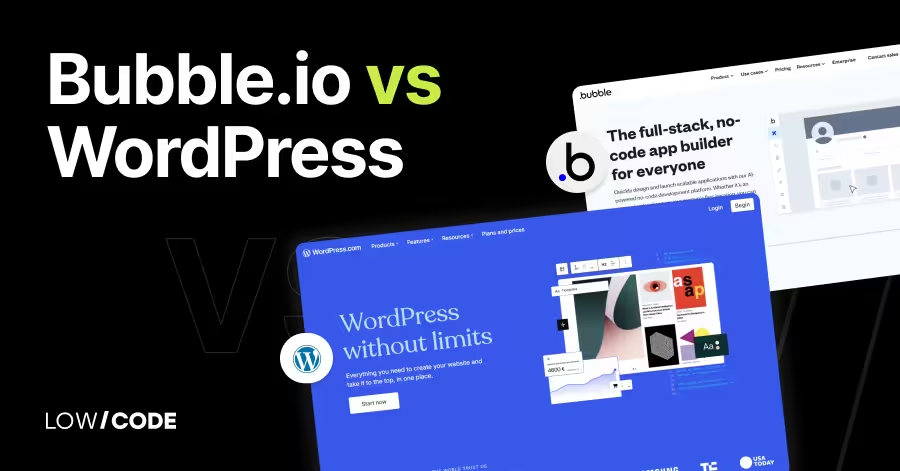
Bubble.io vs WordPress | 17 Factors to Decide the Best One
Compare Bubble.io vs WordPress across 17 key factors to choose the best platform for building your website or web app in 2025

Bubble
How to Build an HR Knowledge Base App with Bubble
Build an HR knowledge base with Bubble. Centralize policies, handbooks, and FAQs in a searchable portal — no dev team, fast to update.
Bubble
How to Build a Quality Inspection App with Bubble
Build a quality inspection app in Bubble without coding. Log defects, track standards, and generate reports fast with this no-code step-by-step guide.

Bubble
How to Build a Carrier Management App with Bubble
Build a cargo management app with Bubble no code required. Track shipments, manage logistics, and automate operations step-by-step.


Why customers trust us for no-code development


