

How to Automate Financial Report Narratives with AI
14 min
read
Learn how to use AI tools to automatically generate accurate financial report narratives efficiently and reduce manual effort.


AI financial report writing changes the moment your month-end close is confirmed in Xero, because the narrative explaining every variance, trend, and highlight can already be drafted and waiting for review. That gap between data availability and human communication no longer has to cost your team hours.
The numbers-to-narrative process is still manual at most finance teams. An analyst pulls the P&L, opens a blank document, and writes commentary that another senior person already knows how to interpret. This workflow replaces that blank-document step with a structured AI drafting process that your team reviews, corrects, and approves.
Key Takeaways
- AI writes from structured data, not dashboards: When financial data is passed as structured JSON with labelled fields, the AI references specific figures and explains variances with factual precision.
- The prompt is where finance expertise lives: Output quality depends entirely on how well your prompt encodes reporting conventions, terminology, and stakeholder expectations.
- Variance explanation is the highest-value automation target: AI excels at comparing current period to prior period, generating plain-language variance commentary that analysts currently spend 60 to 90 minutes writing.
- Reviewers edit drafts, they do not start from scratch: The workflow shifts the finance team from blank-page writing to draft reviewing, which is a significantly faster and less demanding task.
- AI narrative connects naturally to executive report generation: A reviewed financial narrative can feed directly into an executive report workflow, populating the finance section without re-entry.
- Every AI narrative must be reviewed before distribution: AI models produce fluent, confident text that can misinterpret a trend or explain a variance incorrectly. Finance sign-off is non-negotiable.


What Does AI Narrative Generation Do That Dashboards Alone Can't?
Dashboards show the numbers. They cannot explain why revenue is down 8% or what drove the cost increase in Q3 in plain language that a board member can act on. AI narrative generation fills that interpretation layer.
Understanding where AI creates the most value starts with recognising where dashboards stop. Work on AI across financial operations shows that the reporting layer generates the most tangible ROI, precisely because that gap has always been the widest.
- Dashboards visualise, not interpret: A chart shows a downward trend but cannot explain the cause in plain language for non-finance readers.
- AI reads full context: An LLM like Claude or GPT-4o compares current versus prior period, identifies the largest variances, and generates commentary that explains them clearly.
- Confidence scoring adds meaning: The AI flags which variance explanations are well-supported by the data and which require human judgement.
- Multi-topic reports are handled cleanly: When revenue, cost, and EBITDA all move simultaneously, AI structures each commentary section without conflating the causes.
- Consistency is built in: AI generates narratives in the same structure and at the same level of detail every reporting cycle, eliminating analyst-to-analyst variability.
The interpretive gap is where your finance team spends the most time. Automating the first draft of that interpretation is where the workflow earns its place.
What Structured Data Does the AI Need to Generate Accurate Financial Narratives?
The AI needs structured JSON with clearly labelled fields for current period actuals, prior period actuals, budget figures, and variance percentages per P&L line. Unstructured data produces unreliable narratives.
Getting the data format right is the most important pre-build decision in the entire workflow.
- JSON over CSV or PDF: Structured JSON with labelled fields lets the AI reference specific line items by name, not infer them from formatting.
- Reporting period context block: Pass the entity name, currency, reporting period, and comparison basis as system-level instructions so the AI does not infer them from the data.
- Few-shot style examples: Include 2 to 3 prior period approved narratives in the prompt as style guides, so the AI matches your organisation's reporting register.
- Threshold configuration: Define which variances the AI should explain in full (for example, anything above 5% or above £10,000) and which it should mention briefly.
- Section-level structure: Organise the JSON by standard P&L sections (Revenue, Cost of Sales, Gross Profit, Operating Expenses, EBITDA, Net Profit) so the AI can produce section-by-section commentary.
These data requirements mirror finance workflow automation design principles for keeping AI outputs grounded in the numbers that actually drive decisions.
How to Build the AI Financial Report Narrative Workflow — Step by Step
The AI financial report narrator blueprint provides the base architecture. The steps below add the full implementation detail for your accounting system, reporting structure, and review process. Use n8n or Make as the workflow platform, with Xero or QuickBooks as the data source and Google Docs or Notion as the narrative output destination.
Step 1: Trigger on Period Close Confirmation
Trigger the workflow only when books are explicitly confirmed closed, not when data first becomes available.
- Xero report lock trigger: Use a Xero report lock event via the Xero API as the close confirmation signal to start the workflow automatically.
- Manual form trigger: Accept a Google Form submission from the finance controller as an alternative explicit close signal when API-based locking is not configured.
- Scheduled trigger fallback: Set a scheduled trigger for the third business day of each month if neither API nor form-based confirmation is in place.
- Data availability risk: Triggering on raw data availability risks generating narratives from an incomplete period before month-end adjustments are finalised.
Always require an explicit close confirmation signal before the workflow runs, regardless of which trigger method is configured.
Step 2: Extract Financial Data in Structured Format
Query the accounting system API and structure the P&L response as JSON before any processing runs.
- API query scope: Query the Xero Profit and Loss API or QuickBooks Reports API for the confirmed closed period only, not the current open period.
- Required fields per line: Extract account name, account code, account type, current period actual, prior period actual, budget figure where available, and variance amount and percentage.
- JSON array structure: Structure the API response as a JSON array with one object per P&L line, separated into sections matching your standard report structure.
- Section organisation: Separate lines into Revenue, Cost of Sales, Gross Profit, Operating Expenses, EBITDA, and Net Profit sections before passing to the AI step.
Store the structured JSON in a workflow variable at this stage and do not write it to a file yet.
Step 3: Apply Variance Thresholds and Build the Data Block
Filter the structured data by variance threshold before building the combined block that feeds the AI prompt.
- Threshold filtering node: Run the structured data through a filtering node that identifies lines where absolute variance exceeds your configured threshold and flags them as "explain" items.
- Below-threshold labelling: Flag lines below the variance threshold as "mention only" so the AI produces interpretive commentary rather than a full line-by-line recitation.
- Style reference fetch: Retrieve the prior-period approved narrative from Airtable or Google Drive to include as a style reference alongside the structured data.
- Combined data block assembly: Build a single block containing the full labelled P&L, the variance-flagged lines, and the style reference narrative for the AI prompt.
This complete block feeds the narrative generation prompt in the next step without any additional filtering at the AI node.
Step 4: Build and Send the Narrative Generation Prompt
Construct the narrative generation prompt with role, conventions, and required output structure before sending to the AI.
- Model and role setup: Instruct Claude via Anthropic API or GPT-4o via OpenAI API to act as a senior finance analyst writing board-level management commentary.
- Reporting conventions in system prompt: Include required narrative sections (Executive Summary, Revenue Commentary, Cost Commentary, Key Variances, Outlook) and tone guidance: factual, precise, and direct with no speculation.
- Required JSON output fields: Instruct the model to return
executive_summary,section_narratives,key_variances, andreviewer_flagsas a structured JSON object. - Reviewer flags definition: The
reviewer_flagsfield captures items the AI identified as needing human context, not extraction errors or hallucinations.
Pass the combined data block and style reference in the user prompt so the model has full context for every narrative section it generates.
Step 5: Write the Draft Narrative to a Review Document
Parse the AI output and populate a review document from a template using Google Docs or Notion.
- Document creation from template: Use the Google Docs API or Notion API to create a new draft report document, populating each section with the corresponding AI narrative text.
- Key variance formatting: Bold the key variance items and insert the actual financial figures from the data block alongside the AI commentary so reviewers can verify numbers match text.
- Reviewer flags callout: Highlight
reviewer_flagsin a colour-coded box at the top of the document so reviewers see items needing human context before reading the full narrative. - Slack notification: Send a Slack notification to the finance reviewer with a direct document link and a review deadline immediately after the document is created.
Log the draft to Airtable with status "Draft. Finance Review" so the record is trackable from creation through approval.
Step 6: Test and Validate the AI Output Before Going Live
Run the workflow against three historical periods with existing approved narratives before activating for live reporting.
- Comparison against approved narratives: Assess factual accuracy of variance explanations, coverage of key items, appropriate tone, and narrative length against each approved historical version.
- Number cross-check: Confirm that figures cited in the AI narrative match the underlying data by cross-checking five specific numbers per report against the source JSON.
- CFO or controller scoring: Have the CFO or finance controller score each draft on accuracy, completeness, and tone before the workflow is approved for live use.
- Define "good" before go-live: Reach explicit agreement on what a review-ready draft looks like before the workflow produces narratives that reach stakeholders.
Do not activate for live reporting until at least three historical drafts have been scored and approved by the finance controller.
How Do You Connect Narrative Generation to Your Invoice Data Sources?
The AI invoice data extraction pipeline is the upstream step that gives the narrative workflow the supplier-level cost detail that P&L totals alone cannot explain. When invoice data is extracted, categorised, and available in Xero or QuickBooks, the narrative workflow can answer "why did operating expenses increase 12%?" with specific supplier-level context.
This connection requires a data readiness check built into the workflow before narrative generation triggers.
- Top cost drivers as context: Pull the top 5 cost drivers by category from the invoice data and include them as a supplementary context block in the narrative prompt.
- Timing dependency: Invoice extraction and categorisation must complete before the narrative generation trigger fires. Build a data readiness check into the workflow using a status flag in Airtable.
- Audience determines detail level: Supplier-level cost detail belongs in the narrative when the audience is the CFO or finance committee. For board-level distribution, reserve it for a backup appendix.
- Enriched prompts produce better explanations: When the AI can reference a specific supplier causing a cost spike, the variance explanation is factually grounded rather than speculative.
The AI invoice data extractor blueprint shows how to produce the structured cost data that feeds into the narrative generation prompt as a context block.
How Does Financial Narrative Generation Connect to Executive Report Production?
AI executive report generation depends on the financial narrative being available in structured, approved form. This is the handoff point between the two workflows, and it can be fully automated once finance sign-off is captured in Airtable.
When the finance reviewer approves the narrative document, the Airtable record updates to "Finance Approved." That status change triggers the executive report generation workflow.
- Status-driven trigger: An Airtable automation or n8n watcher monitors the narrative record for status change and fires the executive report workflow when it reaches "Finance Approved."
- Combined report population: The executive report workflow pulls the financial narrative alongside operational metrics, people data, and strategic commentary from other workflow outputs to build a complete board pack.
- Condensation prompt: Build a second AI prompt that takes the full narrative and produces a shorter summary version formatted for the executive report, with visual callouts rather than paragraph prose.
- Trigger ownership matters: Whether the finance team, the CEO's EA, or an automated schedule fires the executive report workflow has version control implications. One owner and one trigger prevents duplicate versions.
The AI executive report generator blueprint covers how to accept the financial narrative as a section input alongside other business data.
What Must a Finance Reviewer Check Before AI Narratives Go to Stakeholders?
A finance reviewer must verify that every figure cited in the AI narrative traces directly to the underlying data, that contextual items not in the data are added manually, and that the tone fits the audience. AI narrative errors in financial reporting carry reputational and regulatory risk.
The review process protects the value of the automation by catching what the AI cannot know.
- Number verification first: Every figure cited in the narrative must trace to the underlying data. This is the highest-risk check in financial reporting, and it must be done before anything else.
- Contextual error check: One-off items such as restructuring charges, asset disposals, and tax adjustments are not in the AI's data context. Reviewers must identify these and add explanatory notes.
- Tone and audience check: Board-level narratives require a different register than management accounts. Review for overqualification, speculation, and jargon that does not suit the reader.
- Completeness check: Compare the AI's key variances list against the finance team's own assessment. If the AI missed a significant item, add it before distribution.
- Document missed items: Log every item the AI failed to surface so the next prompt cycle can be refined. Missed items reveal gaps in threshold configuration or data context.
The review step is not a concession to AI limitations. It is responsible financial reporting practice that every mature automation includes by design.
Conclusion
AI financial report writing shifts the finance team's reporting workload from blank-page writing to draft reviewing, which is a fundamentally faster and less cognitively demanding task. When the workflow is built with precise data inputs, strong prompt engineering, and a mandatory finance review gate, the output is a draft that gets approved rather than rewritten from the start.
Pull last month's P&L from Xero or QuickBooks as a JSON export and run it through a narrative generation prompt before building the full workflow. The quality of that first output will show you exactly what the prompt needs to produce a review-ready draft, and it will confirm how much time your team currently spends doing work the AI can draft for them.
Want an AI Report Narrative System Built Around Your Reporting Cycle and Accounting Stack?
Most finance teams do not need more tools. They need a workflow that connects the tools they already have into a process that generates review-ready narratives without manual drafting. Building that connection requires accounting API access, prompt engineering calibrated to your reporting conventions, and a review gate that meets your governance requirements.
LOW/CODE Agency is an AI product development company for SMBs. We build web apps, mobile apps, RAG systems, chatbots, and AI agents — custom software engineered for businesses that are not enterprise but demand enterprise-grade AI. We design AI narrative workflows around your close calendar, your accounting stack, and your stakeholder reporting requirements. Our AI agent development for finance teams includes narrative generation systems connected to Xero, QuickBooks, and your board reporting process. We configure the variance threshold logic, the reviewer notification workflow, and the handoff to executive report generation so you are not stitching it together yourself.
- Accounting API integration: We connect directly to Xero or QuickBooks and structure your P&L data for reliable AI input every reporting cycle.
- Prompt engineering for your conventions: We encode your organisation's reporting style, required sections, and tone guidance into a prompt that produces consistent, review-ready output.
- Variance threshold configuration: We define and test the threshold logic that separates interpretive commentary from line-by-line recitation.
- Review workflow build: We configure the Google Docs or Notion review document, the Slack notification, and the Airtable status tracking so your team has a clear review process.
- Invoice data integration: We connect the invoice extraction pipeline to the narrative workflow so cost variance explanations include supplier-level context.
- Executive report handoff: We build the status-driven trigger that passes the approved narrative to your executive report generation workflow without re-entry.
- Testing and accuracy validation: We run the workflow against historical periods and confirm output quality before it touches live stakeholder reporting.
Related Articles
- Stop Manual Interview Scheduling: The Best Solution
- Automate Support Ticket Escalation for Faster Resolution
- Automate Your Content Calendar Easily Today
- How to Use AI for Meeting Summaries & Action Items
- Using AI to Screen Resumes and Shortlist Candidates Fast
- How to Use AI for Automated Pull Request Reviews
Our no-code development team helps businesses automate processes and ship tools faster.
Our automation development team builds custom workflows that save hours every week.
Last updated on
September 28, 2026
.

Jesus is a visionary entrepreneur and tech expert. After nearly a decade working in web development, he founded LOW/CODE Agency to help businesses optimize their operations through custom software solutions.


FAQs
What are the benefits of using AI for financial report writing?
Which AI tools are best for generating financial narratives automatically?
How does AI handle complex financial data in reports?
Can AI-generated financial narratives be customized for different audiences?
What are the risks of relying solely on AI for financial report narratives?
How can companies ensure the quality of AI-written financial reports?
Related Articles
Business Automation
Extract Invoice Data Using AI Without Manual Entry
Learn how to automate invoice data extraction with AI, reducing errors and saving time without manual input.
Business Automation
Zapier Free vs Paid Plans: Which Fits Your Business?
Compare Zapier free and paid plans to find the best fit for your business automation needs and budget.
Business Automation
Auto-Generate Stripe Invoices Without Manual Input
Learn how to automatically create Stripe invoices without manual entry using automation tools and API integration for efficient billing.
Comparison
Business Automation
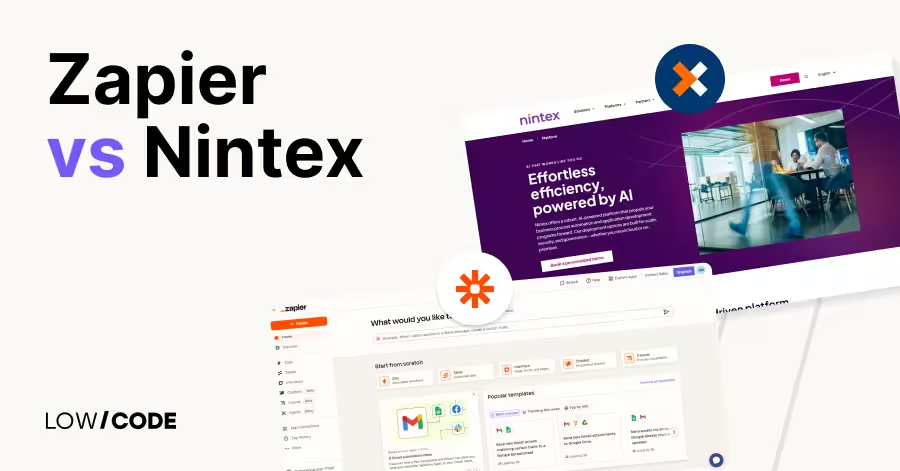
Zapier vs Nintex | 11 Factors to Decide the Best One
Compare Zapier vs Nintex across 11 key factors like automation, integrations, security, and ease of use to find the best platform for your business


Why customers trust us for no-code development


