

How to Generate Executive Reports Using AI from Raw Data
15 min
read
Learn how to use AI tools to create clear executive reports from raw data efficiently and accurately.

AI executive report generation answers the question most operations and finance teams have stopped asking: what if the report wrote itself? Not a dashboard refresh or a data export, but a structured narrative with commentary, variance analysis, and recommended actions, generated from live data and ready for human review.
That question now has a practical answer. Large language models can read structured data exports from multiple sources, identify the patterns and variances that matter, and produce a formatted executive report in minutes. This guide shows how to build the workflow that makes it happen on a defined schedule or on demand.
Key Takeaways
- Dashboards show data; executive reports explain it: AI adds the narrative layer, including variance commentary, trend interpretation, and recommended actions, that dashboards cannot generate automatically.
- Multi-source data aggregation is the hardest problem: Before the AI can write the report, the workflow must pull, clean, and normalise data from every source the report covers.
- Report structure must be defined before the prompt: The AI needs a fixed template covering sections, order, length per section, and what each section should address to produce consistent output across report cycles.
- Executives validate the narrative, not the numbers: The AI's commentary on a revenue variance may be directionally correct but miss the strategic context only a human knows; the review step is not optional.
- Scheduled generation changes the reporting culture: When reports arrive automatically before the Monday meeting rather than being assembled during it, the quality of the conversation improves.
- Financial narrative writing is a specialised sub-workflow: Revenue commentary requires different language, precision, and context than operational metrics; consider separating them into connected sub-workflows.


What Does AI Report Generation Do That Dashboards and Pivot Tables Can't?
Dashboards display what happened. AI-generated executive reports explain why it happened, what it means, and what to do next. That distinction is the entire value case.
Pivot tables require a skilled analyst to interpret the data and communicate findings. Dashboards are passive: they surface numbers but produce no narrative. AI performs the interpretation automatically and writes the communication in a structured format your leadership team can act on.
- Variance commentary at scale: Instead of "revenue is down 12%," the AI produces "revenue is down 12% versus last month, driven by a decline in enterprise new logo, partially offset by expansion revenue growth of 8%."
- Consistent structure every cycle: A human-written executive report varies in quality and completeness depending on who writes it and how much time they had; AI produces the same structure every cycle.
- Analyst-level interpretation without analyst availability: LLMs apply the same interpretive logic to every metric, every period, without fatigue or bandwidth constraints.
- Narrative above the data layer: AI sits above your BI tools, drawing from their outputs and adding the explanatory layer that no dashboard configuration can replicate.
For the broader operational context, the AI business process automation guide covers where executive reporting fits in an end-to-end automation architecture alongside other high-value reporting workflows.
What Data Sources and Structure Does the AI Need to Generate Useful Reports?
The AI can only narrate what the data layer provides. If the aggregation is incomplete or inconsistent, the report will be too.
Executive report generation is one of the best AI business automation examples for operations teams looking to reduce manual reporting overhead, but the data preparation layer requires proportionally more investment than the prompt writing step.
- Common data sources: CRM (HubSpot or Salesforce) for revenue and pipeline, Stripe for billing and churn, Google Analytics or Mixpanel for product metrics, and Google Sheets or Airtable for manually tracked operational KPIs.
- Format requirements: The AI needs structured, labelled data, not raw database exports. Pre-processing nodes must produce clean JSON or table format with field names that match the report's terminology.
- Normalisation requirement: Data from different sources uses different date formats, currencies, and metric definitions; the workflow must standardise these before the AI node receives them.
- Report template as instruction set: A fixed section structure defining what each section covers, what data it draws from, target length, and what the AI should explicitly comment on (variances above a threshold, trends over multiple periods, metrics outside target range).
- Historical context: Passing the previous period's report summary or key metrics as context significantly improves the quality of variance commentary in the current report.
Without a well-defined template, the AI produces inconsistently structured output that varies across report cycles and requires significant editorial correction.
How to Build the AI Executive Report Generation Workflow — Step by Step
The AI executive report generator blueprint provides a pre-built workflow with HubSpot, Stripe, Google Analytics, and Notion integrations configured. The steps below walk through how each component connects.
Step 1: Define the Report Template and Section Ownership
Create the report template as a structured document before building any workflow node.
- Section definition: Define each section by name, data source, coverage instructions, target length in sentences or bullets, and which variances or thresholds to flag.
- Example sections: Revenue Summary, Pipeline Health, Product Usage, Operational Metrics, and Risks and Blockers cover the standard executive report structure.
- Data source assignment: Assign a specific data source to each section and specify the exact fields it draws from before any API calls are configured.
- Template as prompt instruction set: The completed template becomes the instruction set passed in the AI system message; it governs every report cycle.
- Consistency requirement: Without a fixed template, the AI produces output that varies in structure and depth, making comparison across reporting periods unreliable.
Complete the template before writing any workflow node. Section scope changes after the workflow is built require prompt rewrites and re-validation against historical data.
Step 2: Build the Data Aggregation and Normalisation Nodes
Create one data-fetching branch per source in n8n or Make, then merge into a single normalised data object.
- CRM branch: Call the HubSpot or Salesforce API to fetch closed revenue, pipeline value, and deal count by stage for the reporting period.
- Billing branch: Call the Stripe API to fetch MRR, churn rate, and new MRR, covering all subscription metric fields the Revenue Summary section requires.
- Product metrics branch: Call the Google Analytics or Mixpanel API to fetch active users, feature adoption rates, and session data.
- Operational KPIs branch: Call Google Sheets or Airtable for any manually tracked operational KPIs that don't come from an integrated data source.
- Normalisation node: Convert all fetched data into a consistent JSON schema using the same date format, currency, and metric naming conventions before merging.
Skipping normalisation is the most common reason first-pass report generation fails. Inconsistent field names break variance calculations and confuse the AI narrative layer.
Step 3: Fetch Previous Period Data and Calculate Variances
Pull previous period metrics using the same API calls with adjusted date parameters, then calculate variances in code.
- Previous period fetch: Reuse the same API calls from Step 2 with adjusted date parameters to retrieve the equivalent metrics from the prior reporting period.
- Variance calculation: In a function node, calculate percentage change, absolute change, and a status flag for each metric before the AI node receives any data.
- Status flags: Assign
above_target,within_target, orbelow_targetto each metric so the AI has pre-computed triage signals to narrate from. - No AI arithmetic: Do not ask the AI to calculate variances from raw numbers; LLM arithmetic is unreliable and errors appear in reports with a confident narrative tone.
- AI role boundary: The AI interprets and narrates pre-calculated variances; computation happens in code where accuracy is guaranteed.
Pre-calculate every number the AI will reference. A confident narrative built on a calculation error reaches the board looking authoritative and being wrong.
Step 4: Write the Executive Report Prompt
Construct the prompt with a system message defining the AI's role, the report template, and the company context.
- System message role: Define the AI as a senior business analyst preparing an executive report for the leadership team of a specific company.
- Template in system message: Include the report template — section names, coverage instructions, and length targets — so every output cycle follows the same structure.
- Company context: Include industry, business model, and key strategic priorities so the AI can apply relevant interpretive logic rather than generic business commentary.
- User message contents: Pass the normalised data object with pre-calculated variances and status flags; no raw numbers requiring computation.
- Section-per-field output: Instruct the API to generate each report section as a labelled JSON field, not a single text block, to enable independent downstream routing.
Section-level JSON separation allows some sections to route to the CFO for review while others are auto-approved. A monolithic text block makes selective routing impossible.
Step 5: Format and Deliver the Report
Parse the JSON output and format it into the delivery medium with a review gate before broader distribution.
- Notion delivery: Create a new page in the Executive Reports database via the Notion API, populate each section block with AI-generated content, and add a metadata table with report date and data freshness timestamp.
- Google Docs delivery: Use the Google Docs API to create a formatted document from a template, populating each section heading with the corresponding JSON field content.
- Slack notification: Send a Slack message to the leadership channel with a 3-sentence summary and a direct link to the full Notion page or Google Doc.
- Review gate field: Include a "pending review" status field in the Notion page or Airtable record that the report owner must change to "approved" before broader sharing.
- AI-generated flag: Add an AI-generated metadata tag to every report so recipients know the source and apply appropriate validation before acting on commentary.
The review gate is not a manual bottleneck. It is the control mechanism that keeps AI-generated commentary from reaching the board without a human checkpoint.
Step 6: Test and Validate AI Report Quality Before Going Live
Run the workflow against 3-4 historical report cycles where human-written versions already exist.
- Historical test dataset: Use the last 3-4 reporting periods where reports were written manually as the validation baseline for section-by-section comparison.
- Narrative accuracy check: Compare AI commentary against human-written versions for variance accuracy, correct metric flagging, and pattern identification per section.
- Accuracy target: Hit 80% narrative accuracy per section before enabling live generation for leadership distribution.
- Common failure mode: The AI produces plausible-sounding but contextually incorrect commentary when variance direction is ambiguous; this is the primary prompt calibration issue.
- Fix approach: Add explicit interpretation rules to the prompt specifying how the AI should reason about each variance scenario, not a post-generation filter.
Validate section by section, not report by report. One well-calibrated section can mask significant problems in another when reviewing at the full report level.
How Do You Connect Report Generation to Financial Narrative Writing?
Financial commentary requires a level of precision and terminology that differs from operational metrics reporting. A dedicated financial sub-workflow produces better output than a single generalist prompt handling both.
The AI financial report writing workflow handles the revenue and margin commentary layer with the precision that executive financial reporting requires, feeding a more technically accurate financial section into the broader report.
- Why a separate sub-workflow: Revenue, margin, and cash flow commentary involves terminology, precision, and strategic context that the generalist executive report prompt cannot match with the same accuracy.
- Data subset routing: The financial narrative workflow receives the revenue and billing data subset from the main aggregation and produces a more detailed, technically precise financial section independently.
- Direct section injection: Use the AI financial report narrator's output as a direct input to the executive report's "Revenue Summary" section, replacing generalist AI commentary with specialist financial narrative.
- Dedicated review chain: Financial narrative sections should go to the CFO or finance lead for review before the executive report is distributed, even if other sections are auto-approved.
The AI financial report narrator blueprint shows how to connect the financial sub-workflow output to the executive report's revenue section, including how to handle the handoff between the two workflows in n8n.
How Do You Connect Executive Reports to Meeting Note Summaries?
The executive report and the leadership meeting are part of a single feedback loop. AI automates the documentation at every stage of that loop, not just the report itself.
The AI meeting notes automation workflow captures the decisions and commitments that the executive report tracks against in the following cycle, creating a closed-loop system where every decision is documented and every outcome is reported.
- Prior commitments section: Include the previous period's leadership meeting action items, captured by the AI meeting notes workflow, as a dedicated section showing what was agreed and whether it was delivered.
- Meeting summaries as report context: Pass the last 2-3 meeting summaries to the AI as context so it can reference relevant decisions when writing variance commentary for the current cycle.
- Shared Notion database: Store meeting summaries and report sections in a shared Notion database so both workflows can read from and write to the same source of truth without manual data transfers.
- Reporting cycle as a feedback loop: Executive report leads to meeting, meeting generates action items, action items feed the next report; AI automates documentation at every step in that cycle.
The AI meeting notes summarizer blueprint includes an output schema designed to feed directly into the executive report prompt context, so you can connect both workflows without rebuilding the data model from scratch.
What Must Executives Validate Before AI Reports Reach the Board?
AI-generated executive reports require a structured validation checklist before distribution to board members or external stakeholders. The checklist is not long, but every item on it carries real risk if skipped.
Five areas require executive attention before any AI-generated report is shared beyond the internal leadership team.
- Data accuracy: Verify that the numbers in the AI-generated report match the source systems; the workflow's data fetching can introduce errors that the AI will faithfully repeat with a confident narrative tone.
- Strategic context: Confirm that variance commentary reflects the actual strategic situation, because AI applies general interpretive logic to situations the leadership team knows are more nuanced.
- Forward-looking statements: Review and either remove or explicitly endorse any forward-looking language before distribution; AI should not generate forecasts without human authorisation.
- Confidentiality routing: Verify that report routing does not expose sensitive M&A, personnel, or financial content to unintended channels or store it in AI provider logs without a data processing agreement.
- Regulatory compliance: For regulated industries, any board-distributed report must be reviewed by legal or compliance before distribution; AI generation does not change this requirement.
Build these validation steps into the workflow as a "pending review" gate rather than relying on individuals to remember the checklist before forwarding the report.
Conclusion
AI executive report generation shifts the bottleneck from data compilation and writing to data quality and human validation, which is exactly where human attention should be. When the data pipeline is solid and the report template is well-defined, the AI's output improves with every cycle.
Before building, take the last executive report your team produced and map every data source it drew from. That source list is the architecture diagram for the aggregation layer you need to build first. Start there, and the rest of the workflow follows a clear structure.
Ready to Automate Your Executive Reporting Cycle With AI?
Most leadership teams spend the first hour of their weekly meeting waiting for numbers to be confirmed. That time belongs in the conversation, not the compilation.
LOW/CODE Agency is an AI product development company for SMBs. We build web apps, mobile apps, RAG systems, chatbots, and AI agents — custom software engineered for businesses that are not enterprise but demand enterprise-grade AI. We design and build AI automation workflows that transform raw data from your existing tools into structured executive reports delivered before the meeting starts. We focus on the data architecture and report template design that most guides treat as an afterthought, because that foundation determines whether the AI output is useful or just plausible-sounding.
- Data source mapping: We audit every source your reports draw from and design the aggregation architecture before writing a single workflow node.
- Normalisation layer build: We build the function nodes that standardise data from HubSpot, Stripe, Google Analytics, and Airtable into a consistent schema the AI can narrate accurately.
- Variance pre-calculation: We implement the variance calculation layer in code, ensuring the AI receives clean, computed inputs rather than raw numbers it might calculate incorrectly.
- Prompt engineering: We write the system message and template instruction set that produces consistent, section-structured output across every report cycle.
- Delivery configuration: We connect Notion, Google Docs, and Slack so each report section reaches the right reviewer through the right channel.
- Financial sub-workflow integration: We connect the financial narrative sub-workflow to the executive report's revenue section for precision financial commentary.
- Validation gate design: We build the review workflow that routes sensitive sections to the appropriate approver before the report reaches the board.
We have built 450+ products for clients including Coca-Cola, American Express, and Medtronic. Our AI agent development services cover full executive report workflow builds connecting HubSpot, Stripe, Google Analytics, Notion, and Slack. For organisations that need architecture guidance before building, our AI automation consulting services help define the data model and report structure first. Start the conversation today and we'll map an executive reporting architecture calibrated to your data sources and board cycle.
Related Articles
- How to Use AI to Create Social Posts from Content
- How to Automatically Create SEO Content Briefs with AI
- How to Use AI for Role-Specific Interview Questions
- How to Use AI for Deal Intelligence Briefs Before Calls
- How to Extract Structured Data from Documents Using AI
- Extract Invoice Data Using AI Without Manual Entry
Our no-code development team helps businesses automate processes and ship tools faster.
Our automation development team builds custom workflows that save hours every week.
Last updated on
September 28, 2026
.

Jesus is a visionary entrepreneur and tech expert. After nearly a decade working in web development, he founded LOW/CODE Agency to help businesses optimize their operations through custom software solutions.


FAQs
What are the first steps to prepare raw data for AI report generation?
Which AI tools are best for creating executive summaries from raw data?
How does AI improve the accuracy of executive reports?
Can AI-generated reports be customized for different executive audiences?
What are common challenges when using AI for report generation from raw data?
Is it safe to rely solely on AI for generating executive reports?
Related Articles
Business Automation
Zapier Automation Tips for Sales Teams
Boost sales efficiency with Zapier automation. Learn how to streamline tasks and improve team productivity easily.
Business Automation
How to Connect Your CRM with Zapier Easily
Learn step-by-step how to integrate your CRM with Zapier for seamless automation and improved workflow efficiency.

Business Automation
How to Automate Moving Deals in Your Sales Pipeline
Learn how to automatically move deals through your sales pipeline to save time and increase sales efficiency.
Business Automation
Comparison
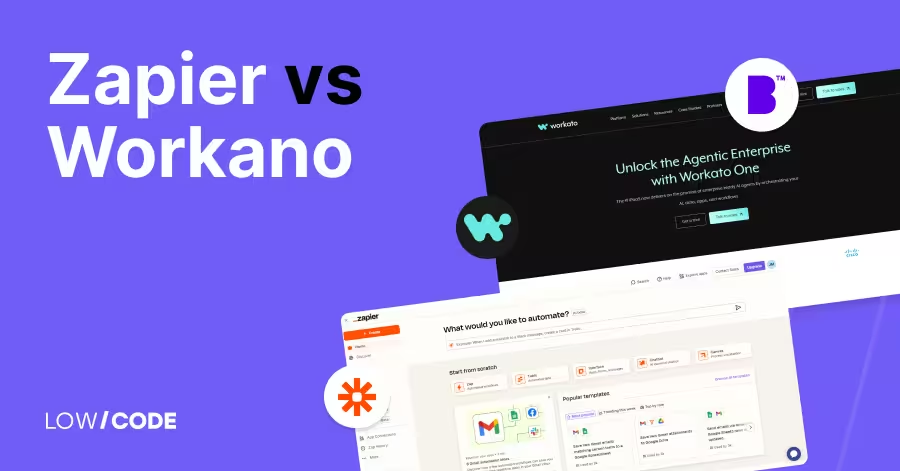
Zapier vs Workato | 9 Factors to Decide the Best One
Compare Zapier vs Workato across ease of use, automation power, integrations, and security to find the best no-code platform for your automation needs


Why customers trust us for no-code development


