

What Factors Drive Up Your Webflow Development Costs
The specific decisions and requirements that inflate Webflow project costs — and how to scope smarter to stay in budget.

Webflow development costs can double or triple from an initial estimate: notbecause agencies overcharge, but because buyers make scope decisions without understanding the downstream cost implications.
Most budget overruns are predictable. They come from specific features, architectural choices, and project management decisions that inflate cost at every stage. Before you decide if Webflow fits your organization, it is worth understanding which scope decisions drive the most cost before you commit to a brief. Decide if Webflow fits your business context first, then scope accordingly.
For expert Webflow development services, LOW/CODE Agency delivers fast, conversion-focused builds for businesses ready to move off template platforms.
Key Takeaways
- Animations and interactions are expensive: Custom scroll effects, hover states, and Lottie animations require significant development time that most buyers underestimate.
- CMS structure depth multiplies cost: More collections, reference fields, and dynamic filtering add hours at every stage of the build.
- Integrations are rarely plug-and-play: CRM, email platform, and analytics connections often require custom code and testing cycles.
- Revision cycles inflate design budgets: Open-ended revision policies and scope creep in design phases are consistent budget killers.
- Content migration is a separate project: Moving and restructuring legacy content is often scoped separately and adds material cost.


Why Do Webflow Projects Go Over Budget?
Most Webflow project overruns are not caused by agency error. They are caused by the gap between what buyers put in their initial brief and what they actually want once the build is underway.
"Nice to have" features accumulate. Integrations turn out to be more complex than expected. Content planning is deferred until the development phase, forcing structural changes mid-build.
- Brief vs. specification gap: An initial brief describes goals and aesthetics; a specification describes every feature, behavior, and integration the site must support.
- Scope creep accumulation: Small additions that each seem reasonable collectively inflate scope by 20–40% beyond what was originally estimated.
- Integration underestimation: Buyers assume CRM and analytics connections are simple toggles; in reality, each requires custom code, testing, and debugging.
- Late content decisions: Deciding content types and volume after development starts forces CMS restructuring that adds cost at the most expensive stage of the project.
Understanding these drivers before briefing an agency is the most cost-effective thing a buyer can do on any Webflow project.
How Do Custom Animations and Interactions Add to Your Costs?
Animation is the single most consistent and underestimated cost driver in Webflow projects. Buyers often treat it as a visual enhancement: agencies treat it as a distinct technical scope with its own timeline.
A scroll-triggered animation that appears simple in a Figma mockup can take 8–20 hours of specialist Webflow development time to build, test, and make responsive.
- Scroll-triggered animations: Parallax effects and scroll-linked transitions require precise timing logic and mobile testing that adds 8–20 hours per animated section.
- Lottie and SVG animations: Integrating Lottie files or custom SVG animations adds file preparation, loading optimization, and interaction scripting to the development scope.
- Hover states and micro-interactions: Per-element hover effects compound quickly: a site with 40 interactive elements can accumulate 30–50 hours of animation work.
- Mobile-specific considerations: Animations that work on desktop often require separate behavior on mobile, doubling the development and testing time for each effect.
- Value versus cost: Animations add conversion value when they reinforce user flow or reduce cognitive load: theyadd only cost when they exist for visual interest alone.
Before approving an animated design, ask your agency to quantify the animation development hours separately. That one question often results in meaningful budget realignment.
How Does CMS Complexity Affect Your Webflow Budget?
CMS architecture is not just a content management decision: itis a cost multiplier that affects every phase of the project from design through to QA.
Each collection type adds design templates, development work, editor configuration, and testing scope. A project with eight CMS collections is not just more complex than one with three: itis disproportionately more expensive.
- Collection count: Each CMS collection type requires its own template design, dynamic page build, and editor field configuration: adding 4–12 hours per collection beyond the first two or three.
- Multi-reference fields: Filtering and sorting content across related collections requires custom logic that adds development time and complicates QA significantly.
- Dynamic page templates: Each CMS-driven page template requires its own responsive design and development review cycle, which accumulates rapidly on content-heavy sites.
- Editor experience requirements: Custom fields, conditional visibility, and editor-facing help text all add scope that buyers rarely account for in their initial brief.
- CMS complexity compounding: Design, development, and QA costs all increase in proportion to CMS depth: a complex CMS is not a linear cost addition, it is a multiplier.
Map your content types and estimate item volumes before briefing. That single exercise gives agencies the information they need to scope CMS cost accurately.
What Do Third-Party Integrations Add to Webflow Project Costs?
Integrations are consistently the most underestimated cost category in Webflow projects. Every connection to an external tool adds design, development, testing, and debugging overhead that rarely appears in a buyer's mental model of the build scope.
- CRM integrations: Connecting HubSpot, Salesforce, or Pipedrive requires custom form handling, API configuration, field mapping, and multiple testing cycles: typically 8–20 hours per CRM integration.
- Email marketing connections: Setting up form-to-list automation with tagging, segmentation, and trigger logic adds 4–12 hours per platform depending on complexity.
- Analytics and tag management: GA4 event tracking, Google Tag Manager setup, and conversion event configuration add 4–8 hours even for relatively straightforward implementations.
- Payment and e-commerce tools: Custom checkout flows, payment gateway connections, and inventory integrations are among the most expensive categories: often20–40 hours of custom development.
- Custom API connections: Real-time data feeds, webhook logic, and read-write API integrations require backend scripting that goes well beyond Webflow's native capability and must be scoped as custom development.
The cost of integrations is proportional to data complexity, not just tool count. A simple form-to-email connection is trivial; a bidirectional CRM sync with conditional logic is a significant engineering investment.
How Does Agency Choice Affect the Cost of Your Project?
The agency you choose affects not just the rate per hour but how efficiently complex scope is handled. Specialist Webflow agencies scope complexity more accurately, build more efficiently, and deliver fewer post-launch issues than generalists working in Webflow for the first time.
Knowing how to evaluate agency experience before committing to a partner is one of the most effective ways to manage project cost.
- Specialist vs. generalist: Webflow-specialist agencies have pre-built approaches to common problems: CMS architecture, animation performance, CRM connections: thatreduce build time significantly.
- Accurate scoping: Experienced Webflow teams scope complexity more accurately because they have built similar projects before and know exactly where time accumulates.
- Rate vs. efficiency: A specialist charging a higher hourly rate often delivers a lower total project cost than a generalist who charges less but takes longer and produces more revisions.
- Offshore vs. onshore: Offshore teams can reduce base cost on simple builds, but complex projects with nuanced design and integration requirements typically benefit from closer communication and timezone overlap.
- Portfolio as evidence: A specialist's portfolio tells you whether they have built sites at your complexity level: thisis more reliable than any rate comparison.
Choosing the wrong agency for your project complexity level costs more than choosing a more expensive specialist, because the efficiency and accuracy gap compounds across every phase.
How Can You Control Webflow Development Costs From the Start?
The most cost-effective moment to control budget is before the brief is finalized. Every cost driver in a Webflow project becomes more expensive to address once development is underway.
Before signing a contract, make sure you ask your agency upfront about how they handle scope change, revision rounds, and integration complexity.
- Write a specific brief: Describe every page, feature, CMS collection, and integration your site needs: agencies estimate what they can see, not what they have to assume.
- Prioritize ruthlessly: Separate must-have features from nice-to-have; this gives agencies a clear scope boundary and gives you a realistic cost baseline.
- Set revision round limits: Open-ended revision policies are one of the most consistent budget killers: agree on a fixed number of design revision rounds at the start.
- Agree content migration scope: Decide what content is being migrated, how it will be restructured, and who is responsible before kickoff: late content decisions cause the most expensive mid-project changes.
- Separate animation from functionality: Ask agencies to quote animation scope separately so you can make informed decisions about what animation adds versus what it costs.
A detailed brief that defines scope boundaries reduces estimation uncertainty, produces more accurate quotes, and gives both parties a shared reference point when scope change requests arise.
What Does a Cost-Inflated Brief Look Like in a Real Quote?
Real agency quotes reveal how scope decisions translate into cost line items. Understanding how agency pricing structures reflect complexity helps buyers read proposals with greater accuracy.
The difference between a simple brochure site and an animated, CMS-driven lead generation site is not incremental: itis categorical.
- Simple brochure site: Five static pages, no CMS, no animations, one contact form, standard GA4 setup: typically priced at $5,000–$12,000.
- Animated lead-gen site: Custom scroll animations, Lottie integration, 3–4 CMS collections, HubSpot connection, and multi-step form logic: typically priced at $20,000–$45,000.
- Basic blog addition: One CMS collection, simple blog template, author field: adds $2,000–$4,000 to a standard build.
- Multi-collection CMS with filtered views: Five interconnected collections, dynamic filtering, multi-reference relationships: adds $8,000–$18,000 to any build.
- Quote line items: Cost-aware buyers look for animation hours, integration complexity, revision round counts, and CMS collection scope as the clearest signals of a well-estimated proposal.
Reading agency quotes against the cost driver categories in this article helps buyers identify which scope decisions are driving cost and whether each line item reflects the true complexity of what was requested.
Is Investing in the More Complex Build Worth It?
Complexity is only justified by measurable business outcomes. Animation that reduces bounce rate on a high-traffic landing page has a defensible ROI. Animation that exists for brand aesthetic on a low-traffic page does not.
Use the framework at measure your investment return to calculate whether a more complex build pays back within a reasonable time horizon for your specific business model.
- Align features to outcomes: Every scope item should connect to a measurable business result: conversion rate, lead volume, organic traffic, or team efficiency.
- Animation ROI test: Ask whether the animation will reduce friction, improve comprehension, or increase engagement, or whether it will simply look impressive for three months before no one notices.
- The underbuild cost: Scoping too lean to save budget can result in a site that requires a full rebuild sooner than expected: underbuild has a real long-term cost.
- Feature deferral: Nice-to-have features deferred to a second phase can be added when the site's performance data justifies the investment: a staged approach reduces initial risk.
- Inaction cost: Keeping a poor-performing site to avoid build cost has a compounding revenue cost from below-benchmark conversion rates and missed organic ranking opportunities.
The most cost-effective Webflow project is one scoped to exactly what your business needs to achieve its goals: nothing more, and nothing less than that.
Conclusion
The biggest Webflow cost drivers: animations, CMS complexity, integrations, and revision cycles: are all controllable with better scoping decisions made before the project starts.
Review your current brief against the cost drivers in this article and descope anything that does not connect to a clear business outcome. The brief that goes to your agency should describe exactly what you need and nothing beyond it.
How LOW/CODE Agency Scopes to Minimize Cost Surprises
If your last web project came in over budget and you are determined not to repeat the experience, our discovery and scoping process is designed specifically for that situation.
At LOW/CODE Agency, we are a strategic product team, not a dev shop. We run structured discovery engagements that surface every cost driver before a single line of code is written. Our proposals are fixed-price, phase-by-phase, and built on a specification rather than an assumption.
- Structured discovery: We run a scoping workshop before any estimate is produced, so our quotes reflect what you actually need, not what we assumed you meant.
- Cost driver identification: We flag animations, integrations, CMS complexity, and content migration requirements explicitly before they become mid-project budget surprises.
- Fixed-price proposals: Our projects are scoped to a fixed price with defined deliverables: no open-ended retainer surprises or post-kickoff scope escalation.
- Phased delivery: We structure large builds into phases so you can deploy value early and defer complex scope items until ROI from the first phase justifies the investment.
- Revision round discipline: We define revision rounds contractually and manage them to scope: protecting both your budget and our delivery timeline.
- Integration scoping expertise: We know how long every major CRM, email platform, and analytics connection takes to build correctly, and we price them accordingly.
- Post-launch clarity: We define what is in scope for post-launch support before launch day, so there are no ambiguities about what is covered.
We have built 450+ products for clients including Coca-Cola, American Express, and Sotheby's.
Ready to start with a scope that holds? Talk to our team about your Webflow project.
Last updated on
September 3, 2026
.

Daniel is a Web Developer at LowCode Agency who has been building websites in Webflow since 2022. With a background in graphic design, he turns the design team's concepts into fast, responsive sites built to scale.


FAQs
What are the main reasons Webflow development costs increase?
How does website complexity affect Webflow pricing?
Do integrations with other tools impact Webflow development costs?
Can frequent design changes during development increase Webflow costs?
Does hiring experienced Webflow developers affect the cost?
How can I control or reduce Webflow development expenses?
Related Articles
Webflow
Full Website Redesign Vs Partial Redesign Which Do You Need
A full redesign addresses the whole site at once. A partial redesign fixes the highest-impact sections first. Here is how to decide which scope fits your situat

Webflow
Agency vs In-House Website Redesign
Compare agency vs in-house website redesign — costs, timelines, quality, and which option fits your business goals and team capacity.
Webflow
Ecommerce Website Redesign Guide
An ecommerce redesign involves more risk than most website projects. Here is how to approach it without losing revenue or search rankings.
Webflow
Comparison
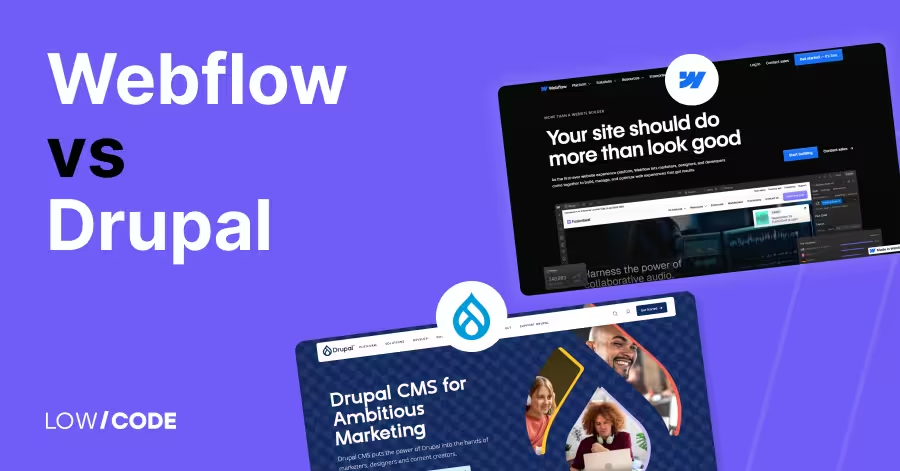
Webflow vs Drupal | 13 Factors to Decide the Best One
Compare Webflow vs Drupal across 13 key factors like ease of use, design, CMS, SEO, and more to find the best platform for your next website
Why customers trust us for no-code development


