

Instant AI Analysis for Survey Responses
10 min
read
Learn how to use AI tools to analyze survey responses instantly and improve data insights efficiently.

AI analyze survey responses and generate insights is one of the highest-leverage automations available to any team collecting feedback. A 20-question survey with 200 responses produces hundreds of open-text answers that take 8–12 hours to read manually.
AI cuts that to minutes. It detects themes, scores sentiment, flags urgent responses, and outputs a formatted summary report — without a single manual read. This guide shows you exactly how to build that system.
Key Takeaways
- Speed advantage: AI processes 1,000 open-text responses in the time it takes a human to read 10.
- Sentiment scoring: Qualitative data becomes measurable, so "people seem unhappy" becomes "satisfaction dropped 18 points this quarter."
- Theme detection: AI clusters similar responses automatically, surfacing minority concerns that manual skimming misses.
- Urgency flagging: Responses containing distress signals route to a staff member within minutes, not days.
- Pipeline value: A connected analysis system running on every survey is worth more than any quarterly manual report.
- Design quality matters: AI cannot fix ambiguous questions — poorly worded prompts produce unreliable theme clusters regardless of tool.


What Can AI Actually Do With Survey Data?
AI brings four distinct capabilities to survey analysis: sentiment scoring, theme detection, urgency flagging, and automated report generation. Understanding each one tells you exactly what you are building before you choose a tool.
These four functions together replace the manual reading work entirely for most survey programmes.
- Sentiment analysis: AI classifies each response as positive, neutral, or negative and tracks how that score shifts across segments or survey cycles.
- Theme detection: AI clusters open-text responses into recurring topics without requiring anyone to read every answer individually.
- Urgency flagging: AI identifies language patterns tied to distress, safety, or compliance issues and routes those responses to the right person immediately.
- Report generation: AI produces a structured summary covering top themes, sentiment distribution, and notable outliers — ready for a team meeting or board report.
AI cannot infer causation, replace human judgment on complex ethical matters, or compensate for flawed survey design. Those limits are fixed regardless of which tool you use.
How AI Reads Open-Text Responses for Sentiment and Themes
AI reads open-text responses by analysing emotional tone, topic keywords, and linguistic patterns in each answer. It compares each response against training on millions of text examples to assign sentiment and topic labels.
This is more accurate than keyword matching because context matters. "The training was not helpful" and "the training was not unhelpful" have opposite meanings that keyword tools consistently get wrong.
- Confidence scoring: Well-designed tools show a confidence percentage per classification. Low-confidence responses should flag for human review, not auto-classify.
- Theme clustering: AI embeds responses into a semantic space and groups conceptually similar answers even when worded very differently.
- Cross-cycle tracking: Using AI sentiment analysis tools lets you track sentiment trends across multiple survey cycles, not just within a single survey.
- Language model advantage: Context-aware models catch negation and nuance that simple keyword matching always misses on real survey data.
The output is not a black box. Well-built analysis shows you which responses informed each theme and what confidence level the model assigned to each classification.
Which Tools Work Best for Nonprofits on Tight Budgets?
Several of the AI tools for nonprofits in our full roundup include survey analysis features — but you can also build this capability into tools your organisation already uses. The right choice depends on your volume, budget, and technical comfort.
Here is a practical comparison matched to nonprofit budget realities.
- Zero-cost proof of concept: Paste open-text responses into ChatGPT or Claude and ask for themes, sentiment, and key concerns. Output arrives in under 60 seconds.
- Airtable pipeline: Responses flow into Airtable, Make triggers an OpenAI API call, and sentiment labels write back to each record automatically.
- Qualtrics nonprofit access: Reduced pricing is available — contact Qualtrics directly for nonprofit rates before assuming it is out of budget.
For teams with no recurring budget, Google Forms combined with a free Apps Script trigger and the OpenAI API delivers automated analysis at near-zero cost once the script is set up.
How to Build Your AI Survey Analysis Pipeline Step by Step
You can build a fully automated survey analysis pipeline using Google Forms, Airtable, Make, and the OpenAI API. The full setup takes a technically comfortable non-developer one to two days.
Each step below has a clear output so you know when it is complete before moving to the next.
- Step 1, survey collection: Use Google Forms for free and simple surveys, Typeform for flexible designs, or Qualtrics for research-grade requirements.
- Step 2, connect to Airtable: Set up one record per response. Use Zapier or Make to push new form submissions to your Airtable base automatically on submission.
- Step 3, AI classification field: Using Airtable's AI fields or a Make automation, send each open-text response to GPT-4 with this prompt: "Classify the sentiment as Positive, Neutral, or Negative and identify the primary theme in three words or fewer."
- Step 4, summary trigger: At survey close, trigger a Make automation that compiles all classified responses and sends a summary prompt to GPT-4 asking for the top five themes, sentiment distribution, and any urgent concerns.
- Step 5, route the output: Send the summary to a Slack message, email, or shared Google Doc — wherever your team will actually read it.
- Step 6, urgency flagging: Add a separate automation that checks each incoming response for keywords like "unsafe," "crisis," or "quit" and emails a designated staff member immediately with the flagged response.
The urgency flagging step is especially important for nonprofits handling vulnerable populations. A missed concern has real consequences — automated routing ensures nothing falls through regardless of staff workload.
How to Automate the Full Survey-to-Insight Pipeline
Moving from one-survey-at-a-time analysis to a continuous feedback intelligence system requires one design change: configure the pipeline to run on every response rather than triggering it manually after survey close.
Automated feedback collection systems create a continuous improvement loop rather than a quarterly analysis event, giving organisations real-time programme intelligence rather than retrospective data.
- Always-on model: New responses are classified and added to a live dashboard as they arrive — no manual trigger required after initial setup.
- Sentiment trend dashboard: Track sentiment score distribution over time in Airtable or Google Sheets. A monthly sentiment trend line is more useful to leadership than any individual report.
- Automated monthly comparison: Set up a scheduled report that compares this month's sentiment against last month's, delivered to programme managers on the first of every month.
- Feedback-to-action audit: Quarterly, review which insights from the analysis were acted on and which were not. This audit reveals whether the pipeline is influencing decisions or just generating reports.
The most valuable output of this system is not any individual report. It is the consistent, structured view of participant sentiment that accumulates across every survey cycle and informs programme decisions continuously.
How to Connect Survey Insights to Your Operational Workflows
The most commonly missing step in any survey programme is connecting insights to specific operational actions. Analysis without action is just a report — the pipeline only delivers value when findings trigger defined responses.
Using AI workflow automation to route specific insight types to the right team automatically means programme concerns reach programme staff, donor concerns reach development, and safety concerns reach leadership within minutes.
- Insight-to-action definition: Before go-live, assign a responsible person and an action type to each insight category. If no one owns it, it will not be acted on.
- Automated action triggers: If satisfaction sentiment in the volunteer programme drops below 3.5/5 for two consecutive months, an automated alert goes to the coordinator with the top three contributing themes.
- CRM integration: Donor feedback from post-campaign surveys can automatically update donor engagement scores. A response indicating declining enthusiasm is an early retention risk signal.
- Funder reporting shortcut: AI-generated impact summaries drawn from participant surveys can feed directly into grant reports, saving hours of manual narrative writing per reporting cycle.
The AI reporting shortcut for funder submissions is one of the most time-saving applications in the full pipeline. Once the summary generation prompt is calibrated for your programme context, quarterly grant narratives become a near-automated output.
Conclusion
AI survey analysis eliminates the mechanical reading work so your team can focus on responding to what the data reveals. A well-built pipeline classifies every response automatically, surfaces the themes that matter, flags urgent signals immediately, and delivers a ready-to-use summary.
The investment to build this system is measured in hours. Take your most recent survey and paste the open-text responses into ChatGPT or Claude with this prompt: "Identify the top five themes and give me an overall sentiment score." If the output matches your own read within 80%, you have your proof of concept.
Want a Survey Intelligence Pipeline Built Into Your Existing Tools?
Your team is spending hours on analysis work that should take minutes. Manual survey review means slow responses to participant concerns and delayed decisions on programme changes.
LOW/CODE Agency is an AI product development company for SMBs. We build web apps, mobile apps, RAG systems, chatbots, and AI agents — custom software engineered for businesses that are not enterprise but demand enterprise-grade AI. We build automated survey analysis pipelines that connect to your existing collection tools, classify responses in real time, and deliver formatted insight reports to your team without any manual review required.
- Pipeline architecture: We design the full data flow from form submission through classification, flagging, and report delivery before writing a single line of automation.
- Tool integration: We connect Google Forms, Typeform, or Qualtrics to Airtable and Make using the stack that fits your team's existing tools.
- Prompt calibration: We test and calibrate the AI classification prompts against your actual survey data to ensure theme labels and sentiment scores are accurate for your context.
- Urgency routing: We build flagging logic specific to your participant population so critical responses reach the right person within minutes of submission.
- Dashboard build: We create a live sentiment trend dashboard so leadership sees programme health in real time, not after a quarterly review cycle.
- Funder reporting templates: We configure AI-generated impact summaries formatted to your common grant reporting requirements, ready for use each reporting cycle.
- Full product team: Strategy, design, development, and QA from a single team that treats your survey intelligence system as a product, not a script.
We have built 350+ products for clients including Coca-Cola, American Express, and Dataiku. We know exactly what makes feedback pipelines work at scale.
Related Articles
- Build AI Microsoft Teams Bot for Workflow Automation
- How to Sync Multiple Business Systems Using AI
- Build an AI Symptom Checker App for Healthcare Platform
- AI Supply Chain Analysis: Identify Bottlenecks Fast
- Create Personalized Study Plans Using AI Easily
- Build AI Chatbot for Student Support & Course Queries
Last updated on
September 3, 2026
.

Jesus is a visionary entrepreneur and tech expert. After nearly a decade working in web development, he founded LOW/CODE Agency to help businesses optimize their operations through custom software solutions.


FAQs
What AI tools can instantly analyze survey responses?
How does AI improve survey response analysis speed?
Can AI accurately interpret open-ended survey answers?
Are there risks in relying solely on AI for survey analysis?
How does AI compare to traditional survey analysis methods?
What practical steps are needed to use AI for survey analysis?
Related Articles
AI
AI Agents vs Agentic AI: What Is the Difference?
Confused by AI agents vs agentic AI? We break down the key differences, how each works, and which one is right for your business needs.

AI
Top AI Tools for Import Export Compliance & Automation
Discover the best AI tools to streamline import/export compliance and automate trade processes efficiently and accurately.

AI
AI Sales Agents: Automate Your Pipeline
Discover how AI sales agents automate prospecting, follow-up, and pipeline management so your team can focus on closing deals that matter.
AI
Custom App Development
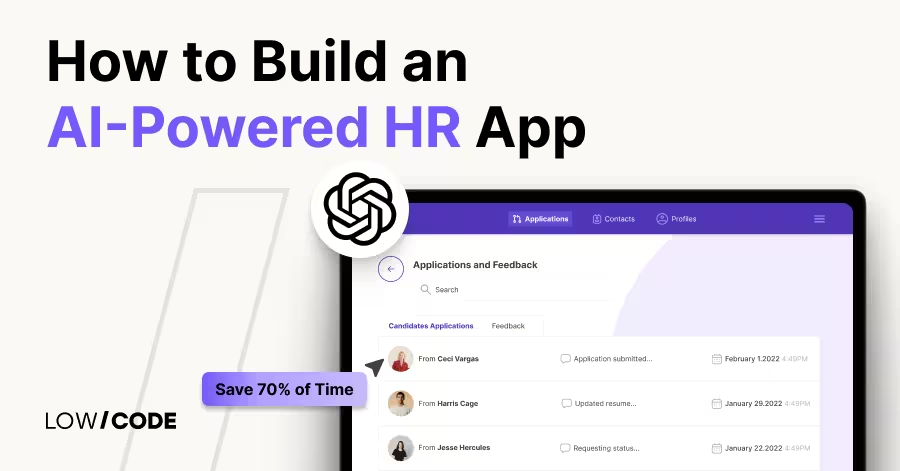
How to Build an AI-Powered HR App | Save 70% of Time
Build an AI-powered HR app without code to automate hiring, onboarding, and leave tracking—saving up to 70% of your HR team’s time


Why customers trust us for no-code development


