

How to Connect Salesforce with Zapier Easily
Learn step-by-step how to integrate Salesforce with Zapier for seamless automation and data syncing.

Salesforce is the most powerful CRM in the market, but connecting it to the rest of your business stack typically means expensive AppExchange apps, custom Apex development, or manual data entry across tools that should talk to each other automatically. When you connect Salesforce with Zapier, you get a practical middle ground: cross-tool automation for the workflows that matter most, without the development cost and timeline of a custom integration project.
The business case for Zapier automation is particularly strong for Salesforce users who need cross-tool integrations without AppExchange licensing costs or custom development overhead.
Key Takeaways
- API access must be enabled: Salesforce API access is only available on Professional, Enterprise, Unlimited, and Developer editions: noton Essentials; verify your edition before attempting setup.
- Authentication uses your Salesforce user account: The connected user account's API access permissions determine what Zapier can trigger and action: using a dedicated integration user is best practice.
- Standard objects are fully supported: Leads, Contacts, Accounts, Opportunities, Cases, and Tasks all have robust Zapier trigger and action support.
- Salesforce Flow and Zapier are complementary: Flow handles within-Salesforce automation; Zapier handles cross-tool automation between Salesforce and external applications.
- Test with a sandbox first: Always build and test Zapier integrations against a Salesforce sandbox before deploying to production.


Why Connect Salesforce to External Tools via Zapier?
Salesforce AppExchange connectors exist for major tools but carry additional licensing costs and administration overhead. Custom integrations via Apex or MuleSoft are powerful but expensive and slow to build for mid-market requirements.
- AppExchange connector licensing adds cost: A dedicated Slack or Docusign connector from AppExchange typically costs $50 to $200 per month for a single integration: Zapier connects all tools within a single subscription.
- Custom development is slow: A MuleSoft or Apex integration project takes weeks and costs significantly more than a Zapier implementation for the same cross-tool data flow.
- Zapier fills the mid-market gap: Mid-market Salesforce deployments that need cross-tool automation without a dedicated integration developer are exactly where Zapier delivers the highest relative value.
- Common use cases Zapier covers: Slack opportunity alerts, Asana project creation on opportunity won, Xero invoice creation on deal close, and Calendly booking logging to Salesforce activity.
- Cost comparison is stark: A Zapier Professional plan ($49 per month) versus a dedicated AppExchange connector ($50 to $200 per month) for a single use case: Zapier covers all use cases on a single plan.
How Do You Connect Salesforce to Zapier Step by Step?
The Salesforce-Zapier setup requires careful attention to edition requirements and authentication: thesandbox-first approach is not optional for production Salesforce deployments.
- Step 1: Verify edition: Confirm your Salesforce edition supports API access (Professional, Enterprise, Unlimited, Developer): Essentials edition does not have API access and cannot connect to Zapier.
- Step 2: Create a new Zap: In Zapier, create a new Zap and search for Salesforce as the trigger or action app.
- Step 3: Authenticate: Click "Sign in to Salesforce" and log in with a Salesforce user account that has API access permissions: a dedicated integration user is best practice for enterprise deployments.
- Step 4: Select environment: Choose between production and sandbox: alwaystest in sandbox first before deploying to production.
- Step 5: Choose trigger event: Select "New Record," "Updated Record," or "New Outbound Message," and specify the Salesforce object (Lead, Opportunity, Contact).
- Step 6: Configure field filters: Add filters to target specific conditions, for example, triggering only when Opportunity Stage equals "Closed Won."
- Step 7: Test the trigger: Load a real or sample Salesforce record and verify data fields appear correctly in Zapier before mapping to the action app.
- Step 8: Add action, map fields, and test: Add each downstream action app, map Salesforce fields to destination fields, and test the complete Zap before enabling.
Which Tools Connect to Salesforce via Zapier?
Teams that connect Airtable via Zapier alongside Salesforce can build real-time pipeline tracking views and cross-team reporting dashboards without writing Salesforce reports manually.
- Communication tools: Slack, Microsoft Teams, Gmail, Outlook, Twilio SMS: opportunity alerts, deal won notifications, and meeting confirmations routed to the right channel automatically.
- Project management: Asana, Monday.com, ClickUp: new projects and tasks created automatically when deals reach defined stages.
- Finance and accounting: Xero, QuickBooks Online, Stripe: invoice creation and payment tracking triggered directly by Salesforce opportunity events.
- Document management: DocuSign, PandaDoc, HelloSign: proposal and contract dispatch triggered by Salesforce opportunity stage changes.
- Scheduling: Calendly, Acuity Scheduling, Google Calendar: meeting booking events logged back to Salesforce as contact or opportunity activities.
- Data and operations: Google Sheets, Airtable, Notion: Salesforce opportunity data synced to operational tracking and reporting tools outside of Salesforce.
What Are the Most Valuable Salesforce Zaps to Build?
The highest-value Salesforce Zaps are those that eliminate the most time-consuming manual steps your team currently performs after an Opportunity changes stage.
- Opportunity Closed Won multi-step Zap: Xero invoice created, Asana project created, Slack #sales alert sent, and DocuSign contract dispatched: four manual steps replaced by one Salesforce trigger.
- New Lead enrichment and routing: New Lead enriched via Clearbit, territory-matched to the correct sales rep using Paths, and Slack notification sent to the assigned rep in under 60 seconds.
- Calendly to Salesforce activity log: Meeting booked logs automatically as a Salesforce Contact activity and updates Opportunity stage: saving 10 to 15 minutes per meeting on CRM administration.
- Case escalated alert: Escalated Salesforce Case triggers a Slack alert to customer success, an escalation email to the account manager, and a priority tag added to the CRM record.
- Proposal to document dispatch: Opportunity stage "Proposal Sent" triggers PandaDoc proposal delivery to the contact email and a 3-day follow-up task creation in Salesforce.
What Are the Limitations of Salesforce's Zapier Integration?
Salesforce-Zapier frustrations are almost always predictable: theyarise from edition limitations, permission mismatches, and polling latency. Understanding them before building prevents the most common setup failures.
- Edition requirement blocks Essentials users: API access is only available on Professional edition and above: Essentials users cannot connect Salesforce to Zapier at all.
- Custom object API name versus label: Salesforce custom objects use API names that differ from their display labels: mapping the wrong name in Zapier is the most common custom object error.
- Polling latency for time-critical alerts: Zapier's Salesforce triggers poll every 1 to 15 minutes, for high-urgency opportunity alerts, consider Salesforce Outbound Messages or Platform Events for faster delivery.
- Field-level security creates silent failures: Salesforce field-level security means the connected user account may not have access to all fields: permission-related Zap errors are common in enterprise deployments.
- Relationship data requires extra steps: Looking up related objects (Account data when triggering on an Opportunity) requires additional Zapier search steps: notavailable in a single action.
Which Salesforce Workflows Should You Build First?
Zapier e-commerce Salesforce integration handles the connection between Shopify order events and Salesforce account updates that e-commerce businesses using Salesforce as their CRM need. Zapier agency Salesforce workflows typically focus on the deal-won-to-project-creation trigger: themost common manual handoff that delays client onboarding. Zapier SaaS Salesforce automation connects trial signup events, plan upgrade triggers, and churn alerts between your product database and Salesforce CRM records.
- Opportunity Closed Won to invoice: Closes the sales-to-finance gap instantly: thehighest commercial value Salesforce Zap for any business sending invoices on deal close.
- Calendly to Salesforce activity: Sales reps save 10 to 15 minutes per meeting on CRM administration, and Salesforce data accuracy improves automatically.
- Lead to Slack alert: New high-value lead notification reaches the assigned sales rep within minutes of entering Salesforce: notwhen they next check the CRM.
- Universal pattern across industries: E-commerce, agency, and SaaS Salesforce users all apply the same Opportunity stage trigger pattern to different downstream actions.
Need Expert Help Connecting Salesforce to Your Tool Stack via Zapier?
When you connect Salesforce with Zapier correctly: authenticating with a dedicated integration user, testing in sandbox, and building one Zap per clear business outcome: you extend Salesforce's reach to every external tool in your stack without AppExchange costs or Apex development.
At LOW/CODE Agency, we build AI-powered products for SMBs — custom web apps, mobile apps, chatbots, RAG systems, and AI agents, delivered with the depth and standards of a specialist software team. We build opportunity-to-invoice automation, lead routing workflows, and cross-tool integration designs for Professional and Enterprise Salesforce deployments.
- Opportunity-to-invoice automation: Complete Closed Won workflows that create invoices in Xero or QuickBooks, projects in Asana, and send welcome communications: allfrom a single Salesforce trigger.
- Lead routing with Paths: New leads classified, enriched, territory-matched, and routed to the correct sales rep channel: allautomatically within minutes of CRM entry.
- Sandbox-first methodology: We build and test every Salesforce Zap in sandbox before production deployment: protecting your live Salesforce data during development.
- Dedicated integration user setup: We configure dedicated Salesforce integration users with correct API scope permissions: best practice for enterprise Salesforce deployments.
- Custom object support: We configure Salesforce custom object API names correctly in Zapier: preventing the label-versus-API-name mismatch that causes the most common custom object errors.
- Error handling by default: Every Salesforce Zap we build includes explicit error paths so failed actions are caught and resolved before data gaps accumulate.
- Ongoing maintenance: Monthly retainer options cover Salesforce API updates, field mapping changes, and new workflow builds as your CRM configuration evolves.
We have built 450+ products for clients including Coca-Cola, American Express, and Zapier.
Related Articles
Last updated on
September 3, 2026
.

Jesus is a visionary entrepreneur and tech expert. After nearly a decade working in web development, he founded LOW/CODE Agency to help businesses optimize their operations through custom software solutions.

FAQs
What are the basic steps to connect Salesforce with Zapier?
Do I need special permissions in Salesforce to connect with Zapier?
Can I automate data updates between Salesforce and other apps using Zapier?
Are there any common errors when linking Salesforce to Zapier?
Is it possible to connect multiple Salesforce accounts to Zapier?
What are the security risks of integrating Salesforce with Zapier?
Related Articles

Business Automation
How to Set Up a Support Chatbot That Solves Issues
Learn effective steps to set up a support chatbot that resolves customer problems efficiently and improves satisfaction.
Business Automation
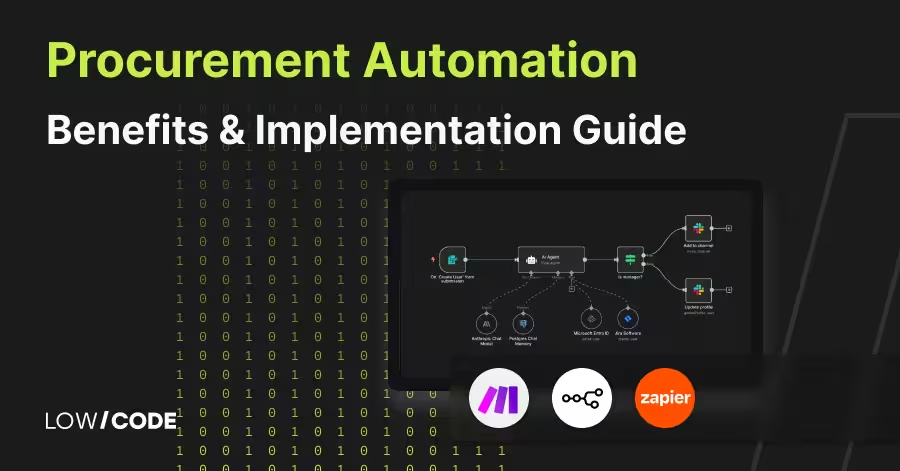
Procurement Automation | Benefits & Implementation Guide
Learn how procurement automation boosts efficiency, cuts costs, and improves control. Compare tools, workflows, and build a business case with ease
Business Automation
How to Connect Notion with Zapier Easily
Learn step-by-step how to connect Notion with Zapier for seamless automation between your apps and workflows.
Business Automation
Zapier Automation Tips for E-Commerce Success
Boost your e-commerce business with Zapier automation. Learn how to streamline tasks and improve efficiency easily.

Why customers trust us for no-code development


