

Webflow Website Redesign Cost in 2026
Real cost ranges for a Webflow website redesign in 2026 — what affects pricing, what's included, and how to budget for your project.

How much does a Webflow website redesign cost? Quotes for similar-sized businesses range from $5,000 to $80,000 or more.
That range exists because the variables driving Webflow project costs are rarely explained upfront. Without understanding those variables, you cannot evaluate a quote, build a realistic budget, or compare proposals meaningfully.
This guide breaks down the actual cost drivers for a Webflow redesign, gives honest ranges by project size, and explains what each budget level produces so you can enter the process with realistic expectations.
Key Takeaways
- Webflow costs are comparable to WordPress, not cheaper: The difference is where the money goes; Webflow shifts investment from ongoing maintenance to upfront build quality.
- Webflow-specialist rates are premium rates: An agency with genuine Webflow expertise costs more per day than a generalist but produces a site that performs better and costs less to maintain.
- Template count drives project cost: The number of unique page templates, not total page count, is the primary Webflow cost variable in design and development.
- CMS configuration is a dedicated scope item: Designing and configuring CMS collections for client editorial workflows adds significant time that must be budgeted explicitly.
- Webflow hosting is a recurring subscription cost: Webflow's hosting subscription, typically $23 to $49 per month for business sites, is an ongoing cost that should be budgeted separately from the project fee.


Webflow Cost in Context: How It Compares
Understanding Webflow versus general redesign cost ranges gives you a calibration point before examining Webflow-specific numbers. Webflow costs sit within the general redesign range but distribute differently between upfront build and ongoing maintenance.
Small Business Webflow Redesign ($8,000-$20,000)
A small business Webflow redesign covers a 5 to 10 page site with 3 to 5 unique templates, standard CMS setup for blog content, basic integrations like contact forms and analytics, and client-provided content.
- Template-based lower end requires fewer custom components: A build using a premium Webflow template as the design foundation, customized for brand, content, and basic layout adjustments, sits at the lower end of this range.
- Custom small business builds require more specialist time: A fully custom-designed 5-page site built without a template foundation, with bespoke components and CMS configuration, sits toward the upper end of the small business range.
- Client-provided content keeps cost at the lower end: This range assumes the client delivers final-draft copy and organized imagery; agency-written copy adds $200 to $500 per page in additional cost.
- Standard integrations do not significantly increase cost at this level: Contact form, Google Analytics, and newsletter signup integration add minimal cost; CRM integrations or custom API connections are typically out of scope at this budget level.
Mid-Market Webflow Redesign ($20,000-$55,000)
Mid-market Webflow redesigns cover the majority of professional services firms, SaaS companies, and established businesses requiring a fully custom site with multiple content types and integrations.
- Custom design system development defines this tier: A full design system developed in Figma, with documented components, spacing systems, typography scale, and color architecture, is the design foundation at this level.
- CMS collection design adds significant Webflow-specific scope: A mid-market site with blog, case studies, team profiles, and resource library requires individual collection schema design, template page builds, and content loading for each collection type.
- Third-party integrations are a standard expectation: CRM integration, marketing automation connection, live chat, and analytics configuration are expected at mid-market; each adds proportional cost depending on integration complexity.
- Agency copywriting for core pages is often included: Key pages including homepage, about, and primary service pages are typically produced by the agency, with client providing drafts for remaining pages.
Enterprise Webflow Redesign ($55,000-$120,000+)
Enterprise Webflow builds involve large page counts, complex CMS architectures, multiple custom integrations, multilingual setups, advanced interactions, and comprehensive post-launch support.
- Webflow Interactions scope can be substantial at enterprise level: Complex multi-element scroll animations, custom cursor effects, and sophisticated page transitions require significant design and development time to plan and implement correctly.
- Multilingual setup adds architecture and content workstream cost: Each additional language requires content translation, CMS collection duplicates or localization logic, and navigation architecture for language switching.
- Enterprise projects typically include extended post-launch support: A retainer period after launch for monitoring, optimization, and iteration is a standard inclusion at the enterprise level.
What a Webflow Redesign Actually Involves
Understanding Webflow redesign process and cost requires understanding how Webflow builds differ from the WordPress or generic CMS builds that most clients have experienced previously.
Webflow is built component-first, from the element level up, rather than starting from a pre-built theme with plugin functionality layered on top.
This approach produces custom, high-performing sites but requires more specialist time in design and development than a theme-based approach.
Webflow Designer and Developer Time
A Webflow build from a specialist requires more time than a WordPress theme-based build of equivalent visual output because every component is built from scratch.
- Component-level building produces custom output without theme limitations: Every card, hero, navigation component, and CTA block is designed and built specifically for the project rather than adapted from a pre-built theme.
- Specialist Webflow rates reflect genuine expertise: A Webflow specialist agency charges more per day than a generalist because Webflow expertise is in higher demand than supply; this premium reflects genuine skill, not arbitrary pricing.
- The resulting site requires significantly less ongoing development cost: A custom Webflow build requires no theme updates, no plugin compatibility management, and minimal security overhead; these savings compound over the site's lifetime.
- Design and development are more tightly integrated in Webflow than WordPress: Many Webflow builds combine design system development and Webflow implementation in the same resource, which can reduce handoff friction compared to separate designer-developer workflows.
CMS Architecture and Collections
Webflow's CMS uses structured collections to manage repeating content types. Designing and configuring these collections is a dedicated workstream that scales with content complexity.
- Each collection requires schema design before implementation: Defining the fields, field types, and relationships for each collection, such as blog posts, case studies, or team profiles, requires architectural decision-making before any build work begins.
- Dynamic template pages must be designed and built for each collection: A blog post template, a case study template, and a team member template each require a full design and build cycle; sites with more collection types have proportionally higher CMS configuration cost.
- Filter and sort functionality adds build time: A resource library with filter by category and sort by date requires additional Webflow CMS configuration and front-end filtering logic beyond a basic collection list.
- Content loading from existing site adds time to the scope: If the CMS must be populated with content migrated from the previous site, a dedicated content migration workstream must be planned and budgeted.
Interactions and Animation Scope
Webflow's native animation capabilities are a primary reason many clients choose the platform. They are also a variable cost driver that scales directly with complexity.
- Scroll-triggered fades and reveals are low-cost baseline animations: Simple opacity transitions and element reveals triggered by scroll position are straightforward to implement and add minimal cost to the project.
- Complex multi-element interactions require significant design time: Coordinating multiple elements with custom timing, custom easing, and responsive behavior requires the interaction to be designed in detail before implementation begins.
- Lottie animations and custom cursor interactions sit at the high end: Custom Lottie file integration and cursor effect design add both the cost of the animation production and the Webflow implementation time.
What Affects the Webflow Redesign Cost
The Webflow pricing factors explained most directly are template count, CMS collections, and integration complexity. Understanding where your project sits on each of these variables gives you a reliable basis for estimating your budget range.
Template Count and Custom Component Development
The number of unique page templates is the single most reliable predictor of Webflow design and build cost.
- Each unique template requires a full design and build cycle: A homepage, an about page, a services page, a blog post template, and a contact page are five templates; each requires individual wireframing, desktop mockup, mobile mockup, and Webflow implementation.
- Reused components reduce cost across templates: A site that uses the same card component on services, case studies, and team pages costs less than a site with a unique card design on each; component reuse is a deliberate cost management strategy.
- Custom component development adds to cost proportionally: Every unique component that does not exist in the design system must be designed and built from scratch; scoping the component count is one of the clearest ways to estimate design and development cost.
CMS Collections and Dynamic Page Count
CMS scope adds a Webflow-specific workstream that does not exist in the same way on a brochure site.
- Three CMS collections is a typical mid-market scope: Blog, case studies, and team profiles represent a standard three-collection setup that adds a predictable amount of CMS architecture and template build time.
- Each collection adds schema design, template build, and content loading: The cost is not just in building the collection list page; it includes the individual item template, the CMS field configuration, the filtering logic, and potentially the content loading workstream.
- High volume dynamic content increases content loading cost significantly: A site with 200 existing blog posts and 50 existing case studies requires significantly more migration time than one with 20 posts and 10 case studies.
Third-Party Integrations via Webflow's Logic or Zapier
Standard integrations are straightforward in Webflow. Complex ones require either Webflow Logic configuration or external middleware.
- HubSpot, Mailchimp, and GA4 integrations are standard scope items: These well-supported integrations connect to Webflow through native embedding or established Zapier workflows with predictable implementation time.
- Custom CRM integrations require middleware and add cost: Connecting Webflow to a less common CRM or custom API endpoint requires Zapier or Make.com workflow design, testing, and documentation; this adds a dedicated integration workstream to the scope.
- Webflow Logic handles conditional automation natively: For automations that do not require an external middleware platform, Webflow Logic can handle form routing, conditional redirects, and basic workflow automation with Webflow-native configuration.
Webflow vs WordPress: Cost Comparison
Looking at Webflow versus WordPress redesign costs side by side clarifies the total cost of ownership case for Webflow, which is different from the upfront build cost comparison.
Upfront Build Cost
A comparable Webflow project typically costs 10 to 20 percent more upfront than an equivalent WordPress project.
- The premium reflects genuine expertise scarcity: Webflow specialist agencies are fewer than WordPress generalists; higher rates reflect supply constraints as much as skill premium.
- Webflow builds fewer shortcuts than theme-based WordPress: A WordPress project that uses a premium theme as the design foundation requires less design and development time than a fully custom Webflow build; this is a legitimate cost difference, not an arbitrary one.
- Template-based Webflow builds reduce the premium significantly: A Webflow project starting from a premium template with customization rather than a fully custom design system narrows the upfront cost difference with WordPress considerably.
Ongoing Cost Comparison
Over a three-year period, Webflow's total cost of ownership is typically comparable to or lower than equivalent WordPress.
- WordPress requires ongoing security and plugin maintenance: Plugin updates, security patches, theme compatibility management, and periodic developer involvement for maintenance issues add recurring cost that Webflow's managed hosting model eliminates.
- Webflow hosting replaces multiple WordPress line items: The Webflow subscription replaces hosting, theme licenses, essential plugin subscriptions, and the developer time required to maintain a WordPress environment.
- Editorial team velocity is faster on Webflow: Content creators on a well-built Webflow CMS can update and publish content without developer involvement for standard tasks; this reduces the developer cost associated with routine content management.
When to Choose Webflow Over WordPress on Cost Grounds
The total cost of ownership case for Webflow becomes compelling when specific conditions apply.
- Teams who want editorial independence benefit most from Webflow: A marketing team that wants to update pages, publish content, and make layout changes without a developer will find Webflow's CMS more capable than most WordPress configurations.
- Security-conscious organizations benefit from Webflow's managed infrastructure: Webflow's managed hosting eliminates the WordPress security vulnerabilities that arise from outdated plugins and themes; for organizations with elevated security requirements, this has real value.
- Businesses focused on performance benefit from Webflow's native optimization: Webflow's built-in image optimization, global CDN, and clean code output produce consistently high Core Web Vitals scores without the optimization overhead WordPress requires.
What You Get at Each Price Point
Understanding affordable Webflow redesign options at different budget levels clarifies what each price point realistically delivers and where compromises are made.
$8,000-$15,000: Template-Based Webflow Build
A professional Webflow implementation on a premium template with brand customization, content structure, and basic integrations.
- Template customization covers brand, not architecture: The template's page structure and component architecture remain, with brand colors, typography, imagery, and content applied to the template's existing layout system.
- Limited custom component development is available at this level: One or two custom components that are not available in the template, such as a specific testimonial layout or a custom hero variant, can typically be accommodated.
- Client-supplied content is required: At this budget level, the agency configures the site; the client provides all copy, imagery, and other content in a format ready for CMS entry.
- This level is appropriate for simple service businesses: A local service business with a 5 to 8 page site and clear, minimal content requirements can produce a professional result at this investment level.
$20,000-$40,000: Custom Webflow Design and Build
The professional standard for most mid-market businesses. A full custom design system, bespoke Webflow components, CMS collections, and a professional content experience.
- Custom design system in Figma is the design foundation: Typography scale, color architecture, spacing system, and component library are designed before any Webflow build begins, ensuring consistency across all templates.
- Two to three CMS collections are standard scope: Blog, case studies, or team profiles with full template design and content loading are typically included at this level.
- Agency-written copy for core pages is often included: Homepage, about, and primary service pages are typically written by the agency; supporting pages may be client-provided or separately scoped.
- One to two integrations are standard scope: CRM connection, marketing automation, or analytics configuration is typically included; complex custom API integrations are scoped separately.
$50,000+: Full-Service Webflow Redesign
Enterprise-level quality with comprehensive discovery, complex CMS architecture, advanced interactions, full content production, and extended post-launch support.
- Comprehensive discovery and strategy informs every design decision: At this investment level, discovery includes user research, competitive analyzis, conversion audit, and a detailed project brief that governs all subsequent work.
- Complex CMS architecture serves sophisticated editorial workflows: Multiple collection types, relational CMS fields, custom filtering and search functionality, and editorial governance configuration are standard scope items at this level.
- Advanced Webflow interactions define the experience: Custom scroll animations, multi-element interactions, and sophisticated page transitions are planned, designed, and implemented as deliberate experience investments.
- Post-launch monitoring and optimization retainer is standard: Extended support covering performance monitoring, conversion tracking, content publishing support, and design iteration is a standard component of enterprise-level engagements.
How to Get an Accurate Webflow Quote
Getting your Webflow quote right requires specific preparation before approaching a Webflow agency. The accuracy of a quote is directly proportional to the specificity of the information the agency receives.
Provide a Page Inventory and Template Count Estimate
Knowing how many unique page layouts your site requires allows a Webflow agency to calculate design and build time accurately.
- "15 pages based on 5 templates" is a scoping input; "15 pages" is not: The template count is the primary cost variable; a page count without a template count cannot produce an accurate quote.
- List the purpose of each template to clarify scope: "Homepage, Service overview, Individual service page, Blog list, Blog post, Contact" defines 6 templates that can each be estimated individually.
- Note which templates require mobile-specific design variations: Templates that behave significantly differently at mobile screen sizes, such as complex data tables or interactive maps, require additional design and build time.
Specify CMS Requirements in Detail
A complete CMS requirements specification is as important as the page inventory for getting an accurate Webflow quote.
- List every content type to be managed dynamically: Blog posts, case studies, team profiles, products, events, and any other content type that will be managed through the Webflow CMS should each be listed with an approximate content volume.
- Specify required filtering and sort capabilities for each collection: "Blog filtered by category and author, with most recent sort as default" is a CMS requirement that affects the build scope; "blog" alone is not.
- Note the content migration requirement for each collection: If existing content must be migrated into each collection at launch, the volume of content to be migrated directly affects the CMS population workstream cost.
Ask for Webflow-Specific Cost Breakdowns
A Webflow agency that can produce a line-item cost breakdown demonstrates that the quote is grounded in actual scope rather than a budget estimate.
- Design cost should be separable from build cost: Some clients bring completed Figma designs to a Webflow agency; being able to quote build-only versus design-plus-build requires the agency to have scope-level visibility of each workstream.
- CMS setup cost should be separable from template build cost: The Webflow-specific CMS architecture work is distinct from the page template design and build work; a professional quote separates these.
- Integration cost should be itemized: Each integration should carry an individual estimate that reflects its actual complexity rather than being bundled into a project total that obscures where the money is going.
Conclusion
A Webflow website redesign costs broadly similar to an equivalent WordPress redesign of comparable scope.
The investment is front-loaded into build quality rather than distributed across ongoing maintenance costs, which typically produces a lower total cost of ownership over three years.
Before approaching a Webflow agency, build a template inventory and a CMS collections list for your project.
These two inputs will produce a more accurate and comparable quote than a page count alone, and demonstrate to every agency you speak with that you understand the scope variables driving the cost.
Webflow redesign costs vary based on scope and complexity, not just the number of pages
Webflow projects that come in under budget often do so because they used a template, skipped the content strategy, and deferred the custom interactions. Webflow projects that deliver strong business results are scoped to include the CMS architecture, design system, and performance work that makes the site perform long after launch, not just look good on delivery day.
At LOW/CODE Agency, the leading AI-powered development partner for SMBs and mid-market businesses, our Webflow development engagements are scoped with full transparency so you know exactly what you are paying for and what you will own at the end of the project.
If your organization is evaluating whether Webflow is the right platform for your redesign, or wants to understand the full cost of a Webflow build done properly, our Webflow development practice offers a scoping consultation that answers both questions with real numbers.
After 450+ projects for teams like Medtronic, American Express, and Coca-Cola, we have built Webflow sites at every price point and know what it takes to do it right. If you want a real Webflow cost estimate, book a 30-minute call with our team.
Last updated on
September 25, 2026
.

Daniel is a Web Developer at LowCode Agency who has been building websites in Webflow since 2022. With a background in graphic design, he turns the design team's concepts into fast, responsive sites built to scale.


FAQs
Related Articles
Webflow
Website Redesign Vs Website Maintenance
Maintenance keeps a working site running. A redesign fixes a site that isn't working. Confusing the two leads to expensive misdirection in both directions.
Webflow
Key Factors to Consider in a Website Redesign
The key factors to evaluate before and during a website redesign — goals, budget, platform, SEO, content, and stakeholder alignment.
Webflow
Comparison
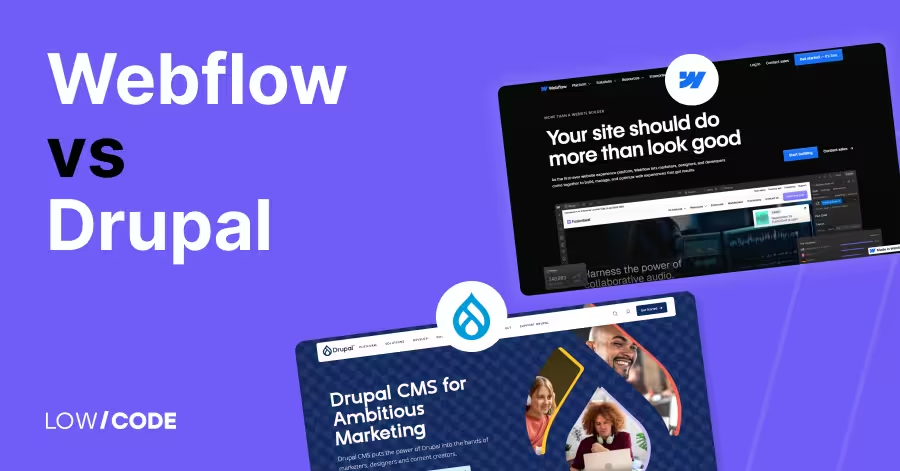
Webflow vs Drupal | 13 Factors to Decide the Best One
Compare Webflow vs Drupal across 13 key factors like ease of use, design, CMS, SEO, and more to find the best platform for your next website
Webflow
When Should You Switch to Webflow from WordPress?
The signs your WordPress site is costing more than it's worth and how to plan a clean migration to Webflow.

Why customers trust us for no-code development


