

Full Website Redesign Vs Partial Redesign Which Do You Need
A full redesign addresses the whole site at once. A partial redesign fixes the highest-impact sections first. Here is how to decide which scope fits your situat

Don't have time to read this? Schedule a 30-minute call and we will tell you which scope makes sense for your situation. Book a call
Key Takeaways
- A full redesign replaces the visual system, content strategy, and page templates across the entire site in a single project. A partial redesign does the same work but limits scope to the sections with the highest business impact.
- The decision is not primarily about preference. It is about where the performance problem is concentrated and how much the existing site's visual system can accommodate partial changes without creating inconsistency.
- Partial redesigns are faster, less expensive, and produce measurable results sooner. They are also more prone to scope creep and can leave the site visually inconsistent if not managed carefully.
- Full redesigns are comprehensive and produce a coherent site. They are longer, more expensive, and carry higher launch risk.
Step 1: Identify Where the Performance Problem Is Concentrated
Before choosing scope, identify precisely where the site is underperforming.
Run a section-by-section performance audit using your analytics platform. Look at these metrics by page group:
| Section | What to measure |
|---|---|
| Homepage | Bounce rate, scroll depth, CTA clicks |
| Service or product pages | Time on page, conversion rate, exit rate |
| About and team pages | Traffic volume, scroll depth |
| Blog and content pages | Organic traffic, average position, CTR |
| Contact and conversion pages | Form completion rate, abandonment point |
If poor performance is concentrated in one or two sections, a partial redesign targeting those sections will deliver most of the improvement at a fraction of the full-redesign cost.
If underperformance is distributed across the site with no clear concentration, a full redesign is likely the correct scope.
Step 2: Assess the Existing Visual System
The most common technical problem with partial redesigns is visual inconsistency.
When you redesign the homepage and top service pages but leave the blog, contact page, and secondary pages untouched, the site has two distinct visual languages. Visitors moving between redesigned and unredesigned sections notice. The inconsistency undermines trust and signals a site in transition.
Ask these questions about the current visual system:
- Does the existing site have a documented design system with reusable components, type scales, and color tokens?
- Can the redesigned sections adopt a new visual direction without looking completely mismatched against what remains?
- How much of the site traffic passes through the sections being redesigned versus the sections being left unchanged?
If the existing visual system is rigid and dated, a partial redesign will create visible inconsistency that limits its effectiveness. The cost benefit of a partial redesign shrinks when half the budget must go toward managing visual coherence across two design generations.
Step 3: Map the Site's Conversion Path
Most business websites have one primary conversion path, even if the site has dozens of pages.
For a B2B company, the path is typically: homepage or blog post arrival, service or solution page, about or team page, contact form.
For a local service business: Google search arrival on a service page, then pricing or contact page.
For an e-commerce site: product listing page, product detail page, cart, checkout.
The partial redesign case is strongest when the problem is isolated to a specific point in this path. If the contact form conversion rate is the problem but everything upstream is performing, redesigning only the contact flow and the pages immediately before it is a focused, cost-effective intervention.
The full redesign case is strongest when the problem spans the entire path. If visitors are dropping at every stage because the visual experience, messaging, and page structure are all outdated together, a full redesign addresses the problem comprehensively.
Step 4: Evaluate the Content Strategy Implications
A partial redesign can update the design of targeted pages. It cannot easily fix a site-wide content strategy problem.
If the site's information architecture is wrong, if key pages are missing entirely, or if the content across the site reflects outdated positioning, a partial redesign will apply new design to the wrong content and wrong structure.
Content problems that require full-redesign scope:
- The information architecture needs to be rebuilt from scratch
- Large sections of the site need to be eliminated, consolidated, or created new
- The positioning change is significant enough that most existing page content cannot carry forward
- SEO keyword targeting needs to be reorganized across all sections simultaneously
Content problems that a partial redesign can address:
- The service page copy needs to be rewritten and the layout updated
- The homepage messaging needs to change but the overall site structure is sound
- Two or three high-traffic pages need new content and design without touching everything else
Step 5: Assess Timeline and Budget Constraints
If timeline or budget does not permit a full redesign, a partial redesign is not a compromise. It is often the correct strategic choice.
A partial redesign that launches in eight weeks and improves conversion on the site's most critical pages produces measurable revenue impact while the organization builds toward a full redesign.
A full redesign that requires six months to complete and consumes the full annual web budget produces no measurable impact until launch, and carries higher risk if something goes wrong.
Budget guidance by scope:
| Scope | Typical cost range | Typical timeline |
|---|---|---|
| Partial redesign (2 to 4 sections) | $8,000 to $35,000 | 4 to 8 weeks |
| Partial redesign (5 to 8 sections) | $25,000 to $70,000 | 6 to 12 weeks |
| Full redesign (small site, under 20 pages) | $15,000 to $50,000 | 6 to 10 weeks |
| Full redesign (mid-size site, 20 to 75 pages) | $40,000 to $120,000 | 10 to 20 weeks |
| Full redesign (large site, 75+ pages) | $100,000 to $300,000+ | 16 to 30 weeks |
Step 6: Evaluate Launch Risk Tolerance
Full redesigns carry a specific category of launch risk that partial redesigns avoid.
When every page of a site changes simultaneously, there is no baseline to compare against after launch. If conversion rates drop, it is difficult to isolate whether the problem is the new homepage, the new service pages, or the new contact flow.
A partial redesign allows for direct before-and-after comparison. The sections that were not redesigned serve as a control. The sections that were redesigned show clear performance changes.
For organizations that are risk-averse, are in a high-traffic period where a drop in conversions would be expensive, or want to test a new design direction before committing fully, the partial redesign is the lower-risk path.
Step 7: Consider the Phased Full Redesign as a Hybrid
A phased full redesign is often the practical answer when both scope options have limitations.
Phase 1 covers the highest-priority sections: homepage, primary service or product pages, and conversion pages. This phase launches within eight to twelve weeks and delivers measurable improvement.
Phase 2 covers the remaining sections: about, team, blog, secondary service pages, and supporting content. This phase follows three to six months after Phase 1, informed by performance data from the first launch.
This approach delivers the full redesign outcome over a longer timeline while producing early results and limiting the risk of a single large launch.
LOW/CODE Agency recommends the phased approach for most mid-size businesses because it produces faster ROI and better data to inform Phase 2 decisions.
When to Choose a Full Redesign
Choose a full redesign when:
- The current site's visual system is too dated to absorb partial changes without visible inconsistency
- The information architecture needs to be rebuilt across the entire site
- The brand, positioning, or target audience is changing significantly
- The platform or CMS is being replaced (which forces a rebuild of all templates anyway)
- Performance problems are distributed across all sections without clear concentration
When to Choose a Partial Redesign
Choose a partial redesign when:
- Analytics clearly show that one or two sections are responsible for most of the performance problem
- The existing site's design system can absorb updates in high-priority sections without creating inconsistency
- Budget or timeline does not support a full redesign
- The organization wants to validate a new design direction before committing to site-wide implementation
- The site was recently redesigned but specific sections are underperforming


What the Decision Looks Like in Practice
A professional services firm with a strong brand identity but a homepage that fails to communicate what the firm does clearly, and a contact page with a form that requires too much information, does not need a full redesign.
It needs the homepage and contact page redesigned. The remaining site is sound.
A manufacturing company whose site has not been updated in seven years, whose product pages are organized by internal SKU logic rather than by how engineers search, and whose entire visual system predates mobile-first design, needs a full redesign.
The problems are not concentrated. They are distributed across every section of the site.
The decision follows from the diagnosis. For organizations still working through whether any redesign is warranted, the website redesign decision framework covers the upstream question of whether a project of any kind is the right response to the performance problem being experienced.
LOW/CODE Agency is a leading AI product team for SMBs and startups. Organizations facing the scope decision will find we scope projects to what the situation actually requires, including recommending partial redesigns when the evidence supports them over a full project.
Website projects start at $10,000+. Let's talk about the right scope for your situation.
Partner with our no-code development experts to build your next digital product.
Last updated on
September 24, 2026
.

Daniel is a Web Developer at LowCode Agency who has been building websites in Webflow since 2022. With a background in graphic design, he turns the design team's concepts into fast, responsive sites built to scale.


FAQs
Related Articles

Webflow
How to Redesign a Website on a Budget
How to redesign your website on a tight budget — what to prioritize, where to cut, and how to get real results without overspending.
Webflow
Affordable Website Redesign: What You Actually Get
What affordable website redesign actually includes, where agencies cut corners, and how to get real value without overpaying.
Webflow
Comparison
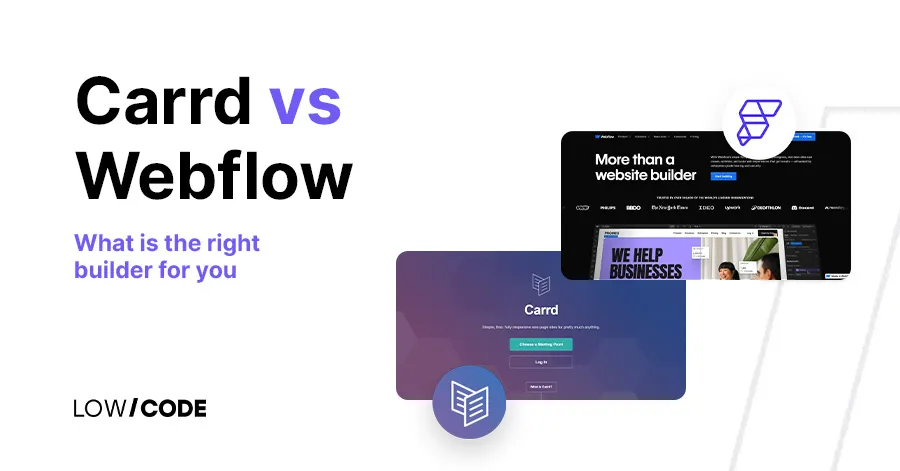
Carrd or Webflow: What is the right builder for you
Carrd or Webflow? Find out which no-code website builder meets your requirements, and start creating like a pro with a platform that aligns with your creative and business goals.
Webflow
Website Redesign For Better Conversions
A website redesign only improves conversions when the right things change. Here is exactly what to fix, in what order, and how to measure whether it worked.

Why customers trust us for no-code development


