

Top 10 Essential Automations for Support Leads
9 min
read
Discover the top 10 automations every support lead needs to improve efficiency and customer satisfaction today.


Support lead automations answer one question directly: if your team's performance depends on manual triage, manual escalation, and manual SLA monitoring, what breaks first when ticket volume spikes 30 percent?
The answer is the same for every team without automated workflows: response times blow out, SLAs get missed, and the lead spends every shift firefighting instead of managing. These ten automations are what changes that outcome.
Key Takeaways
- Ticket routing automation removes the triage queue that accounts for the majority of first-response delay, getting tickets to the right agent immediately on creation.
- SLA breach alerts fire at 80 percent remaining time, giving both the agent and the lead a recovery window before a breach becomes a customer complaint.
- Automated CSAT surveys capture feedback at the moment it matters, within minutes of resolution when experience is most accurately recalled.
- Agent workload balancing automation prevents the pattern of one agent overwhelmed while another has an empty queue.
- Daily support metrics reports give the lead accurate data every morning without anyone manually pulling dashboards or compiling numbers.
- The compounding effect: each automation independently improves a specific metric; together they create a support operation that scales without scaling lead oversight proportionally.


What Automation Gives a Support Lead
Support leads operate in real time. Routing, escalation, and coverage decisions happen continuously, and manual processes make every decision reactive rather than proactive.
The gap between what a support lead should be doing and what they currently spend time on is the automation opportunity.
- Real-time visibility and proactive intervention replace the reactive firefighting that consumes most of a manual support lead's shift.
- The business process automation benefits — time reduction, error rate reduction, and consistency — apply directly to every workflow in this list.
- The ten automations here cover routing, SLA monitoring, CSAT collection, workload balancing, churn detection, and daily reporting.
The support automation blueprints library includes ready-to-deploy versions of the ticket routing, SLA alert, and CSAT survey workflows from this list.
1. Ticket Routing Automation
For the four most impactful support automations beyond this list, see the core support automation workflows guide.
When a new ticket is created, routing rules apply immediately, assigning it to the correct agent or team before it enters a shared queue.
- Trigger: New ticket fires routing rules by keyword, customer tier, issue type, or channel; agent is notified via platform and Slack.
- SLA timer starts immediately on assignment so response window is clear from the moment the ticket lands with the assigned agent.
- Response time impact: Teams using automated routing report 40 to 60 percent reduction in first response time versus manual triage.
See the ticket routing automation setup guide for the full technical build by platform.
2. SLA Breach Alert System
A two-tier alert system monitors every open ticket against its SLA window and fires at two distinct points.
- 80 percent warning goes to the assigned agent with the ticket link and time remaining so they can respond before the breach window.
- 100 percent breach alert goes to the support lead with the ticket details and agent name so immediate intervention is possible.
- SLA tiers: Enterprise: first response within one hour; standard: four hours; self-serve: 24 hours, each with separate alert rules configured.
See the SLA breach alert setup guide for the full build. The SLA breach alert blueprint is ready to deploy.
3. Ticket Escalation Workflow
Defined escalation triggers remove the judgment gap. Agents no longer decide when to escalate; the automation applies the rules consistently.
- Trigger criteria: Ticket age over threshold, reply count above three without resolution, or keyword detection for "cancel," "refund," or "legal."
- On escalation: Ticket reassigns to senior agent or team, both agents receive a Slack notification, and the customer receives an update.
- Keyword detection: "Cancel," "frustrated," "legal," and "escalate" route to senior agents immediately without requiring the original agent to act.
See the ticket escalation automation guide for the full implementation walkthrough by support platform.
4. Automated First Response
When a new ticket is created, an acknowledgment fires immediately, managing customer expectation before any agent opens the ticket.
- Trigger: New ticket fires template selection by customer tier and issue category; personalised response sends and logs in the ticket thread.
- Template must include: Customer name, ticket number, issue topic pulled from the ticket subject, and expected response time based on SLA tier.
- What to avoid: Generic "we received your message" responses score lower on CSAT than no response; specificity is required for the acknowledgment to work.
5. Agent Workload Balancing
Every 30 minutes, the automation checks open ticket counts per agent and flags imbalances to the support lead before the overloaded agent falls behind.
- Trigger: Scheduled 30-minute check queries the support platform for open ticket counts per agent and compares to the team average.
- Slack alert fires to the lead with agent names and ticket counts when any agent exceeds 150 percent of the team average.
- Optional routing: The next three inbound tickets can be automatically routed to the under-loaded agent to rebalance the queue without manual reassignment.
6. Automated CSAT Survey
When a ticket is resolved and closed, a survey fires to the customer within 30 minutes, capturing feedback while the experience is fresh.
- Trigger: Ticket status set to Resolved fires a 30-minute delay then sends a one-question CSAT survey with a 1 to 5 rating scale.
- Response logged in the support platform and Google Sheets; low scores of 1 or 2 trigger an immediate Slack alert to the support lead.
- Low-score alert matters: A 1 or 2 CSAT response is the signal before a social media complaint or churn event if not followed up.
See the automated CSAT survey workflow guide for the full build. The CSAT survey trigger blueprint is ready to deploy.
7. VIP Customer Fast-Track Routing
Tickets from VIP or Enterprise customers bypass the standard queue and route to senior agents with a shorter SLA window on creation.
- Trigger: New ticket created fires a customer lookup against the VIP list in the CRM or Google Sheet; match triggers immediate senior agent assignment.
- Slack priority alert goes to the senior agent and the account manager simultaneously so both parties are aware from the start.
- VIP list maintenance: Keep the list in a single source that the automation queries so it stays current as accounts are upgraded or downgraded.
8. Knowledge Base Gap Detection
Every week, the automation analyses tickets resolved without a knowledge base article linked and surfaces the top recurring question types with no KB coverage.
- Trigger: Weekly run queries the last seven days of tickets and filters for those resolved without a KB article attached to the resolution.
- Gap report sent to the support lead via Slack with the top five question types by frequency that have no existing KB coverage.
- Compounding benefit: Every KB article written reduces ticket volume for that topic; automating gap detection turns reactive resolution into proactive self-service content.
9. Ticket Reopen and Churn Signal Alert
The automation monitors for customers who reopen tickets, submit three or more tickets in 30 days, or use churn-signal language in ticket content.
- Reopen trigger: Ticket reopened after resolution fires a Slack alert to the lead with customer details and full ticket history for context.
- Volume trigger: Same customer with three or more tickets in 30 days fires an account health alert so proactive outreach can happen.
- Keyword trigger: "Cancel" or "switch" detected in ticket content fires an immediate VIP escalation route to a senior agent.
10. Daily Support Metrics Report
Every morning at 8am, the automation queries the support platform for yesterday's key metrics and delivers a formatted report to the support lead.
- Scheduled daily trigger queries the platform API for tickets created, resolved, first response time, resolution time, SLA compliance, and CSAT score.
- Top three ticket categories are included in the report so the lead arrives each morning knowing where volume is concentrated.
- Delivered via Slack to the #support-daily channel and email to the support lead so data is available before the first team check-in.
Conclusion
These ten automations give a support lead what manual operations cannot: consistent routing, proactive SLA management, real-time team visibility, and a quality measurement system that runs without anyone remembering to run it.
The result is a support operation that handles volume spikes without blowing out response times and surfaces churn signals before they become churned accounts. Start with the automation that addresses your highest-frequency current gap. Build one completely, then add the next.
Want a Support Operation That Manages Itself at Scale?
Most support leads know exactly where their operation is breaking down. The challenge is building routing logic that matches the team's actual structure and connecting the SLA, CSAT, and reporting layers correctly.
LOW/CODE Agency's support automation development service scopes the routing logic for your specific team, builds the alert system with the right escalation paths, and connects the CSAT and reporting pipeline end-to-end.
- Support workflow audit: We map your current ticket flow and identify exactly where response time and SLA compliance are breaking down.
- Ticket routing setup: We configure routing rules by keyword, tier, channel, and issue type matched to your specific team structure.
- SLA alert system build: We set up two-tier alerting with 80 percent warnings and 100 percent breach alerts per SLA tier and customer segment.
- Escalation workflow configuration: We define the criteria, assign the routing targets, and build the customer update message at each escalation point.
- CSAT survey pipeline: We configure post-resolution surveys with low-score alerts and response aggregation to Google Sheets for trend tracking.
- Workload balancing automation: We build the queue monitoring and Slack alert logic so you see imbalances before agents fall behind on SLAs.
- Testing and handoff: We test every workflow against real ticket scenarios before handoff so routing errors do not reach live customers.
We have built 350+ products for clients including Coca-Cola, American Express, and Medtronic. We know which support automations produce the most consistent quality improvements and build them with the right escalation logic from day one.
Related Articles
Last updated on
September 3, 2026
.

Jesus is a visionary entrepreneur and tech expert. After nearly a decade working in web development, he founded LOW/CODE Agency to help businesses optimize their operations through custom software solutions.

FAQs
What are the most effective automations for support teams?
How can automations improve customer support efficiency?
Which automation tools are best for managing support tickets?
Can automations help with tracking support team performance?
Are there risks to relying too much on support automations?
How do I prioritize which automations to implement first?
Related Articles
AI
Automate Hospital Admin Workflows Using AI
Learn how AI can streamline hospital administrative tasks to improve efficiency and reduce errors in healthcare management.
AI
AI Employee for Automated Business Reporting
Generate accurate reports on demand with an AI Employee. Automate data gathering, formatting, and delivery so your team spends less time on dashboards.
AI
Custom App Development
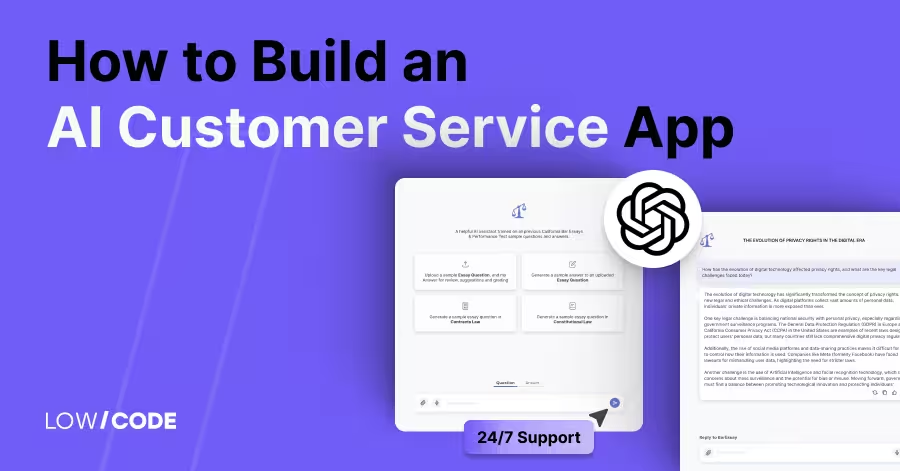
How to Build an AI Customer Service App | 24/7 Support
Build an AI customer service app without code to deliver 24/7 support, answer FAQs, and handle chats or calls—boosting response speed and customer satisfaction
AI
AI Employee for Veterinary Clinics: Do More
Send appointment reminders, handle routine inquiries, and follow up after visits. An AI Employee helps vet clinics improve patient care and reduce front desk load.

Why customers trust us for no-code development


