

Automate Newsletter Scheduling Easily | Never Miss Send Dates
12 min
read
Learn how to automate your newsletter scheduling to ensure timely sends without manual effort. Stay consistent and never miss a send date again.

To automate newsletter scheduling is to remove the most costly single point of failure in email publishing. A missed send date is not just an inconvenience; it breaks subscriber trust and hands the week's engagement to a competitor who showed up on time. Email newsletters sent at consistent times see 15-20% higher open rates than irregularly timed sends, according to Campaign Monitor and Mailchimp benchmark data.
That gap compounds over months. Subscribers form habits around your send day, and breaking that habit even once weakens the relationship. A reliable automated pipeline replaces human memory with a system that treats every send with the same precision, every single week.
Key Takeaways
- Full pipeline required: Scheduling alone is not enough; automation must handle the full chain from content ready to send triggered to confirmation logged.
- Calendar as foundation: Connecting your scheduling automation to a central content calendar eliminates the root cause of most missed sends.
- One checkpoint beats ten reminders: A single automated status check the day before send replaces a chain of Slack messages and calendar alerts.
- Segment automation matters: Subscriber lists grow and change; automation that updates segments before each send ensures the right people receive the right edition.
- Confirmation receipts close the loop: An automatic send-confirmation notification to the team prevents the "did it go out?" panic every newsletter day.


Why Newsletter Scheduling Automation Matters and What Manual Handling Costs You
Manual newsletter management is a chain of small tasks, and every link is a potential failure point.
Manual newsletter management creates measurable costs in time, engagement, and subscriber trust with every issue published.
- Failure chain risk: Checking calendars, copying drafts, updating lists, and setting send times each require a human to act without error.
- Open rate impact: A single missed send can drop open rates on the following issue by up to 20% as subscribers lose the habit.
- Admin time drain: Teams commonly report spending two to four hours per newsletter issue on admin tasks alone, none of which produces content.
- Approval bottlenecks: Chasing approvals and verifying platform settings consumes hours that disappear once a proper business process automation guide approach is applied.
- Scalability ceiling: Manual workflows break under volume; marketing automation workflows make consistent publishing achievable regardless of team size.
- Human dependency: A fully automated pipeline moves approved content from your calendar to a scheduled send without anyone touching the email platform on send day.
This matters most for content teams publishing weekly or biweekly newsletters, marketing managers overseeing multiple lists, and solopreneurs who cannot afford to babysit a send.
What You Need Before You Start Automating Newsletter Scheduling
You need three things in place before building the automation: an email platform with scheduling support, an automation layer, and a content calendar.
Each component plays a defined role and must connect cleanly to the others before you begin configuring any workflow steps.
- Email platform: Choose one with API access or native automation support; Mailchimp, ActiveCampaign, Brevo, and ConvertKit all qualify.
- Automation layer: Make, Zapier, or n8n each work depending on your technical comfort and budget.
- Content calendar tool: Airtable, Notion, and Google Sheets all work; a solid content calendar automation workflow starts with the right fields, not the right app.
- Send cadence defined: Specify the exact day and time each issue goes out before touching any automation settings.
- Approval status field: A content approval status field must already exist in your calendar before the trigger can be configured.
- One completed draft: Have at least one finished newsletter draft ready to run a live test against before activating the pipeline.
Designate one person responsible for moving content to "Approved" status in the calendar; this is the only manual action required once the automation is live. Initial setup takes three to five hours at a beginner to intermediate skill level.
How to Automate Newsletter Scheduling: Step by Step
The five steps below build a complete pipeline from content approval to send confirmation. Complete them in order; each step depends on the one before it.
Step 1: Set Up Your Content Calendar as the Automation Trigger Source
Your content calendar is the single source of truth for the entire pipeline. Set it up in Airtable or Notion with these four fields: issue title, send date, content status, and audience segment.
The content status field should accept exactly four values. The flow runs in one direction only: Draft moves to Approved, then to Scheduled, then to Sent. The change to "Approved" is what fires the automation.
Use the content calendar automation blueprint for the recommended field structure and data types. It removes the guesswork from setup and ensures your calendar is formatted correctly for the automation layer to read.
Step 2: Connect Your Calendar to Your Email Platform
Open Make or Zapier and create a new automation that watches your content calendar for status changes. The trigger condition is: status field changes to "Approved." Set the poll frequency to every 15 minutes or use a webhook if your calendar tool supports it.
Map four fields from your calendar record to corresponding fields in your email platform: issue title to campaign name, body content to email body, subject line to email subject, and send date to scheduled send time. Use the email campaign trigger workflow blueprint to configure this connection accurately.
Test the mapping with a draft record before going live. Confirm the campaign appears in your email platform with the correct subject, body, and send time. Only proceed to Step 3 once the test campaign appears correctly.
Step 3: Configure Automatic Audience Segment Updates
A static recipient list becomes inaccurate within days of the last issue. New subscribers miss out, and unsubscribes receive email they opted out of. An automated segment refresh corrects both problems without any manual effort.
Add a step to your automation that runs one hour before each scheduled send. This step should pull the latest subscriber list, apply your suppression rules, and exclude anyone who unsubscribed since the previous issue. Write the refreshed segment back to your email platform before the send fires.
Step 4: Add a Pre-Send Confirmation Checkpoint
Insert a conditional logic step between the segment refresh and the send. The condition checks three things simultaneously: content status equals Approved, send date equals today, and segment count is greater than zero.
If all three conditions pass, the automation proceeds and the send fires automatically. If any condition fails, the automation pauses and sends an alert to a Slack channel or a monitored email address. The alert should name the specific condition that failed so the team member knows exactly what to fix.
Step 5: Log Each Send and Notify the Team
Once the send fires successfully, the automation writes a completion record back to the content calendar. Update the status field from Scheduled to Sent, record the actual send timestamp, and log the recipient count. This makes the calendar an accurate historical record of every issue sent.
Send a brief confirmation message to your team channel immediately after the record is written. The message should include the issue title, actual send time, and recipient count. This eliminates the "did it go out?" question that otherwise occupies the first ten minutes of every post-send morning.
Most Common Newsletter Automation Mistakes and How to Avoid Them
Most newsletter automation failures trace back to four avoidable configuration errors. Each one is easy to prevent once you know what to watch for.
Mistake 1: Triggering on Draft Status Instead of Approved Status
If the automation fires when a record is created or saved rather than when it is approved, unfinished drafts go live. This is the most common and most damaging mistake in newsletter automation setup.
Always gate the trigger on a deliberate human approval action, not on content creation. The principles in this behavior-based email automation guide apply directly to trigger-gating for newsletter scheduling. Read it before configuring your trigger condition.
Mistake 2: Not Accounting for Time Zone Differences in Newsletter Scheduling
A send time stored as "9:00 AM" without a time zone attached will fire at different local times depending on where your email platform's servers are configured. The result is unpredictable delivery windows across your subscriber base.
Specify the time zone explicitly in two places: the send date field in your content calendar, and the scheduler setting inside your email platform. These two settings must agree. When they do not, the platform's default wins, and it is rarely what you intended.
Mistake 3: Skipping the Segment Refresh Step Before Each Send
Sending to a list cached from the previous issue is the second most common mistake. It feels harmless until a subscriber writes in to say they unsubscribed two weeks ago and are still receiving emails.
Automate the segment refresh as a non-negotiable step. Running it one hour before send is enough lead time for the platform to process the updated list. Do not let urgency or simplicity tempt you into skipping this step on any send.
Mistake 4: No Fallback Alert When the Newsletter Automation Fails
Automation errors can fail silently. If no notification is configured, the newsletter simply does not send and no one knows until subscribers write in or someone checks the platform manually. This defeats the purpose of automation.
Configure an error notification as the final step in your workflow. Route it to a channel that a human monitors throughout the working day. Even a perfectly built automation needs a human safety net for edge cases it cannot handle on its own.
How to Know Your Newsletter Scheduling Automation Is Working
Three metrics tell you whether the automation is performing as intended. Track them from the first automated send onwards.
The first metric is send accuracy rate: did the newsletter go out within five minutes of the scheduled time? The second is open rate consistency: are week-over-week open rates stable or improving compared to the manual-send period? The third is team time saved per issue: how many hours did the team spend on newsletter admin this week compared to before automation?
- Send accuracy rate: Track whether the newsletter goes out within five minutes of the scheduled time on every send.
- Open rate consistency: Compare week-over-week open rates to your manual-send baseline to confirm consistency is holding.
- Team time saved: Measure hours spent on newsletter admin per issue and compare to the pre-automation average.
- Calendar status updates: Verify the content calendar status changes to "Sent" automatically after each send fires.
- Subscriber count accuracy: Confirm that subscribers added after the segment refresh appear in the recipient count each week.
- Notification routing: If anyone is still logging into the email platform to verify sends, fix the notification routing before the next send.
Set realistic expectations for the first two automated sends. Allow the automation to run, observe what happens, and only adjust if an actual error occurs. Trust builds after two clean sends, not before.
How to Get Newsletter Scheduling Automation Running Faster
The fastest solo path to a working automation takes one afternoon. Use the content calendar blueprint to set up the trigger source, connect your email platform via Make's pre-built module, and activate the automation.
This works if your newsletter template is already built and your send cadence is defined before you begin.
- Solo afternoon build: Use the content calendar blueprint, connect via Make's pre-built module, and activate in one session.
- Multi-list management:Automation development services cover teams running more than one newsletter across different audiences or brands.
- Dynamic personalisation: Professional builds include dynamic content personalisation per segment, applied before each send automatically.
- Cross-platform sync: Connect your CRM, email platform, and Slack into a single pipeline with full cross-system data flow.
- Monitoring dashboard: A professional build adds a dashboard showing full send history, failure logs, and open rate trends across all pipelines.
- First action now: Open your content calendar and add a "Status" field with four values; that single field is the foundation the entire automation runs on.
Hand this off to a professional team when you manage more than one newsletter, send to multiple segmented audiences, or need the pipeline connected to a CRM or e-commerce platform. The complexity of multi-system pipelines compounds quickly.
Conclusion
Newsletter scheduling automation removes the single biggest risk in email publishing: the human who forgets to hit send. It replaces that dependency with a system that treats every issue with the same precision, regardless of how busy the team is or how many other priorities compete for attention. Consistent delivery protects subscriber habits and keeps open rates stable week over week.
The next step is straightforward. Add a Status field to your content calendar today, then use the content calendar blueprint to wire the first automated send before your next issue is due. Two successful automated sends will do more to build your confidence in the system than any amount of preparation. Start with one field and build from there.
Want Newsletter Scheduling Automation Built Without the Trial and Error?
Missed sends and manual handoffs are expensive problems that compound over every publishing cycle. We build AI products for SMBs. At LOW/CODE Agency, our work spans custom web applications, mobile apps, AI chatbots, retrieval-augmented generation systems, and autonomous AI agents — the full scope of what an expert software agency delivers. We design and build end-to-end newsletter scheduling pipelines that connect your content calendar, email platform, and team notification channels into one reliable system.
- End-to-end pipeline design: We connect your content calendar, email platform, and team channels without manual handoffs at any stage.
- Multi-list management: We build systems that handle multiple newsletters across different audiences or brands from a single automated workflow.
- Dynamic segment automation: Recipient lists refresh automatically before every send using live CRM or subscriber data, never cached lists.
- CRM and e-commerce integration: Purchase behaviour and subscriber activity trigger the right newsletter edition to the right person automatically.
- Monitoring dashboards: Full send history, failure logs, and open rate trends across all active newsletter pipelines in one view.
- Error handling and fallback alerts: Every automation failure reaches a human before subscribers notice anything went wrong.
- Full product team: Strategy, design, development, and QA from one team invested in your outcome, not just the delivery.
We have built 450+ products for clients including Coca-Cola, American Express, Sotheby's, Medtronic, Zapier, and Dataiku.
Related Articles
- Automate Proposal Follow-Ups Without Sounding Robotic
- Automate Offer Letter Generation and Delivery Easily
- Automate NPS Analysis with AI for Actionable Insights
- Automate New Employee Onboarding Without HRIS
- Automate Invoice Reconciliation and Stop Manual Matching
- Automate Invoice Delivery Instantly After Job Completion
Last updated on
September 28, 2026
.

Jesus is a visionary entrepreneur and tech expert. After nearly a decade working in web development, he founded LOW/CODE Agency to help businesses optimize their operations through custom software solutions.

FAQs
What tools can I use to automate newsletter scheduling?
How do I set up automated newsletter scheduling?
Can automation help prevent missing newsletter send dates?
What are the risks of automating newsletter sends without review?
How often should I schedule newsletters to keep my audience engaged?
Is it possible to automate personalized newsletters?
Related Articles
Business Automation
Using AI for Competitor Monitoring and Intelligence
Learn how AI helps track competitors and summarize market intelligence efficiently for better business decisions.
Business Automation
Zapier Automation for HR and Onboarding Process
Streamline HR and onboarding with Zapier automation. Save time and reduce errors in employee management and task coordination.

Business Automation
Top Zapier Development Agencies for Your Business
Discover the best Zapier development agencies to automate workflows and boost efficiency. Find expert partners for your business needs.
Business Automation
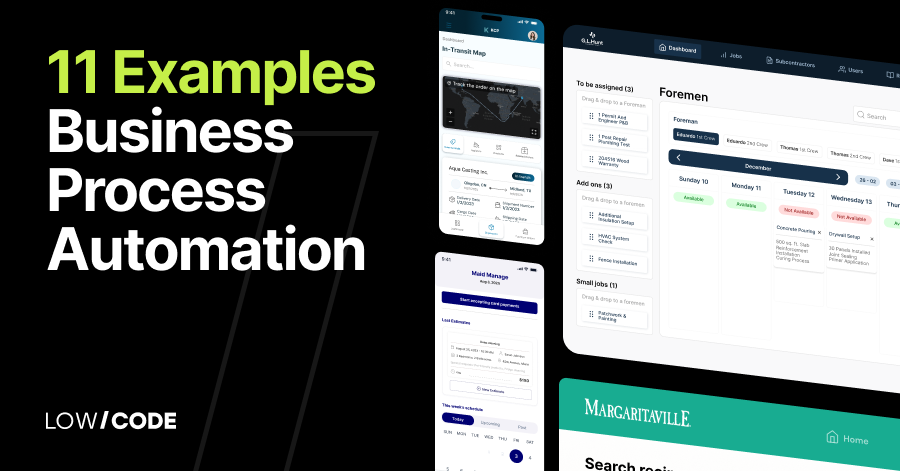
11 Examples of Business Process Automation That Saved Time
Discover 11 examples of business process automation that saved time and improved efficiency across various industries with no-code solutions
Why customers trust us for no-code development


