

AI Employee for Corporate Training Companies
13 min
read
Fill training programs faster. An AI Employee handles inquiries, enrollment follow-ups, and scheduling for corporate training firms.

Corporate training companies are scaling client demand faster than they can hire facilitators, coordinators, and support staff. AI employees close that gap without sacrificing delivery quality.
This guide covers what an AI employee handles for training companies, what it costs to build, and which workflows deliver the fastest return.
Key Takeaways
- AI employees for training companies handle learner support, scheduling, content delivery logistics, reporting, and follow-up without adding headcount for each new client program.
- Learner engagement improves measurably when AI sends timely reminders, check-ins, and personalised completion nudges throughout the training lifecycle.
- Administrative overhead on program coordination drops 40 to 60 percent when scheduling, registration, and reporting workflows are automated.
- LMS integration is required before automation adds value; the AI must connect to your learning management system to act on real learner data.
- Client reporting is one of the highest-leverage automation targets because it consumes significant staff time and is entirely rules-based.
- ROI appears within 90 days when the first deployment targets learner communication and coordinator scheduling, the two highest-volume repetitive tasks.


What is an AI employee for a corporate training company, and what does it do?
An AI employee for a corporate training company is a configured system that handles learner communication, scheduling, reporting, and follow-up across multiple client programs without staff intervention at each step. It is not a chatbot on a course platform. It is a workflow agent connected to your LMS, CRM, and scheduling tools.
Most training companies try to solve the scaling problem by hiring more coordinators. The AI removes the need for that trade-off.
- Learner enrollment and onboarding: New participants receive automated welcome sequences, platform access instructions, and pre-work assignments without coordinator involvement.
- Session reminder sequences: Learners and facilitators receive confirmation and reminder messages at defined intervals before each session, reducing no-shows and late arrivals.
- Completion tracking and nudges: Learners who fall behind on modules receive automated check-ins and re-engagement messages before they drop off entirely.
- Post-training survey distribution: Evaluation surveys go out automatically at session completion, with follow-up reminders for non-respondents built into the sequence.
- Client progress reports: Completion rates, engagement metrics, and attendance data are compiled and distributed to client contacts on a defined schedule without manual report building.
- Facilitator scheduling and confirmation: Facilitator bookings, confirmation sequences, and pre-session logistics are managed by the AI without coordinator coordination on each event.
To understand the broader capability set this type of system can cover, read what an AI employee is before mapping your own build.
The AI runs the operational layer. Your team focuses on program quality and client relationships.
How does an AI employee handle content delivery and learner engagement?
An AI employee improves learner engagement by sending personalised reminders, completion nudges, and resource follow-ups at the right moments in the training timeline without manual scheduling. Learner drop-off is the most expensive problem in corporate training. AI addresses it with consistent, timely touchpoints at scale.
Programs with automated engagement sequences consistently report 20 to 35 percent higher completion rates than those relying on manual check-ins.
- Pre-session preparation materials delivery: Learners receive reading, pre-work, and preparation instructions before each session, delivered on a defined schedule tied to the program calendar.
- Day-of session reminders: Session-day reminders include join links, materials, and agenda summaries so learners arrive prepared rather than showing up cold.
- Mid-program check-in sequences: At defined intervals, learners receive check-in messages that address common drop-off moments and reinforce program value.
- Completion certificate delivery: Certificates are generated and distributed automatically on completion, without any coordinator pulling records or sending emails manually.
- Post-training resource distribution: Follow-on reading, toolkits, and application guides are sent automatically after program completion to extend the impact.
- Knowledge reinforcement follow-up sequences: At 30 and 60 days post-training, learners receive structured reinforcement prompts designed to embed what they learned in practice.
For a deeper look at how AI supports learning and development operations specifically, the guide on AI for learning and development covers the configuration and workflows in more detail.
Completion rate improvement is the metric that matters most to corporate training clients, and AI engagement sequences are the most direct lever available.
How does an AI employee support learner onboarding for corporate training programs?
An AI employee handles learner onboarding by delivering welcome sequences, collecting required pre-work, distributing access credentials, and answering common onboarding questions without coordinator involvement. Onboarding friction is where training programs lose learners before the first session even starts. Automation removes that friction entirely.
Onboarding automation is the fastest win for training companies managing multiple concurrent client programs.
- Enrollment confirmation and welcome sequences: Every enrolled learner receives a structured welcome email within minutes of registration, with program details, timeline, and what to expect.
- Platform access instructions: Step-by-step LMS access instructions go out automatically, with follow-up for learners who have not logged in within 48 hours.
- Pre-work assignment and tracking: Pre-work assignments are distributed on enrollment, with automated reminders for learners who have not completed them before the first session.
- Manager notification of learner enrollment: When corporate learners enroll, the AI notifies their managers with enrollment confirmation and program overview materials for context.
- Learner profile setup assistance: The AI guides learners through profile completion and platform orientation, reducing day-one confusion and support tickets.
- Day-one logistics confirmation: On the morning of the first session, every learner receives a final confirmation with join link, schedule, and facilitator introduction.
For a detailed look at how AI handles onboarding workflows across employee and learner populations, the guide on AI for employee onboarding is directly applicable to training company operations.
Learners who complete onboarding fully before session one show 40 percent better program completion rates than those who do not.
Which coordination and scheduling tasks does an AI employee handle for training companies?
An AI employee handles facilitator scheduling, room or platform booking confirmations, client calendar management, and rescheduling workflows without coordinator intervention on each transaction. Program coordination is high-volume and entirely rules-based. It is the clearest case for automation in training operations.
Coordinators freed from scheduling typically recover eight to twelve hours per week for higher-value client work.
- Facilitator availability and booking: The AI checks facilitator availability, confirms bookings, and sends preparation materials without coordinator emails back and forth.
- Client session confirmation sequences: Client contacts receive session confirmations with agenda, materials, and logistics automatically, without manual coordinator sends.
- Virtual platform link distribution: Zoom, Teams, or Webex links are generated and distributed to all participants automatically when a session is confirmed.
- Rescheduling request handling: Reschedule requests from facilitators or clients trigger an automated workflow that reoffers available dates and updates all parties.
- Multi-cohort calendar management: When running multiple cohorts of the same program, the AI manages each cohort's timeline independently without separate coordinator tracking.
- Cross-timezone scheduling logic: For global programs, the AI accounts for participant timezones when sending reminders and confirmation messages, eliminating timezone confusion.
Scheduling is the coordination task that creates the most friction in training operations and the least value when done manually.
What systems does a training company AI employee need to integrate with?
A training company AI employee needs to connect to your LMS, CRM, scheduling tool, video conferencing platform, and reporting system to function without creating disconnected parallel workflows. The value of the AI depends entirely on the data it can access and act on. Disconnected systems create manual bridging work that defeats the automation.
Run an integration audit before scoping the build. Missing connections discovered mid-project double the implementation timeline.
- LMS (Docebo / TalentLMS / Cornerstone): The AI reads enrollment, completion, and engagement data from here to trigger the right communication at the right time.
- CRM (Salesforce / HubSpot): Client records, program history, and account contacts live here, and the AI uses this data to personalise reporting and client communication.
- Scheduling (Calendly / Acuity): Facilitator and client session bookings run through this connection, with availability managed in real time.
- Delivery platform (Zoom / Teams / Webex): Session links are generated, distributed, and tracked through this integration, with attendance data feeding back to the LMS.
- Reporting layer (Airtable / Google Sheets): Completion and engagement data is compiled here for client-facing reporting, eliminating the manual spreadsheet-building step.
- Learner communication (Slack / email): Learner-facing messages go through the communication channel the client's organisation already uses, not a new interface learners need to adopt.
Scoping the right integration architecture for your specific platform stack is what AI consulting covers before any build work begins.
Confirm every integration in the scoping phase. The LMS connection is almost always the most complex and deserves dedicated planning time.
What does a training company AI employee cost, and what ROI should companies expect?
A corporate training AI employee costs $500 to $3,000 per month for a configured platform solution, or $20,000 to $70,000 for a custom build. ROI is measurable within 60 to 90 days for training companies running three or more concurrent client programs.
The ROI calculation for training companies compares coordinator hours saved against the cost of the AI solution across all active programs.
- Coordinator time recovered: Automating scheduling, communication, and reporting typically recovers 8 to 15 coordinator hours per week per active program.
- Completion rate improvement: Automated engagement sequences improve program completion rates by 20 to 35 percent, directly improving client renewal and satisfaction scores.
- Reporting time eliminated: Client reporting that previously took 3 to 6 hours per client per month is fully automated, eliminating the task from the coordinator's workload.
- Facilitator scheduling errors reduced: Automated scheduling and confirmation eliminates the double-bookings and miscommunications that currently cost training companies credibility with clients.
- Client retention improvement: Faster support response and proactive program communication improve client renewal rates, which is the highest-value metric in a training company's business.
- Program capacity increase: The same coordinator headcount can manage 30 to 50 percent more concurrent programs when repetitive coordination tasks are handled by AI.
For a full framework to calculate ROI across training operations, the AI employee ROI guide for small businesses applies directly to training company economics with straightforward adaptation.
Training companies running three or more concurrent client programs typically reach positive ROI within 60 days of deployment.
How long does it take to build and deploy a training company AI employee?
A corporate training AI employee takes 6 to 12 weeks to build and deploy, depending on the number of integrations, client programs in scope, and the complexity of learner communication logic. Timeline scales with the number of active programs and the complexity of the LMS integration required.
Starting with one client program limits risk and gives the team a proven, replicable model to expand from.
- Workflow audit and scope definition (weeks 1 to 2): Map every current coordination task, identify the highest-volume and most rules-based workflows, and define the first build target.
- LMS and CRM integration build (weeks 2 to 5): Connect the AI to your LMS so it reads real enrollment, completion, and engagement data before any communication workflow is configured.
- Communication sequence configuration (weeks 3 to 6): Build the onboarding, engagement, and reporting sequences using real program data and client communication templates.
- Reporting automation setup (weeks 4 to 7): Configure the data compilation and distribution workflows that replace manual report building for each client account.
- Test with one client program (weeks 6 to 9): Run the AI on a live program in a controlled way, monitoring outputs and refining sequences before full deployment.
- Full deployment and monitoring (weeks 9 to 12): Roll out across all active programs, with active monitoring and refinement during the first four weeks of full operation.
Training companies building beyond standard platform capability work with AI agent development partners to design custom LMS integrations and multi-program architectures.
Starting with one program is not a compromise. It is the fastest path to a proven system you can replicate across every client.
Conclusion
An AI employee lets corporate training companies add clients and programs without adding coordinators for every new account they win. Learner communication, scheduling, reporting, and onboarding sequences shift into a system that scales across multiple concurrent programs without separate configuration for each one.
The single most important implementation priority is completing the LMS integration before configuring any communication workflows. Without live learner data, the AI cannot trigger the right message at the right moment in the training lifecycle.
Build an AI Employee for Your Training Company and Scale Without Hiring
Training companies that rely on manual coordination hit a growth ceiling fast. Every new client requires more coordinator time, and there is a limit to how far you can staff your way through it.
LOW/CODE Agency is an AI product development company for SMBs. We build web apps, mobile apps, RAG systems, chatbots, and AI agents — custom software engineered for businesses that are not enterprise but demand enterprise-grade AI. We scope and build training company AI employees that connect to your LMS, automate your coordinator workflows, and let your team focus on the program quality and client relationships that actually differentiate your business.
- Training workflow scoping: We audit your current coordination operations and identify the highest-volume, most repetitive tasks that should be automated first.
- LMS integration: We connect the AI to Docebo, TalentLMS, Cornerstone, or your current platform so it reads real learner data before triggering any communication.
- Learner communication automation: We build the onboarding, engagement, completion, and reinforcement sequences that keep learners active and programs running on schedule.
- Facilitator scheduling logic: We configure the availability management, booking, confirmation, and rescheduling workflows that consume most coordinator hours today.
- Client reporting automation: We build the data compilation and distribution system that replaces manual report building for every client account you manage.
- Multi-program deployment architecture: We design the AI system to scale across multiple concurrent client programs without requiring a separate configuration for each one.
- Post-launch monitoring and tuning: We stay involved after deployment to refine sequences, expand automation to new programs, and ensure performance improves as your client base grows.
We have built 350+ products for clients including Coca-Cola, American Express, Sotheby's, and Medtronic.
Looking to build with generative AI? See how our generative AI development services can accelerate your product.
Not sure where to start with AI? Our AI consulting services help you build the right strategy from day one.
Last updated on
September 28, 2026
.

Jesus is a visionary entrepreneur and tech expert. After nearly a decade working in web development, he founded LOW/CODE Agency to help businesses optimize their operations through custom software solutions.


FAQs
What roles can an AI employee perform in corporate training companies?
How does AI improve the personalization of corporate training programs?
Are AI employees cost-effective compared to human trainers in corporate training?
What are the risks of relying on AI employees in corporate training?
Can AI employees replace human trainers entirely in corporate training companies?
How do AI employees help track and measure training effectiveness?
Related Articles
AI
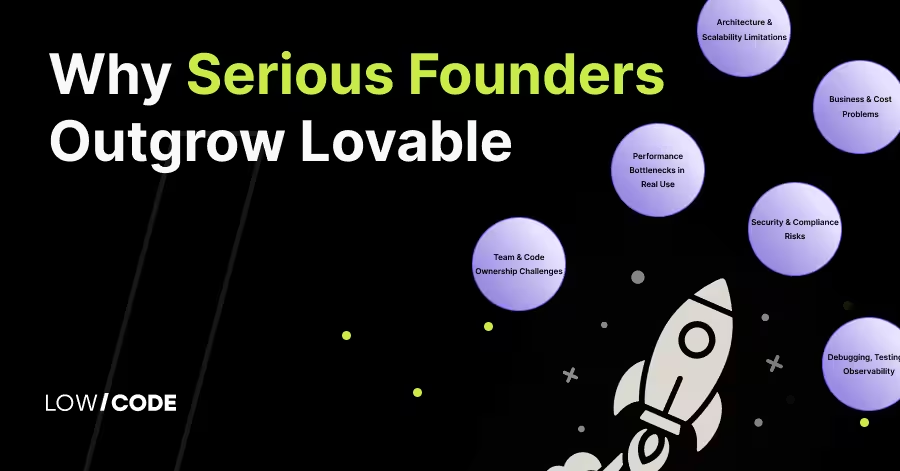
Why Serious Founders Outgrow Lovable (Fast)
Serious founders outgrow Lovable.dev fast. Discover its limits in scale, security, and cost, and why no-code/low-code is the smarter alternative
AI
Using AI to Check Medical Documentation Compliance
Learn how AI helps identify compliance issues in medical documents quickly and accurately for better healthcare management.
AI
AI Delivery Route Optimization to Cut Costs Efficiently
Learn how AI delivery route optimization cuts costs without hiring more drivers. Improve efficiency and reduce expenses today.

AI
AI contract management: Making business agreements simple and fast with no-code
Discover how AI contract management automates document review, tracks deadlines, and reduces errors, helping businesses process agreements faster and more accurately.


Why customers trust us for no-code development


