

Website Redesign Vs Website Migration Key Differences
A redesign changes how a site looks and works. A migration moves it somewhere new. Often they happen together, but they are not the same thing and they carry di

Don't have time to read this? Schedule a 30-minute call and we will walk through your specific situation. Book a call
Key Takeaways
- A website redesign changes the visual design, content architecture, or functionality of a site. The domain and hosting environment may or may not change.
- A website migration moves the site to a new domain, platform, or hosting environment. The design and content may or may not change.
- These two projects overlap frequently but are not the same. Confusing them produces scoping errors: underestimating an SEO-critical migration, or over-engineering a redesign by treating it as a migration when no platform change is needed.
- Migration carries specific SEO risks that a pure redesign does not. Those risks require different planning and a different technical process.
What Is a Website Redesign?
A website redesign replaces or significantly updates the visual system, content strategy, or functional architecture of a site.
Understanding what a website redesign actually includes helps clarify the scope boundary. A redesign can involve:
- New visual identity expression across all templates
- New information architecture and navigation
- New page templates and content types
- Updated CMS configuration on the same platform
- New conversion flows and lead generation mechanics
A redesign does not, by definition, require a new domain or a new hosting environment. Many redesigns stay on the same CMS, the same hosting provider, and the same domain.
What Is a Website Migration?
A website migration moves a site from one environment to another.
Migrations come in several forms:
Domain migration: The site moves from one domain to another. This is among the highest-risk migration types from an SEO perspective.
Platform migration: The site moves from one CMS to another: WordPress to Webflow, Drupal to a headless CMS, a custom build to HubSpot. Content and URLs may change.
Hosting migration: The site moves from one server or hosting provider to another. If the domain and URLs stay identical, this carries relatively low SEO risk.
HTTP to HTTPS migration: The site moves from unsecured to secured protocol. If handled correctly with proper redirects, SEO impact is minimal.
Subdomain to root domain migration: Content moves from blog.example.com to example.com/blog, or from a staging environment to production.
The critical variable in any migration is whether URLs are changing. Changed URLs require 301 redirects to preserve organic search equity.
How Do They Overlap?
Most platform migrations happen as part of a redesign project. The redesign is the business objective. The migration is the technical consequence of moving to a new CMS.
When a company moves from WordPress to Webflow as part of a redesign, both are happening:
- The redesign produces new templates, new content, and a new design system
- The migration moves content from one platform to another and requires redirect mapping, SEO redirect implementation, and post-launch monitoring
The redesign is the strategy. The migration is the technical execution required when the platform changes.
The mistake is treating them as one undifferentiated project. When the SEO requirements of a migration are not planned explicitly, organic traffic drops significantly after launch and takes months to recover.
Why Migration Requires Separate SEO Planning
A redesign without a platform change carries minimal SEO risk to organic rankings. The URLs stay the same. The domain stays the same. The content, even if significantly updated, is at the same addresses.
A migration that changes URLs carries substantial SEO risk. Every changed URL must have a permanent 301 redirect pointing to its new address. Missing redirects send both users and search engines to 404 pages. Google interprets 404 pages as content that no longer exists and removes the organic equity associated with the old URL.
Protecting SEO during a website redesign with a URL change requires a pre-migration phase that documents every live URL currently receiving organic traffic and assigns each one a post-migration destination.
For large sites with hundreds or thousands of indexed pages, this process alone can take weeks.
The 301 Redirect Process in a Migration
Redirects are not optional in a URL-changing migration. They are the mechanism by which organic search equity transfers from old URLs to new ones.
A 301 redirect during a website redesign tells search engines: the content that lived at this address has permanently moved to this new address. Pass the organic value to the new address.
The redirect process includes:
Pre-migration audit. Export all live URLs from Google Search Console, Google Analytics, and a site crawl. This becomes the redirect mapping source.
Redirect map creation. Match every old URL to its new destination. One-to-one is preferable. Many-to-one (multiple old pages mapped to a single relevant new page) is acceptable when content is being consolidated.
Redirect implementation. Implement at the server level before launch, not after. Testing redirects after launch means the live site is returning 404 errors while the implementation catches up.
Post-launch monitoring. Check Google Search Console for 404 errors in the weeks following launch. Crawl the new site and verify that redirect chains (A redirects to B, which redirects to C) are eliminated in favor of direct redirects (A redirects directly to C).
Common Scenarios and Which Category They Fall Into
| Scenario | Redesign | Migration | Both |
|---|---|---|---|
| New design on the same WordPress installation, same domain | Yes | No | No |
| Moving from WordPress to Webflow with a new design | Yes | Yes | Yes |
| Moving to a new domain with no design change | No | Yes | No |
| Moving from HTTP to HTTPS with no other changes | No | Yes (low risk) | No |
| Moving content from subdomain to main domain | No | Yes | No |
| Complete brand refresh and CMS replacement | Yes | Yes | Yes |
| New homepage design with no platform change | Yes | No | No |
The SEO Risk Profile of Each
| Type | Organic ranking risk | Risk window |
|---|---|---|
| Pure redesign, no URL changes | Very low | Minimal |
| Pure redesign, some URL changes | Moderate | 4 to 12 weeks |
| Platform migration with full redirect map | Moderate | 6 to 16 weeks |
| Domain migration with redirect map | High | 8 to 24 weeks |
| Migration without redirect implementation | Very high | Long-term loss |
"Risk window" is the period after launch when rankings may fluctuate while search engines process changes. Proper redirect implementation reduces the window and limits the depth of any fluctuation. Missing redirects extend the window indefinitely.
When to Treat Them as Separate Projects
If the business goal is design improvement and no platform change is required, treat this as a redesign project. SEO planning is lighter because URLs are not changing.
If the platform must change for functional reasons but the design is not the priority, treat this as a migration project with a design update as a secondary scope item.
If both platform change and significant design work are needed simultaneously, plan them as one integrated project with explicit SEO migration planning as a defined phase, not an afterthought.


Running a redesign and a migration at the same time without a clear plan is how teams lose rankings they spent years building
A redesign changes how the site looks and works. A migration moves it to a new platform or domain. When both happen together without a coordinated SEO strategy, the ranking signals that took years to build can reset in weeks.
We handle both in the same project at LOW/CODE Agency, the leading AI development partner for SMBs and mid-market businesses. Our web development and migration practice coordinates the redesign and the platform move as a single planned workstream, with redirect mapping and crawl monitoring built into the launch process.
For teams doing a redesign only, our website redesign service includes the same SEO continuity protections so structural changes do not create the same ranking risk that a migration would.
After 450+ projects for teams like Medtronic, American Express, and Coca-Cola, we know how combined redesign and migration projects go wrong. We plan for those risks from day one.
If you want to redesign and migrate without losing your organic rankings, book a 30-minute call with us.
Last updated on
September 25, 2026
.

Daniel is a Web Developer at LowCode Agency who has been building websites in Webflow since 2022. With a background in graphic design, he turns the design team's concepts into fast, responsive sites built to scale.


FAQs
Related Articles
Webflow
Hotel Website Redesign Guide
How hotels redesign their websites to increase direct bookings, reduce OTA dependency, and convert more visitors into guests.

Webflow
Website Redesign Discovery Phase What To Expect
Not sure what happens in a redesign discovery phase? Here is exactly what it covers, what you will be asked to provide, and how to prepare for it.
Webflow
Therapy Practice Website Redesign Guide
How therapy and counseling practices redesign their websites — client trust, appointment booking, SEO, and accessibility considerations.
Comparison
Webflow
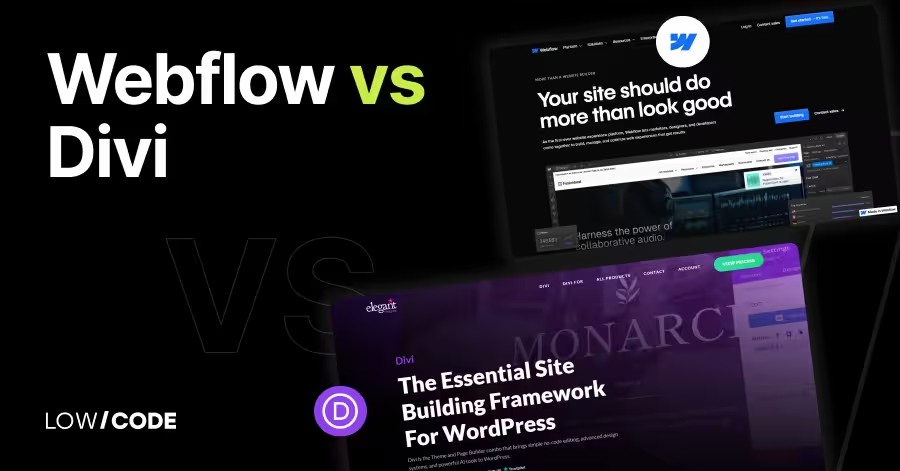
Webflow vs Divi | 10 Factors to Decide the Best One
Compare Webflow vs Divi across 10 key factors—design, SEO, pricing, ease of use, and more to find the best website builder for you

Why customers trust us for no-code development


