

Website Redesign Best Practices
Not all redesign best practices survive contact with a real project. This list covers the ones that consistently produce results, and why others fall apart.


Don't have time to read this? Schedule a 30-minute call and we will walk you through exactly how this applies to your business. Book a call
Key Takeaways
- Most redesign best practice lists repeat the same generic advice. This one focuses on what actually produces results under real project conditions.
- Several widely repeated best practices fail in practice because they ignore how client engagements actually work.
- The practices that hold up are the ones tied to measurable outcomes, not aesthetic standards.
- Applying even half of these consistently will put your redesign ahead of most.
Why "Best Practices" Lists Often Miss the Point
There is no shortage of redesign best practice articles. Most recycle the same twelve points: define your goals, know your audience, optimize for mobile, test before launch.
That advice is not wrong. It is just incomplete.
These practices sound obvious in isolation. They break down in real projects when timelines compress, budgets get cut, or stakeholders introduce conflicting priorities mid-build. The best practices that actually hold up are the ones designed to survive those conditions.
Practice 1: Define Success in Numbers, Not Words
"We want the site to perform better" is not a goal. It is an aspiration.
Every redesign should start with specific, numeric targets: increase conversion rate from 1.2% to 3%, reduce bounce rate on the homepage below 55%, grow organic traffic to the services cluster by 40% in six months. Numeric goals are the only kind you can measure against, and measurement is what tells you whether the investment was worth it.
Teams that skip this step cannot evaluate the redesign honestly at 90 days post-launch. Everything becomes subjective.
Practice 2: Do Not Start Designing Until You Have User Data
Internal assumptions about what users want are almost always partially wrong.
Even a lightweight round of five to eight user interviews before design begins will surface things the internal team did not know: the actual words users use to describe the problem the product solves, the questions users have before they inquire, and the parts of the current site that confuse rather than convert.
Designing without this data produces a site optimized for how the internal team thinks, not how users actually behave.
Practice 3: Protect Your SEO Before You Touch Anything
This is the practice most often skipped by teams running their first major redesign. It is also the one with the most painful consequences.
Before any URL changes, before any content is rewritten, and before any platform migration begins, document every indexed page and its current ranking position. Map redirects for every URL that is changing. Plan for structured data and metadata to be preserved. Build this into the project timeline before design starts.
A redesign that launches without this work in place typically sees organic traffic drop within weeks of go-live. Recovery takes months.
Practice 4: Get Content Ready Before Development Starts
The single most common reason redesign timelines slip is content that was not ready when development needed it.
Content should be finalized and approved before development begins on the pages that depend on it. This means starting the content work during discovery, running writing in parallel with design, and having a clear approval chain for copy sign-off before development picks it up.
"We will fill in the content later" is how sites launch with placeholder copy and inconsistent messaging. It is also how launch dates slip by four to six weeks.
Practice 5: Build Mobile-First, Not Mobile-Adapted
There is a difference between designing for desktop and adapting for mobile, and designing for mobile from the start.
The adapted approach produces a mobile experience that works but was never quite right. The mobile-first approach means the layouts, content hierarchy, and interaction patterns are designed for the constraints of a small screen first, then expanded for desktop.
Given that more than 60% of web traffic arrives on mobile, the mobile experience should be the primary design target, not the secondary one.
Practice 6: Treat Performance as a Design Constraint, Not a QA Task
Page speed problems that are discovered during QA are expensive to fix.
Performance needs to be a constraint that shapes design decisions from the start. Image formats, font loading strategies, animation complexity, and third-party script loads all affect Core Web Vitals scores. When these are factored in during design rather than optimized after the fact, the result is a site that performs well without requiring a separate optimization sprint post-launch.
Practice 7: Run Stakeholder Alignment Before Design, Not During It
The most expensive revision cycles are the ones that happen after mockups have been delivered.
When key stakeholders see early design work and surface conflicting priorities, goals, or brand direction, the team has to stop, realign, and revise. This adds time, costs money, and often produces a compromise design that satisfies no single direction clearly.
The practice that holds up is running structured alignment sessions during discovery, before a single wireframe is created. Get everyone to agree in writing on goals, audience, messaging hierarchy, and visual direction before design work begins.
Practice 8: Plan the Launch as Carefully as the Build
Go-live is not the end of the project. It is the moment when the work gets measured.
The launch phase should include: a verified redirect implementation, confirmed analytics setup with conversion events firing correctly, Search Console sitemap submission, SSL verification, cross-browser and device testing, and a post-launch monitoring plan with defined review milestones at 30, 60, and 90 days.
Teams that treat launch as a finish line and move on immediately are the same teams that discover broken forms, missing analytics, and ranking drops weeks later.
Practice 9: Scope Specifically, Not Optimistically
Most redesign problems are scoping problems.
A vague scope produces a project that is easy to price and hard to deliver. Every undiscovered requirement, every "we assumed that was included" conversation, and every post-launch fix that should have been in scope traces back to a scope document that was not specific enough.
The practice that holds up: scope documents that name every page, every integration, every content type, every QA standard, and every post-launch deliverable explicitly. If it is not in the scope document, it is not in the project.
The key elements of a successful website redesign covers the full list of what a complete scope should include, and the website redesign process shows how these elements sequence from discovery through launch.
Practice 10: Measure Against the Baseline, Not Against Feelings
At 60 and 90 days post-launch, the question should be: did the site achieve the numeric goals set before the project started?
Not "does it look better than before?" Not "did the CEO like the homepage?" Those are valid reactions, not measurements.
The baseline you documented at the start of the project is what the redesign is measured against. Conversion rate, organic traffic, bounce rate, lead volume. If those numbers moved in the right direction, the redesign worked. If they did not, the data tells you where to focus next.
This practice requires the measurement plan to exist before launch, not after. Teams that decide how to measure success after seeing the results are not measuring. They are rationalizing.
Practices Worth Skipping
A few widely repeated pieces of advice that do not hold up as well in practice:
"Use the latest design trends." Trends are tools, not goals. A site designed around current trends will look dated in 18 months. A site designed around user behavior and conversion performance will hold up longer.
"Add more social proof." Social proof matters, but only if it is specific and credible. Generic testimonials and stock photos of happy customers are worse than none because they signal inauthenticity.
"Make the homepage do everything." A homepage that tries to serve every audience and address every question converts nobody. Focused homepages that speak to one primary visitor type and drive one primary action consistently outperform broad ones.
If you want to see which mistakes to avoid alongside these best practices, the common website redesign mistakes article covers the specific decisions that consistently kill project ROI.
And when you are ready to see what a full structured engagement looks like end to end, the website redesign services page covers scope, timeline, and what a discovery-first build process delivers.


Best practices are a starting point. The agency that applies them to your specific situation is what determines results.
Every redesign best practice list sounds reasonable in the abstract and becomes difficult in execution when applied to a real organization with legacy content, internal politics, technical debt, and a deadline that does not move. The teams that get the best outcomes are the ones with a partner who has navigated those constraints before.
LOW/CODE Agency has delivered 450+ projects across industries, team structures, and technical environments. Our web development practice applies best practices within the context of your actual constraints, not around them.
For B2B organizations with complex stakeholder environments and long sales cycles, our B2B website development team knows which best practices matter most for your buyer and how to implement them without derailing a project.
Clients like Medtronic, American Express, and Coca-Cola have trusted us to get it right. Let us show you how we approach it.
Last updated on
September 25, 2026
.

Daniel is a Web Developer at LowCode Agency who has been building websites in Webflow since 2022. With a background in graphic design, he turns the design team's concepts into fast, responsive sites built to scale.


FAQs
Related Articles
Webflow
Webflow for Your Landing Pages: When It Makes Sense
When Webflow is the right choice for landing pages — and when a dedicated tool like Unbounce or Instapage makes more sense.
Webflow
Sitecore Website Redesign Guide
What a Sitecore website redesign involves — platform considerations, migration options, costs, and when switching makes business sense.
Webflow
Comparison
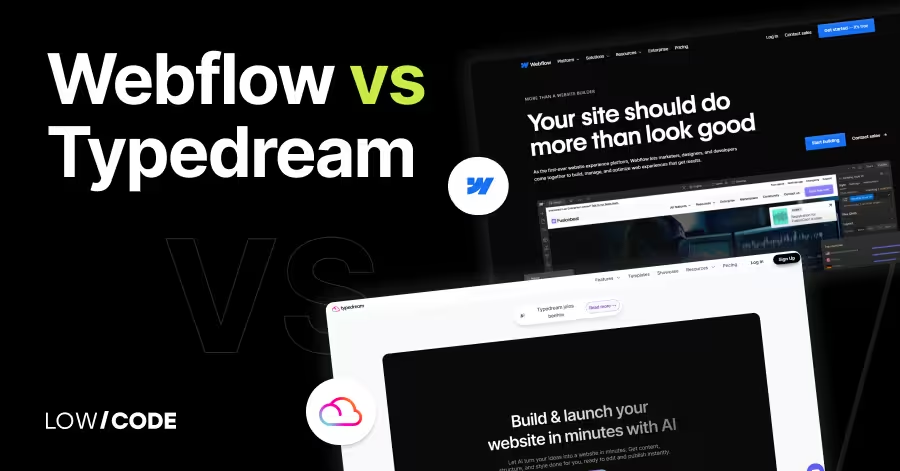
Webflow vs Typedream | 9 Factors to Decide the Best One
Compare Webflow vs Typedream on design, SEO, CMS, and speed. Learn which no-code builder suits your website goals, full control or fast publishing

Webflow
Enterprise Webflow Agency (Hiring Guide for Businesses)
Learn how to choose the right enterprise Webflow agency. This hiring guide covers evaluation criteria, pricing models, red flags, and scalability needs.


Why customers trust us for no-code development


