

Build AI Lead Scoring App Without Coding Easily
12 min
read
Learn how to create an AI lead scoring app without coding. Follow simple steps to automate lead evaluation and boost sales efficiency.

Learning to build an AI lead scoring app without code is now within reach for any sales operations team. Most sales teams waste hours chasing leads that will never convert. AI lead scoring fixes this by ranking every inbound lead automatically, before a rep ever touches it.
The problem is not a lack of data. It is that manual scoring cannot process dozens of signals at once, and static point systems ignore context entirely. Today's tools make dynamic, real-time AI scoring possible without hiring a single engineer.
Key Takeaways
- No-code scoring works: Tools like Make, n8n, and OpenAI let you build a working scorer in a day without touching code.
- Criteria come first: Define what a qualified lead looks like before you configure any AI logic or automation flows.
- CRM integration is essential: Scores need to land directly in your CRM to trigger the right rep actions at the right time.
- AI enrichment sharpens accuracy: Pulling firmographic and behavioural data before scoring significantly improves model output.
- Calibration takes time: The first two weeks require active monitoring and threshold adjustments to get scoring right.


Why Does AI Lead Scoring Matter and What Does Manual Handling Cost You?
AI scoring evaluates dozens of dynamic signals in real time, giving every lead a defensible rank before a rep decides where to spend their day. Static systems assign fixed points to job titles or form fields and miss context entirely.
Lead scoring is one of the highest-ROI targets covered in our AI process automation guide. Research consistently shows sales reps spend over 60% of prospecting time on low-fit leads.
- Static systems miss signals: Fixed-point models ignore recency, intent, and behavioural data that change a lead's fit overnight.
- High volume makes it worse: More inbound leads simply means more time wasted on poor fits without an automated filter in place.
- AI evaluates simultaneously: Company size, industry, page visits, email engagement, and intent signals are all scored at once.
- Scores update in real time: As new data arrives, the model adjusts rankings without any manual intervention required.
- Routing happens in minutes: Hot leads reach reps within minutes of form submission when scoring and routing are connected.
Today's no-code automation tools make this buildable without a single line of code, closing the gap between data and rep action automatically.
What Do You Need Before You Start Building?
You need five things in place before building: an automation platform, an OpenAI API key, a connected CRM, a defined inbound lead source, and historical closed-won and closed-lost data. Without these, setup stalls before the first prompt is written.
Before you configure scoring logic, read up on AI lead qualification to understand what signals actually predict conversion.
- Automation platform: Make or n8n both work well and support all the integrations this build requires.
- OpenAI API key: Required for the scoring prompt and optional for enrichment when paid data tools are not in budget.
- Connected CRM: HubSpot or Salesforce must be linked and have custom fields created for score, tier, and reasoning.
- Defined lead source: Identify whether leads arrive via form, webhook, or ad platform before connecting any trigger module.
- Historical deal data: Closed-won and closed-lost records ground your scoring criteria in evidence rather than assumption.
Plan for four to eight hours of setup time, intermediate no-code skills, and a clearly defined ICP before you begin. Once the scorer is live, pair it with lead scoring and routing automation to close the loop between score and rep action.
How to Build an AI Lead Scoring App Without Writing Code: Step by Step
The build follows five sequential steps: define criteria, connect your lead source, enrich the data, write the scoring prompt, and push results back to your CRM. Each step builds on the last.
Step 1: Define Your Ideal Customer Profile and Scoring Criteria
Start by pulling your last 90 days of closed-won and closed-lost deals. Look for patterns in company size, industry, job title, and deal velocity.
Map every pattern to a signal category. Firmographic signals include company size, revenue, and industry. Behavioural signals include page visits, email opens, and content downloads. Demographic signals include seniority, function, and geography.
Assign a weight category to each signal: high, medium, or low. High-weight signals should directly represent your core ICP. Medium signals are strong supporting indicators.
Low-weight signals provide context but should not drive the score alone. Document this weighting in a simple spreadsheet before touching any automation platform. It becomes your scoring logic reference throughout the build.
Step 2: Connect Your Lead Source to Your Automation Platform
Open Make or n8n and create a new scenario or workflow. Add a trigger module that listens for your inbound lead source.
If leads come through a form, use a webhook trigger or a native form integration such as Typeform or HubSpot Forms. If leads arrive via CRM, use a record-created trigger.
Map every inbound field to a standardised variable name. Use consistent naming across the workflow: lead_company, lead_title, lead_email, and so on. Inconsistent field names cause silent failures later in the enrichment step.
Test the trigger by submitting a real lead. Confirm that all expected fields are populated and that the variable mapping is clean before moving to enrichment.
Step 3: Build the AI Enrichment Layer
Raw form data rarely contains enough signals for accurate scoring. Add an enrichment step before any AI logic runs.
Use Clearbit, Apollo, or a similar data provider as a module in your automation platform. Pass the lead email or company domain and retrieve firmographic data such as employee count, revenue estimate, industry, and technology stack.
If a paid enrichment tool is not in budget, use an OpenAI-powered enrichment step. Pass the company name and domain to the API and prompt it to return publicly available firmographic context in structured JSON.
Reference the AI lead qualifier blueprint to skip the configuration guesswork. It provides a ready-made enrichment prompt and field mapping structure.
After enrichment, merge the original form fields with the appended firmographic data into a single structured object. That object becomes the input for your scoring prompt.
Step 4: Write the AI Scoring Prompt and Logic
Create an HTTP module in your automation platform that calls the OpenAI Chat Completions endpoint. Use gpt-4o or gpt-4o-mini for cost-efficient scoring at scale.
Structure your system prompt carefully. Tell the model it is an expert B2B lead scoring assistant. Provide your ICP criteria and signal weights as explicit instructions.
Your user message should pass the enriched lead data as structured JSON. End the prompt with a clear instruction: return a score from 1 to 100, a tier label (Hot, Warm, or Cold), and a one-sentence reasoning summary explaining the score.
Specify the output format precisely. Ask for valid JSON so your automation platform can parse the response without additional transformation steps.
Define fallback behaviour for incomplete data. If enrichment returns fewer than five meaningful fields, instruct the model to score conservatively and flag the lead for manual review rather than assigning a high score on thin data.
Step 5: Push Scores to Your CRM and Trigger Routing Rules
Add a CRM update module after the AI scoring step. Write the numeric score, tier label, and reasoning summary to dedicated custom fields on the lead or contact record.
Use the lead scoring form-to-CRM blueprint as your CRM field mapping reference. It covers HubSpot and Salesforce field structures for score, tier, and reasoning.
After writing the score, add a conditional branching step. If the score exceeds your hot threshold, trigger an immediate Slack or email notification to the assigned rep.
If the score falls in the warm range, enrol the lead in a nurture sequence automatically. If the score is cold, route to a long-cycle nurture workflow or suppress from active rep queues entirely.
Test the full flow with five representative leads before activating it for live traffic. Confirm that scores land in the correct CRM fields and that routing logic fires as expected for each tier.
What Are the Most Common AI Lead Scoring Mistakes and How Do You Avoid Them?
The three most frequent mistakes are under-enriching data before scoring, setting thresholds before any data exists, and omitting the reasoning field from the AI output. Each is easy to avoid once you know to look for it.
Mistake 1: Scoring on Too Few Signals
Builders default to form data only, which typically provides three to five fields. That is not enough for meaningful scoring.
Run enrichment before scoring runs every time. The AI model needs at least eight to ten meaningful fields to differentiate a strong fit from a weak one reliably.
A model given only job title and company name will produce scores that cluster in a narrow band. Enrichment breaks that clustering by adding context the form never captured.
Mistake 2: Setting Score Thresholds Before Any Data Exists
Teams want to activate routing rules immediately after build. Resist the urge. Thresholds set before any data flows through the system are guesses, not decisions.
Run the first 50 to 100 leads through the scorer in observe-only mode. Record scores but do not trigger any routing logic. Review the score distribution manually.
Look at where your historically high-quality leads cluster. Set your hot threshold at the lower boundary of that cluster, not at an arbitrary number like 70 or 80.
Mistake 3: Skipping the Reasoning Field in the AI Output
Builders focus on getting the numeric score and skip the explanation. This creates a black-box system that reps will not trust.
Always request a one-line reasoning summary alongside the score. Reps can read it in the CRM before their first call and immediately understand why the AI ranked the lead highly.
When reps understand the reasoning, they sanity-check the AI output rather than ignore it. This creates a feedback loop that improves scoring quality over time.
How Do You Know the AI Lead Scorer Is Actually Working?
Track three metrics from day one: score-to-close correlation rate, time-to-first-contact for high-scoring leads, and the percentage of hot-scored leads converting to pipeline opportunities. These three numbers tell you whether the scorer is actually predicting revenue.
During weeks one through four, monitor score distribution daily to catch threshold and prompt issues before they affect pipeline quality.
- Score distribution check: A healthy spread across tiers confirms thresholds are calibrated. Eighty percent hot means something is wrong.
- Manual override rate: If reps regularly override AI scores, the model is missing something important that needs prompt revision.
- Enrichment success rate: Enrichment failing on more than 20% of leads means the model is scoring on incomplete data.
- Conversion correlation: If hot-scored lead conversion drops below your pre-AI baseline, revisit criteria and rewrite the scoring prompt.
- Calibration timeline: A well-calibrated scorer typically delivers a 20 to 40% improvement in pipeline quality within two cycles.
Set realistic expectations going in. It takes time for the system to pay off fully, and consistent monitoring in the first month is what separates a working scorer from an abandoned one.
How Can You Get Your AI Lead Scorer Built Faster?
The fastest self-build path combines the AI lead qualifier blueprint with Make or n8n, OpenAI, and HubSpot. Following the blueprint, most teams get a working scorer live within a single business day.
For teams with complex requirements or limited internal bandwidth, a professional build removes the trial-and-error cycle entirely.
- Blueprint starting point: The AI lead qualifier blueprint covers enrichment prompts, field mapping, and CRM write steps in a ready-made format.
- Know your handoff trigger: Unclear ICP, dirty CRM data, multi-team routing, or volume above 500 leads per month all justify a professional build.
- Custom scoring models: Professional builds add multi-source enrichment and CRM logic that respects existing workflow structures without rebuilding them.
- First action is clear: Open Make or n8n, connect your primary lead source, and complete Steps 1 through 3 before writing a single prompt.
Our AI agent development services team handles the full implementation for more complex requirements, adding custom scoring models and routing logic your team can maintain independently after launch.
Conclusion
A no-code AI lead scorer is one of the fastest ROI-positive builds a sales team can ship. It removes subjectivity, speeds up rep response time, and compounds in value as it processes more leads. The setup work pays back within the first month for most teams running meaningful inbound volume.
The next step is straightforward. Download the AI lead qualifier blueprint and connect your first lead source today. The scoring logic takes less than an hour to configure once your data is mapped and your ICP criteria are documented clearly.
Who Can Build a Custom AI Lead Scoring App for Your Sales Team?
Building a working AI lead scorer takes more than following a tutorial, especially when your ICP is nuanced, your CRM data is complex, or your routing logic spans multiple teams. Getting the enrichment layer, scoring prompt, and CRM integration right together is where most self-builds stall.
We are LOW/CODE Agency — an AI product development company for SMBs. We build across the full stack: web apps, mobile apps, AI chatbots, RAG pipelines, and autonomous agents. Custom software, built by experts. We build AI-powered sales tools that connect directly to your existing CRM, routing rules, and rep workflows without requiring you to rebuild anything from scratch. Every scorer we ship is calibrated to your real closed-won data, not generic ICP assumptions.
- ICP-grounded scoring: We define signal weights using your actual closed-won and closed-lost data, not generic B2B assumptions.
- Multi-source enrichment: We configure firmographic and behavioural enrichment so every lead arrives at scoring with a complete profile.
- Prompt engineering: We write and test your OpenAI scoring prompts to produce accurate, explainable scores your reps will trust.
- CRM field mapping: We map score, tier, and reasoning fields to your exact CRM structure so no data lands in the wrong place.
- Routing logic integration: We connect scoring to your Slack channels, sequences, and rep assignment rules without rebuilding existing flows.
- Calibration support: We run your first calibration cycle with you, adjusting thresholds until score-to-close correlation meets your pipeline targets.
- Full product team: Strategy, design, development, and QA from one team invested in your outcome, not just the delivery.
We have built 450+ products for clients including Coca-Cola, American Express, Sotheby's, Medtronic, Zapier, and Dataiku.
Related Articles
- Build an AI Troubleshooting Chatbot for Your Product
- Build an AI SEO Automation Dashboard for Content Teams
- Build an AI Sales Assistant to Qualify Leads Automatically
- Build an AI Helpdesk Chatbot for Your Team Easily
- Build AI Contract Analysis Tool to Flag Risks Automatically
- Build an AI Content Dashboard for Marketing Teams
Explore our no-code development services to build and automate business workflows without coding.
Last updated on
September 28, 2026
.

Jesus is a visionary entrepreneur and tech expert. After nearly a decade working in web development, he founded LOW/CODE Agency to help businesses optimize their operations through custom software solutions.


FAQs
What tools can I use to build an AI lead scoring app without coding?
How does AI improve lead scoring accuracy compared to manual methods?
Is it possible to customize AI lead scoring models without programming skills?
What data is essential for building an effective AI lead scoring app?
Are there risks in relying solely on AI for lead scoring without human oversight?
How long does it typically take to build an AI lead scoring app without coding?
Related Articles
Business Automation
How to Use Zapier Filters and Conditionals Effectively
Learn how to set up Zapier filters and conditionals to automate workflows and control task execution with ease.
Business Automation
Comparison
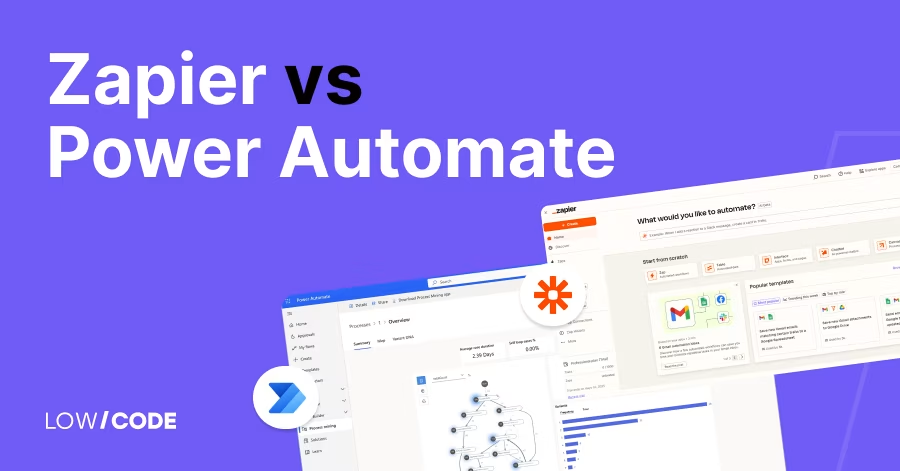
Zapier vs Power Automate | 8 Factors to Decide the Best One
Compare Zapier vs Power Automate on pricing, features, security, and workflows. Learn which automation tool is best for your business needs
Business Automation
Automate Offer Letter Generation and Delivery Easily
Learn how to automate offer letter creation and delivery to save time and reduce errors in your hiring process.
Business Automation
Automate Facility Maintenance Requests & Scheduling
Learn how to streamline facility maintenance requests and scheduling with automation for improved efficiency and reduced downtime.


Why customers trust us for no-code development


